> ## Documentation Index
> Fetch the complete documentation index at: https://help-plum.xoxoday.com/llms.txt
> Use this file to discover all available pages before exploring further.
# Reward Code Report
> See how to generate and interpret the reward code report in Plum, covering distribution status and redemption activity.
*Discover how to access detailed transaction reports for Reward Code*
To view transaction reports for Reward Code, navigate to the Reports and then to the "Reward Code" tab. The reports provide detailed information such as recipient name, recipient email, date of delivery, campaign details, status, and more.
***
## How to Access Reward Code Reports
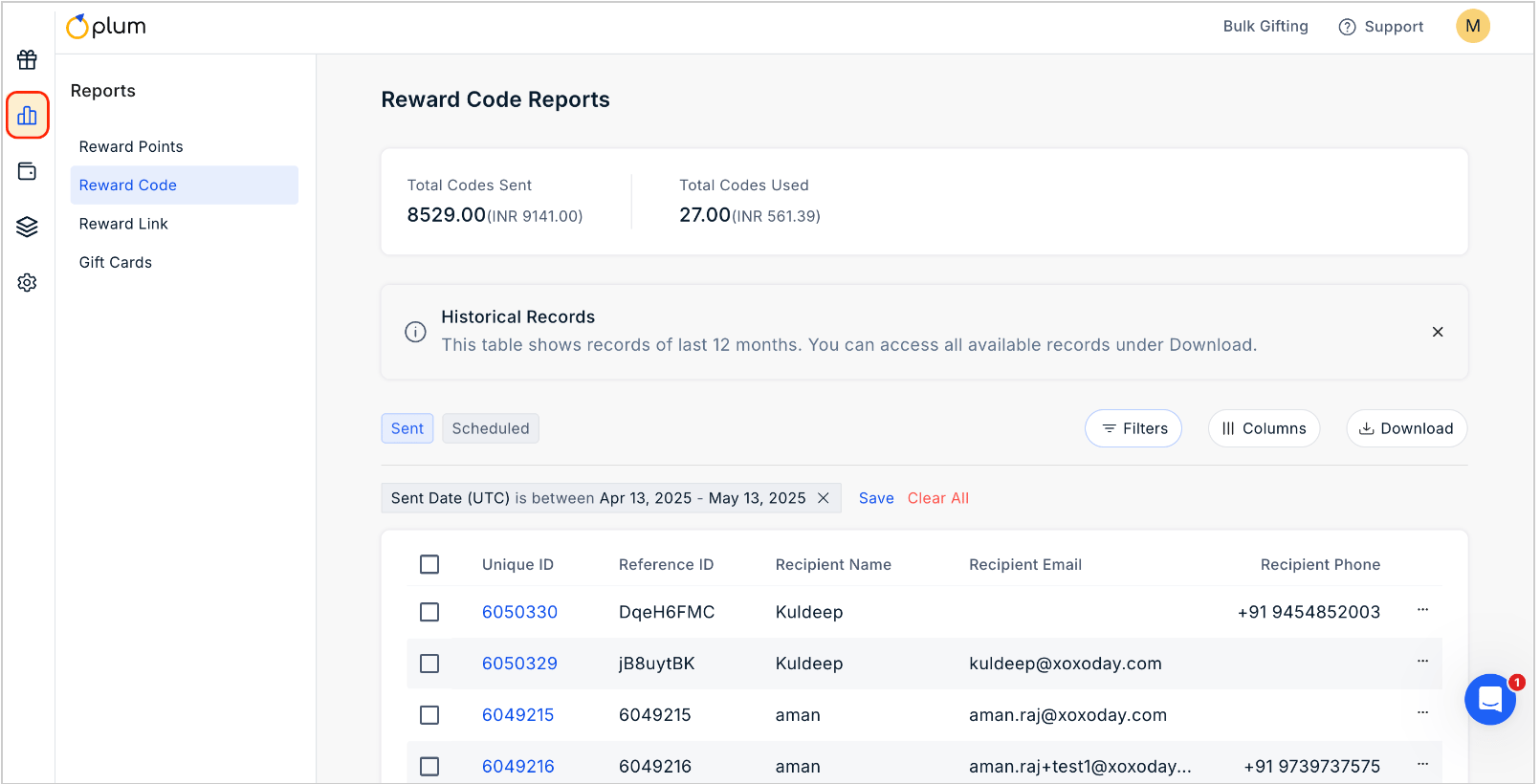 To view the report for Reward Code, simply navigate to the "**Reward Code**" section.
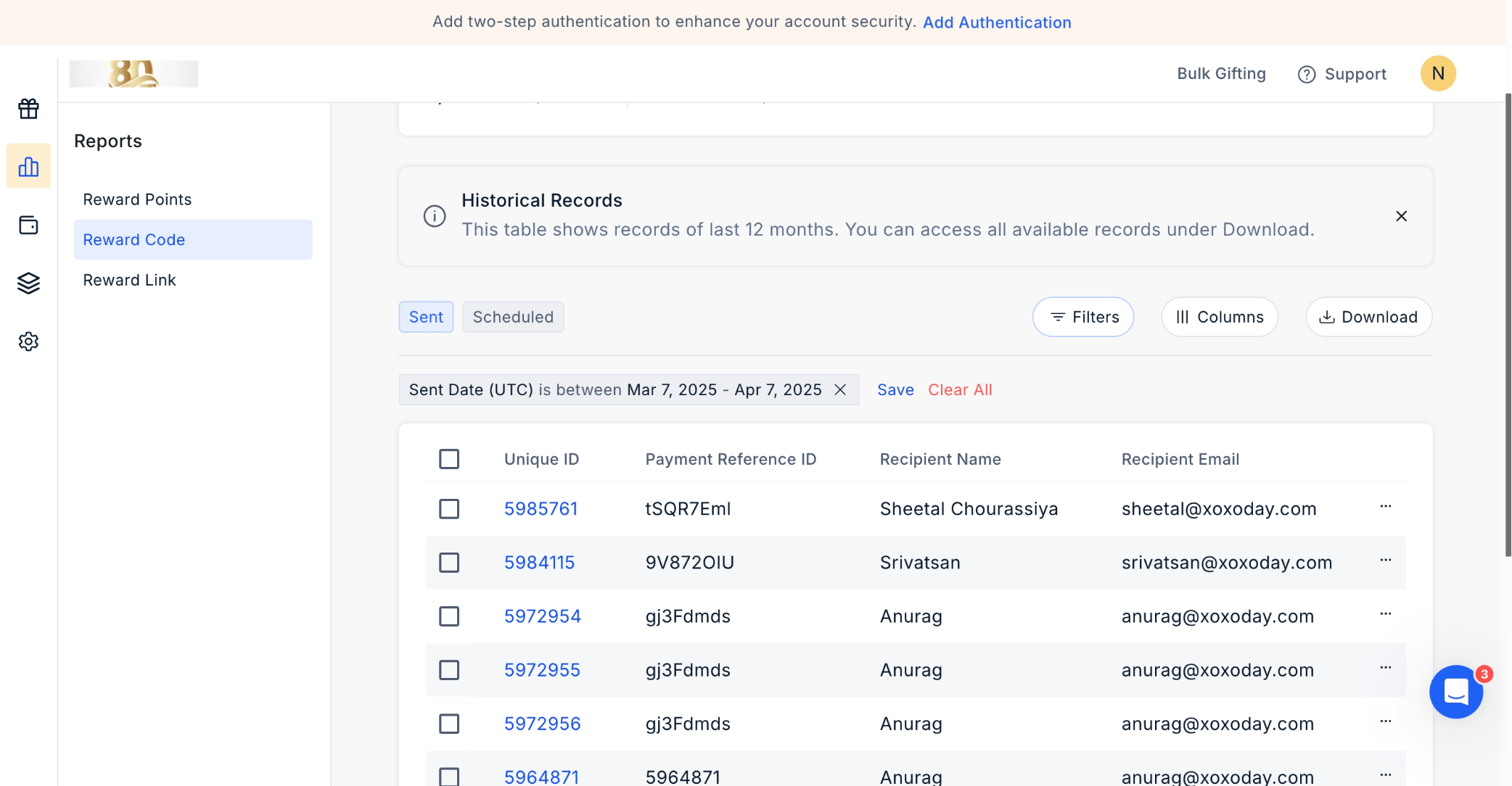 In this section, you'll find comprehensive transaction details, including "**Unique ID**", "**Payment Reference ID**", "**Recipient Name**", and "**Recipient Email**", along with other relevant information.
To download the report, click on "**Download**" at the top right corner of the page.
In this section, you'll find comprehensive transaction details, including "**Unique ID**", "**Payment Reference ID**", "**Recipient Name**", and "**Recipient Email**", along with other relevant information.
To download the report, click on "**Download**" at the top right corner of the page.
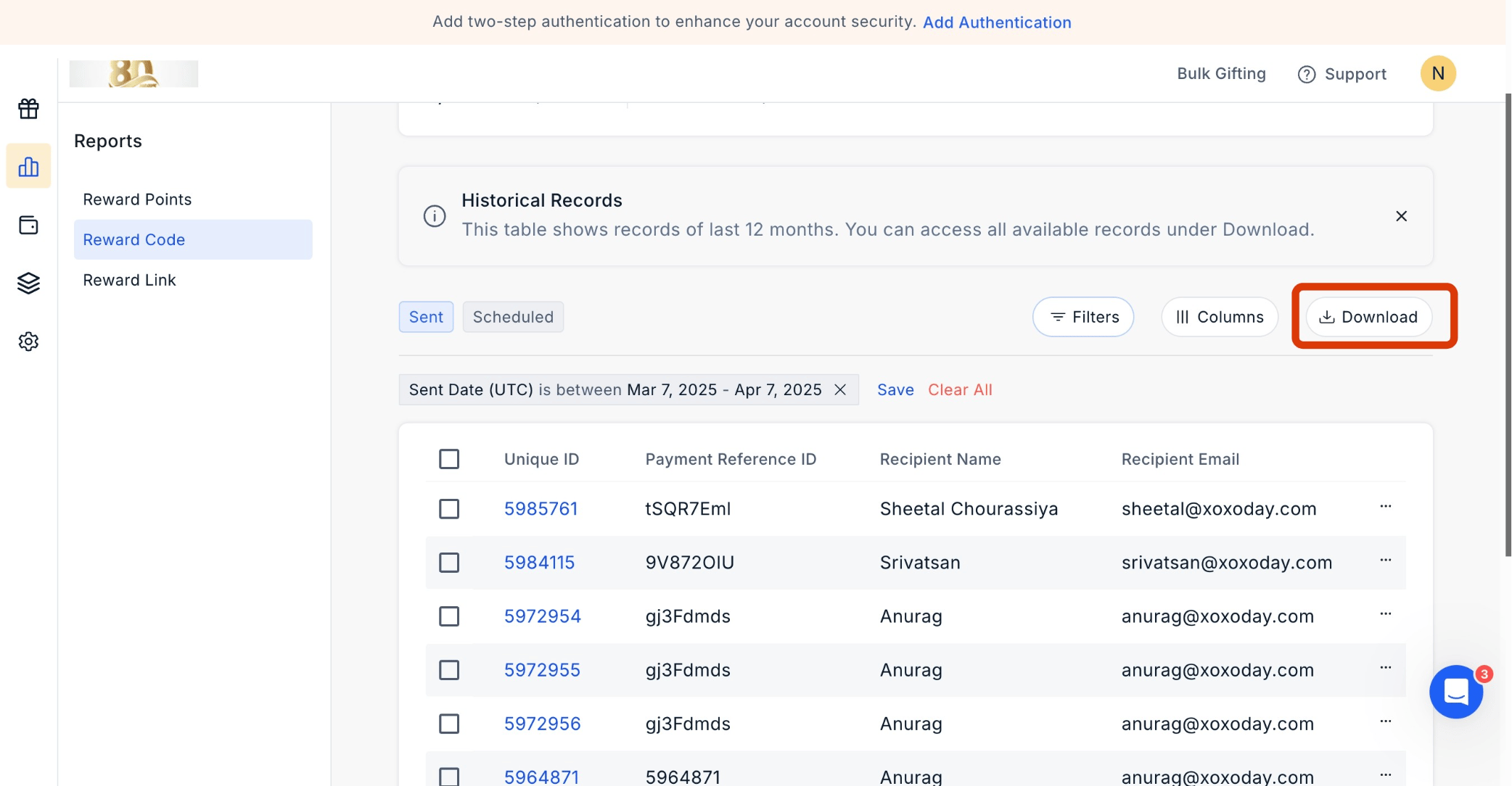 Select your desired time frame for viewing reports by clicking Send Date UTC.
***
## Tracking Email and SMS Activity in Rewards Code Report
You can easily track Email and SMS activity in the Rewards Code report, enabling you to monitor and analyze the communication activities related to rewards distribution.
Navigate to **Admin Dashboard > Reports > Reward Code.** Click the **'three dots icon'** to move ahead.
Select your desired time frame for viewing reports by clicking Send Date UTC.
***
## Tracking Email and SMS Activity in Rewards Code Report
You can easily track Email and SMS activity in the Rewards Code report, enabling you to monitor and analyze the communication activities related to rewards distribution.
Navigate to **Admin Dashboard > Reports > Reward Code.** Click the **'three dots icon'** to move ahead.
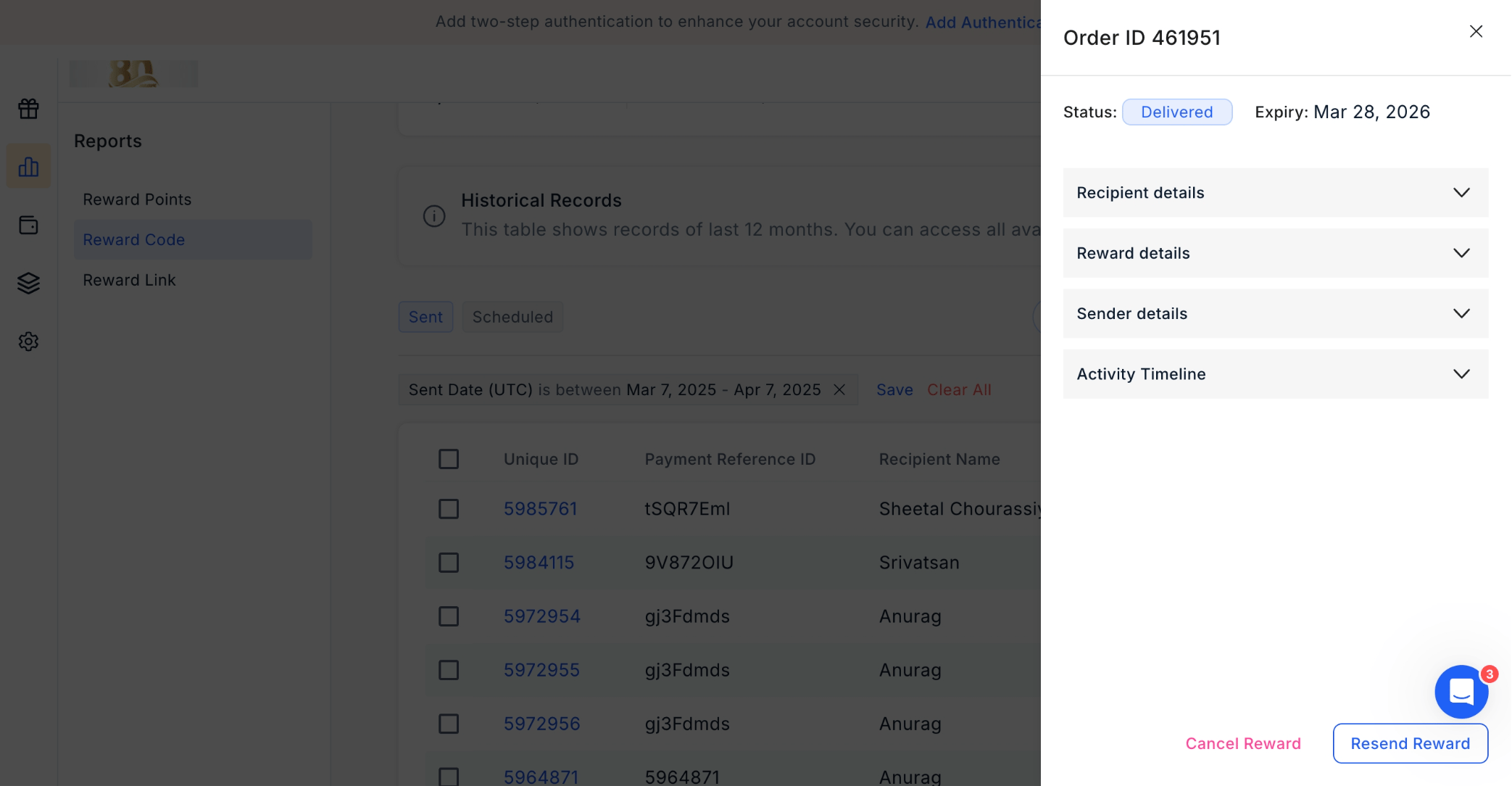
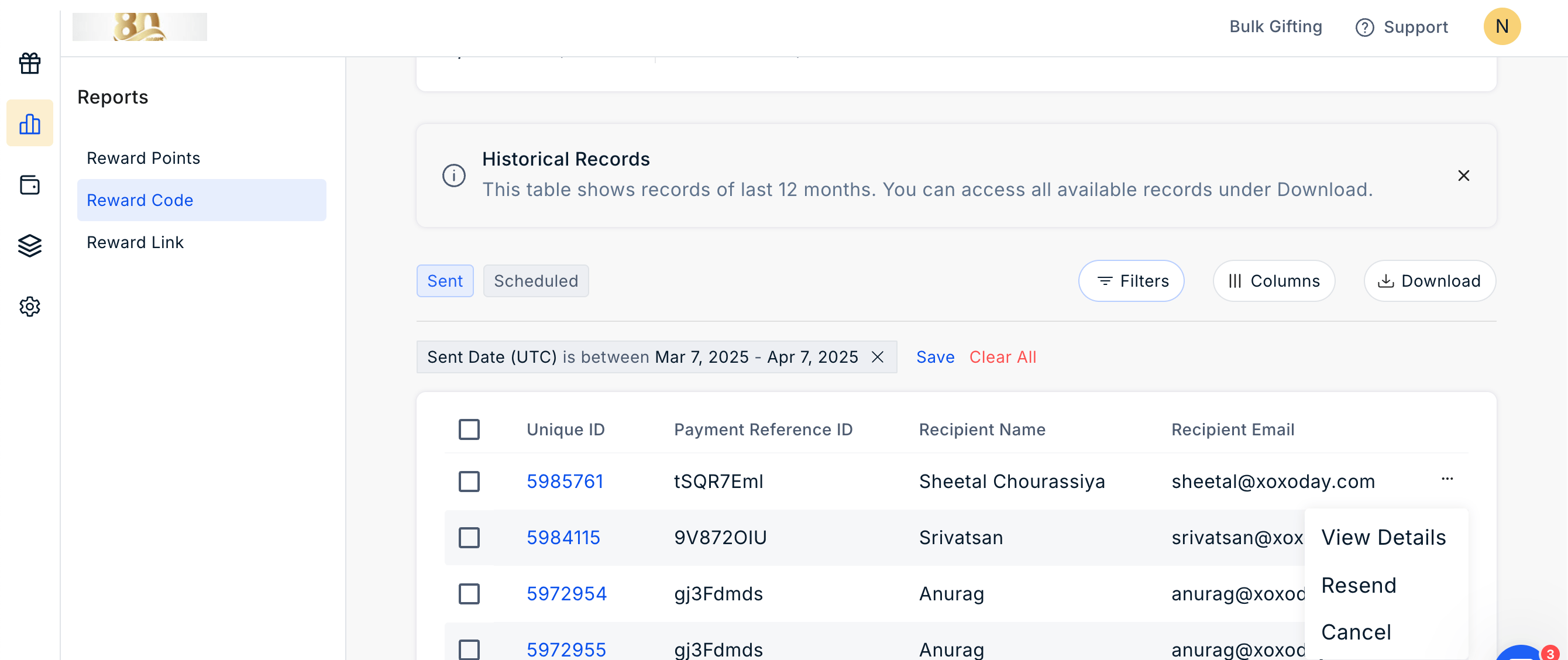 Click **'View Details'** and, using the dropdown menu, view **'Activity Timeline'.**
 ***
## Filter the Report
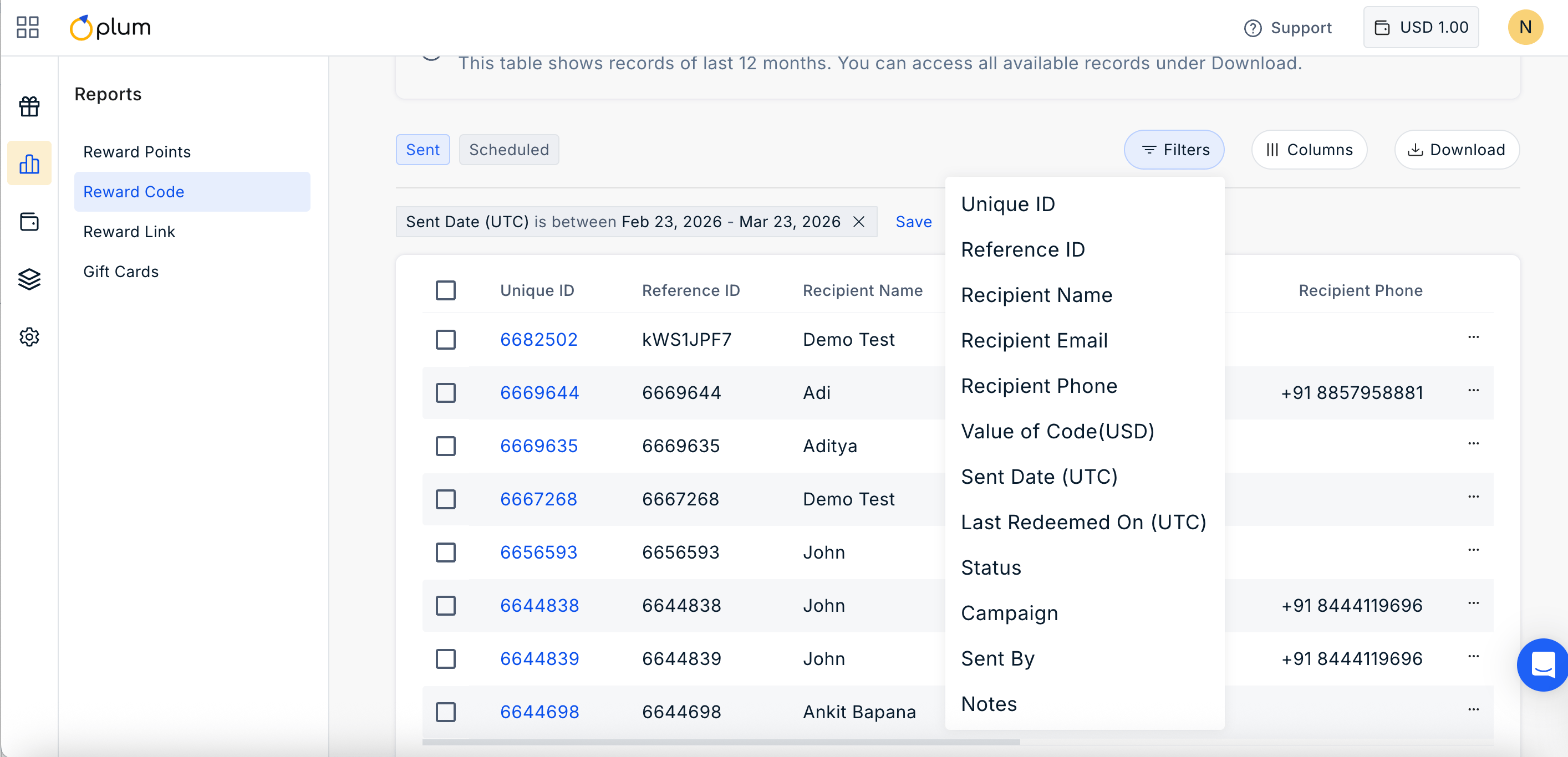
Click on the filter icon to filter the report by the options given.
***
## Filter the Report
Click on the filter icon to filter the report by the options given.
 ***
## Manage Columns
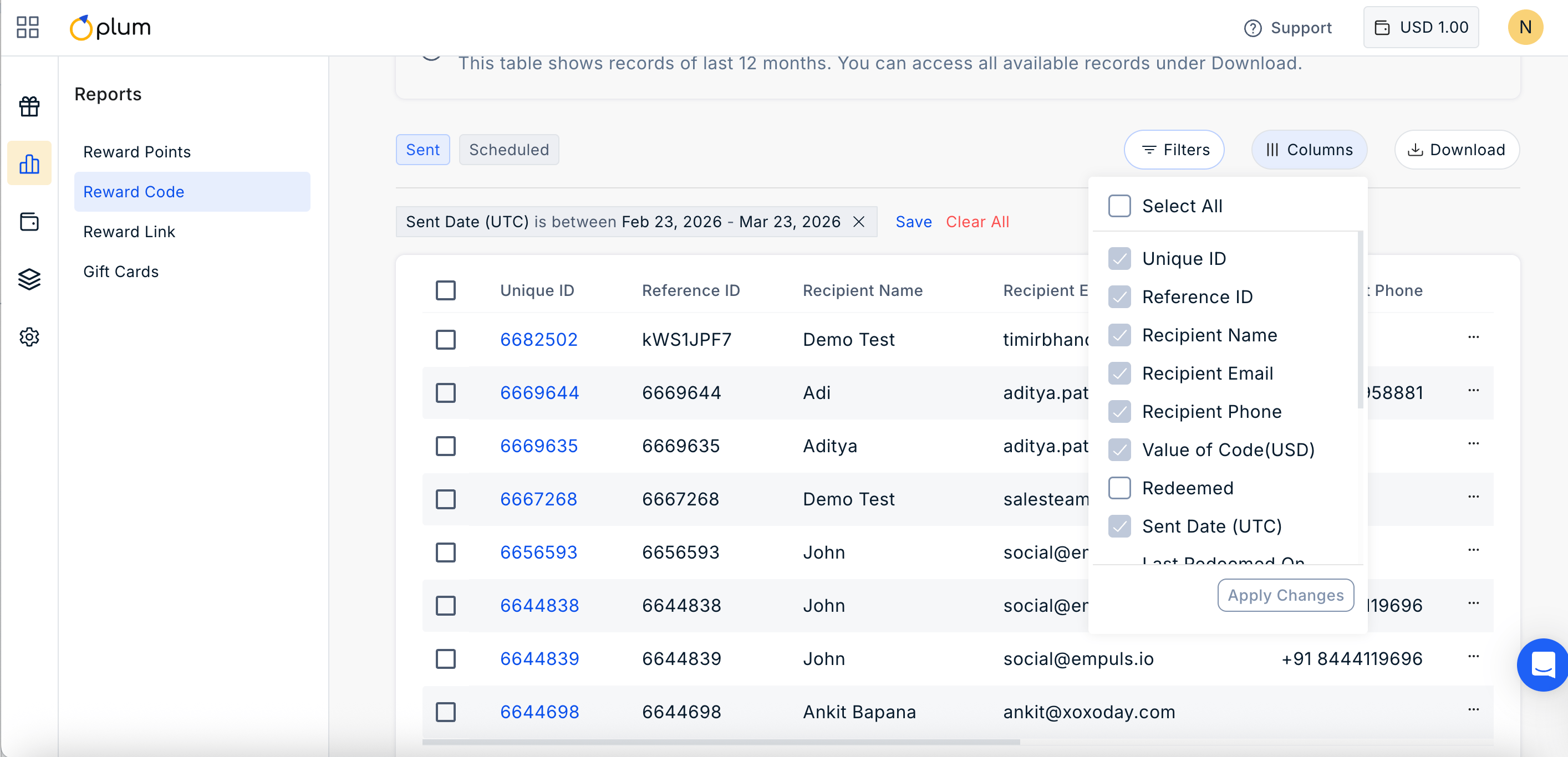
Click on ||| Columns Icon to manage the columns you wish to show in the report. Simply check or uncheck the boxes based on your requirement.
***
## Manage Columns
Click on ||| Columns Icon to manage the columns you wish to show in the report. Simply check or uncheck the boxes based on your requirement.
 Feedback or Questions - Reach out to us at [cs@xoxoday.com](mailto:cs@xoxoday.com).