> ## Documentation Index
> Fetch the complete documentation index at: https://help-plum.xoxoday.com/llms.txt
> Use this file to discover all available pages before exploring further.
# Reward Link Report
> See how to generate and interpret the reward link report in Plum, covering distribution status and redemption activity.
*Discover how to access and navigate detailed Reward Link reports with filtering options.*
To view transaction reports for Reward Links, navigate to **Reports > Reward Link.**
The reports provide detailed information such as recipient name, recipient email, date of delivery, campaign details, status, and more.
***
## How to Access Reward Links Reports
* Click on **Reports >> Reward Link**
* Explore detailed reports for Reward Links, including **recipient name, recipient email, date of delivery, campaign details, status**, and more.
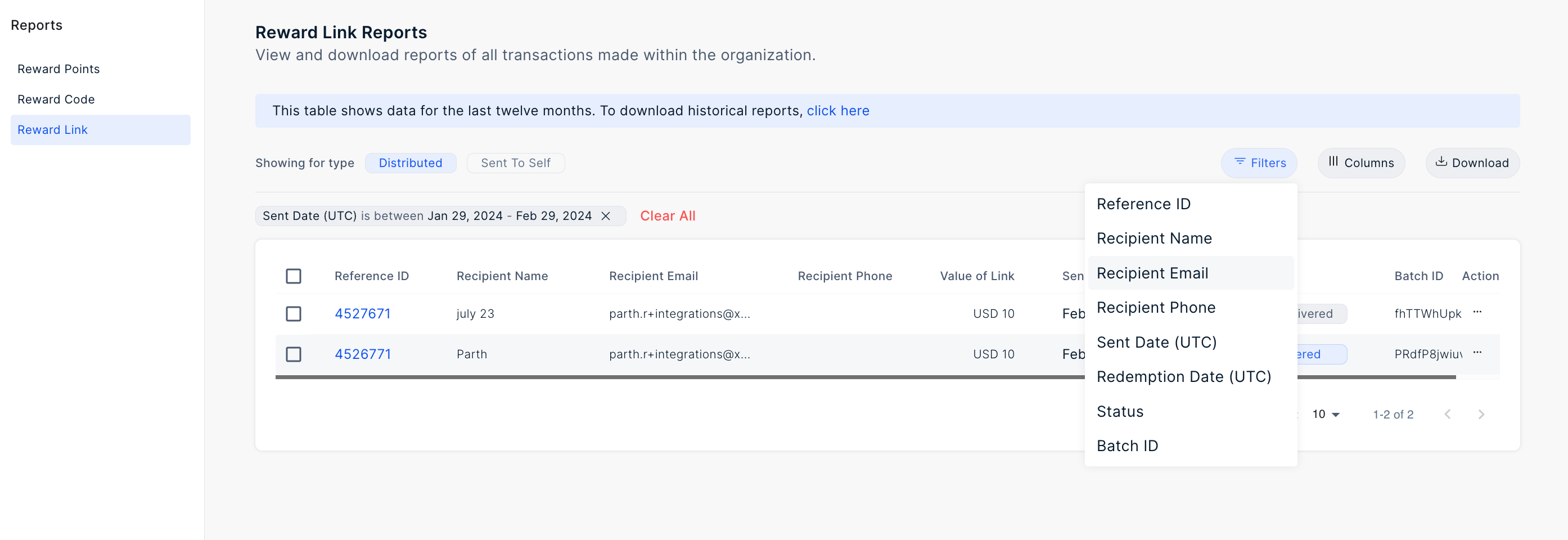
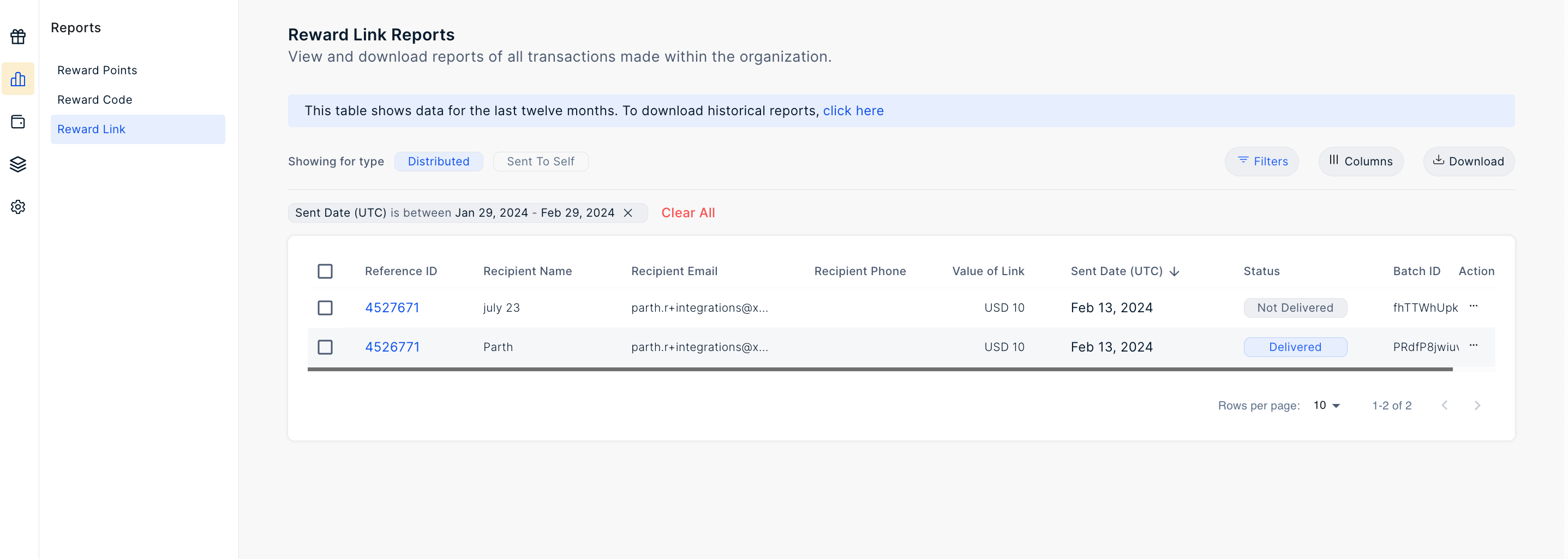 * Utilize the filter options provided to obtain specific reports based on criteria such as **recipient name, recipient email, batch ID, phone number, generation date range,** and more.
 * Download the report using the top **download button.**
* Select your desired time frame by clicking on **Sent Date (UTC)** and choosing the range.
***
## Filter the Report
Click on the filter icon to filter the report by:
* Unique ID
* Payment Reference ID
* Recipient Name
* Recipient Phone
* Sent Date (UTC)
* Redemption Date (UTC)
* Status
* Campaign
* Batch ID
* Download the report using the top **download button.**
* Select your desired time frame by clicking on **Sent Date (UTC)** and choosing the range.
***
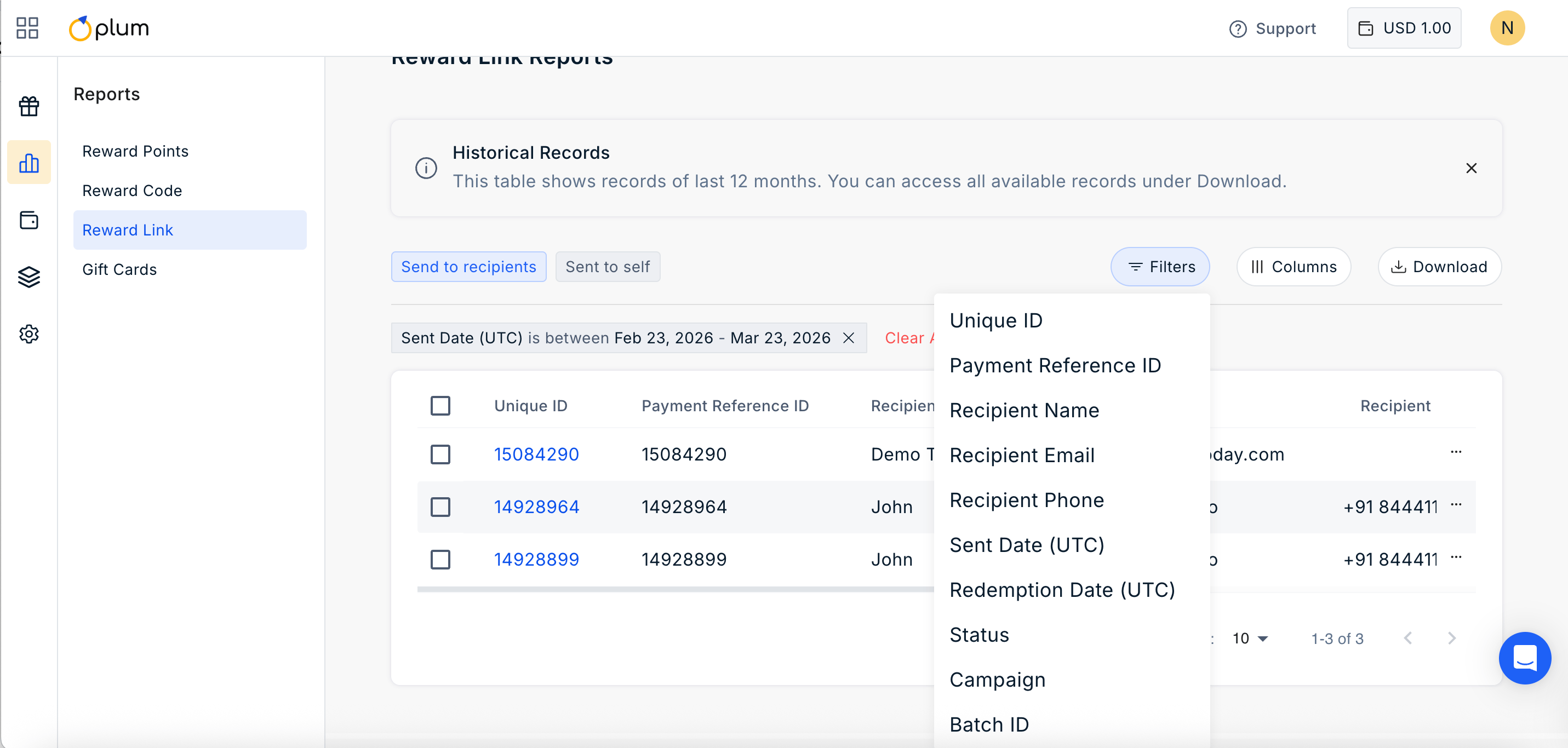
## Filter the Report
Click on the filter icon to filter the report by:
* Unique ID
* Payment Reference ID
* Recipient Name
* Recipient Phone
* Sent Date (UTC)
* Redemption Date (UTC)
* Status
* Campaign
* Batch ID
 ***
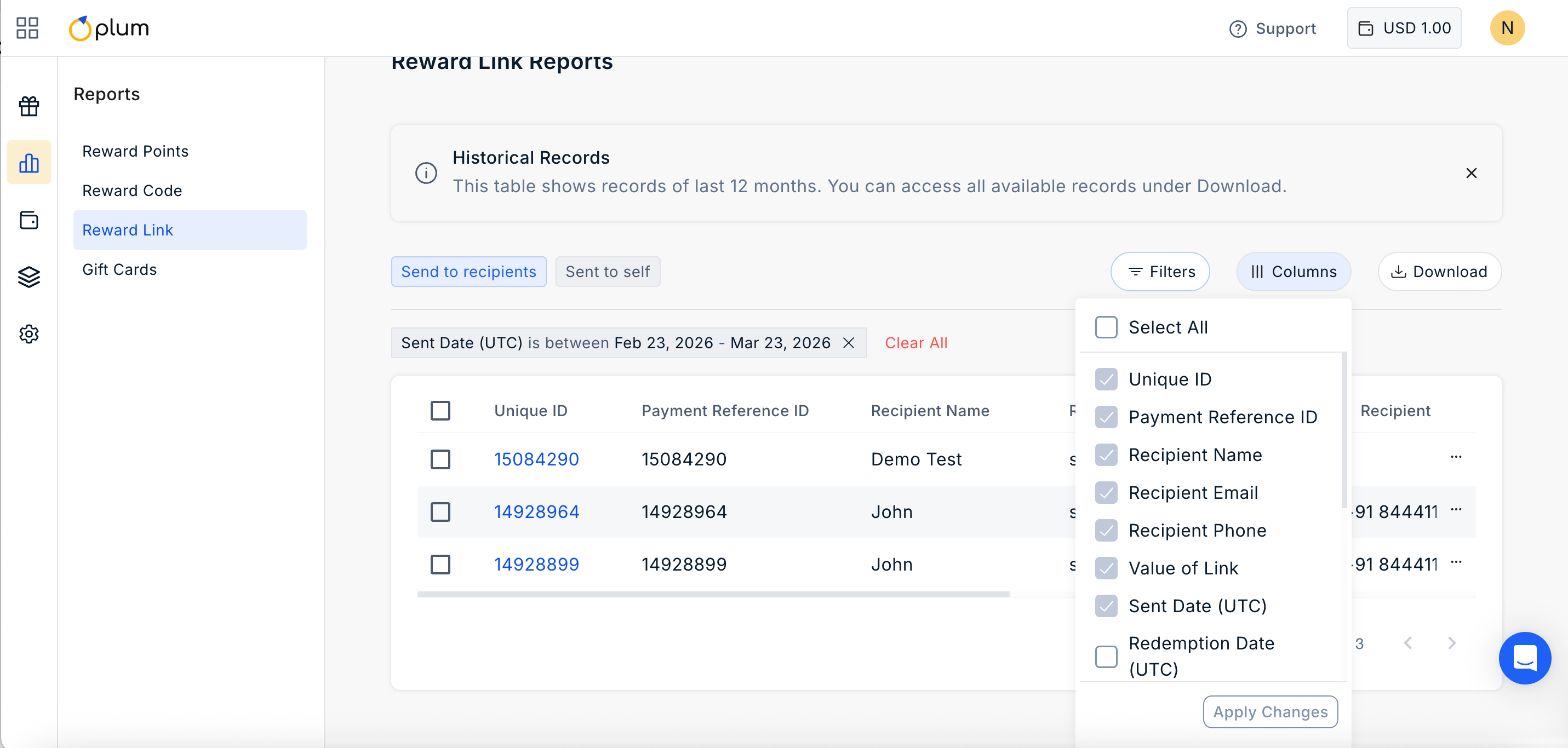
## Manage Columns
Click on ||| Columns Icon to manage the columns you wish to show in the report. Simply check or uncheck the boxes based on your requirement.
***
## Manage Columns
Click on ||| Columns Icon to manage the columns you wish to show in the report. Simply check or uncheck the boxes based on your requirement.
 Feedback or Questions - Reach out to us at [cs@xoxoday.com](mailto:cs@xoxoday.com).