> ## Documentation Index
> Fetch the complete documentation index at: https://help-plum.xoxoday.com/llms.txt
> Use this file to discover all available pages before exploring further.

# Updating Profile & Password

*Learn more about how to manage profile and change/update Password.*

<Info>
  You can only change/update Name and Password. Please reach out to [cs@xoxoday.com](mailto:cs@xoxoday.com).
</Info>

***

## Step by step guide to manage profile and password

<Steps>
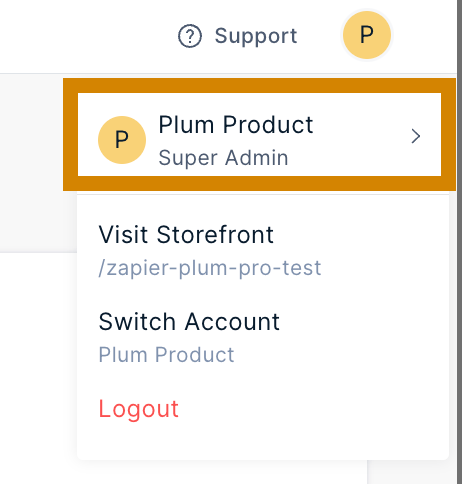
  <Step title="Click on the Profile Icon">
    Click on the Profile Icon on the top right-hand side.
    <Frame>
      <img src="https://mintcdn.com/plum/kNcyLek1bA74PNJE/images/intercom/help-center-account-administration-user-management-updating-profile-password-9394545/c50979e-Screenshot_2024-03-05_at_3_09_58_PM.png?fit=max&auto=format&n=kNcyLek1bA74PNJE&q=85&s=360d84efff5136560cd98a556f6a5081" alt="" width="462" height="484" data-path="images/intercom/help-center-account-administration-user-management-updating-profile-password-9394545/c50979e-Screenshot_2024-03-05_at_3_09_58_PM.png" />
    </Frame>
  </Step>

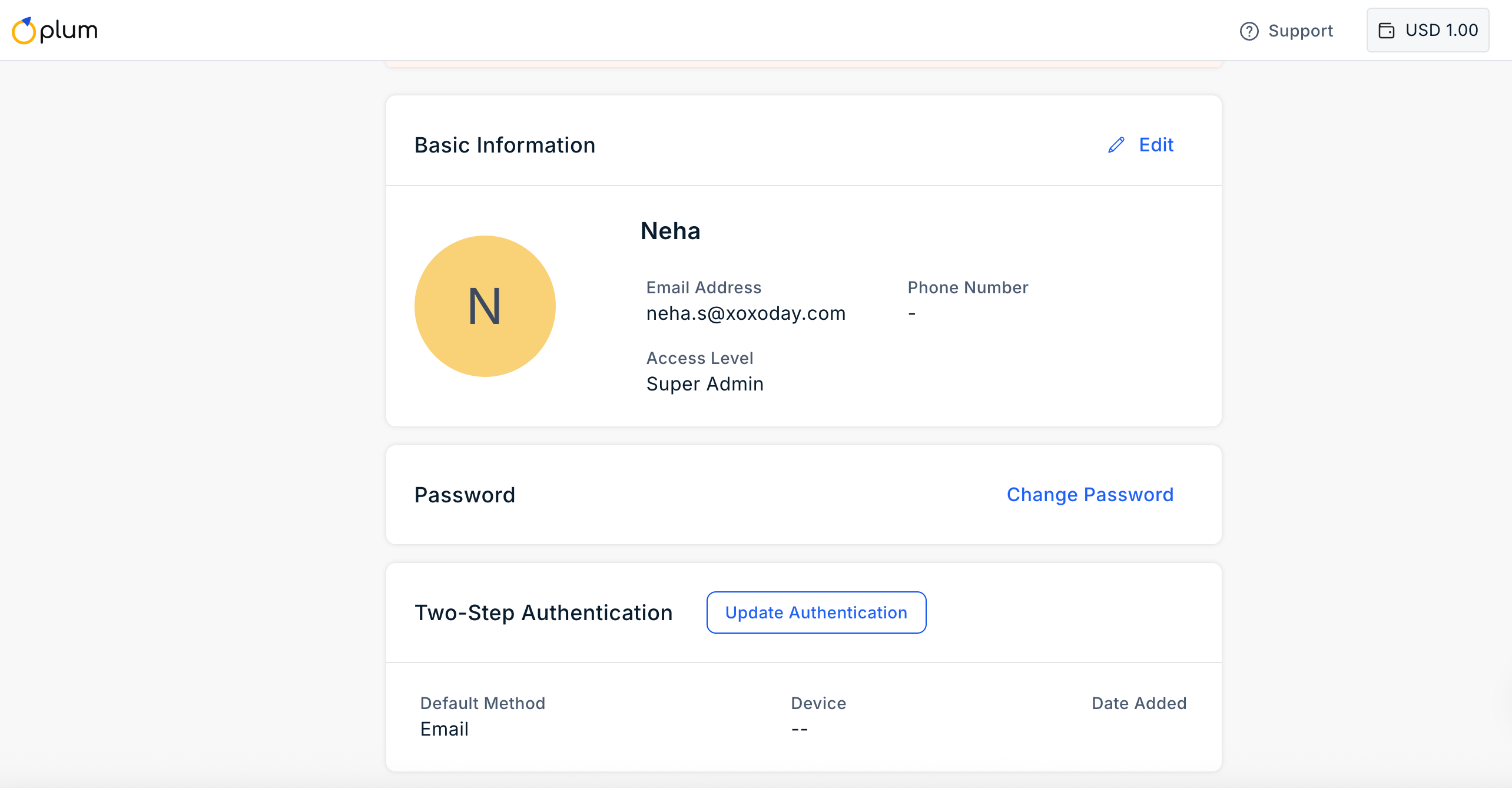
  <Step title="Edit your information">
    Edit the information you wish to: Name and Password.
    <Frame>
      <img src="https://mintcdn.com/plum/kNcyLek1bA74PNJE/images/intercom/help-center-account-administration-user-management-updating-profile-password-9394545/Screenshot_2026-03-23_at_5_06_28_PM.png?fit=max&auto=format&n=kNcyLek1bA74PNJE&q=85&s=88d4130b22a65caed7f6292feeeb3d04" alt="" width="2568" height="1338" data-path="images/intercom/help-center-account-administration-user-management-updating-profile-password-9394545/Screenshot_2026-03-23_at_5_06_28_PM.png" />
    </Frame>
  </Step>
</Steps>

Feedback or Questions: Reach out to us at [cs@xoxoday.com](mailto:cs@xoxoday.com).
