> ## Documentation Index
> Fetch the complete documentation index at: https://help-plum.xoxoday.com/llms.txt
> Use this file to discover all available pages before exploring further.
# Report Settings
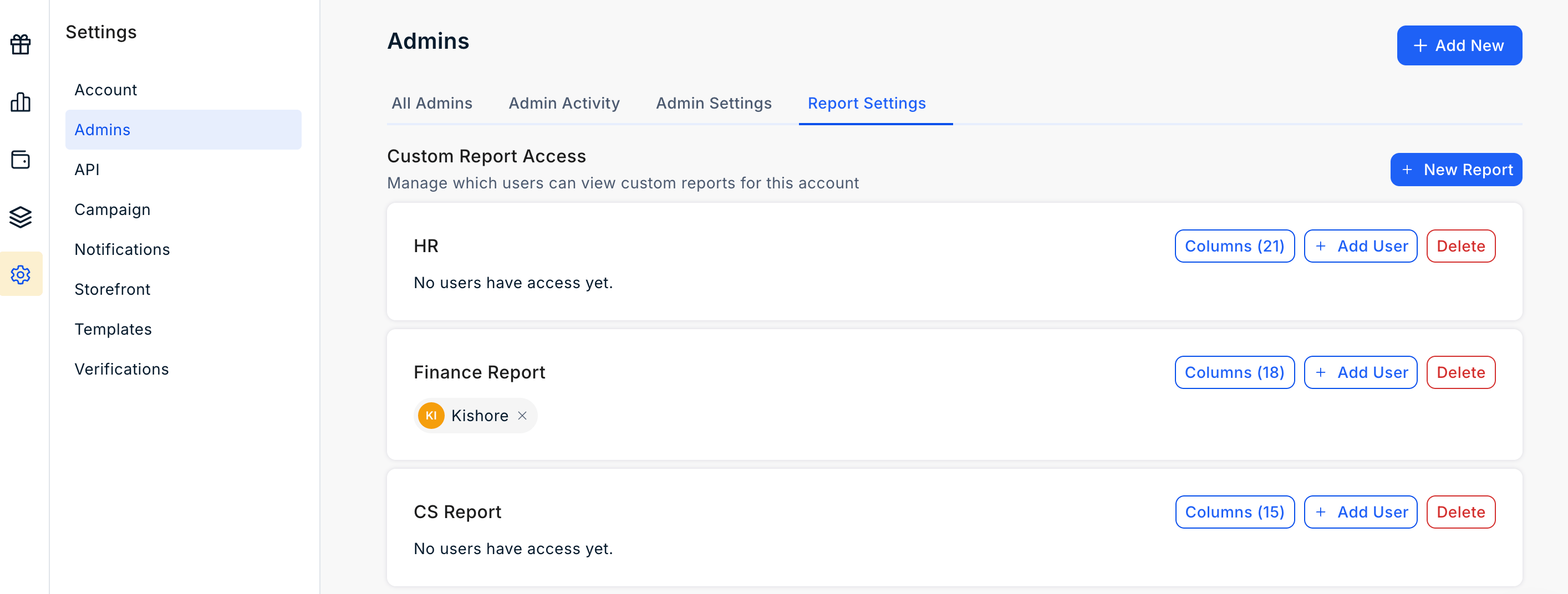
The **Report Settings** page allows Super Admins to create and manage **Custom Reports** for their organization. Super Admins can configure the data included in each report and control which users have access to view the reports.
To access **Report Settings**, navigate to **Settings > Admin > Report Settings**.
 ## Create a Custom Report
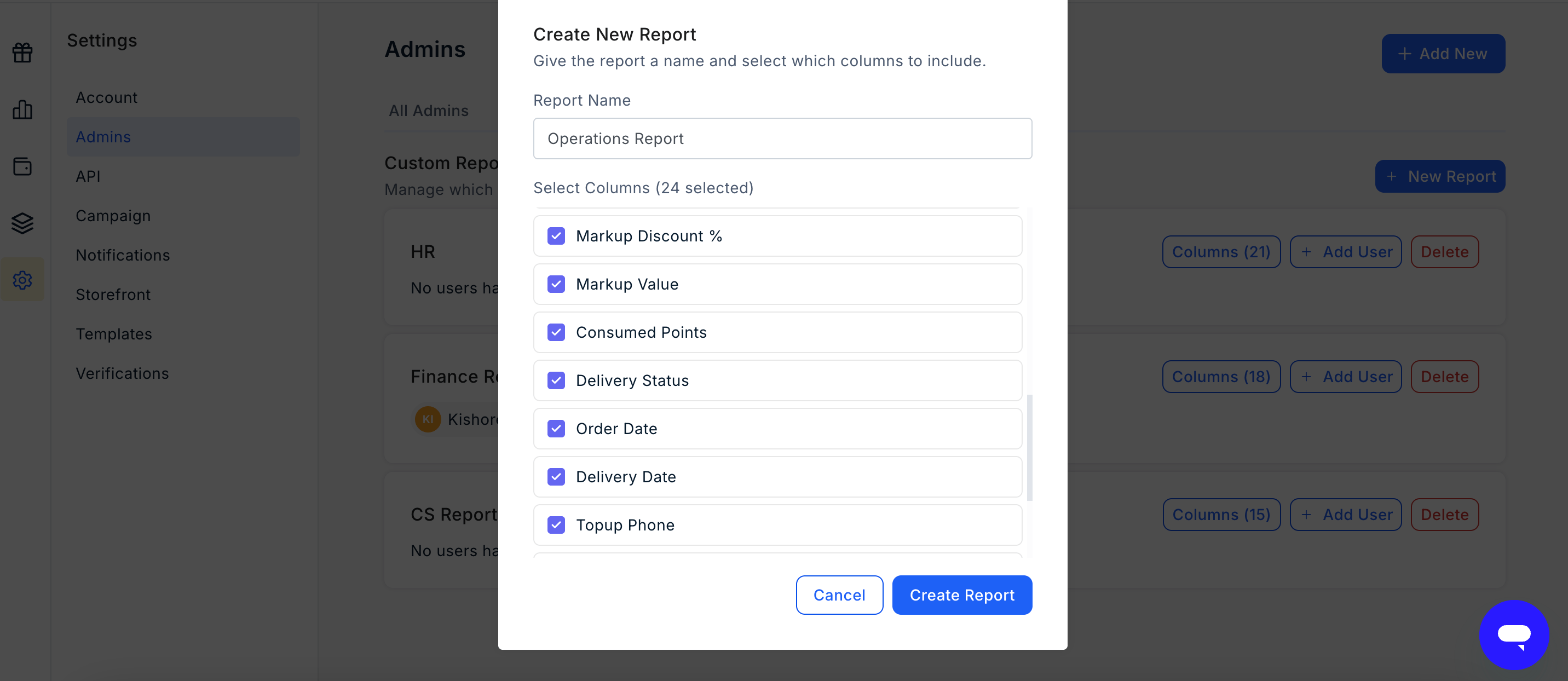
Super Admins can create custom reports based on the organisation's reporting requirements.
When creating a custom report, you can:
* Enter a **Report Name**.
* Select the **Columns** to include in the report.
* Assign the report to one or more users.
Each report can be configured independently based on the requirements of different teams or users.
## Create a Custom Report
Super Admins can create custom reports based on the organisation's reporting requirements.
When creating a custom report, you can:
* Enter a **Report Name**.
* Select the **Columns** to include in the report.
* Assign the report to one or more users.
Each report can be configured independently based on the requirements of different teams or users.
 ## Share a Custom Report
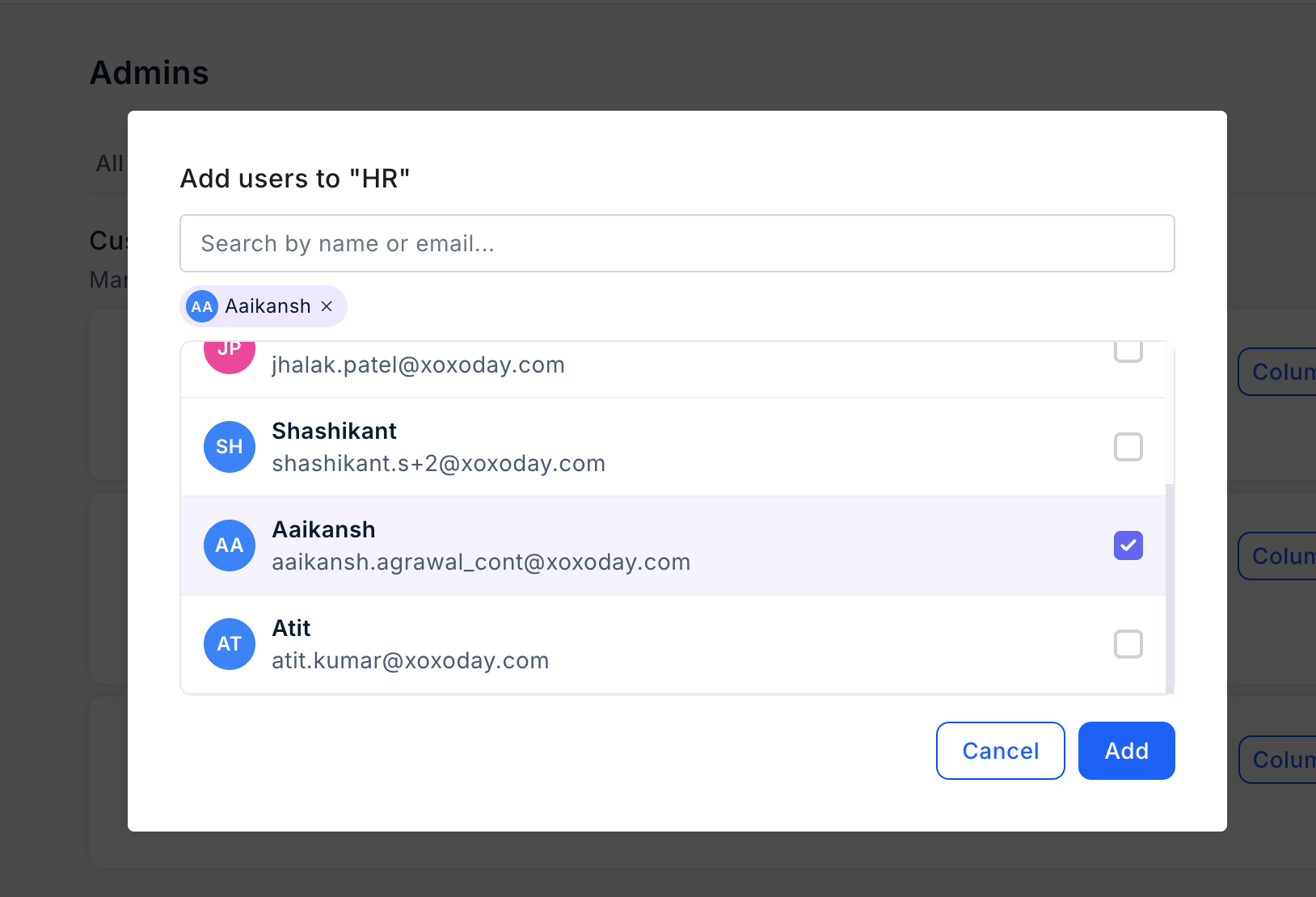
Super Admins can provide selected users with access to a custom report.
Once a report is assigned to a user, the user can access it from the **Reports** section of the Plum Admin Dashboard. A user can be assigned to multiple custom reports based on their responsibilities.
## Share a Custom Report
Super Admins can provide selected users with access to a custom report.
Once a report is assigned to a user, the user can access it from the **Reports** section of the Plum Admin Dashboard. A user can be assigned to multiple custom reports based on their responsibilities.
 ## Edit a Report Configuration
Super Admins can update an existing custom report at any time.
You can:
* Change the **Report Name**.
* Add or remove **Report Columns**.
* Add or remove users who have access to the report.
Any changes to the report configuration are reflected the next time the user accesses the report.
## Revoke Report Access
Super Admins can remove a user's access to a custom report at any time.
If a user is no longer assigned to any custom reports, their **Report Viewer** access is automatically removed.
## Example
Custom reports can be configured for different teams based on the information they require.
For example:
* A **Finance Report** can include fields such as order value, cost, and markup.
* A **Customer Support Report** can include fields such as customer name, product, and delivery status.
This allows each user to access only the reports and information relevant to their responsibilities.
## Edit a Report Configuration
Super Admins can update an existing custom report at any time.
You can:
* Change the **Report Name**.
* Add or remove **Report Columns**.
* Add or remove users who have access to the report.
Any changes to the report configuration are reflected the next time the user accesses the report.
## Revoke Report Access
Super Admins can remove a user's access to a custom report at any time.
If a user is no longer assigned to any custom reports, their **Report Viewer** access is automatically removed.
## Example
Custom reports can be configured for different teams based on the information they require.
For example:
* A **Finance Report** can include fields such as order value, cost, and markup.
* A **Customer Support Report** can include fields such as customer name, product, and delivery status.
This allows each user to access only the reports and information relevant to their responsibilities.