> ## Documentation Index
> Fetch the complete documentation index at: https://help-plum.xoxoday.com/llms.txt
> Use this file to discover all available pages before exploring further.
# Admin Activity
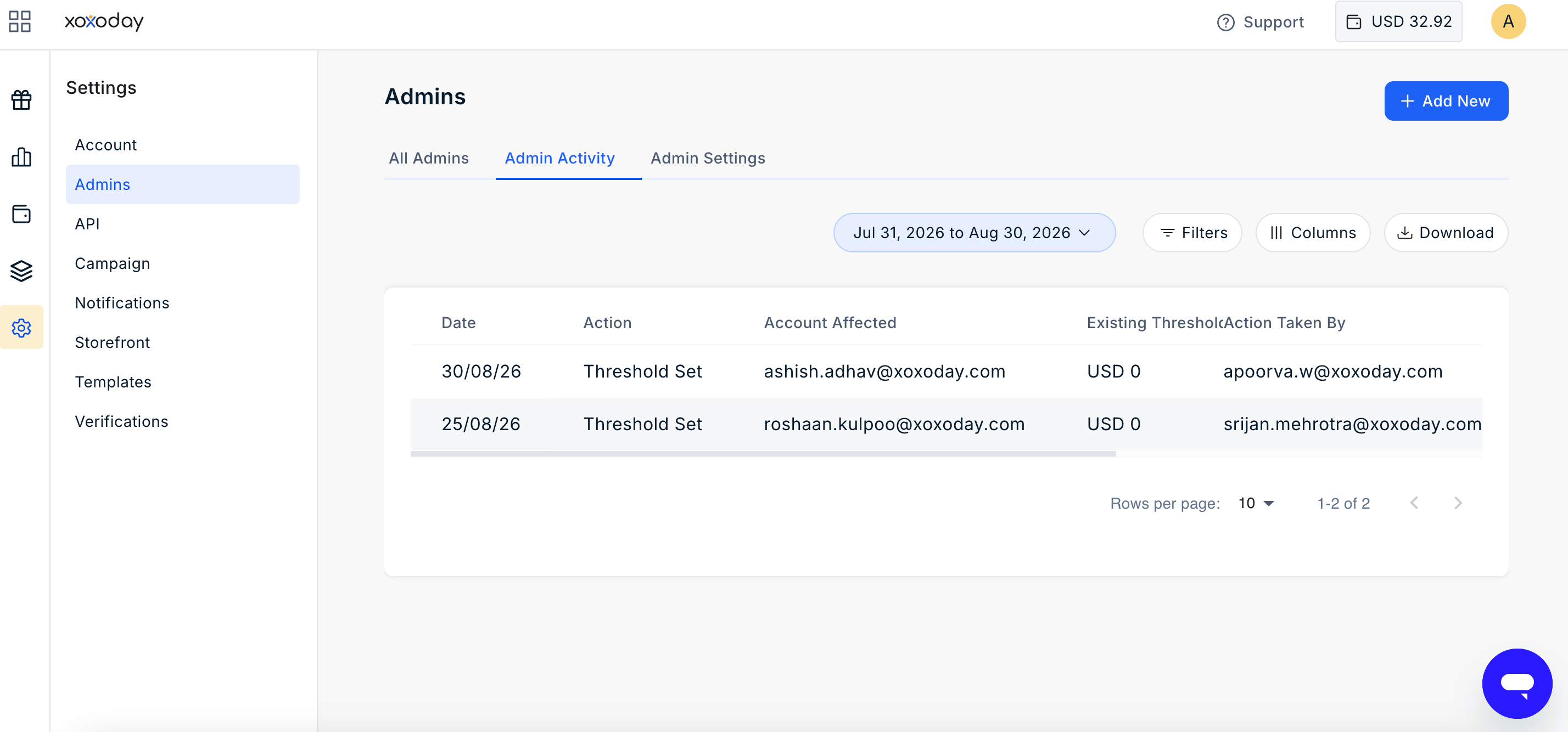
The **Admin Activity** page provides an audit trail of threshold changes made for administrators within an organisation. It enables Super Admins to track threshold updates, monitor amount-spent resets, and identify the Super Admin who performed each action.
The **Admin Activity** page is available only to Super Admins.
To access the page, navigate to **Settings > Admins > Admin Activity**.
 ## Activity Details
Each activity record includes the following information:
| Field | Description |
| :--------------------- | :---------------------------------------------------------------------------------------------------------------------------------------- |
| **Date** | The date on which the action was performed. |
| **Action** | The type of update performed, such as **Threshold Increased**, **Threshold Decreased**, **Threshold Updated**, or **Amount Spent Reset**. |
| **Account Affected** | The administrator whose threshold or spending details were updated. |
| **Existing Threshold** | The threshold value before the change. |
| **New Threshold** | The updated threshold value after the change. |
| **Amount Spent** | The amount spent by the administrator when the activity was recorded. |
| **Admin Balance** | The remaining available balance after the update. |
| **Action Taken By** | The Super Admin who performed the action. |
## Filter Activity
Use the available filters to find specific activity records.
* **Date Range:** Filter activities by a specific date range. By default, the page displays activity from the last **30 days**.
* **Account Affected:** View activities for a specific administrator.
* **Action Taken By:** View activities performed by a specific Super Admin.
* **Action:** Filter activities by the type of action performed:
* **Threshold Increased**
* **Threshold Decreased**
* **Threshold Updated**
* **Amount Spent Reset**
## Customize the Table
The **Columns** option allows Super Admins to select the information displayed in the activity table.
The **Date** and **Action** columns are always displayed and cannot be hidden.
## Download Activity
Click **Download** to export the activity log as a CSV file.
The exported file includes the activity details available in the log and can be used for reporting, auditing, or record-keeping purposes.
## Activity Details
Each activity record includes the following information:
| Field | Description |
| :--------------------- | :---------------------------------------------------------------------------------------------------------------------------------------- |
| **Date** | The date on which the action was performed. |
| **Action** | The type of update performed, such as **Threshold Increased**, **Threshold Decreased**, **Threshold Updated**, or **Amount Spent Reset**. |
| **Account Affected** | The administrator whose threshold or spending details were updated. |
| **Existing Threshold** | The threshold value before the change. |
| **New Threshold** | The updated threshold value after the change. |
| **Amount Spent** | The amount spent by the administrator when the activity was recorded. |
| **Admin Balance** | The remaining available balance after the update. |
| **Action Taken By** | The Super Admin who performed the action. |
## Filter Activity
Use the available filters to find specific activity records.
* **Date Range:** Filter activities by a specific date range. By default, the page displays activity from the last **30 days**.
* **Account Affected:** View activities for a specific administrator.
* **Action Taken By:** View activities performed by a specific Super Admin.
* **Action:** Filter activities by the type of action performed:
* **Threshold Increased**
* **Threshold Decreased**
* **Threshold Updated**
* **Amount Spent Reset**
## Customize the Table
The **Columns** option allows Super Admins to select the information displayed in the activity table.
The **Date** and **Action** columns are always displayed and cannot be hidden.
## Download Activity
Click **Download** to export the activity log as a CSV file.
The exported file includes the activity details available in the log and can be used for reporting, auditing, or record-keeping purposes.