> ## Documentation Index
> Fetch the complete documentation index at: https://help-plum.xoxoday.com/llms.txt
> Use this file to discover all available pages before exploring further.
# Submitting Verification Details
*In this article, you'll see the information you need to complete the KYB verification step to kick start rewarding journey with Xoxoday!*
## Steps and some pre-requisites
Start by logging in to the [Admin Dashboard](https://stores.xoxoday.com/marketplace/login)
Here are some of the things you'll need to keep handy:
Details of the company as follows:
**Company Address** \
Company's registered address.
| Requirement | Details |
| :---------------------- | :--------------------------------------------------------------------------------------------------------------------------- |
| **Basic Admin Details** | Name, Email address, and a valid Phone number (you'll receive an OTP here). |
| **Company Details** | Registered Business Name, Country of Registration, Registered Identification number (Example: GST, TAX ID, EIN, or DUNS etc) |
| **Company Address** | Company's registered address. |
KYB details must be completed before funds can be added or rewards can be sent.
***
## Step-by-step guide
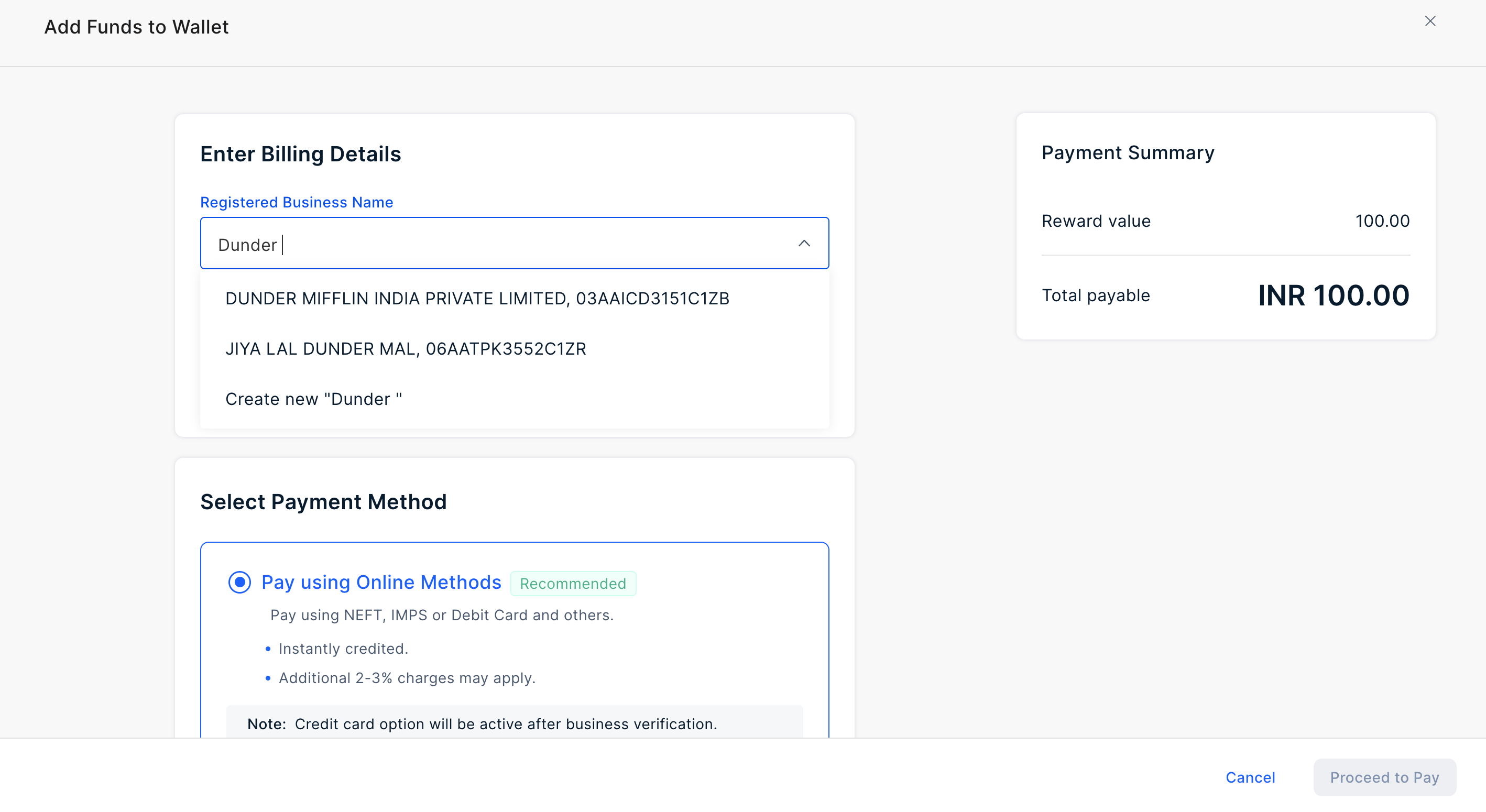
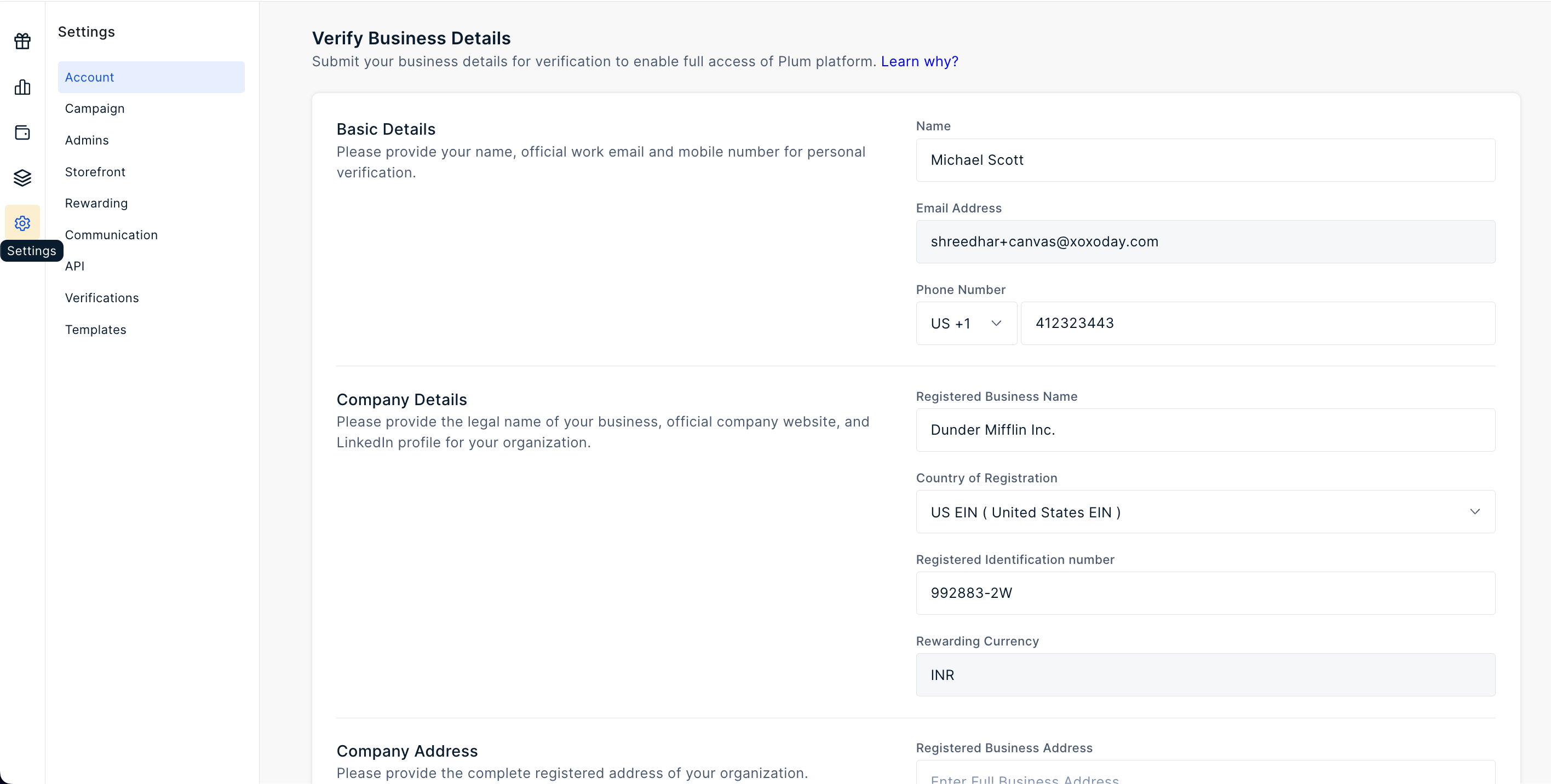 Alternatively, for select geographies, we can fetch company details based on the name input. This feature is currently supported only for customers in India.
 ***
## What to expect next
Expect an acknowledgement email within 2 hours. Our compliance team will then verify your details for account approval. Any additional information needed will be requested via email.
***
## What to expect next
Expect an acknowledgement email within 2 hours. Our compliance team will then verify your details for account approval. Any additional information needed will be requested via email.