> ## Documentation Index
> Fetch the complete documentation index at: https://help-plum.xoxoday.com/llms.txt
> Use this file to discover all available pages before exploring further.
# Signing Up
*Follow the step-by-step instructions to create your Xoxoday business account.*
We have enhanced the sign-up flow to improve usability and engagement, ensuring a seamless experience. This guide will walk you through the process.
## Prerequisites
Before starting, ensure you have the following information ready:
* **Full Name**
* **Company Name**
* **Business Email Address**
* **Password**
* Business Email Address
* Password
| Requirement | Details |
| -------------------------- | -------------------------------------- |
| **Full Name** | Your first and last name |
| **Company Name** | Your organization's name |
| **Business Email Address** | A valid company email (not personal) |
| **Password** | Min. 8 characters including one number |
***
## Creating Your Account
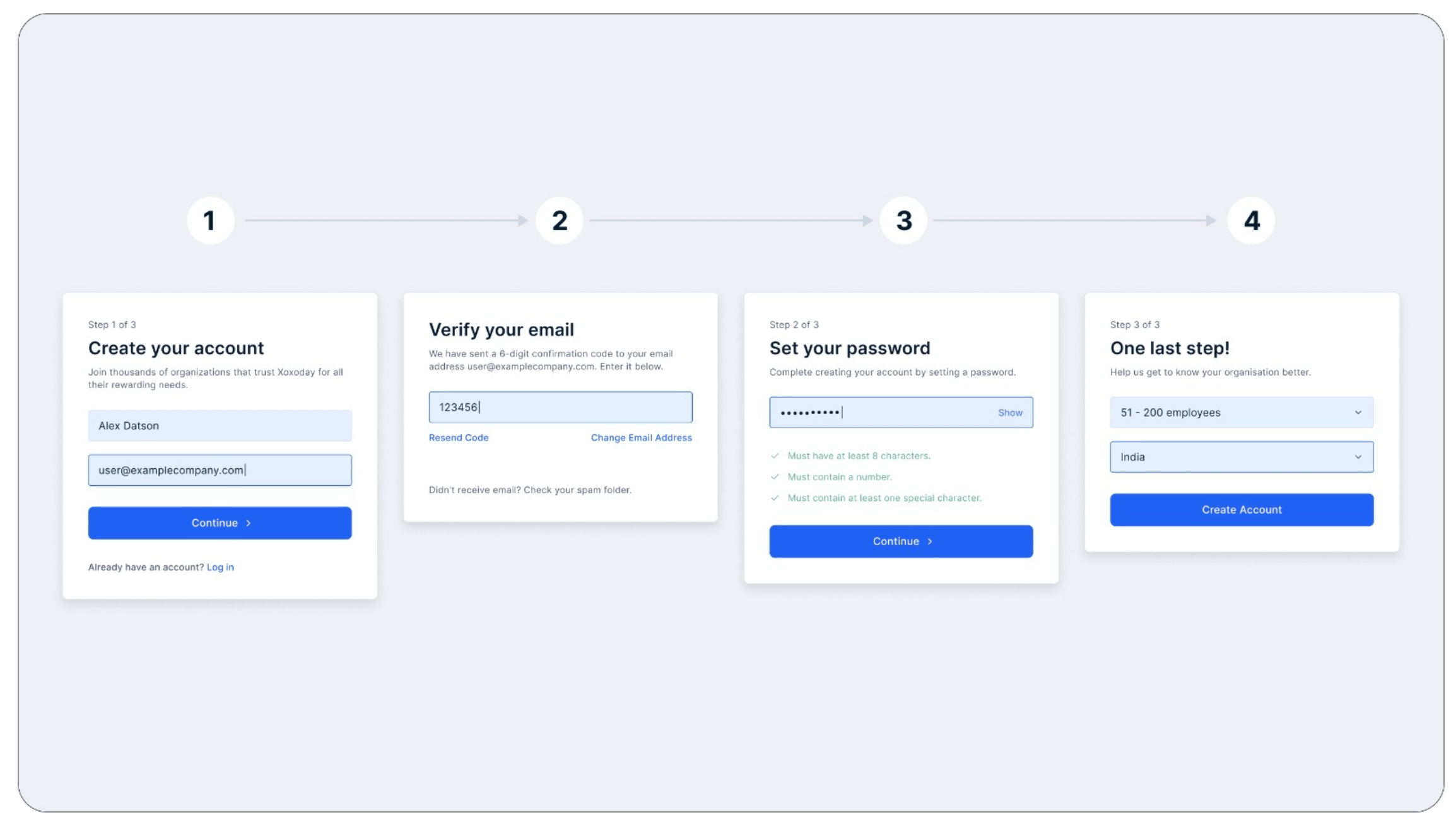
Open your browser and navigate to [https://stores.xoxoday.com/admin/signup](https://stores.xoxoday.com/admin/signup).
Enter your **Full Name** and **Business Email Address**, then submit the information to proceed.
Check your inbox for an OTP sent to your registered email. Enter the OTP on the sign-up page to validate your email address.
Create a strong password (at least 8 characters, including one numeric digit) and confirm it to complete this step.
Specify the number of employees in your organization.
 ***
Need help? Contact our support team at [**cs@xoxoday.com**](mailto:cs@xoxoday.com)
***
Need help? Contact our support team at [**cs@xoxoday.com**](mailto:cs@xoxoday.com)