> ## Documentation Index
> Fetch the complete documentation index at: https://help-plum.xoxoday.com/llms.txt
> Use this file to discover all available pages before exploring further.
# Redeem Reward Code
> Learn how to redeem a reward code you've received as an end user on Plum, step by step from entry to confirmation.
*Learn how to redeem your reward code on the Plum Marketplace.*
The user has to visit [stores.xoxoday.com](https://stores.xoxoday.com/) to redeem the code.
Users can redeem reward codes through Guest Checkout. You don't have to log in or sign up.
**Things to Remember:**
* Reward code can be used within the validity period only.
* Partial redemptions for Reward codes are allowed and can be used until the code balance is exhausted.
* You can choose multiple codes (**Up to 10 reward codes in a single transaction**) to order as long as the amount does not exceed your code Balance.
***
## Redeeming Reward Codes
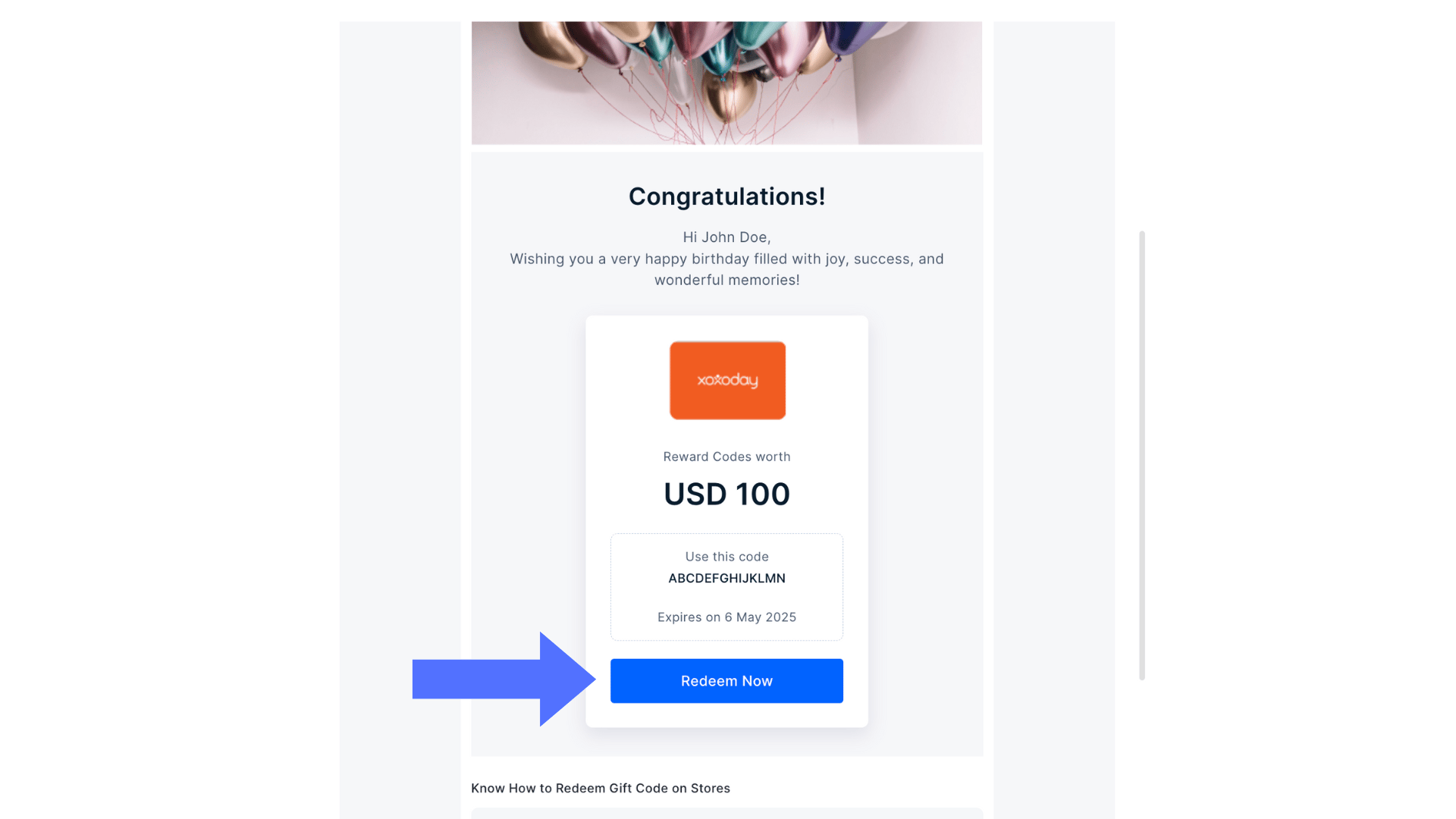
On receiving the reward email, click on "**Redeem Now**" as shown below. You will be redirected to our marketplace to consume the code.
 Choose any gift vouchers or search your favorite brand from 30+ categories and 21,000+ branded options and click "**Add to Cart**".
Visit the cart or click on "**Go to Cart**" and click on "**Checkout Now**".
Choose any gift vouchers or search your favorite brand from 30+ categories and 21,000+ branded options and click "**Add to Cart**".
Visit the cart or click on "**Go to Cart**" and click on "**Checkout Now**".
 Under the Payment Details Card, select '**Click here**' and paste your Reward Code.
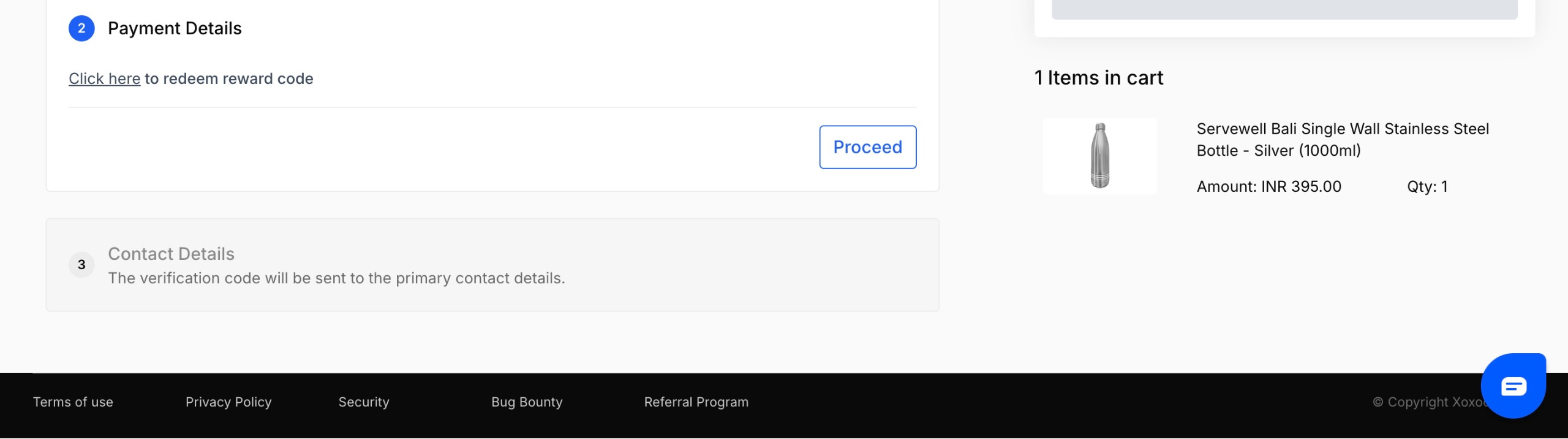 You can paste code in the input text field. You can apply up to 10 valid codes against a single order. Once done, click '**Proceed**' to move ahead.
Enter your **name, email, dialling code, and phone number.** An OTP will also be sent to the mobile number provided before continuing with the purchase.
You can paste code in the input text field. You can apply up to 10 valid codes against a single order. Once done, click '**Proceed**' to move ahead.
Enter your **name, email, dialling code, and phone number.** An OTP will also be sent to the mobile number provided before continuing with the purchase.
 Enter your contact details and click 'Proceed' to check out. You will get an OTP for confirmation in the email.
* You can also pay the excess amount with credit/debit cards or net banking.
* You'll receive an order delivery email with the necessary details.
***
We regret that the reward code cannot be exchanged for cash. If you face a code error, kindly share a screenshot of the code and the error with us at [cs@xoxoday.com](mailto:cs@xoxoday.com).
Enter your contact details and click 'Proceed' to check out. You will get an OTP for confirmation in the email.
* You can also pay the excess amount with credit/debit cards or net banking.
* You'll receive an order delivery email with the necessary details.
***
We regret that the reward code cannot be exchanged for cash. If you face a code error, kindly share a screenshot of the code and the error with us at [cs@xoxoday.com](mailto:cs@xoxoday.com).