> ## Documentation Index
> Fetch the complete documentation index at: https://help-plum.xoxoday.com/llms.txt
> Use this file to discover all available pages before exploring further.
# Managing Approvals
> Learn how to review, approve, or reject pending offer approvals in Plum's Offers Management portal before they go live.
*Learn more about managing approvals on Loopr*
## View the List of Change Requests
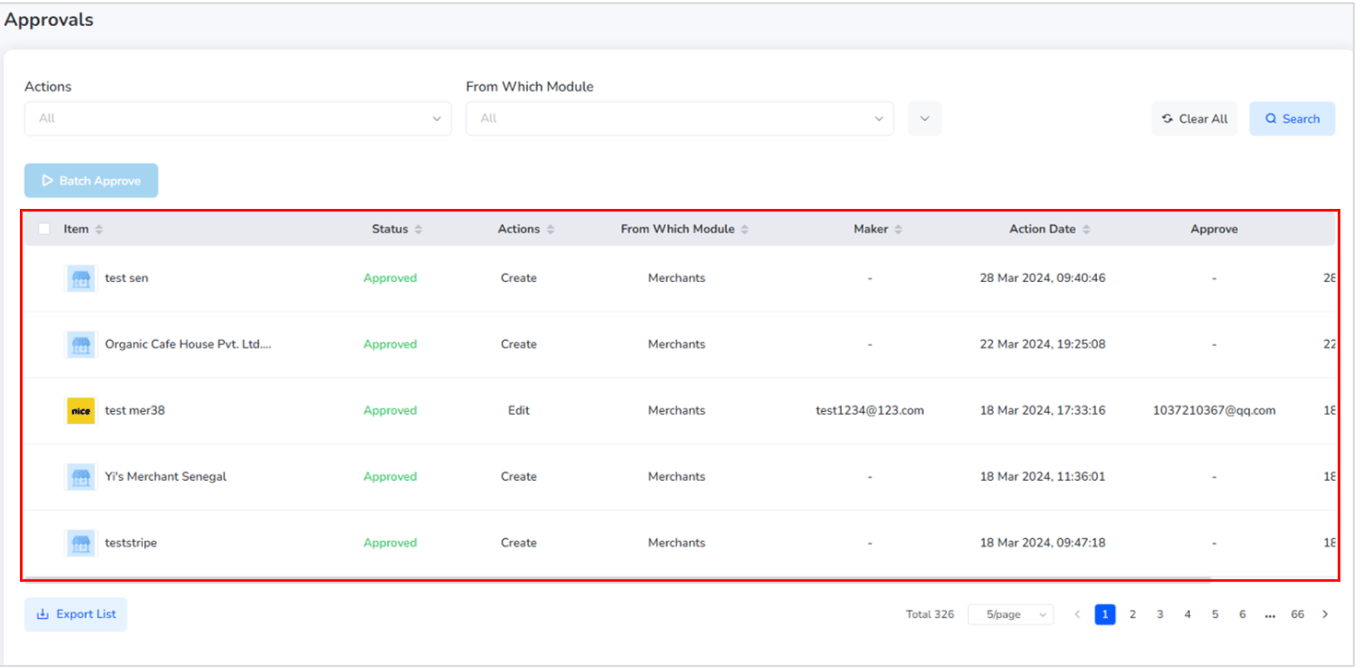
On the Approval Management Page, you'll find a list of all pending change requests that require review.
Each entry in the list shows:
* The feature or function being changed
* The type of change requested
* The current status of the request (Pending, Approved, Rejected)
 ***
## View Details of a Change Request
To inspect a specific request:
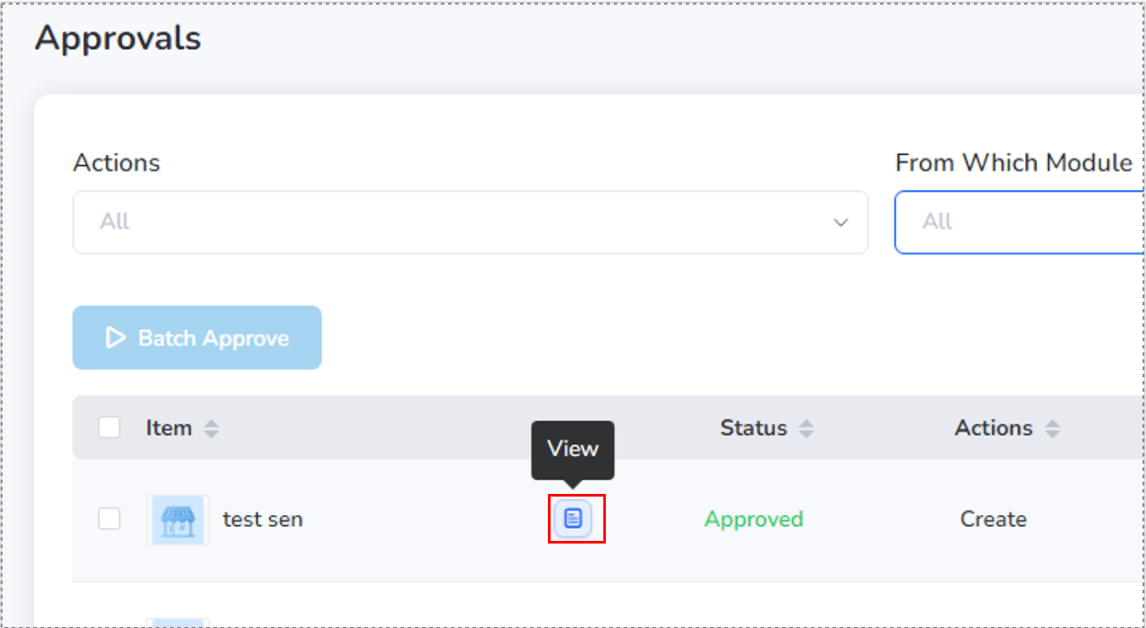
* Click on the "View" button beside the change item.
* This opens a detailed view of the requested changes for review.
***
## View Details of a Change Request
To inspect a specific request:
* Click on the "View" button beside the change item.
* This opens a detailed view of the requested changes for review.
 ***
## Check / Approve or Reject a Change Request
To review and act on a request:
* Click "**Approver**" next to the change request.
* A detailed overlay will appear showing:
* What feature/function is being changed
* Who made the request
* Time and date of the request
* Summary of changes
* To proceed:
* Click "**Approve**" to accept the request.
* Click "**Reject**" to decline the request.

***
## View the Reason for a Rejected Request
To understand why a request was rejected:
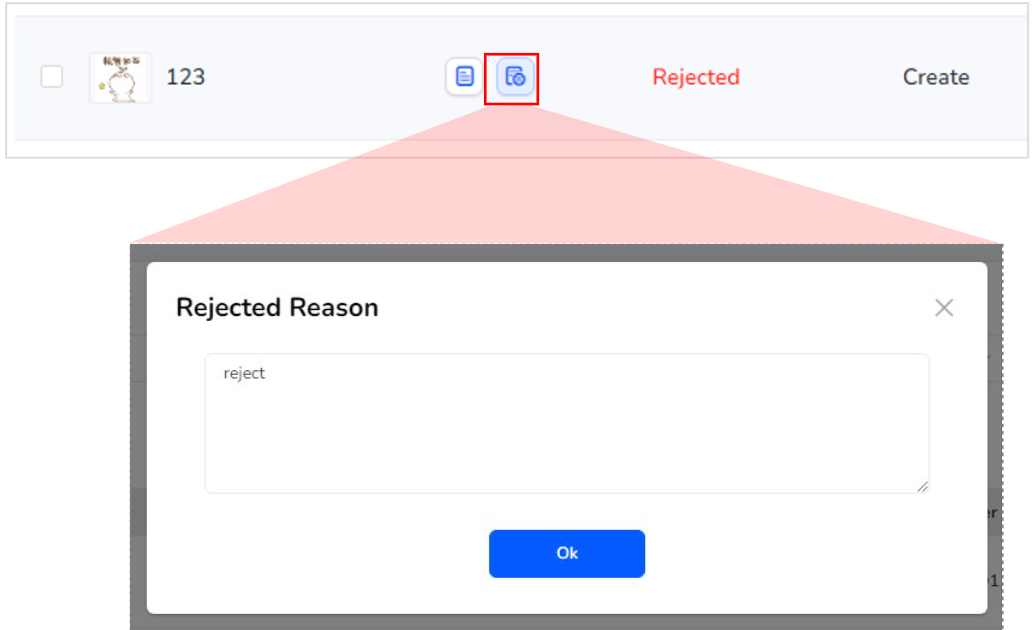
* Click "Rejected Reason" beside the rejected change request.
* An overlay will appear displaying the rejection note or feedback.
***
## Check / Approve or Reject a Change Request
To review and act on a request:
* Click "**Approver**" next to the change request.
* A detailed overlay will appear showing:
* What feature/function is being changed
* Who made the request
* Time and date of the request
* Summary of changes
* To proceed:
* Click "**Approve**" to accept the request.
* Click "**Reject**" to decline the request.

***
## View the Reason for a Rejected Request
To understand why a request was rejected:
* Click "Rejected Reason" beside the rejected change request.
* An overlay will appear displaying the rejection note or feedback.
 ***
## Export the rejected list of change request
* Admins can export all approval requests—including pending, approved, and rejected—by clicking the "Export Report List" button.
* This generates a downloadable report for tracking and auditing purposes.
Need help? Reach out to your support team or [cs@xoxoday.com](mailto:cs@xoxoday.com).
***
## Export the rejected list of change request
* Admins can export all approval requests—including pending, approved, and rejected—by clicking the "Export Report List" button.
* This generates a downloadable report for tracking and auditing purposes.
Need help? Reach out to your support team or [cs@xoxoday.com](mailto:cs@xoxoday.com).