> ## Documentation Index
> Fetch the complete documentation index at: https://help-plum.xoxoday.com/llms.txt
> Use this file to discover all available pages before exploring further.
# Listing of Offers
> Learn how customers browse the full listing of available offers within Plum's Offers Management customer portal.
*Learn about the different ways a offer is listed on the Loopr platform.*
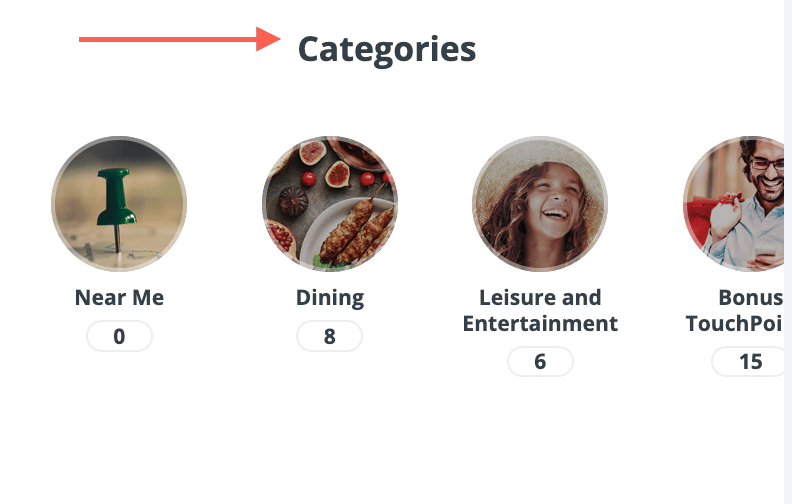
**1.1 Offer in categories**
* Offer categories and subcategories can be created and managed from the admin portal.
* Category image can be uploaded to show in the portal.
* Sorting of the categories can be configured.
* The number of offers in each of categories can be shown.
* A "Near Me" category can be supported to display offers based locations.
* The location parameter (1km, 5km or 10km) can be defined from the backend.
 ***
**1.2 Offers in Carousels**
* Multiple carousels can be shown to display different subsets of offers, for marketing and campaign purposes
***
**1.3 Offers by Brands and Merchants**
* Offers under the same brand can be listed in the brand page
* "Top brands" can be configured in the admin portal
* Offers under the same merchant can be listed in the merchant page
***
**1.4 Search and Filter**
* Search and Filter can be always accessed in any offer listing pages and as well as the landing page
* Key words searching is supported in all offer fields, including title, brand, merchant name, description, location, terms and conditions
* Filtering is based on category and subcategory and locations
***
**1.2 Offers in Carousels**
* Multiple carousels can be shown to display different subsets of offers, for marketing and campaign purposes
***
**1.3 Offers by Brands and Merchants**
* Offers under the same brand can be listed in the brand page
* "Top brands" can be configured in the admin portal
* Offers under the same merchant can be listed in the merchant page
***
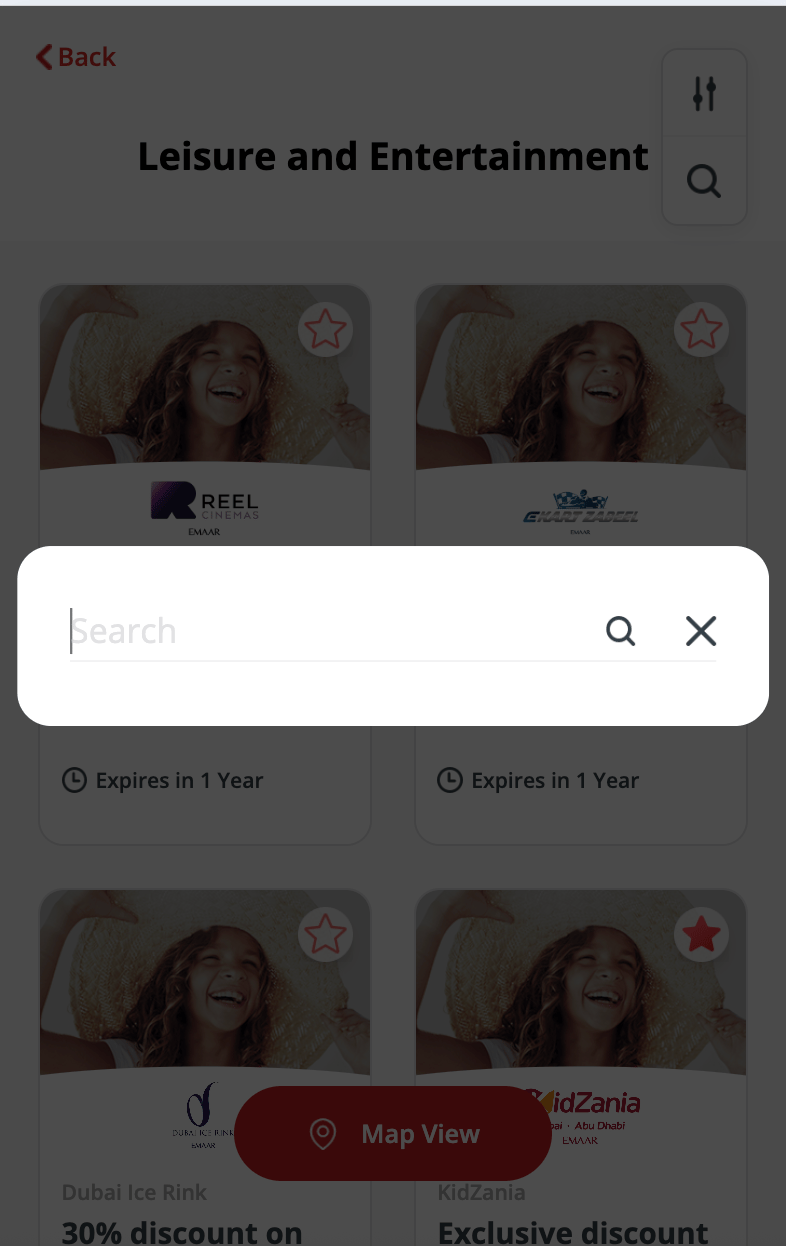
**1.4 Search and Filter**
* Search and Filter can be always accessed in any offer listing pages and as well as the landing page
* Key words searching is supported in all offer fields, including title, brand, merchant name, description, location, terms and conditions
* Filtering is based on category and subcategory and locations
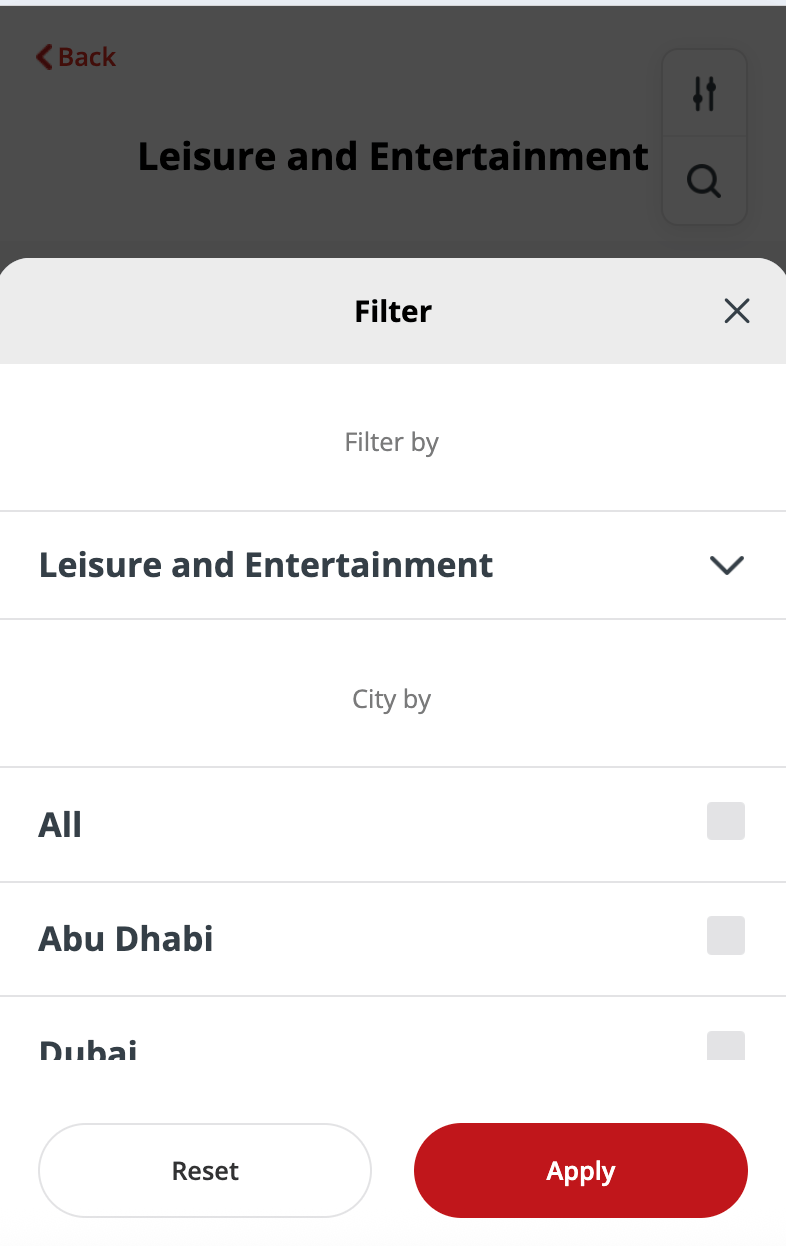 * Sorting support recency and A-Z (Z-A)
 ***
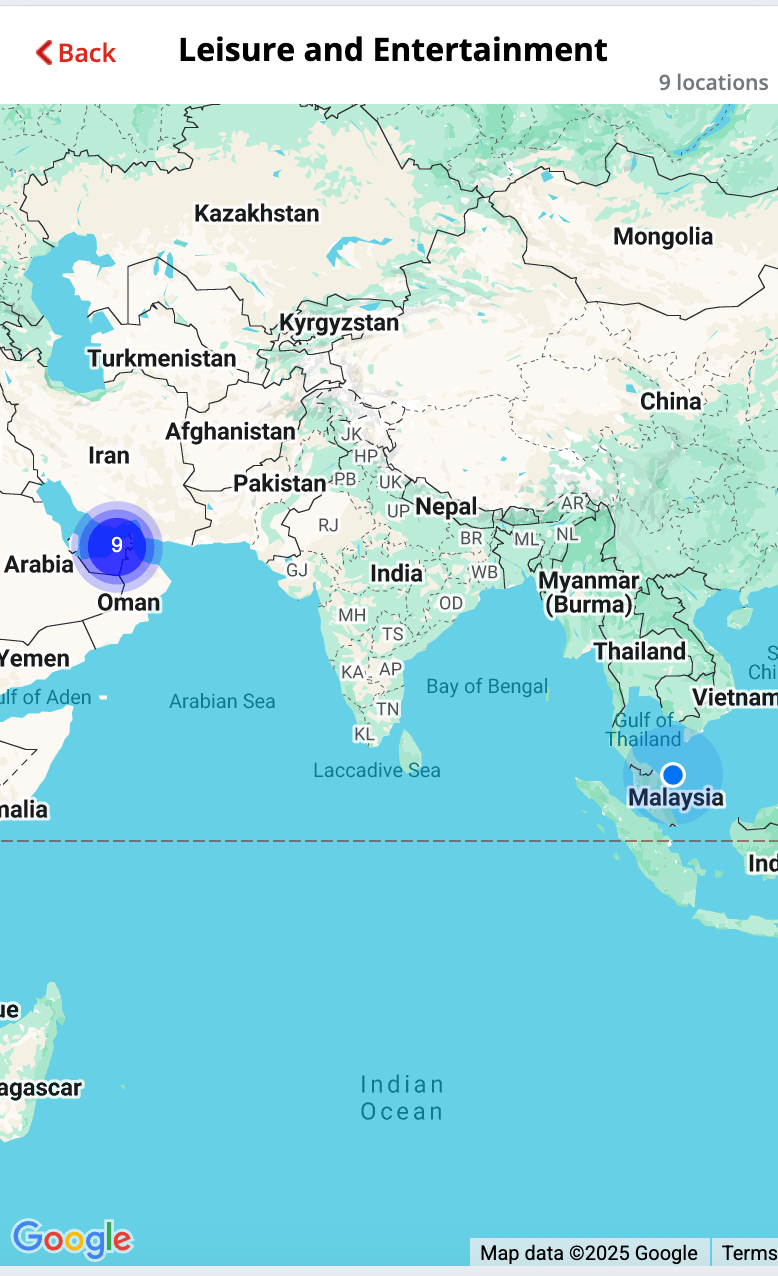
**1.5 Map View**
* Offers can be shown in the map based on the store locations
***
**1.5 Map View**
* Offers can be shown in the map based on the store locations
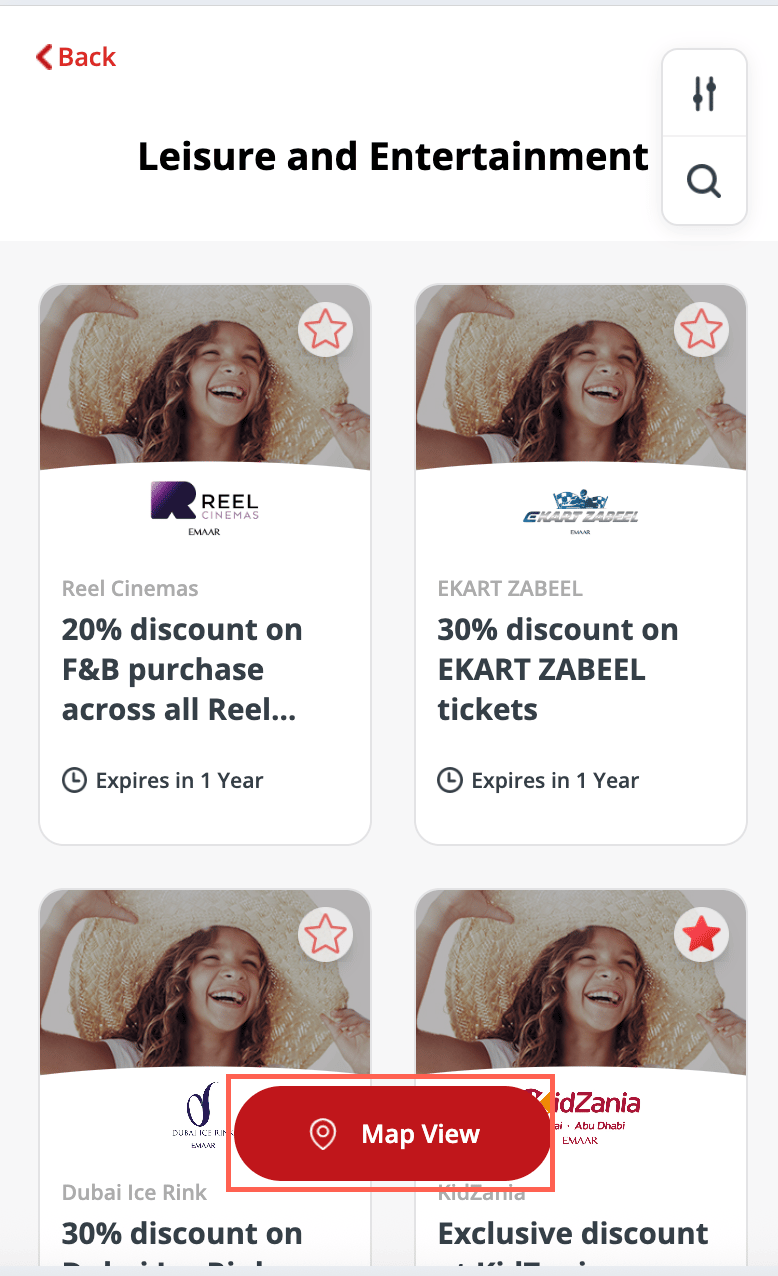 * Map is supported by Google Map
* An offer carousel displays all offers under the shown area
* Zooming out the map, pins will form clusters which display the number of offers in an area
* Zooming in to the clustered pin to show all offers within the area
* Clicking "Get Directions" will jump to a Google Map URL
* Display distance only if location permission is allowed
* Map is supported by Google Map
* An offer carousel displays all offers under the shown area
* Zooming out the map, pins will form clusters which display the number of offers in an area
* Zooming in to the clustered pin to show all offers within the area
* Clicking "Get Directions" will jump to a Google Map URL
* Display distance only if location permission is allowed
 For any questions or feedback reach out to us at [cs@xoxoday.com](mailto:cs@xoxoday.com).
Looking to drive loyalty, boost sales performance, or enhance employee engagement? [Explore Xoxoday's product suite here!](https://www.xoxoday.com/get-a-demo)
For any questions or feedback reach out to us at [cs@xoxoday.com](mailto:cs@xoxoday.com).
Looking to drive loyalty, boost sales performance, or enhance employee engagement? [Explore Xoxoday's product suite here!](https://www.xoxoday.com/get-a-demo)