> ## Documentation Index
> Fetch the complete documentation index at: https://help-plum.xoxoday.com/llms.txt
> Use this file to discover all available pages before exploring further.
# Overview
> Get an overview of the Offers Management portal from a merchant's perspective, covering the key features available.
*Learn how to login to the merchant dashboard*
## Accessing the Merchant Portal
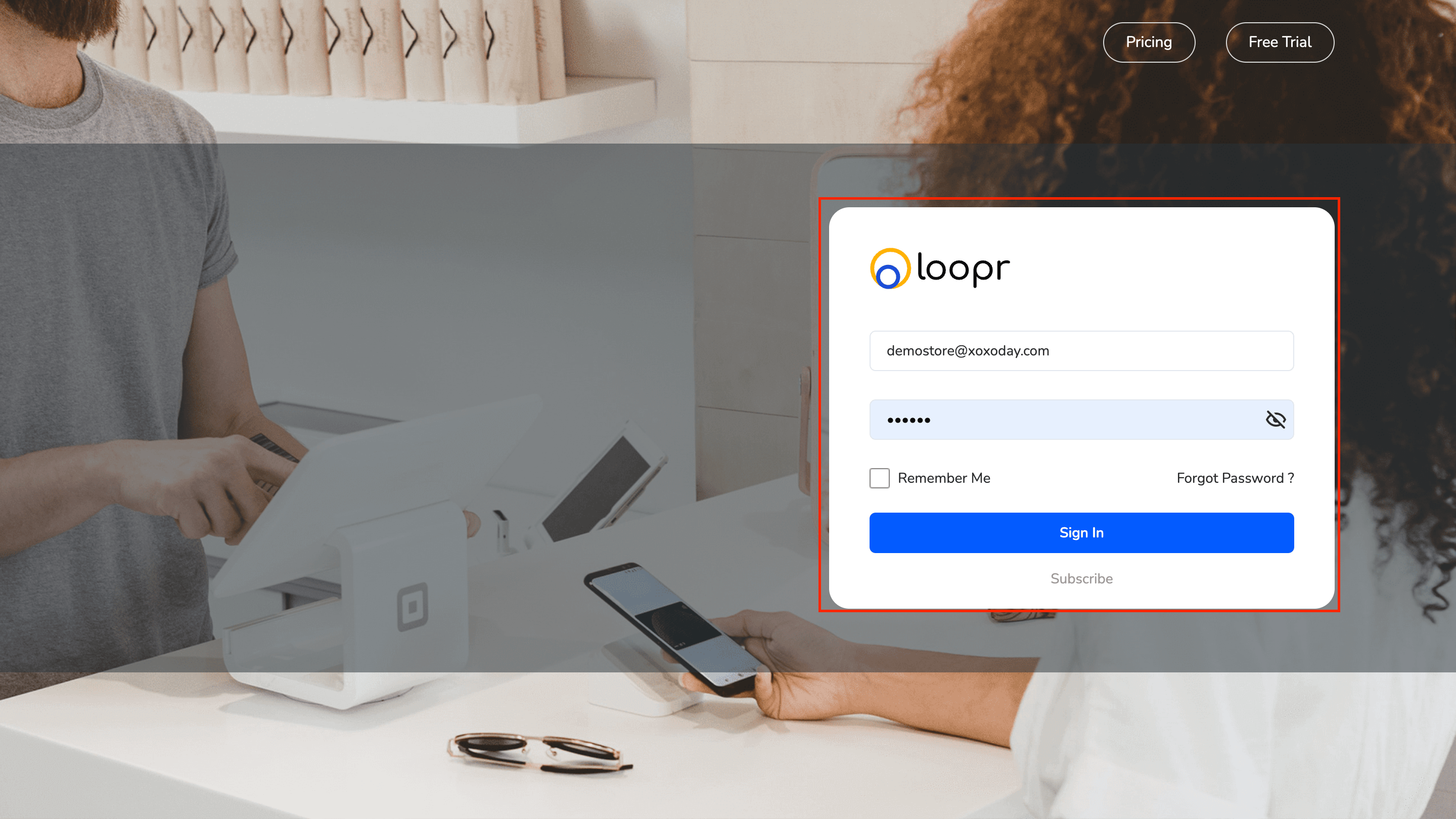
Follow the steps below to log in and navigate through the main dashboard of the Merchant Portal.
## Steps to Log In:
Open your browser and go to the Merchant Portal URL.
* Input your username and password
* Click "Sign In"
Upon successful login, you'll be directed to the Dashboard.
 ***
## Dashboard Overview
Once on the dashboard, you'll see the following key elements:
## Language & Notifications
* Language Dropdown: Located at the top right, allowing you to switch between supported languages.
***
## Dashboard Overview
Once on the dashboard, you'll see the following key elements:
## Language & Notifications
* Language Dropdown: Located at the top right, allowing you to switch between supported languages.
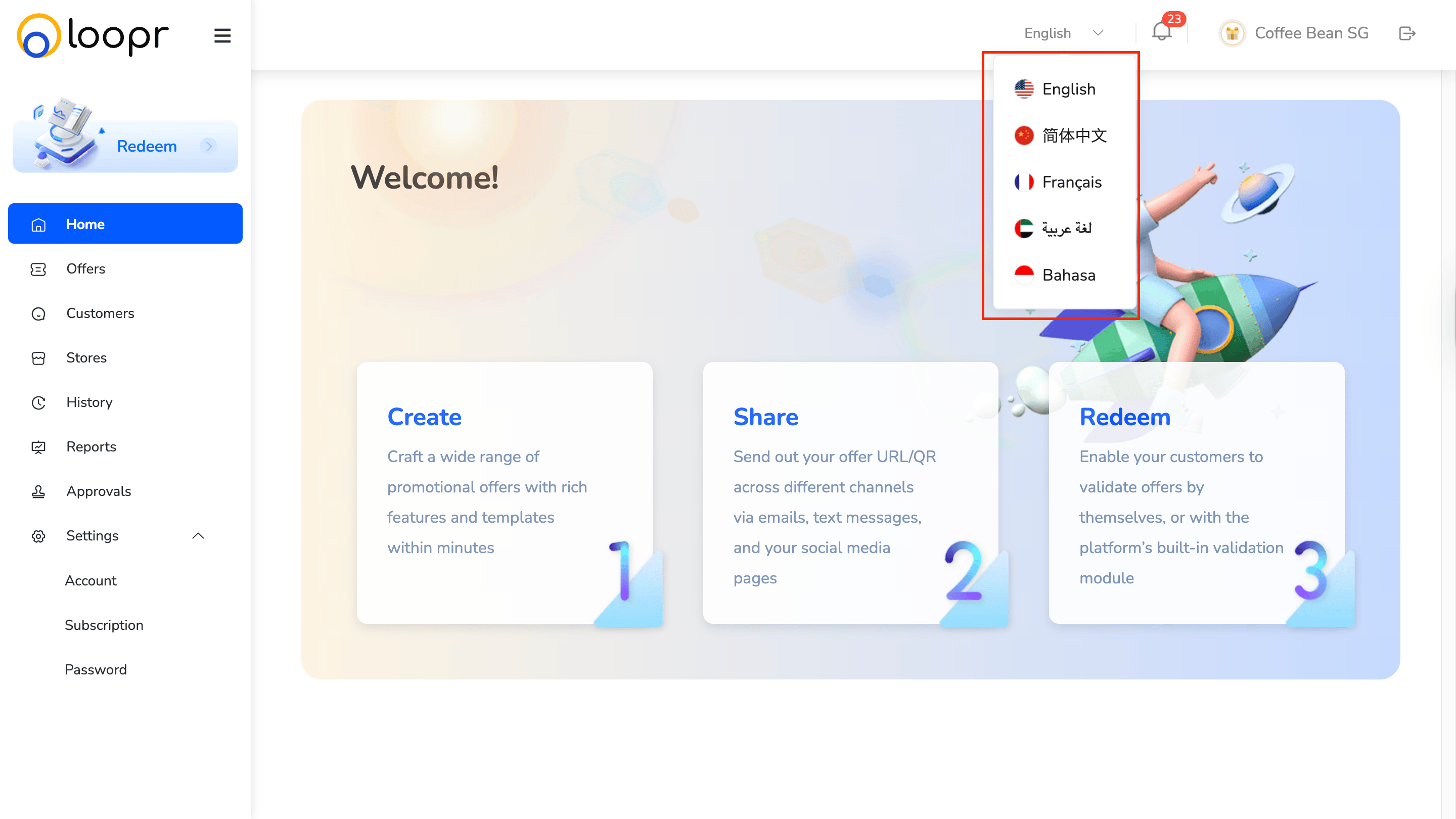 * Notification Icon: Also at the top right, to view important updates and alerts.
***
## Module Access Buttons
You'll find quick-access buttons for different modules such as:
* Home
* Offers
* Customers
* Stores
* History
* Reports
* Approvals
* Settings
* Redemptions
And more, depending on your permissions.
Each module provides tools for managing specific parts of your merchant operations.
Need help? Reach out to your support team or [cs@xoxoday.com](mailto:cs@xoxoday.com).
* Notification Icon: Also at the top right, to view important updates and alerts.
***
## Module Access Buttons
You'll find quick-access buttons for different modules such as:
* Home
* Offers
* Customers
* Stores
* History
* Reports
* Approvals
* Settings
* Redemptions
And more, depending on your permissions.
Each module provides tools for managing specific parts of your merchant operations.
Need help? Reach out to your support team or [cs@xoxoday.com](mailto:cs@xoxoday.com).