> ## Documentation Index
> Fetch the complete documentation index at: https://help-plum.xoxoday.com/llms.txt
> Use this file to discover all available pages before exploring further.

# Account Settings

Merchants can easily manage their personal or business account information from the Account Settings section.

## How to Access

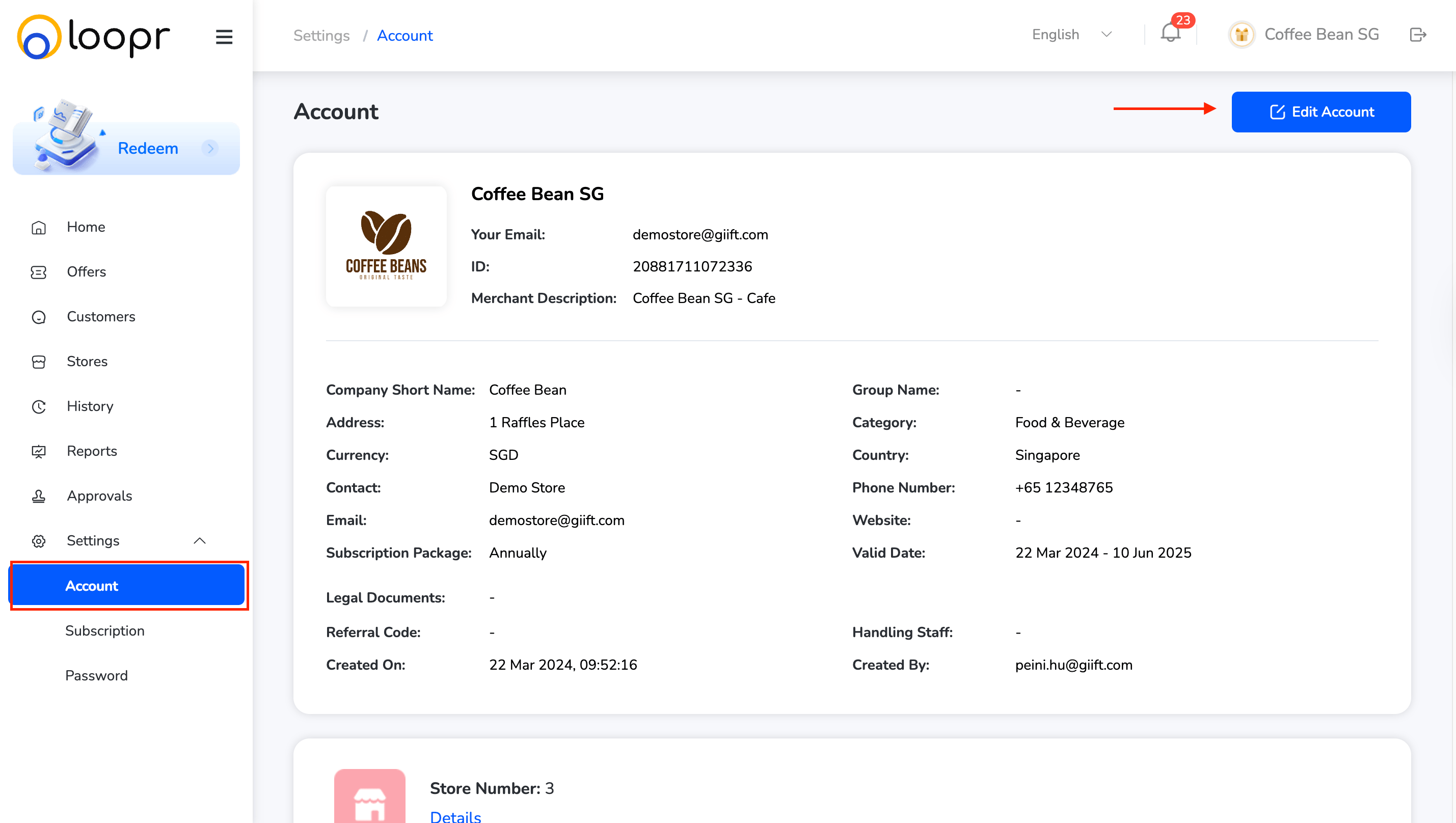
* Go to "**Settings**" from the left-hand menu.

* Click on the "**Account**" tab from the dropdown.
<Frame>
  <img src="https://mintcdn.com/plum/FAXZYoma53rhWTdG/images/intercom/help-center-offers-management-offer-management-for-merchants-settings-account-settings-13052508/2601f35a46badf0710fb3afc1e48f33ad0cde4780156dee1a74e56effdde73d3-Screenshot_2025-07-10_at_7_31_22_PM.png?fit=max&auto=format&n=FAXZYoma53rhWTdG&q=85&s=97b1571dbaac3526466a9dba07939881" alt="" width="2858" height="1616" data-path="images/intercom/help-center-offers-management-offer-management-for-merchants-settings-account-settings-13052508/2601f35a46badf0710fb3afc1e48f33ad0cde4780156dee1a74e56effdde73d3-Screenshot_2025-07-10_at_7_31_22_PM.png" />
</Frame>

***

## View Account Details

* Your account details (name, email, business info, etc.) will be displayed for review.

***

## Edit Account Information:

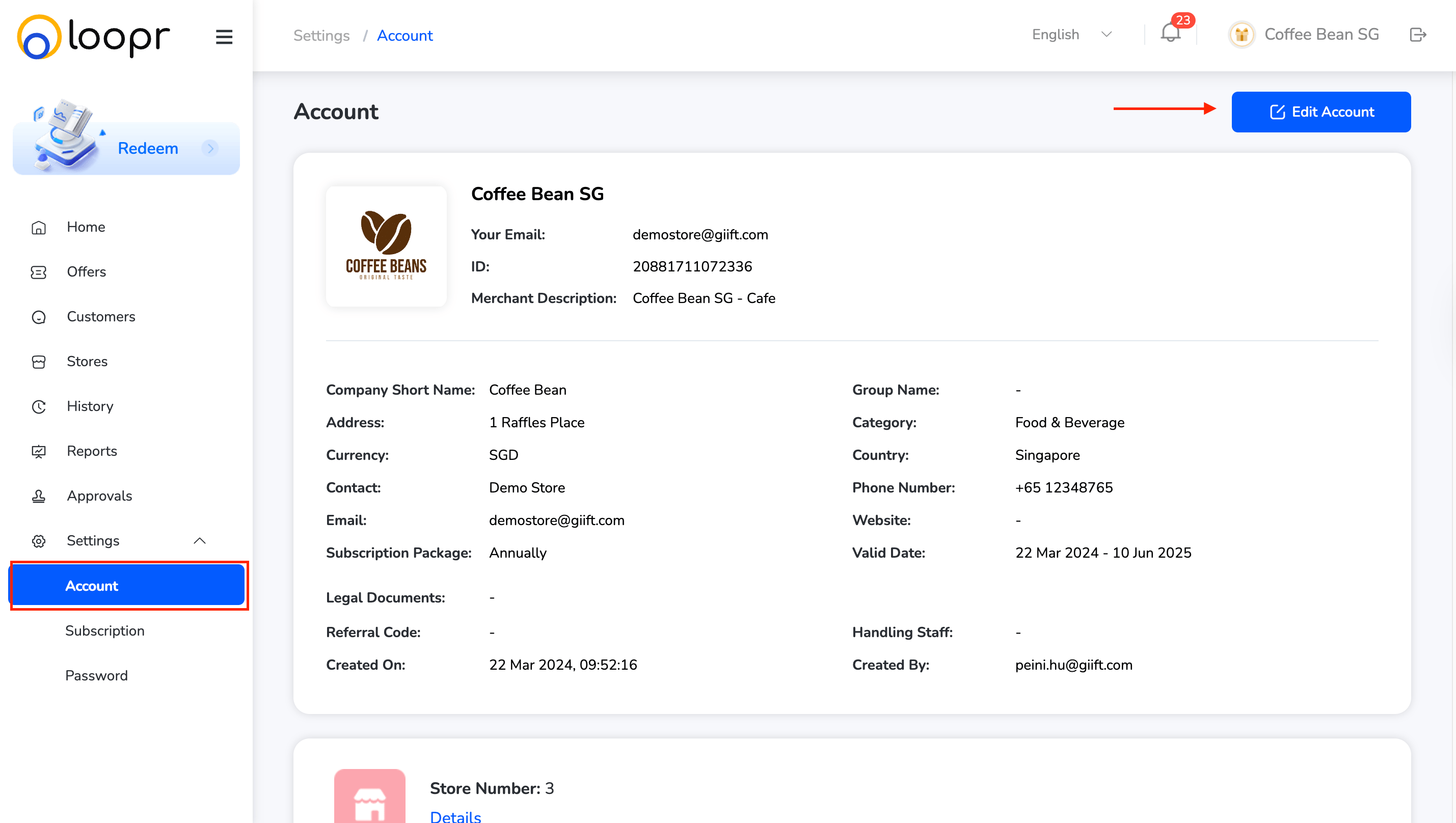
* Click "**Edit Account**" on the top right.
<Frame>
  <img src="https://mintcdn.com/plum/FAXZYoma53rhWTdG/images/intercom/help-center-offers-management-offer-management-for-merchants-settings-account-settings-13052508/2601f35a46badf0710fb3afc1e48f33ad0cde4780156dee1a74e56effdde73d3-Screenshot_2025-07-10_at_7_31_22_PM_1.png?fit=max&auto=format&n=FAXZYoma53rhWTdG&q=85&s=ebb1c6970ff4abc0490154a39d763770" alt="" width="2858" height="1616" data-path="images/intercom/help-center-offers-management-offer-management-for-merchants-settings-account-settings-13052508/2601f35a46badf0710fb3afc1e48f33ad0cde4780156dee1a74e56effdde73d3-Screenshot_2025-07-10_at_7_31_22_PM_1.png" />
</Frame>

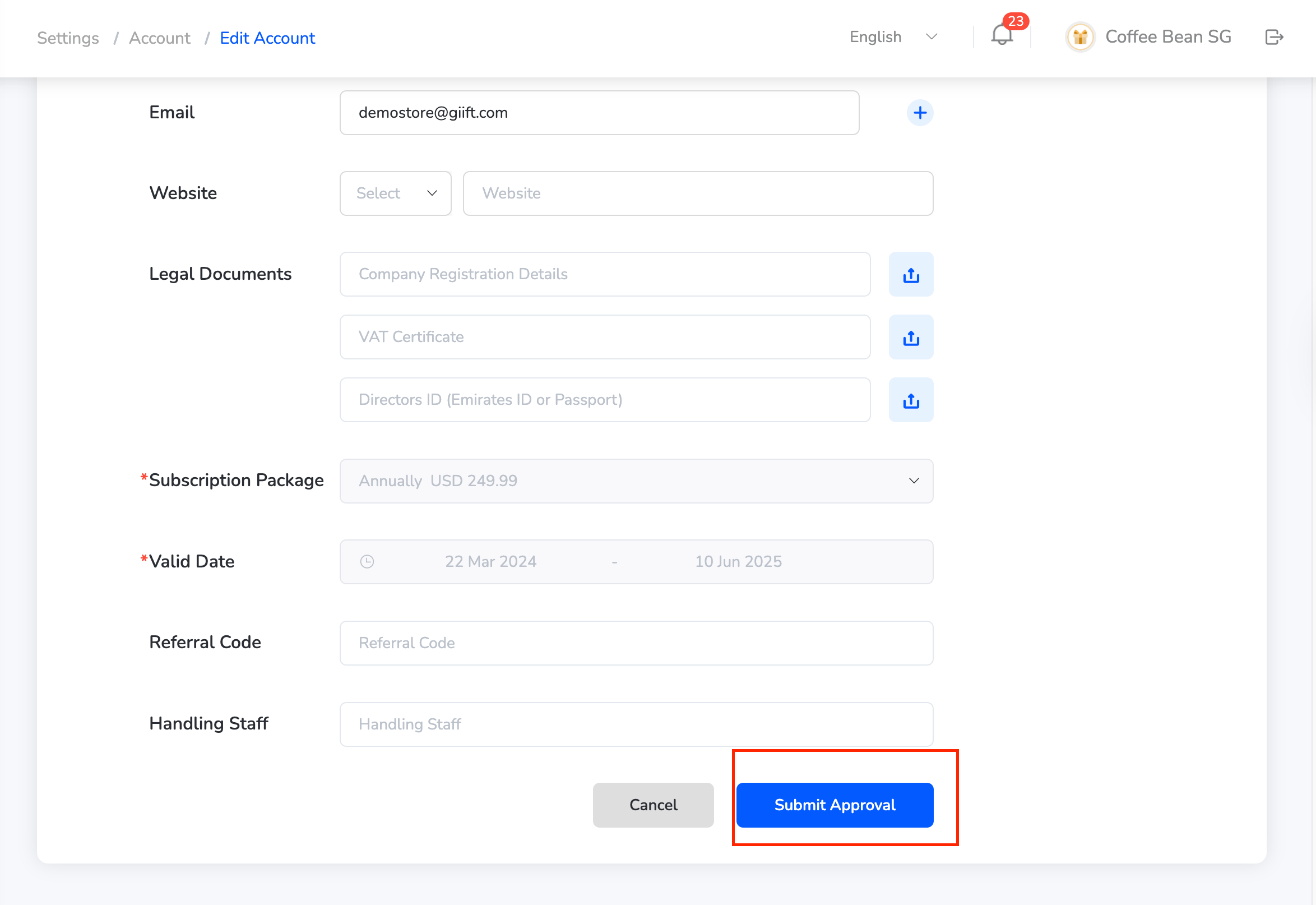
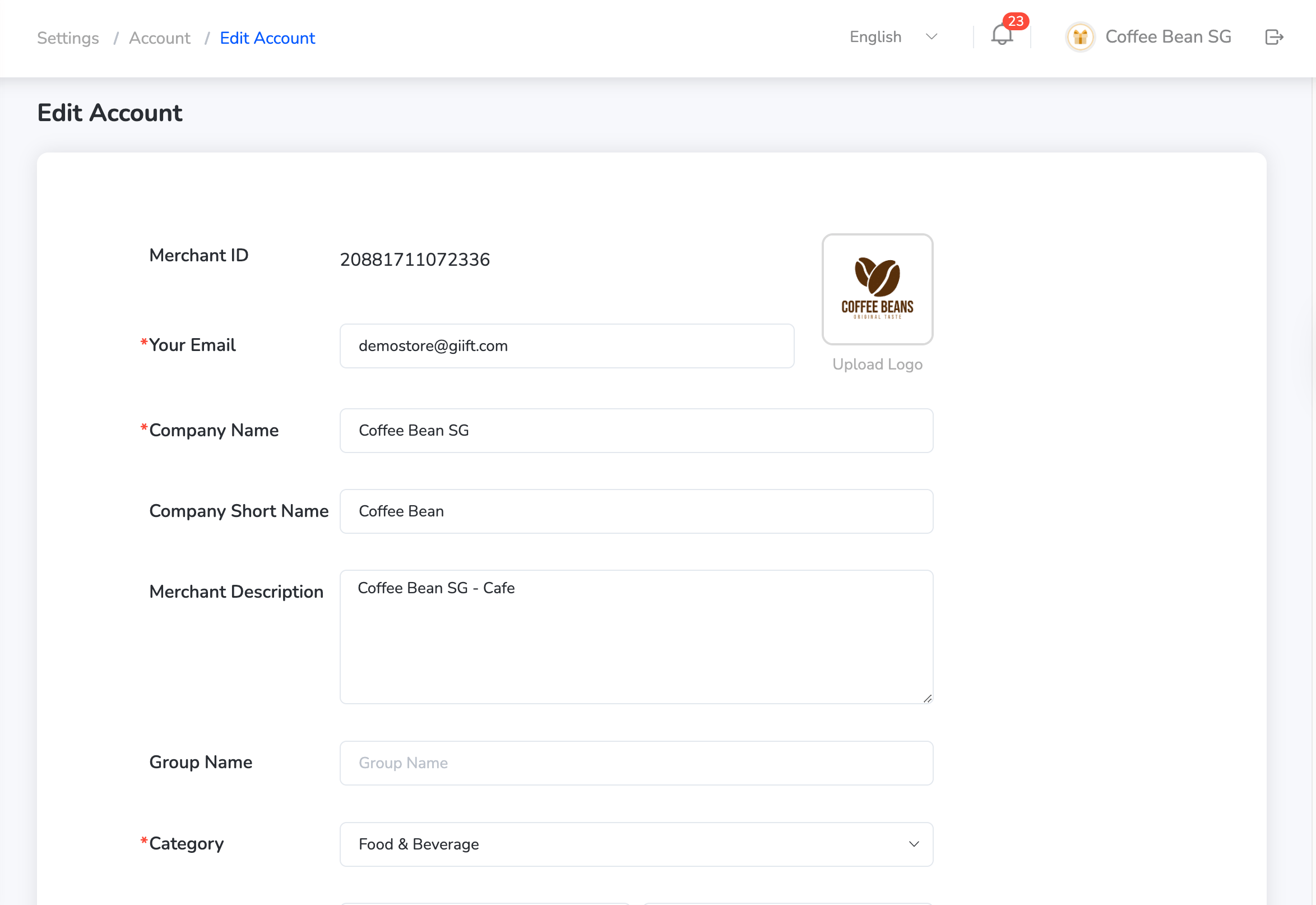
* Make the necessary changes to your personal or business details.
<Frame>
  <img src="https://mintcdn.com/plum/FAXZYoma53rhWTdG/images/intercom/help-center-offers-management-offer-management-for-merchants-settings-account-settings-13052508/b8b645dd958c5a7cc8bc41b09284e567e9a0c55d899dc00942ac9d2328176d2f-Screenshot_2025-07-10_at_7_31_49_PM.png?fit=max&auto=format&n=FAXZYoma53rhWTdG&q=85&s=cd4461dbf969126d1077fc1ca920c498" alt="" width="2348" height="1614" data-path="images/intercom/help-center-offers-management-offer-management-for-merchants-settings-account-settings-13052508/b8b645dd958c5a7cc8bc41b09284e567e9a0c55d899dc00942ac9d2328176d2f-Screenshot_2025-07-10_at_7_31_49_PM.png" />
</Frame>

<Frame>
  <img src="https://mintcdn.com/plum/FAXZYoma53rhWTdG/images/intercom/help-center-offers-management-offer-management-for-merchants-settings-account-settings-13052508/9d78d6d29c595cec52ecac1c6a33639a8cc362934d5a8505b4d192944b91b916-Screenshot_2025-07-10_at_7_31_54_PM.png?fit=max&auto=format&n=FAXZYoma53rhWTdG&q=85&s=a9bcef3caa947ffbe2c43da178578ba8" alt="" width="2348" height="1614" data-path="images/intercom/help-center-offers-management-offer-management-for-merchants-settings-account-settings-13052508/9d78d6d29c595cec52ecac1c6a33639a8cc362934d5a8505b4d192944b91b916-Screenshot_2025-07-10_at_7_31_54_PM.png" />
</Frame>

* Once done, click "**Submit Approval**" to save the updates.

Need help? Reach out to your support team or [cs@xoxoday.com](mailto:cs@xoxoday.com).