> ## Documentation Index
> Fetch the complete documentation index at: https://help-plum.xoxoday.com/llms.txt
> Use this file to discover all available pages before exploring further.

# Stores Module

*Learn all about setting up, maintaining and updating store information*

This section allows you to **create, view, edit, and manage** all store-related information from one place.

## Accessing Store Management

Navigate to "Stores" from the left menu on the dashboard.

* On the Stores page, you can:

  * Search for stores

  * Create new stores

  * Edit store details

  * View store profiles

  * Update store PINs

<Frame>
  ![](https://xoxoday-cc4bb9b9ac3a.intercom-attachments-1.com/i/o/qgtvujy1/1873254240/002626711c3c28deef960b452328/6bd0a18e8c46043c0d2f1cadfd5bcbdc60b035dc561fd26e8f55e8cd24a27da0-Screenshot_2025-07-10_at_12_03_51_PM.png?expires=1776816000\&signature=dc51658ca97a691eb78905316beeb11b29a1ba6f8e440621816b974cd8ebb268\&req=dSggFct7mYNbWfMW3nq%2BgbUHNxvtOgZxDQ8RDO4rG%2FjPahT8vNJ3VwA2SuB5%0Acq2vKBRklvCaRMrsOHR%2FZ2aiH1g%3D%0A)
</Frame>

***

## Search for a Store

* Use the search bar at the top to look up a store by name.

<Frame>
  <img src="https://mintcdn.com/plum/FAXZYoma53rhWTdG/images/intercom/help-center-offers-management-offer-management-for-merchants-stores-module-13052134/0767423b8779fc03e23784b769a720e9fc489f7939301458f1dc9f413aa593c4-Screenshot_2025-07-10_at_12_05_02_PM.png?fit=max&auto=format&n=FAXZYoma53rhWTdG&q=85&s=97b14b50f5042e6f6906573e2aba3aca" alt="" width="2234" height="258" data-path="images/intercom/help-center-offers-management-offer-management-for-merchants-stores-module-13052134/0767423b8779fc03e23784b769a720e9fc489f7939301458f1dc9f413aa593c4-Screenshot_2025-07-10_at_12_05_02_PM.png" />
</Frame>

***

## Create a New Store

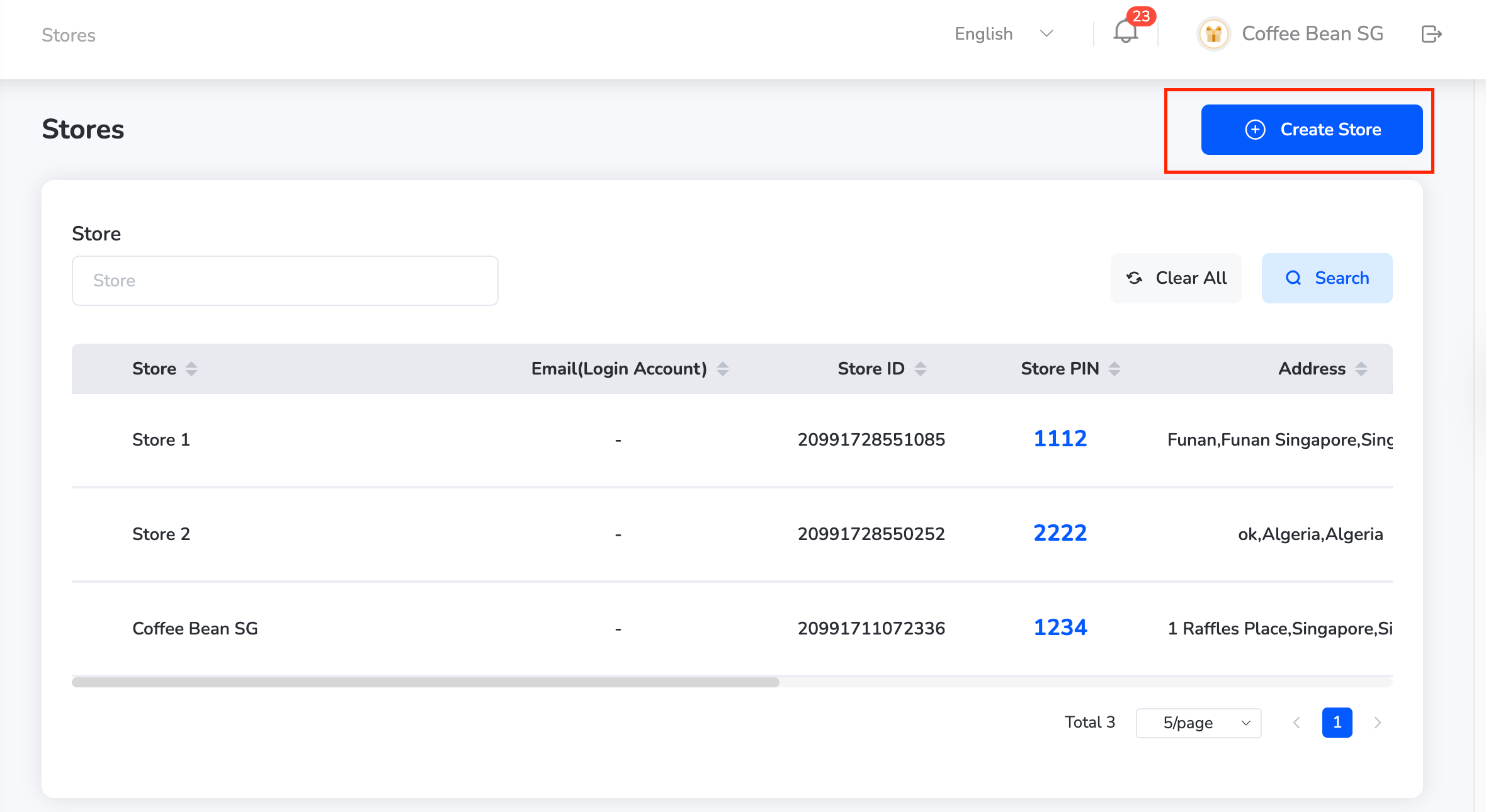
* Click "Create Store" at the top left of the Stores page.
<Frame>
  <img src="https://mintcdn.com/plum/FAXZYoma53rhWTdG/images/intercom/help-center-offers-management-offer-management-for-merchants-stores-module-13052134/c6d4e43fef190faa1dbd441bba8b5110ea5292c9200304498bf4b2653148a59e-Screenshot_2025-07-10_at_12_04_12_PM.png?fit=max&auto=format&n=FAXZYoma53rhWTdG&q=85&s=15451aa33003c1818e16734c9f7d6263" alt="" width="2360" height="1290" data-path="images/intercom/help-center-offers-management-offer-management-for-merchants-stores-module-13052134/c6d4e43fef190faa1dbd441bba8b5110ea5292c9200304498bf4b2653148a59e-Screenshot_2025-07-10_at_12_04_12_PM.png" />
</Frame>

* Fill in the following fields:

  * Store Name

  * Address

  * Email Login

  * Email

  * Phone Number

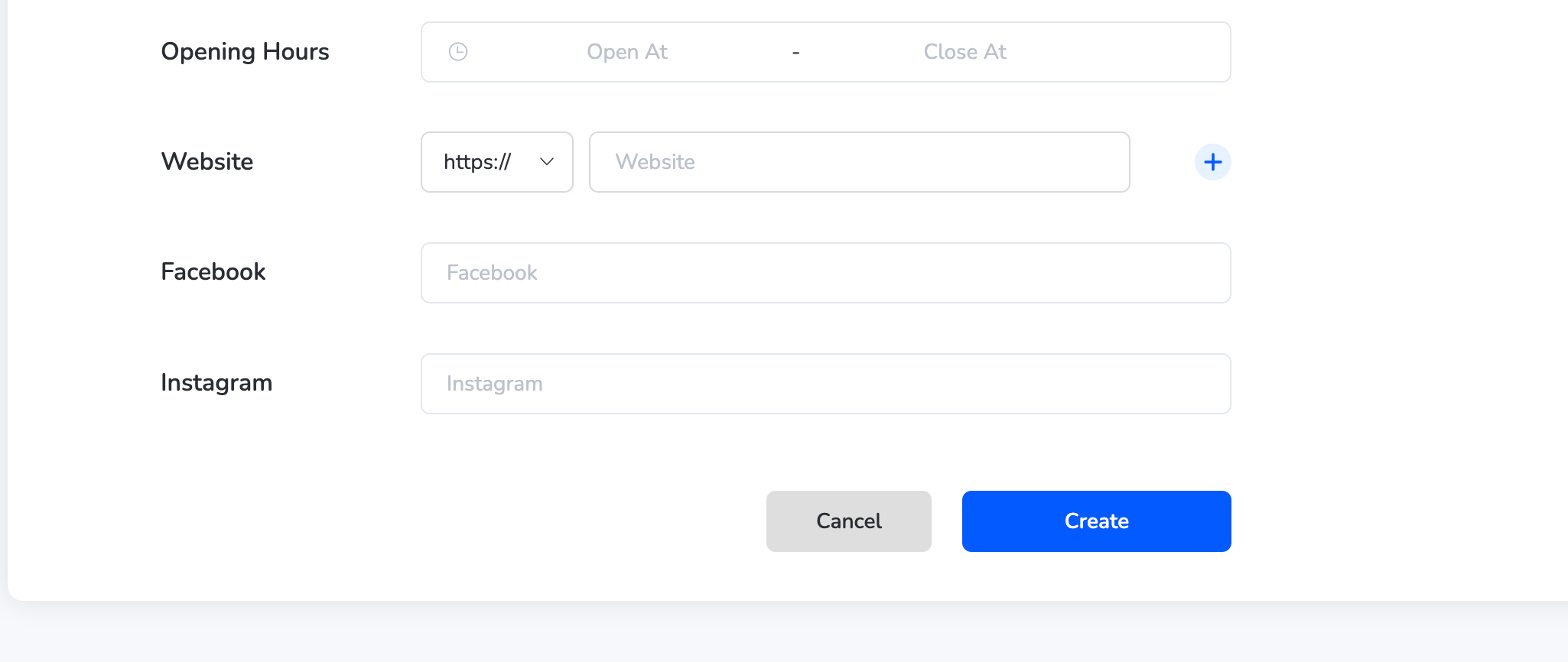
  * Opening Hours

  * Website (optional)

  * Facebook (optional)

<Frame>
  ![](https://xoxoday-cc4bb9b9ac3a.intercom-attachments-1.com/i/o/qgtvujy1/1873254265/de3893dea26b0652aa8070769168/af735b2ac2eb58ce564d5f6e01ddf80c5b5cd58d4415f8457d8ab688bcf33d2e-Screenshot_2025-07-10_at_12_04_31_PM.png?expires=1776816000\&signature=fbb8512eb3044fbf5d0b35f50cd20447c710cbed7811e47e2fe098b3e293f794\&req=dSggFct7mYNZXPMW3nq%2BgQ6C8kaA0V%2Bx0HwwXyCWWUxk6E9ClVILSo5EReUG%0AaH0s4qGzgf968daIS2%2BfteYfU3k%3D%0A)
</Frame>

<Frame>
  <img src="https://mintcdn.com/plum/FAXZYoma53rhWTdG/images/intercom/help-center-offers-management-offer-management-for-merchants-stores-module-13052134/ab297a61166de65cf144137d7bec685cf28fb7adb85682695a82175f989b8c7f-Screenshot_2025-07-10_at_12_04_39_PM.png?fit=max&auto=format&n=FAXZYoma53rhWTdG&q=85&s=b28c589c9fe8006e459ecd5ad157aee2" alt="" width="2050" height="866" data-path="images/intercom/help-center-offers-management-offer-management-for-merchants-stores-module-13052134/ab297a61166de65cf144137d7bec685cf28fb7adb85682695a82175f989b8c7f-Screenshot_2025-07-10_at_12_04_39_PM.png" />
</Frame>

* Click "Create" to add the new store to the list.

<Info>
  The store will now be visible and available for offer mapping and tracking.
</Info>

***

## Managing Stores

**View a Store**

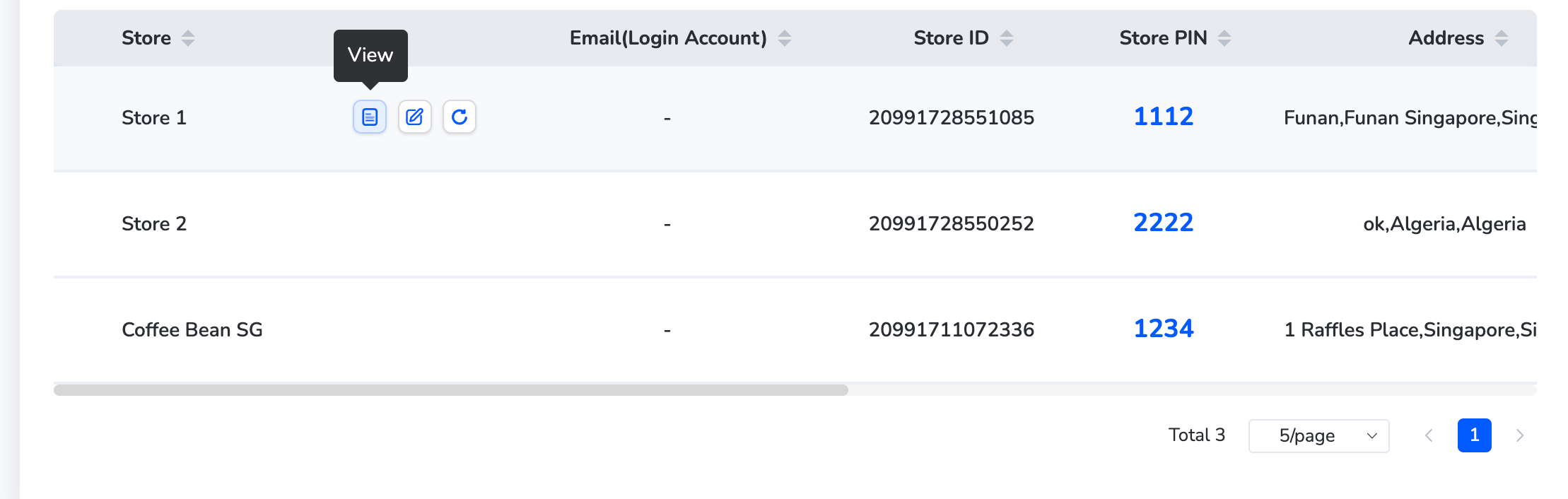
* Find the store in the list.

* Click the "View" icon next to it to see full details like address, contact info, opening hours, and linked accounts.
<Frame>
  <img src="https://mintcdn.com/plum/FAXZYoma53rhWTdG/images/intercom/help-center-offers-management-offer-management-for-merchants-stores-module-13052134/84f66c039a53114be1a3f7a1897dda35b03082b0cc4e19299716cad1f3ef88be-Screenshot_2025-07-10_at_12_05_24_PM.png?fit=max&auto=format&n=FAXZYoma53rhWTdG&q=85&s=b33fd68e9ada1a39530dce8b9e483444" alt="" width="2218" height="706" data-path="images/intercom/help-center-offers-management-offer-management-for-merchants-stores-module-13052134/84f66c039a53114be1a3f7a1897dda35b03082b0cc4e19299716cad1f3ef88be-Screenshot_2025-07-10_at_12_05_24_PM.png" />
</Frame>

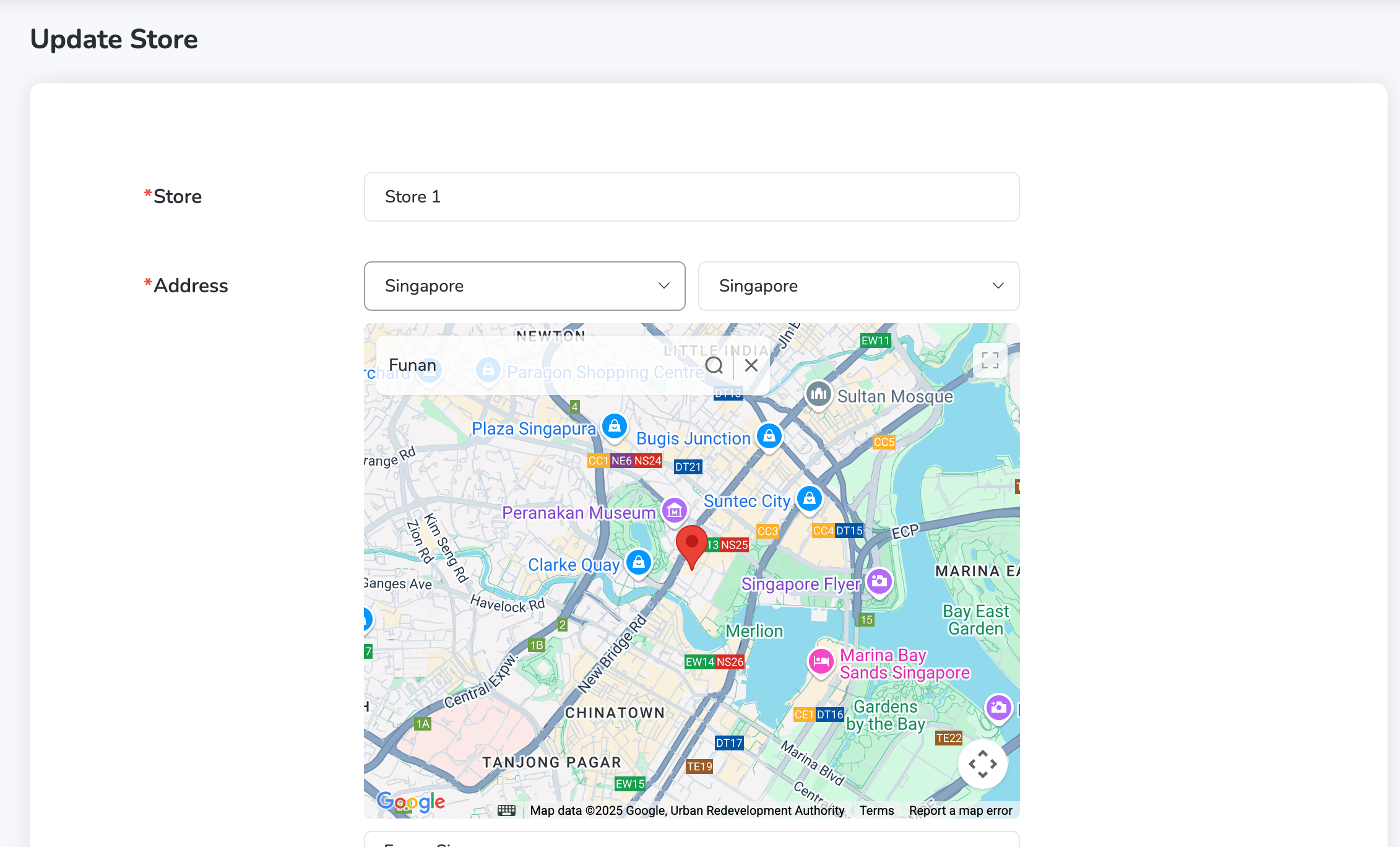
**Edit Store Details**

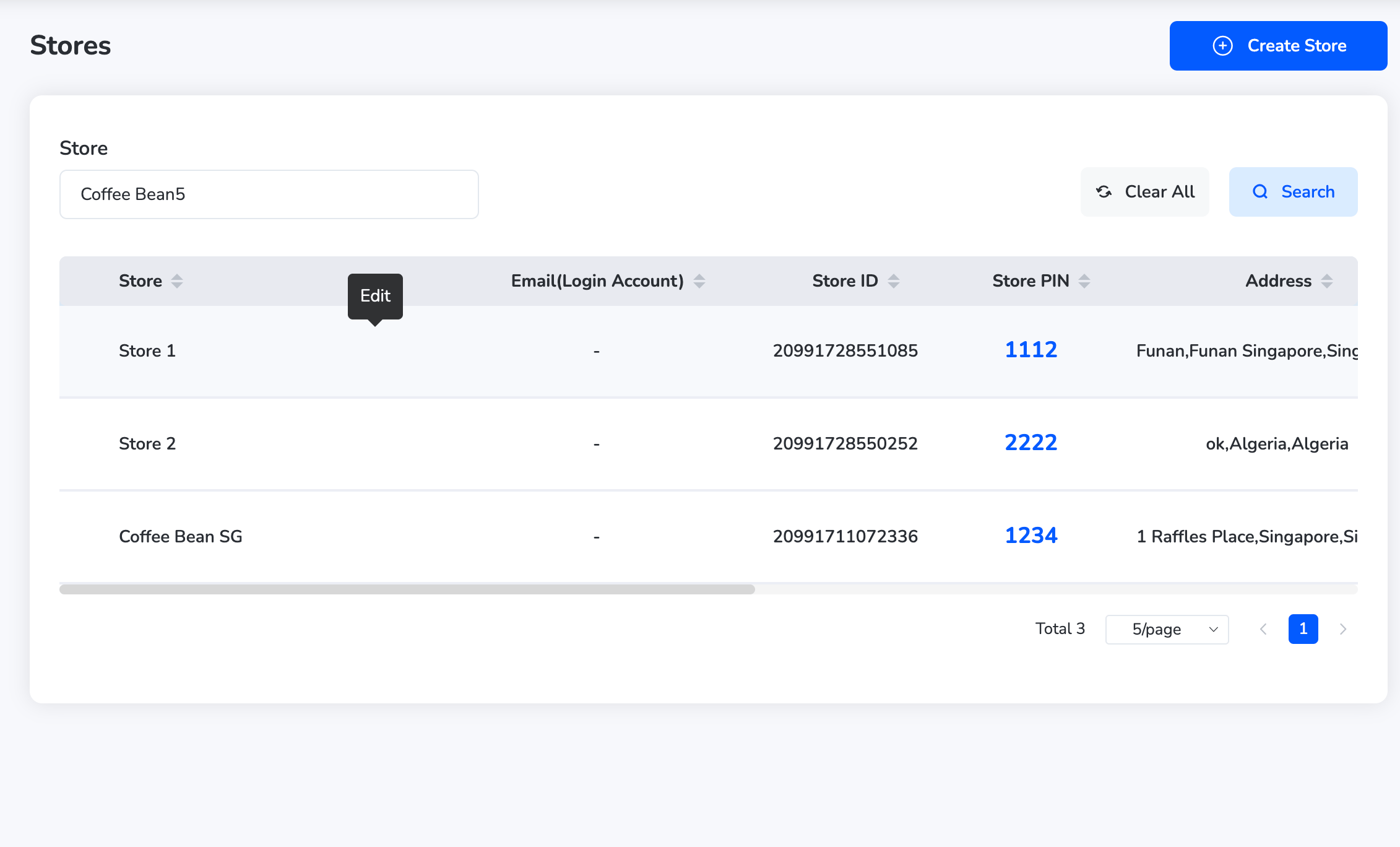
* Click the "Edit" icon beside the store name.
<Frame>
  <img src="https://mintcdn.com/plum/FAXZYoma53rhWTdG/images/intercom/help-center-offers-management-offer-management-for-merchants-stores-module-13052134/3840429fe75a9e06522a5e0c6888aa0e355cddfb3bc203ee43ec3e74385dd3c6-Screenshot_2025-07-10_at_12_05_52_PM.png?fit=max&auto=format&n=FAXZYoma53rhWTdG&q=85&s=38edc08755f35bf9130c08e05324a4e2" alt="" width="2262" height="1368" data-path="images/intercom/help-center-offers-management-offer-management-for-merchants-stores-module-13052134/3840429fe75a9e06522a5e0c6888aa0e355cddfb3bc203ee43ec3e74385dd3c6-Screenshot_2025-07-10_at_12_05_52_PM.png" />
</Frame>

* Update the required fields (e.g., address, phone, email).
<Frame>
  <img src="https://mintcdn.com/plum/FAXZYoma53rhWTdG/images/intercom/help-center-offers-management-offer-management-for-merchants-stores-module-13052134/f9beb97d3281570427734f081538bc6fa67bb51114f31cc5287b8f9f003cd47c-Screenshot_2025-07-10_at_12_06_00_PM.png?fit=max&auto=format&n=FAXZYoma53rhWTdG&q=85&s=37d3be3532a120d0d08317c44b92212c" alt="" width="2262" height="1368" data-path="images/intercom/help-center-offers-management-offer-management-for-merchants-stores-module-13052134/f9beb97d3281570427734f081538bc6fa67bb51114f31cc5287b8f9f003cd47c-Screenshot_2025-07-10_at_12_06_00_PM.png" />
</Frame>

* Click "Save" to confirm changes.

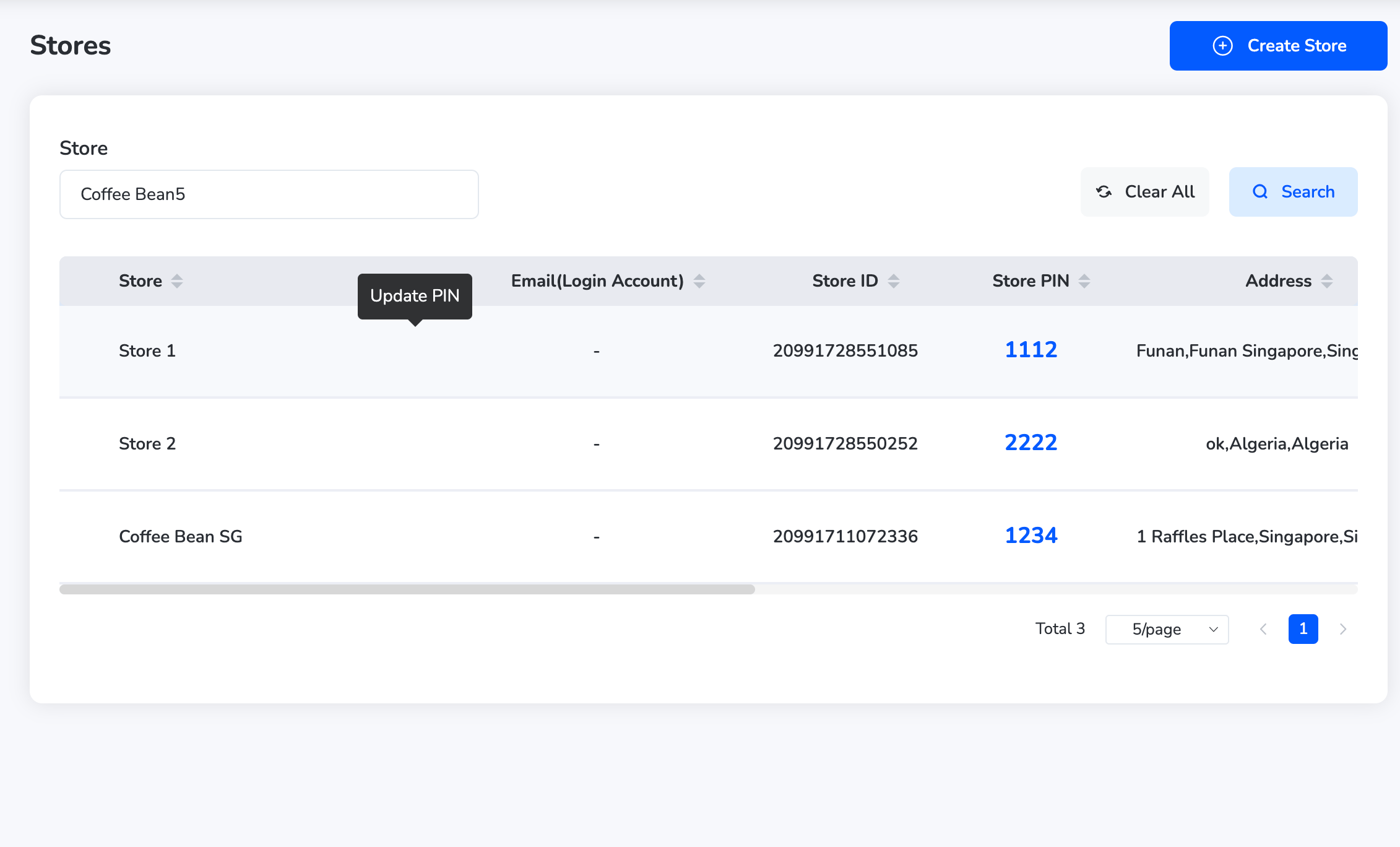
**Update Store PIN**

* Click "**Update PIN**" next to the store.
<Frame>
  <img src="https://mintcdn.com/plum/FAXZYoma53rhWTdG/images/intercom/help-center-offers-management-offer-management-for-merchants-stores-module-13052134/afed2da90ce63f32b98c8982a6db5737d5e9df01ed6f178f4ff70fce11ad4963-Screenshot_2025-07-10_at_12_06_09_PM.png?fit=max&auto=format&n=FAXZYoma53rhWTdG&q=85&s=648eac71a9b52cb9289853d58888b4bd" alt="" width="2262" height="1368" data-path="images/intercom/help-center-offers-management-offer-management-for-merchants-stores-module-13052134/afed2da90ce63f32b98c8982a6db5737d5e9df01ed6f178f4ff70fce11ad4963-Screenshot_2025-07-10_at_12_06_09_PM.png" />
</Frame>

* Enter the new PIN and click "**Confirm**."

Need help? Reach out to your support team or [cs@xoxoday.com](mailto:cs@xoxoday.com).