> ## Documentation Index
> Fetch the complete documentation index at: https://help-plum.xoxoday.com/llms.txt
> Use this file to discover all available pages before exploring further.
# Search and Filter Offers
> Learn how to search and filter offers within Plum's Offers Management portal to quickly find the one you're looking for.
*Learn how to search and filter offers*
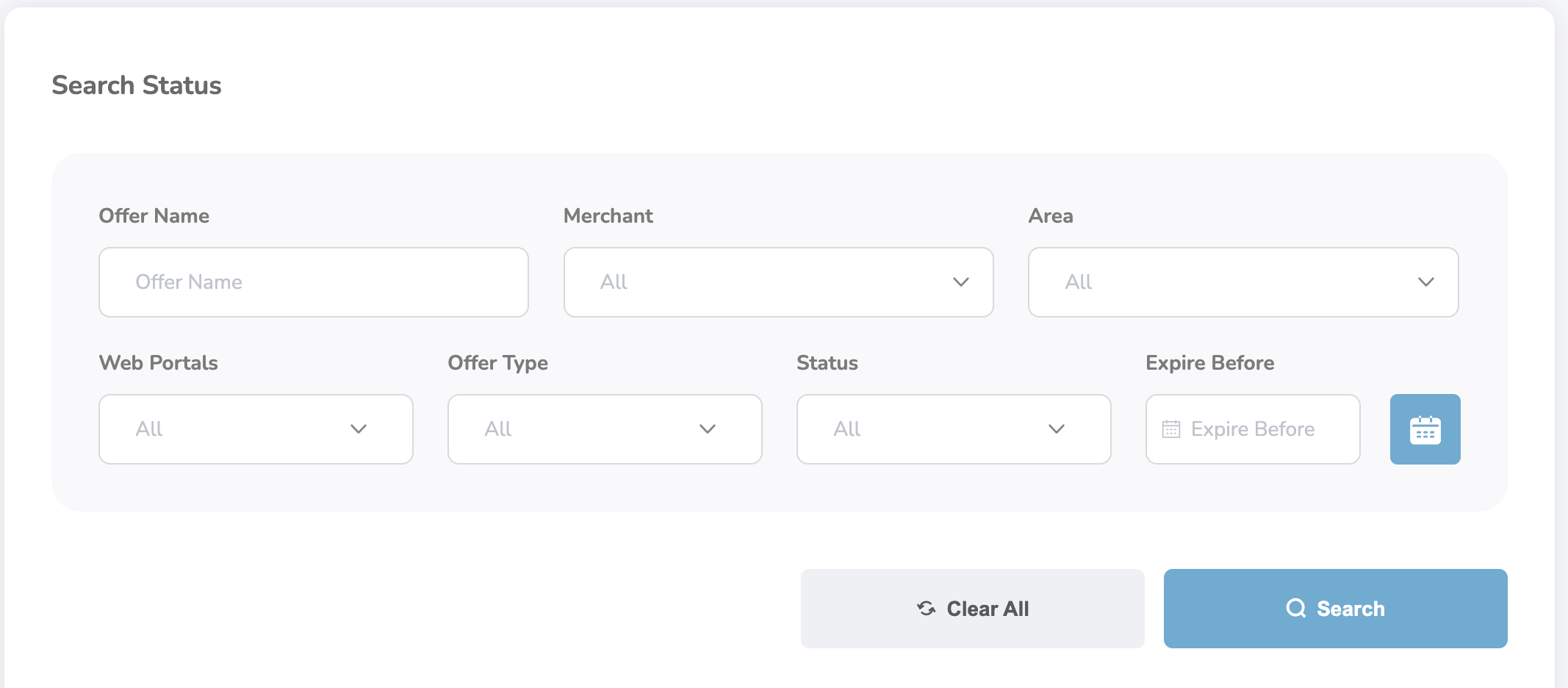
The Search Status Card allows you to filter and search for specific offers using the following filters:
* **Offer Name** — Enter the name of the offer you wish to search for.
* **Merchant Name** — Select from a list of merchants using the dropdown icon.
* **Areas** — Filter offers based on location.
* **Web Portals** — Choose the relevant web portal associated with the offer.
* **Offer Type** — Select the type of offer (e.g., Fixed, Percentage, etc.).
* **Status** — Filter by offer status:
* Unpublished
* Unpublishing
* Published
* Publishing
* Expired
* Draft
* **Expiry Before** — Use the calendar icon to select a date and filter offers expiring before that date.