> ## Documentation Index
> Fetch the complete documentation index at: https://help-plum.xoxoday.com/llms.txt
> Use this file to discover all available pages before exploring further.
# Reports Overview
> Get an overview of the reporting features available in Plum's Offers Management portal, including what each report covers.
*Learn all about the reports module*
Loopr provides comprehensive reporting to help you track and analyze your offers and portal activity.
* Click on "**Reports**" from the left-hand side menu.
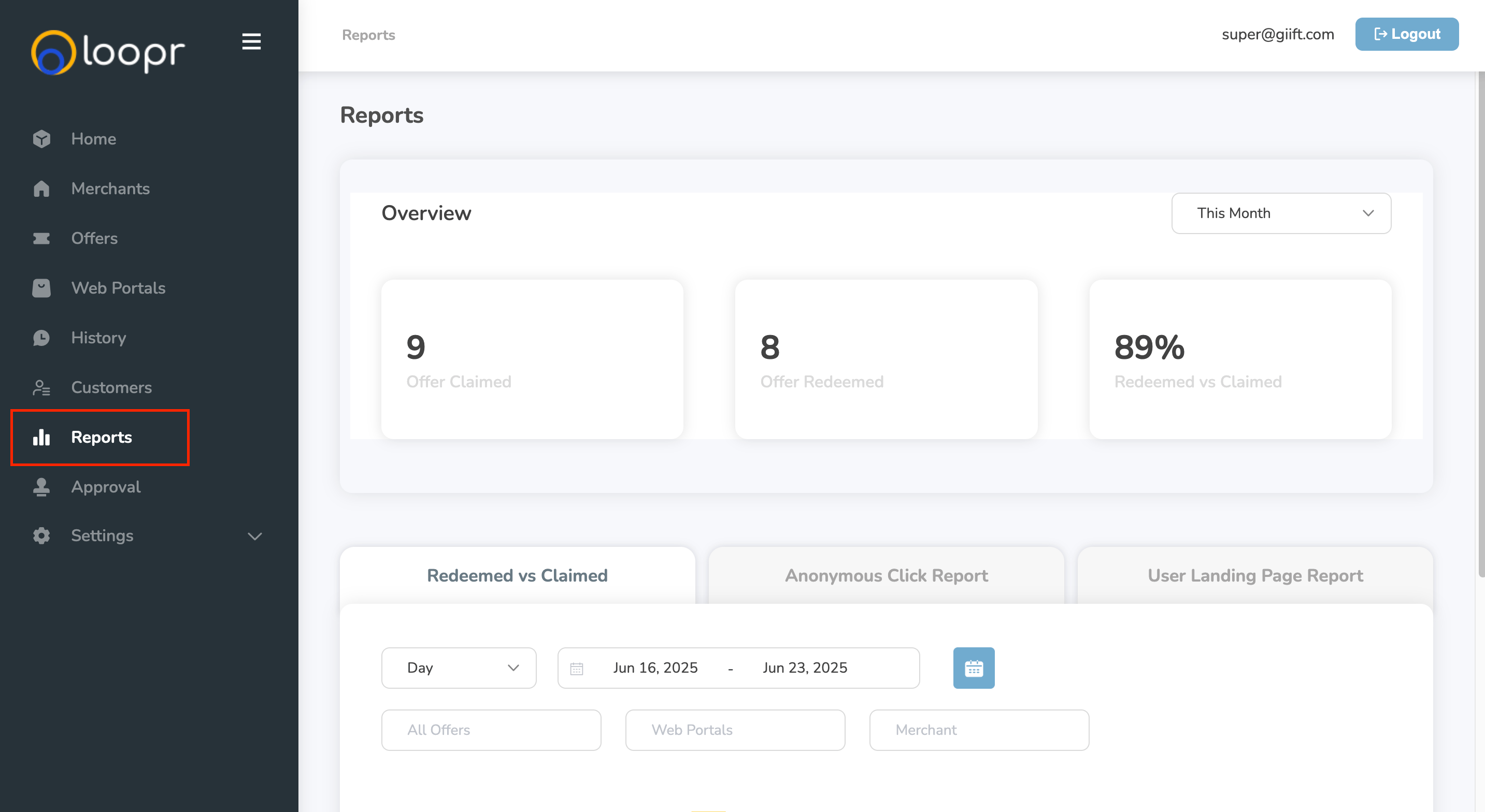 ***
## On the Reports page, you can:
* **Quick Sort** — Quickly sort reports by Most Recent to see the latest activity at a glance.
* **Filter by Time Frame** — Select a specific date range to view data for that period.
* **Filter by Offer** — View detailed data for an individual offer to track performance.
* **Filter by Web Portal** — Access data for each web portal separately to monitor portal-specific engagement.
Offer Management's reporting tools empower you to make data-driven decisions and optimize your campaigns.
Need help? Reach out to your support team or [cs@xoxoday.com](mailto:cs@xoxoday.com).
***
## On the Reports page, you can:
* **Quick Sort** — Quickly sort reports by Most Recent to see the latest activity at a glance.
* **Filter by Time Frame** — Select a specific date range to view data for that period.
* **Filter by Offer** — View detailed data for an individual offer to track performance.
* **Filter by Web Portal** — Access data for each web portal separately to monitor portal-specific engagement.
Offer Management's reporting tools empower you to make data-driven decisions and optimize your campaigns.
Need help? Reach out to your support team or [cs@xoxoday.com](mailto:cs@xoxoday.com).