> ## Documentation Index
> Fetch the complete documentation index at: https://help-plum.xoxoday.com/llms.txt
> Use this file to discover all available pages before exploring further.
# Delete offer from the selected web portal
> Learn how to permanently delete an offer from a selected web portal in Plum's Offers Management module and settings.
*Learn how to delete an offer from the web portal*
Follow these steps to delete an offer from a selected sub-category in the web portal:
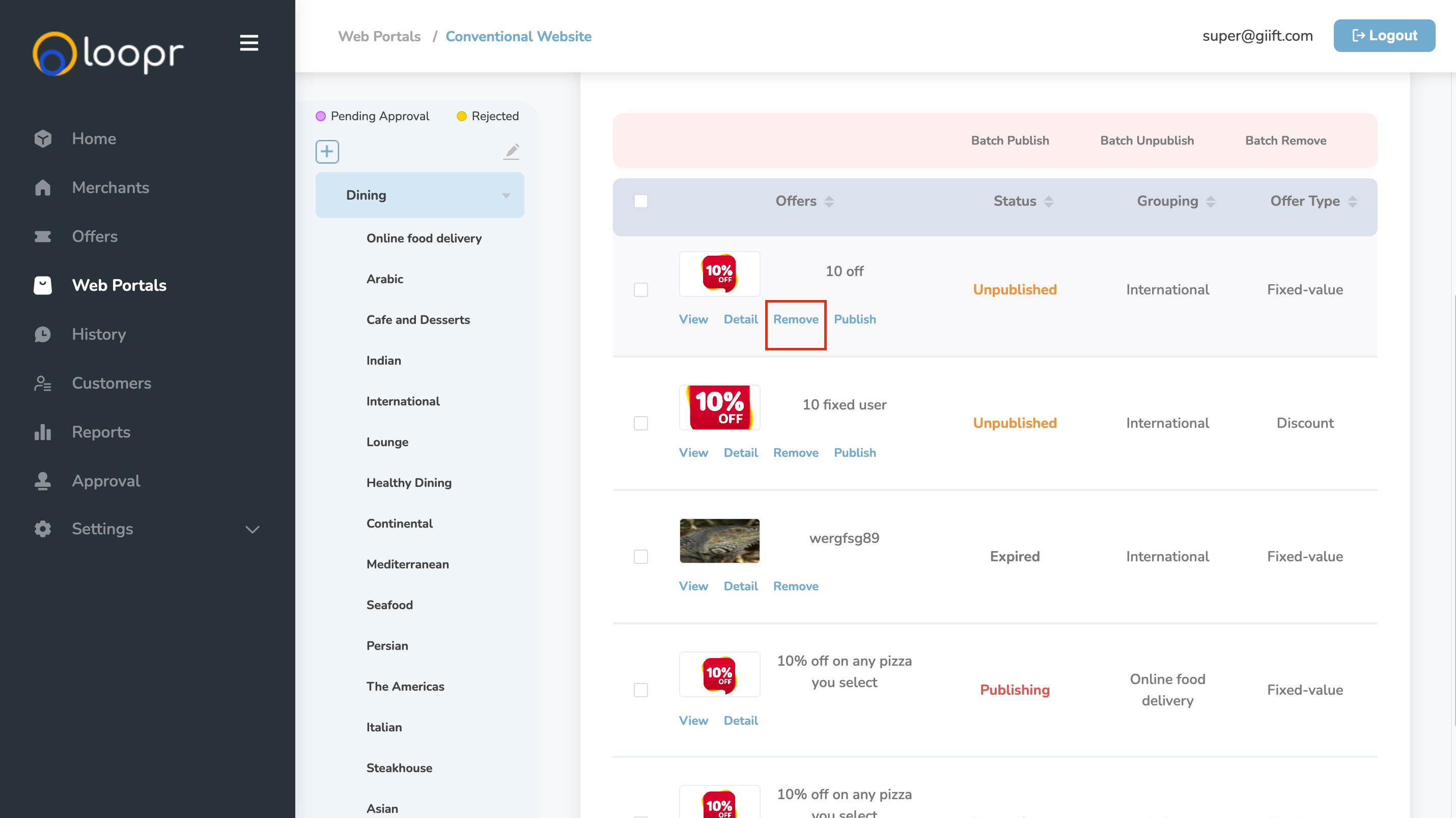
Go to **Web Portals** and select the desired portal. Navigate to the specific sub-category where the offer is listed.
Locate the offer you want to remove and click "**Remove**" next to it.
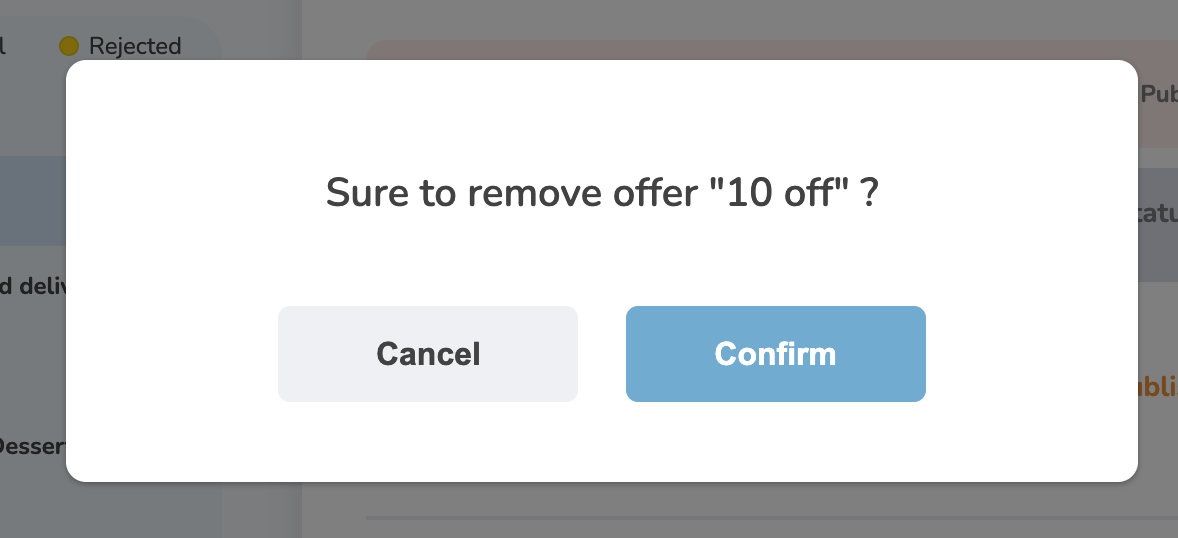
 A confirmation prompt will appear asking: "Are you sure you to remove the offer?" Click "**Confirm**" to proceed.
 Once confirmed, the selected offer will be permanently deleted from the sub-category.
Note: Deleted offers cannot be recovered. Please double-check before confirming.
Need help? Reach out to your support team or [cs@xoxoday.com](mailto:cs@xoxoday.com).
Once confirmed, the selected offer will be permanently deleted from the sub-category.
Note: Deleted offers cannot be recovered. Please double-check before confirming.
Need help? Reach out to your support team or [cs@xoxoday.com](mailto:cs@xoxoday.com).