> ## Documentation Index
> Fetch the complete documentation index at: https://help-plum.xoxoday.com/llms.txt
> Use this file to discover all available pages before exploring further.
# Publish or Unpublish offers in the selected web portal
> Learn how to publish or unpublish offers within a selected web portal in Plum, controlling what customers can see.
*Learn how to publish or unpublish offers in the selected web portal*
To manage offer visibility on your selected web portal, follow the steps below:
## Publishing Offers
Go to the Web Portals section from the admin dashboard. Select the desired web portal to view its details.
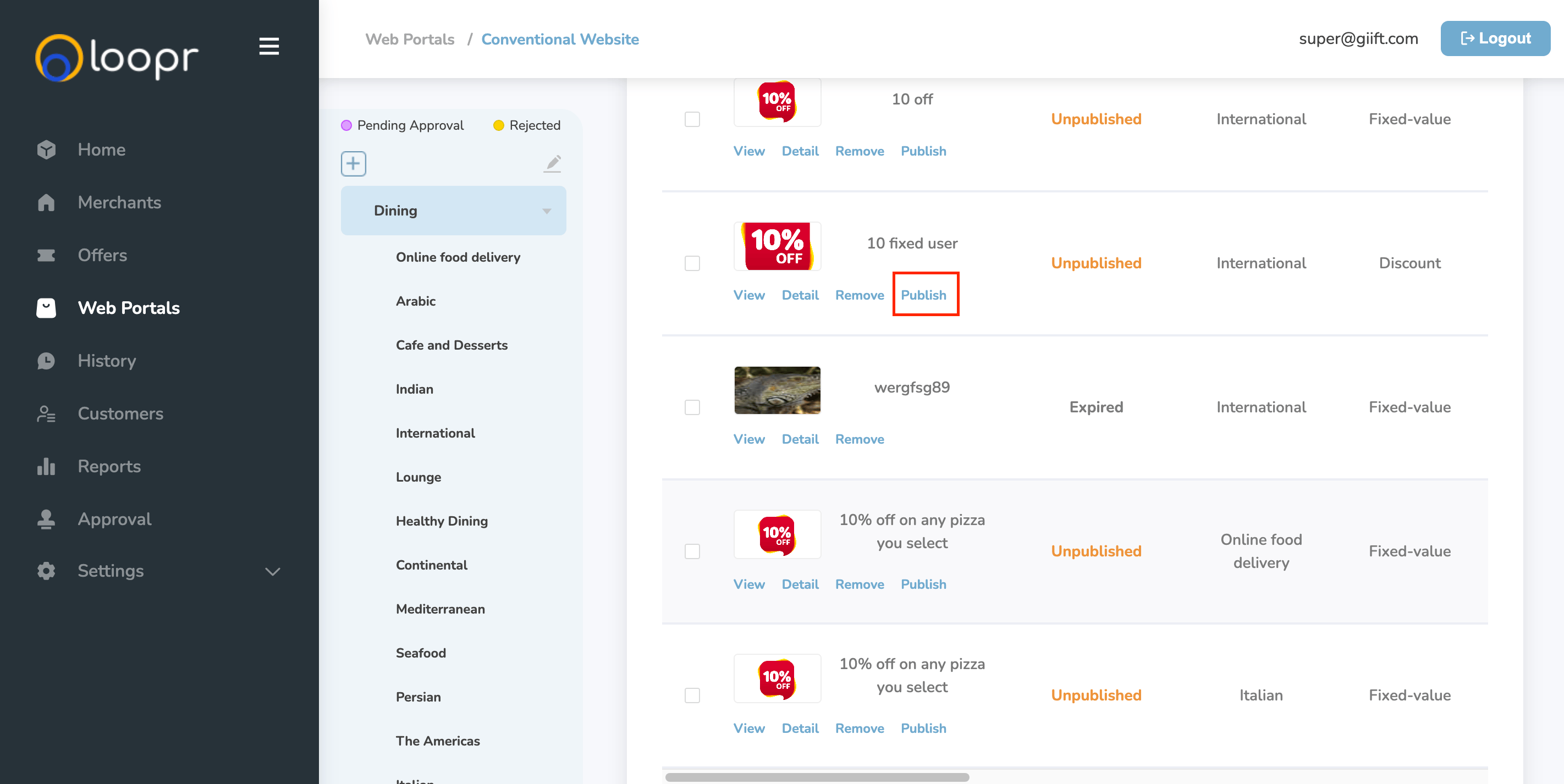
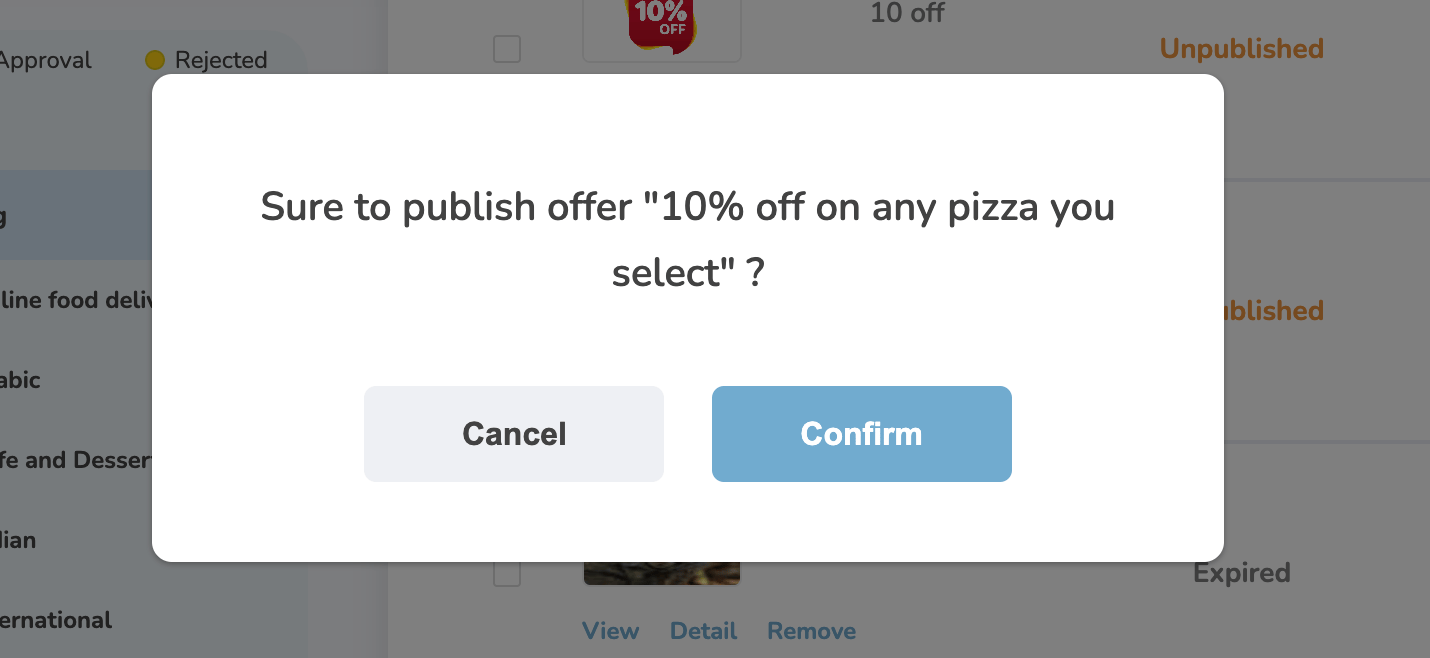
On the selected portal's page, scroll down to the Offer Cards section. Click "**Publish**" on the offer you want to make live. It will ask you to "**Confirm**" your selection.
Once you click **Publish**, the offer will be published to the selected web portal. The offer status will automatically update from "Unpublished" to "Published."
***
## Unpublishing Offers
In the Offer Cards section of the web portal, locate the published offer. Click "**Unpublish**" on the offer you want to remove.
After clicking **Unpublish**, the offer will be removed from the selected web portal. The status will change from "Published" to "Unpublished."
 Need help? Reach out to your support team or [cs@xoxoday.com](mailto:cs@xoxoday.com).