> ## Documentation Index
> Fetch the complete documentation index at: https://help-plum.xoxoday.com/llms.txt
> Use this file to discover all available pages before exploring further.
# Overview
> Get an overview of the web portal feature within Plum's Offers Management module and how offers are surfaced to customers.
*Learn how to manage the web portal*
In the left-hand menu, click on "Web Portals."
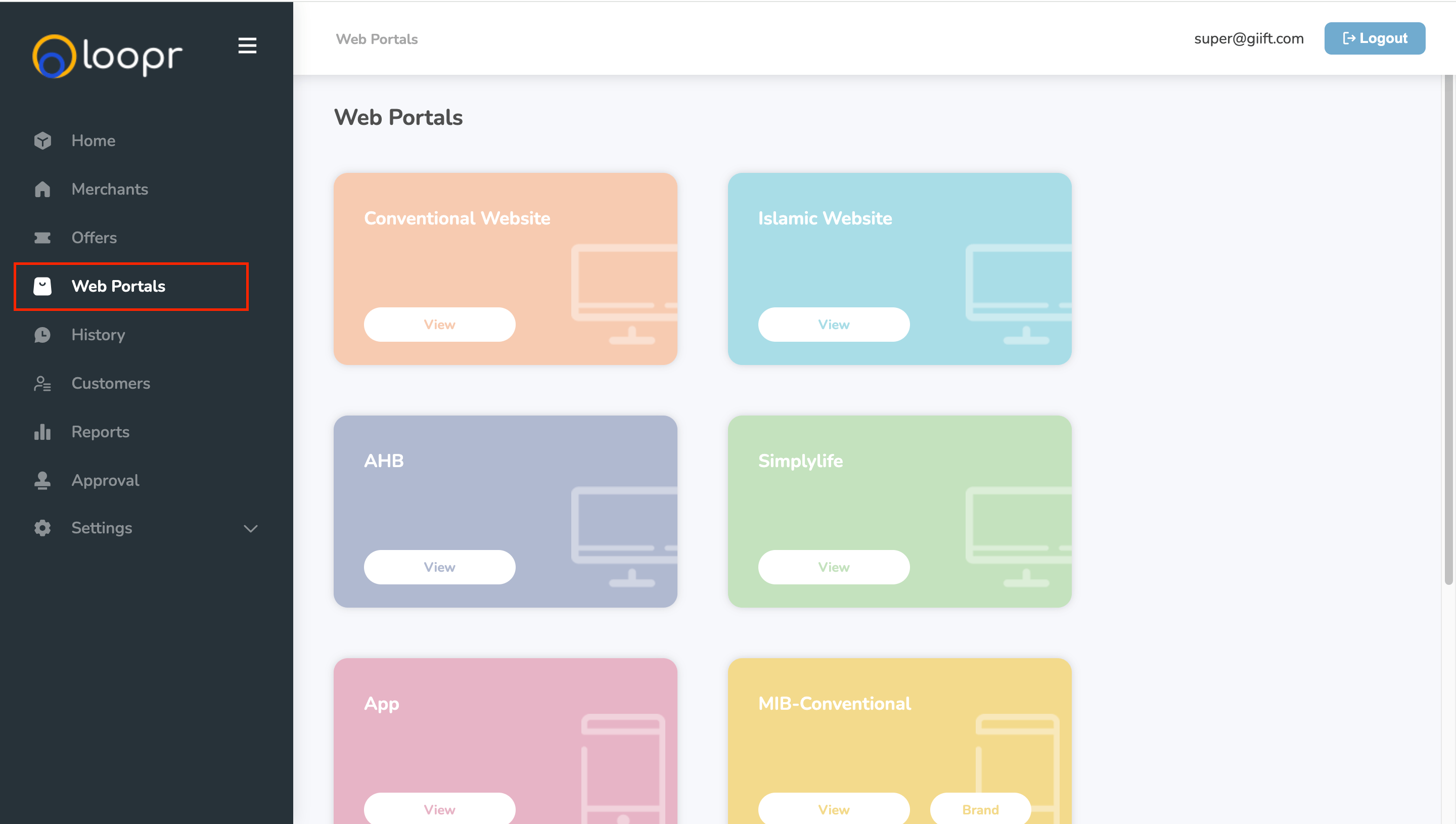 This will take you to the Web Portal Management page, where you can manage offers, categories, and visibility settings for different portals.
***
## What You Can Do on the Web Portals Page
Once you're on the Web Portals management page, you can perform the following actions:
**Manage Categories & Sub-Categories**
* Create/Edit Main Categories: Set up broad-level offer categories (e.g., Travel, Electronics).
* Create/Edit Sub-Categories: Organize offers under sub-groups for better navigation (e.g., Flights under Travel).
* Show/Hide Categories & Sub-Categories: Choose which categories or sub-categories should be visible or hidden on specific web portals.
**Manage Offers on Web Portals**
* Add/Delete Offers: Add offers to or remove offers from specific web portals as needed.
* Publish/Unpublish Offers: Control the live status of offers on your web portals.
* View Offer Details: Click on an offer to see more information, such as offer name, description, and validity.
* Track Offer Listings by Web Portal: View all offers assigned to a specific portal to keep track of what's currently being displayed.
***
**Pro Tips**
* Use filters to quickly find offers or categories you need to manage.
* Always save changes before navigating away to avoid losing updates.
* Unpublished offers will not appear on the end-user portal until published again.
Need help? Reach out to your support team or [cs@xoxoday.com](mailto:cs@xoxoday.com).
This will take you to the Web Portal Management page, where you can manage offers, categories, and visibility settings for different portals.
***
## What You Can Do on the Web Portals Page
Once you're on the Web Portals management page, you can perform the following actions:
**Manage Categories & Sub-Categories**
* Create/Edit Main Categories: Set up broad-level offer categories (e.g., Travel, Electronics).
* Create/Edit Sub-Categories: Organize offers under sub-groups for better navigation (e.g., Flights under Travel).
* Show/Hide Categories & Sub-Categories: Choose which categories or sub-categories should be visible or hidden on specific web portals.
**Manage Offers on Web Portals**
* Add/Delete Offers: Add offers to or remove offers from specific web portals as needed.
* Publish/Unpublish Offers: Control the live status of offers on your web portals.
* View Offer Details: Click on an offer to see more information, such as offer name, description, and validity.
* Track Offer Listings by Web Portal: View all offers assigned to a specific portal to keep track of what's currently being displayed.
***
**Pro Tips**
* Use filters to quickly find offers or categories you need to manage.
* Always save changes before navigating away to avoid losing updates.
* Unpublished offers will not appear on the end-user portal until published again.
Need help? Reach out to your support team or [cs@xoxoday.com](mailto:cs@xoxoday.com).