> ## Documentation Index
> Fetch the complete documentation index at: https://help-plum.xoxoday.com/llms.txt
> Use this file to discover all available pages before exploring further.
# Cash Payouts
*Learn how to cash out your reward points directly to your UPI ID or bank account.*
You can cash out your reward points via UPI or Bank Transfer. Follow the steps below.
***
## How to Cash Out via UPI Transfer
Log in and view your available reward points.Under the payout option, select **UPI** as your transfer method.
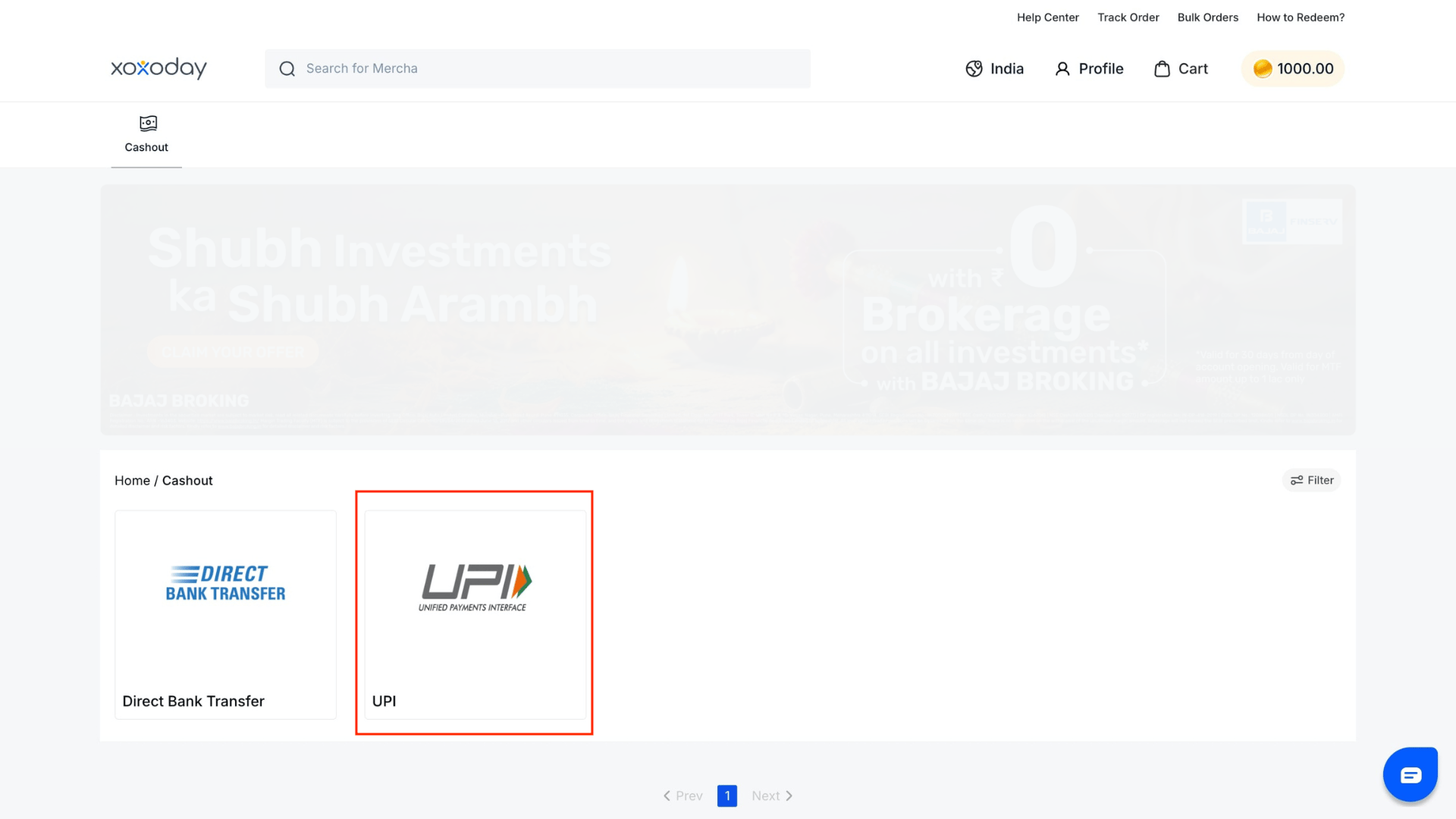 Enter your UPI ID and the amount you want to cash out.
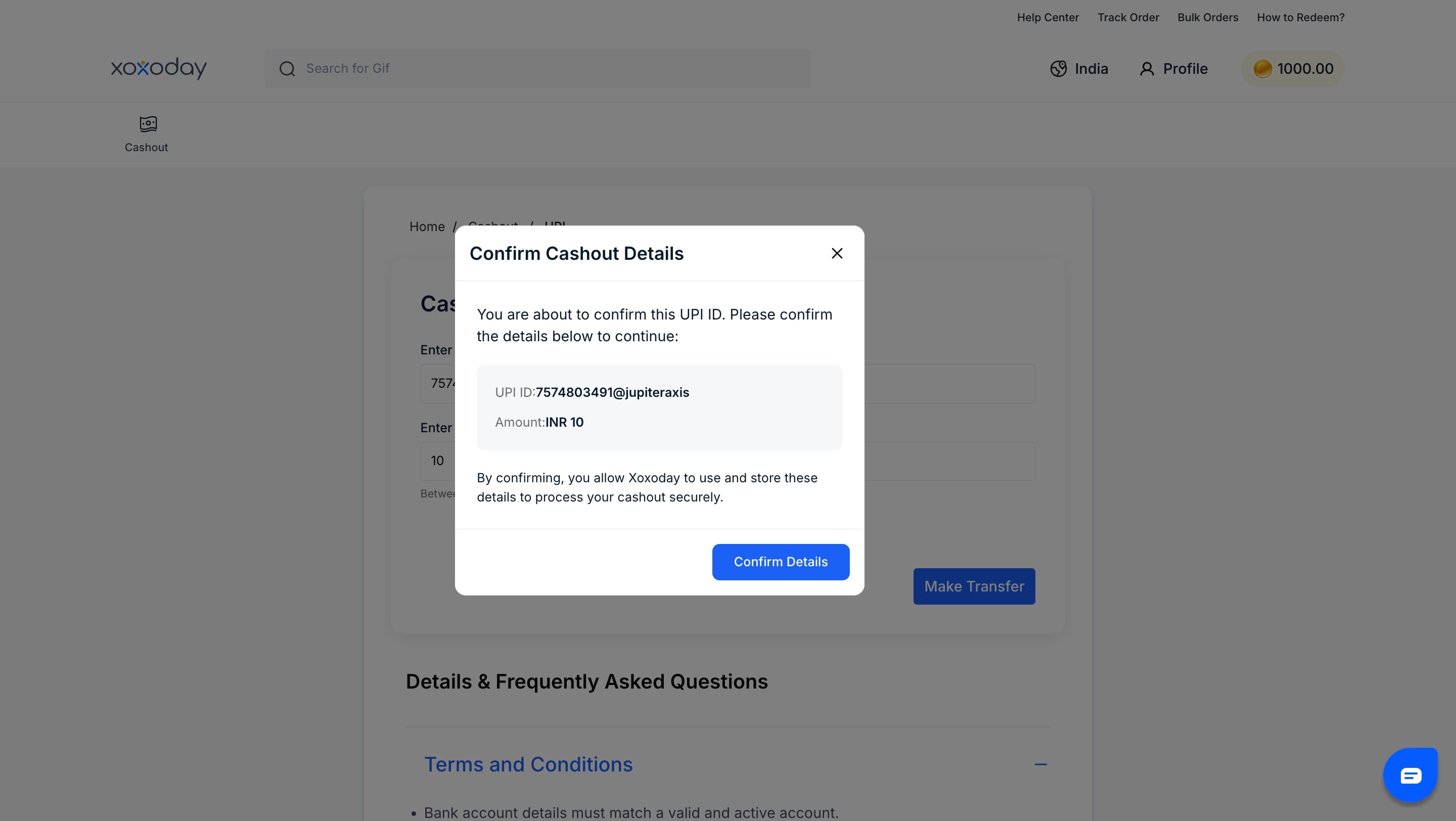
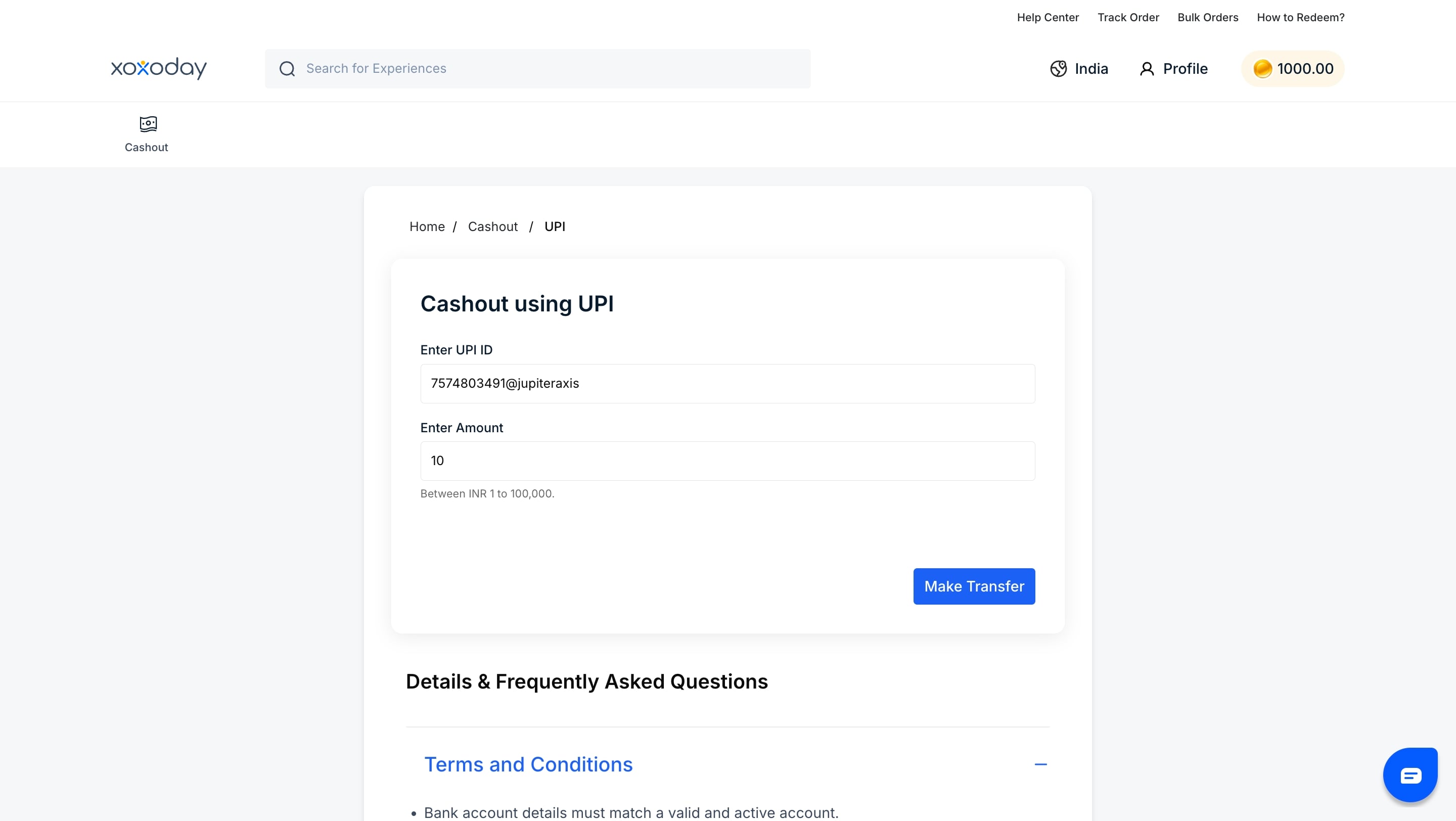 Click **Make Transfer**, review your details, then confirm the details entered
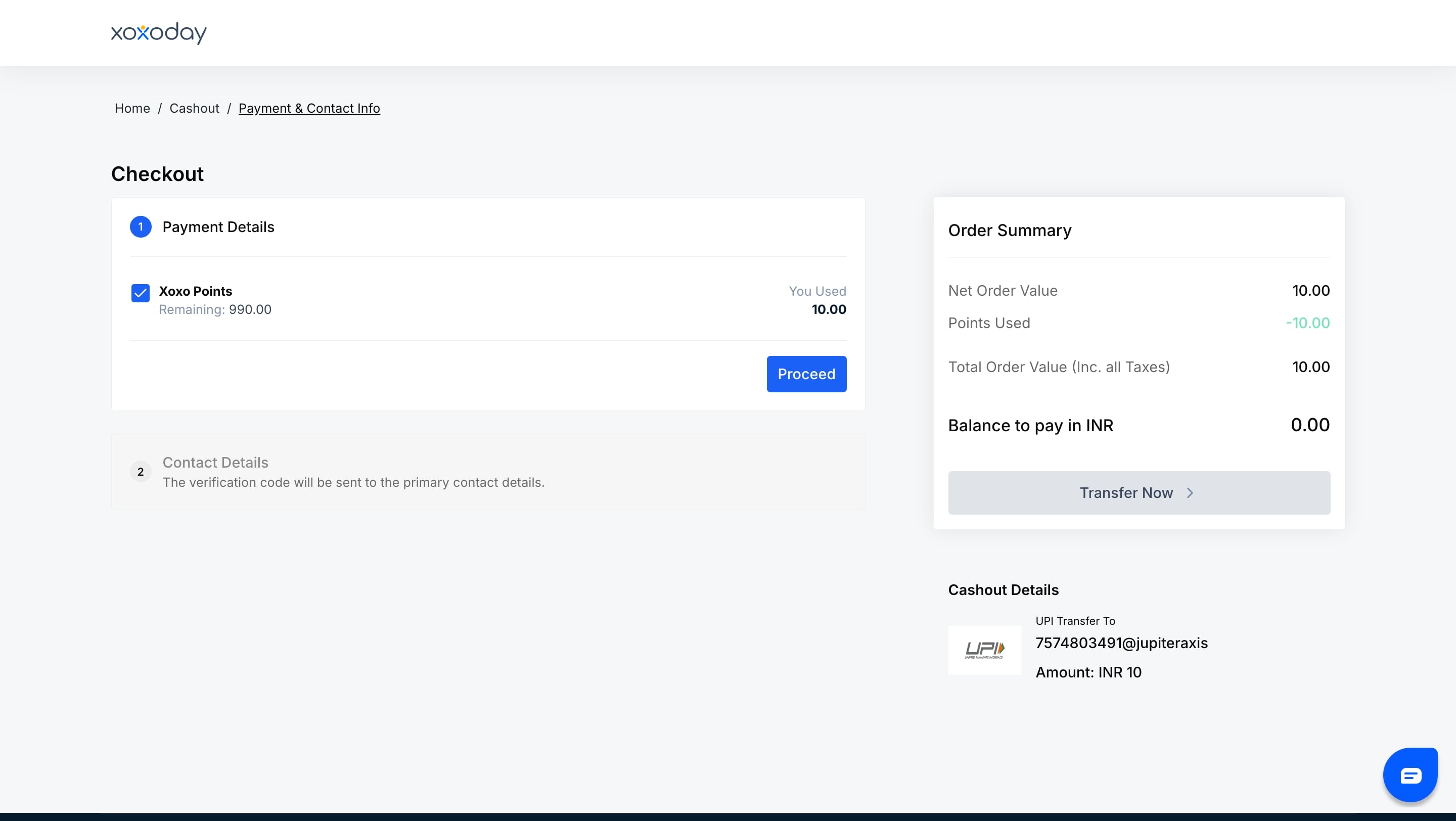
 On the checkout page, confirm your **payment option** and **contact details**. Once verified, click **Transfer Now** to successfully make the transfer.
 Your cashout is complete. You'll get a confirmation via **email and SMS**.
***
## How to Cash Payout via Bank Transfer
Here's how to do it via Bank Transfer.
Log in and view your available reward points. Under the payout option, select **Bank Transfer** as your transfer method.
Your cashout is complete. You'll get a confirmation via **email and SMS**.
***
## How to Cash Payout via Bank Transfer
Here's how to do it via Bank Transfer.
Log in and view your available reward points. Under the payout option, select **Bank Transfer** as your transfer method.
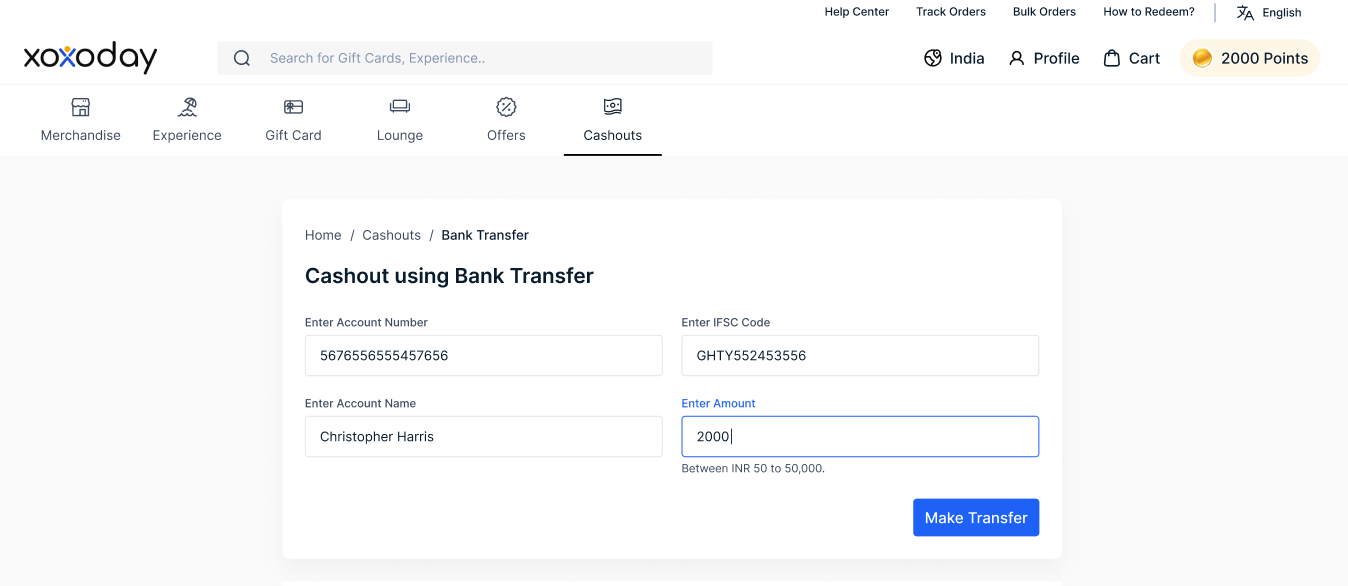
.png?fit=max&auto=format&n=ihBC3nNhUxbrciVZ&q=85&s=577bf6d264fd884827d49d1068eab2c0) Provide your bank account number, IFSC code, and account holder name. Also enter the amount you want to cash out
Provide your bank account number, IFSC code, and account holder name. Also enter the amount you want to cash out
 Sign in to confirm your points, then click here to initiate the transfer.
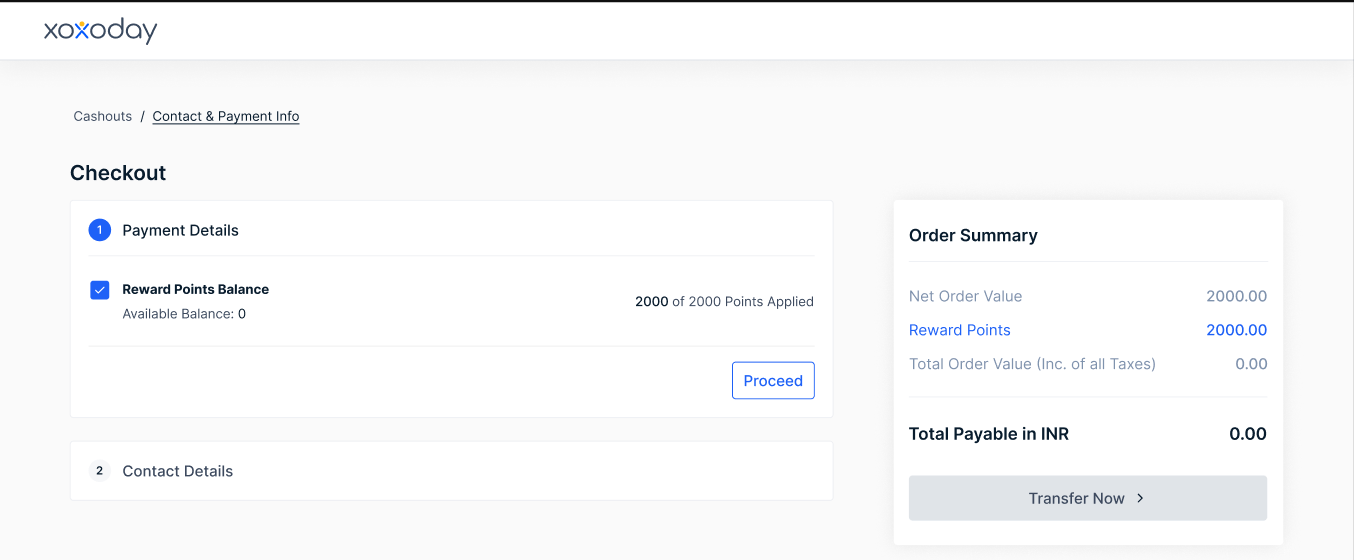 You'll see the transfer status on this screen once initiated.