> ## Documentation Index
> Fetch the complete documentation index at: https://help-plum.xoxoday.com/llms.txt
> Use this file to discover all available pages before exploring further.

# Customize Communication

*Learn how to customize Reward Communication to recipients.*

<Info>
  **Pro tip:** You can customize your Reward communication at the campaign level. This settings becomes the default communication template for the campaign. Further, you can customize to set a specific communication at the 'Send Reward' option which will super-seed the message in the default campaign template for that particular recipient(s).
</Info>

***

## Customizing Email in a Reward Link Campaign

You have the option to customize the email either within the "Campaign" section or directly in the "Reward Link" section on the admin dashboard.

***

## Customizing Email in Reward Link Section

To customize the email from the "Reward Link" section, follow the steps:

<Steps>
  <Step title="Navigate to Email and SMS settings">
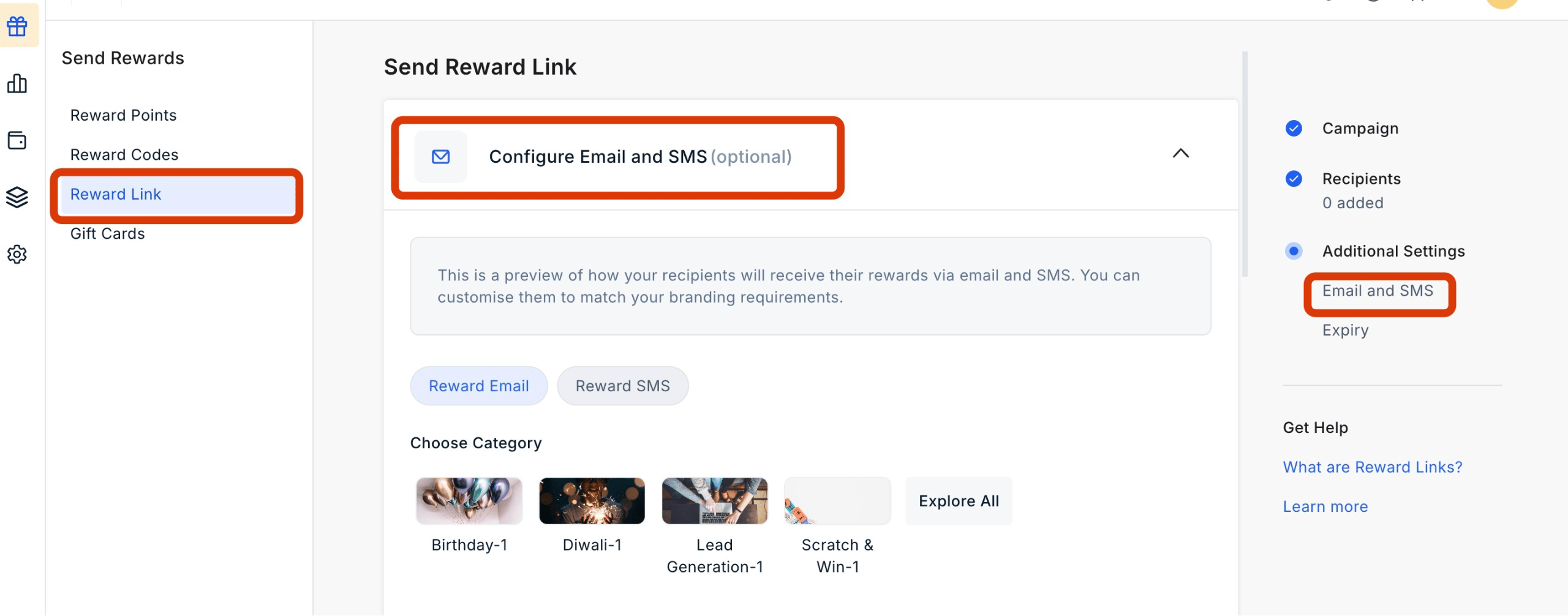
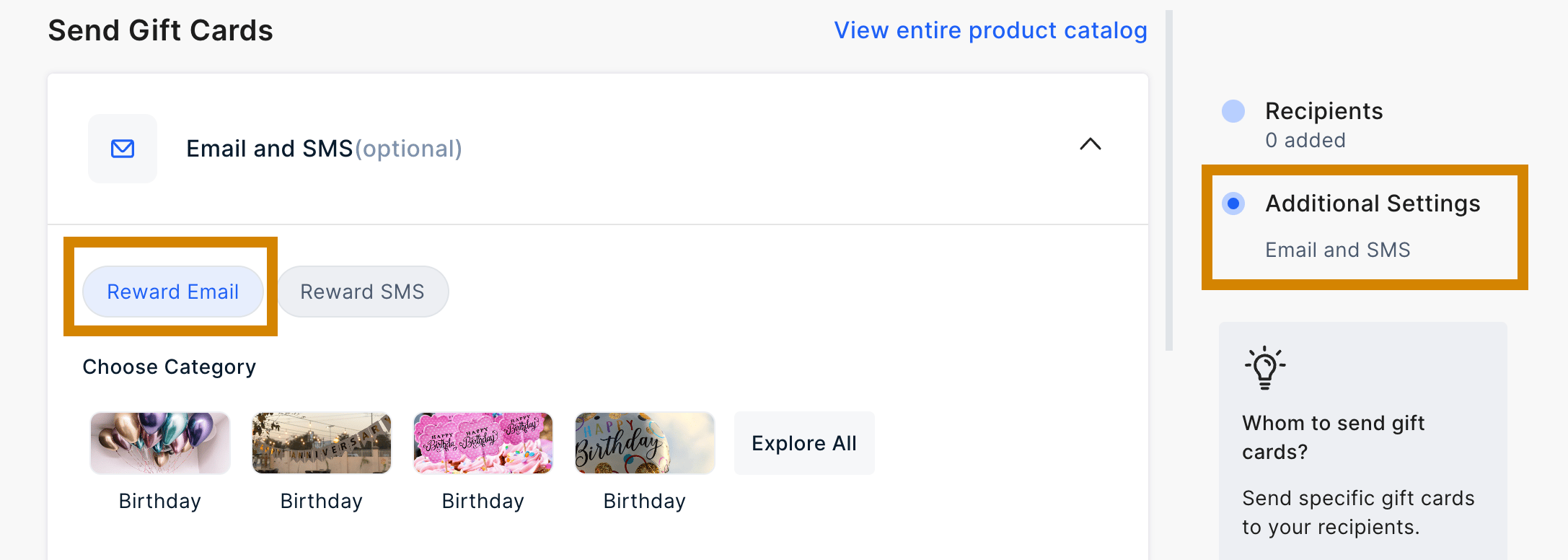
    Navigate to **Send Rewards > Reward Link > Additional Settings > Email and SMS**. Go to the tab "**Reward Email**".
    <Frame>
      <img src="https://mintcdn.com/plum/ULbvf1hld-JMEkz8/images/intercom/help-center-send-rewards-reward-links-reward-link-customize-reward-communication-9388891/screenshot__67_.png?fit=max&auto=format&n=ULbvf1hld-JMEkz8&q=85&s=ffbaa54a5f451b823059424414058d62" alt="" width="2560" height="1006" data-path="images/intercom/help-center-send-rewards-reward-links-reward-link-customize-reward-communication-9388891/screenshot__67_.png" />
    </Frame>

    <Frame>
      <img src="https://mintcdn.com/plum/ULbvf1hld-JMEkz8/images/intercom/help-center-send-rewards-reward-links-reward-link-customize-reward-communication-9388891/07383c9-Screenshot_2024-02-29_at_10_09_52_PM.png?fit=max&auto=format&n=ULbvf1hld-JMEkz8&q=85&s=b8f26ff5eeb123d458a19cd543b27253" alt="" width="2174" height="776" data-path="images/intercom/help-center-send-rewards-reward-links-reward-link-customize-reward-communication-9388891/07383c9-Screenshot_2024-02-29_at_10_09_52_PM.png" />
    </Frame>
  </Step>

  <Step title="Customize email elements">
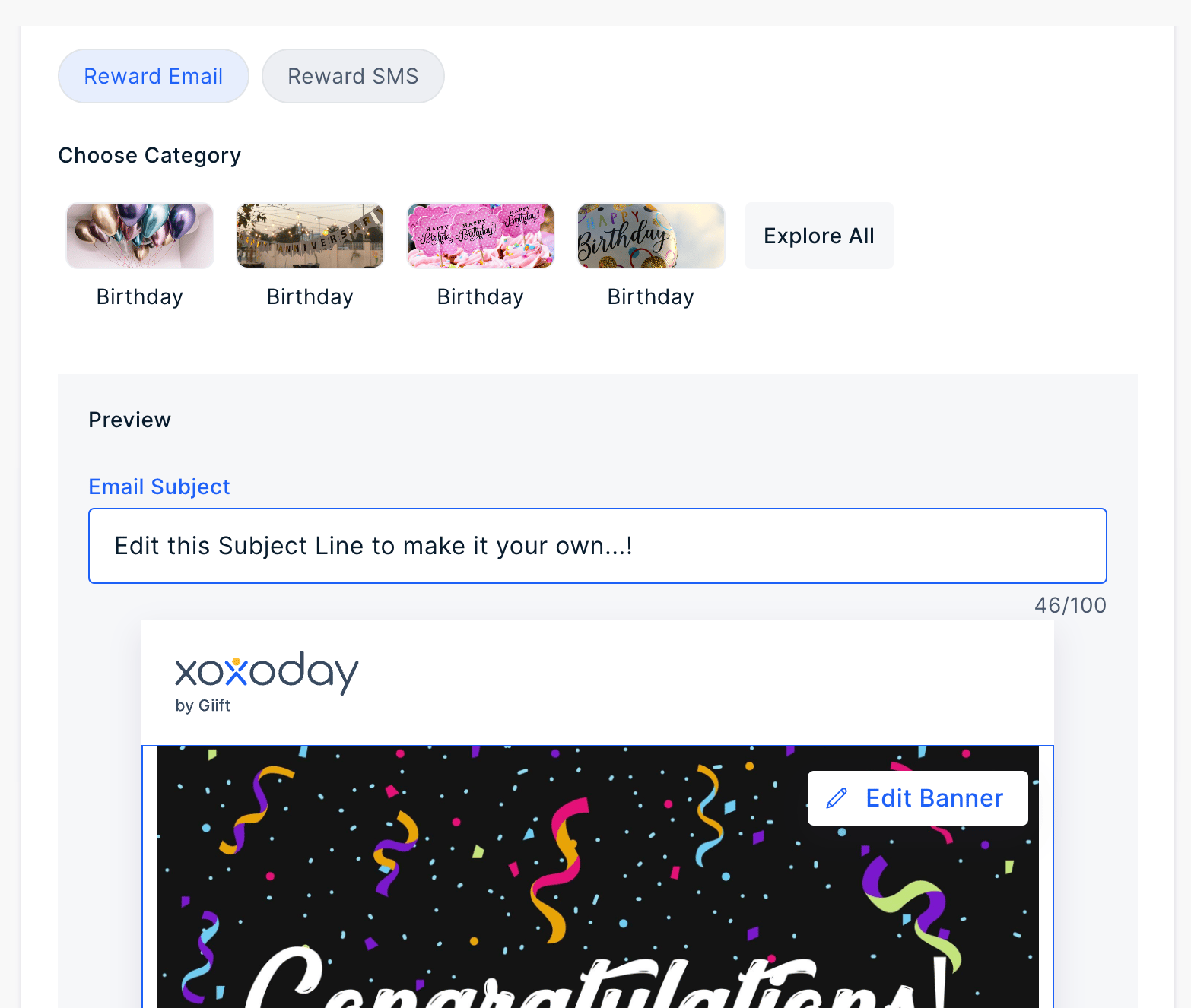
    You can customize the following elements before sending the Reward Link.

    * The subject line of the email
    * Headline Message
    * Banner Image
    * Email footer
    <Frame>
      <img src="https://mintcdn.com/plum/ULbvf1hld-JMEkz8/images/intercom/help-center-send-rewards-reward-links-reward-link-customize-reward-communication-9388891/d1bba81-Screenshot_2024-02-29_at_2_54_01_PM.png?fit=max&auto=format&n=ULbvf1hld-JMEkz8&q=85&s=2189d9239febf2174d98e605bdf36b8e" alt="" width="1566" height="1326" data-path="images/intercom/help-center-send-rewards-reward-links-reward-link-customize-reward-communication-9388891/d1bba81-Screenshot_2024-02-29_at_2_54_01_PM.png" />
    </Frame>

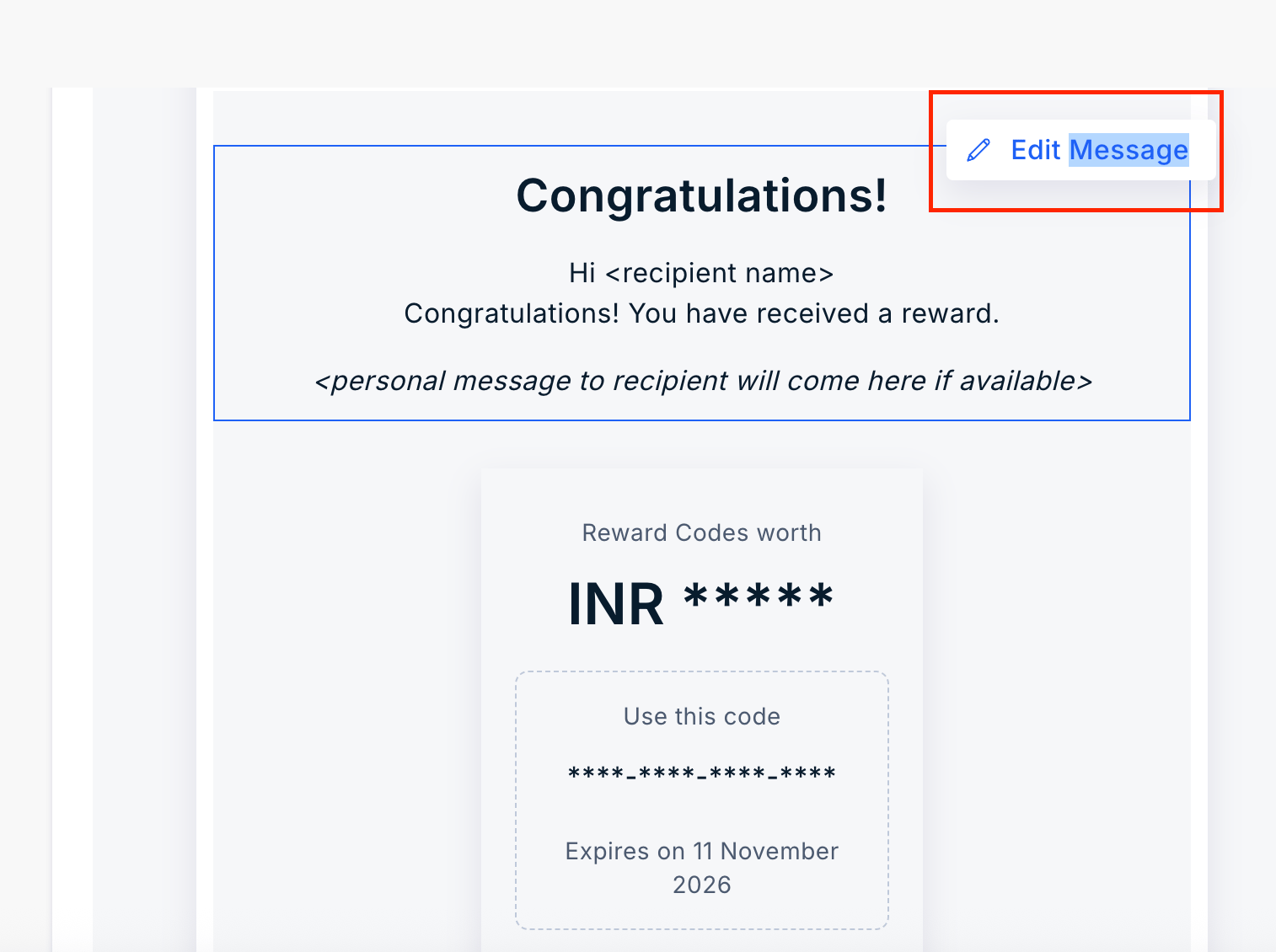
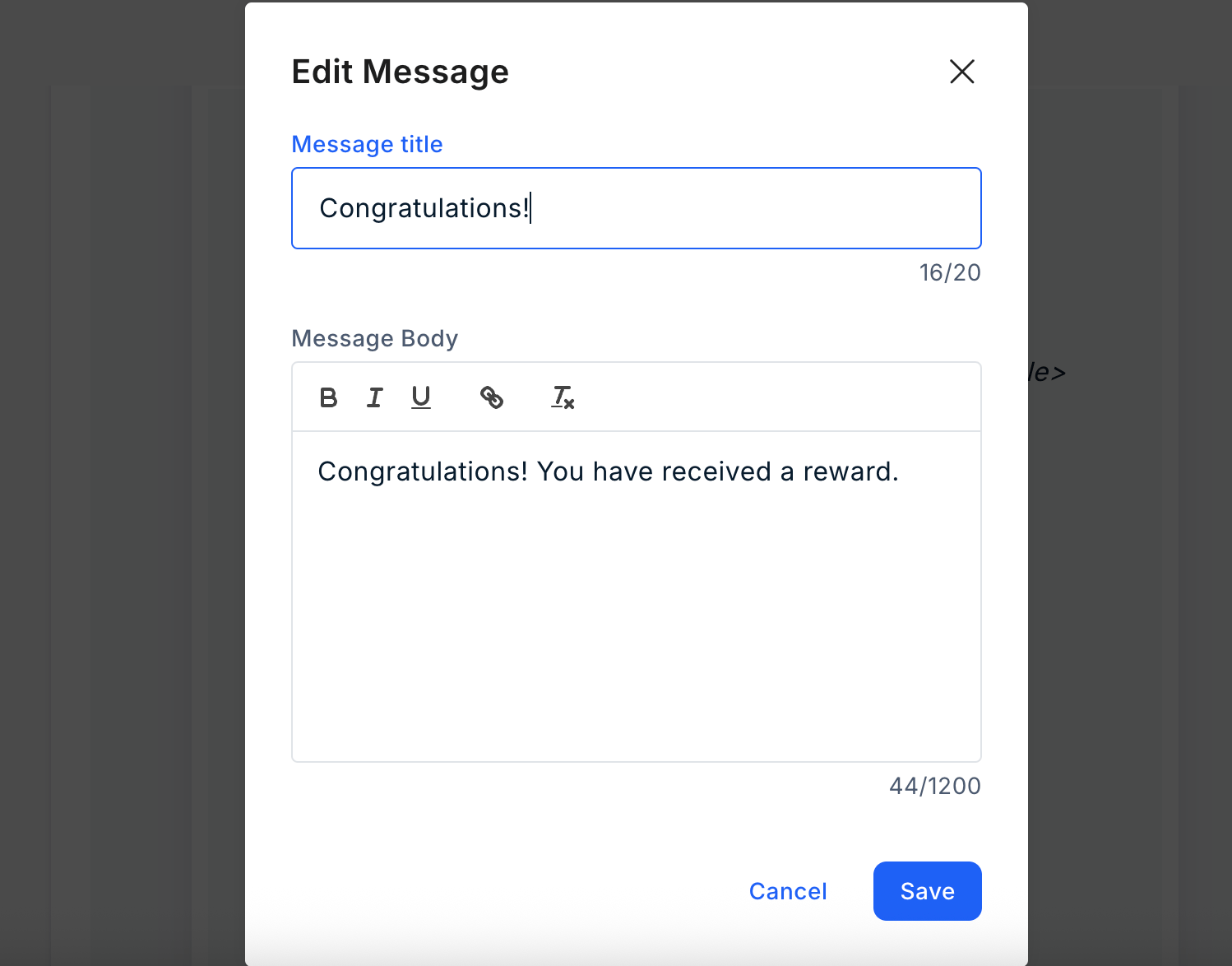
    Edit the Message. Click on "**Edit Message**" and enter the message title and body. Once done, click on "**Save**". Refer to the image below:
    <Frame>
      <img src="https://mintcdn.com/plum/ULbvf1hld-JMEkz8/images/intercom/help-center-send-rewards-reward-links-reward-link-customize-reward-communication-9388891/Screenshot_2025-11-11_at_12_57_52-E2-80-AFPM.png?fit=max&auto=format&n=ULbvf1hld-JMEkz8&q=85&s=16f4069eeac1542e8ef0b90b19b38064" alt="" width="1514" height="1130" data-path="images/intercom/help-center-send-rewards-reward-links-reward-link-customize-reward-communication-9388891/Screenshot_2025-11-11_at_12_57_52-E2-80-AFPM.png" />
    </Frame>

    <Frame>
      <img src="https://mintcdn.com/plum/ULbvf1hld-JMEkz8/images/intercom/help-center-send-rewards-reward-links-reward-link-customize-reward-communication-9388891/Screenshot_2025-11-11_at_12_58_09-E2-80-AFPM.png?fit=max&auto=format&n=ULbvf1hld-JMEkz8&q=85&s=6476c55039f0b69609d896c971377cb8" alt="" width="1498" height="1174" data-path="images/intercom/help-center-send-rewards-reward-links-reward-link-customize-reward-communication-9388891/Screenshot_2025-11-11_at_12_58_09-E2-80-AFPM.png" />
    </Frame>

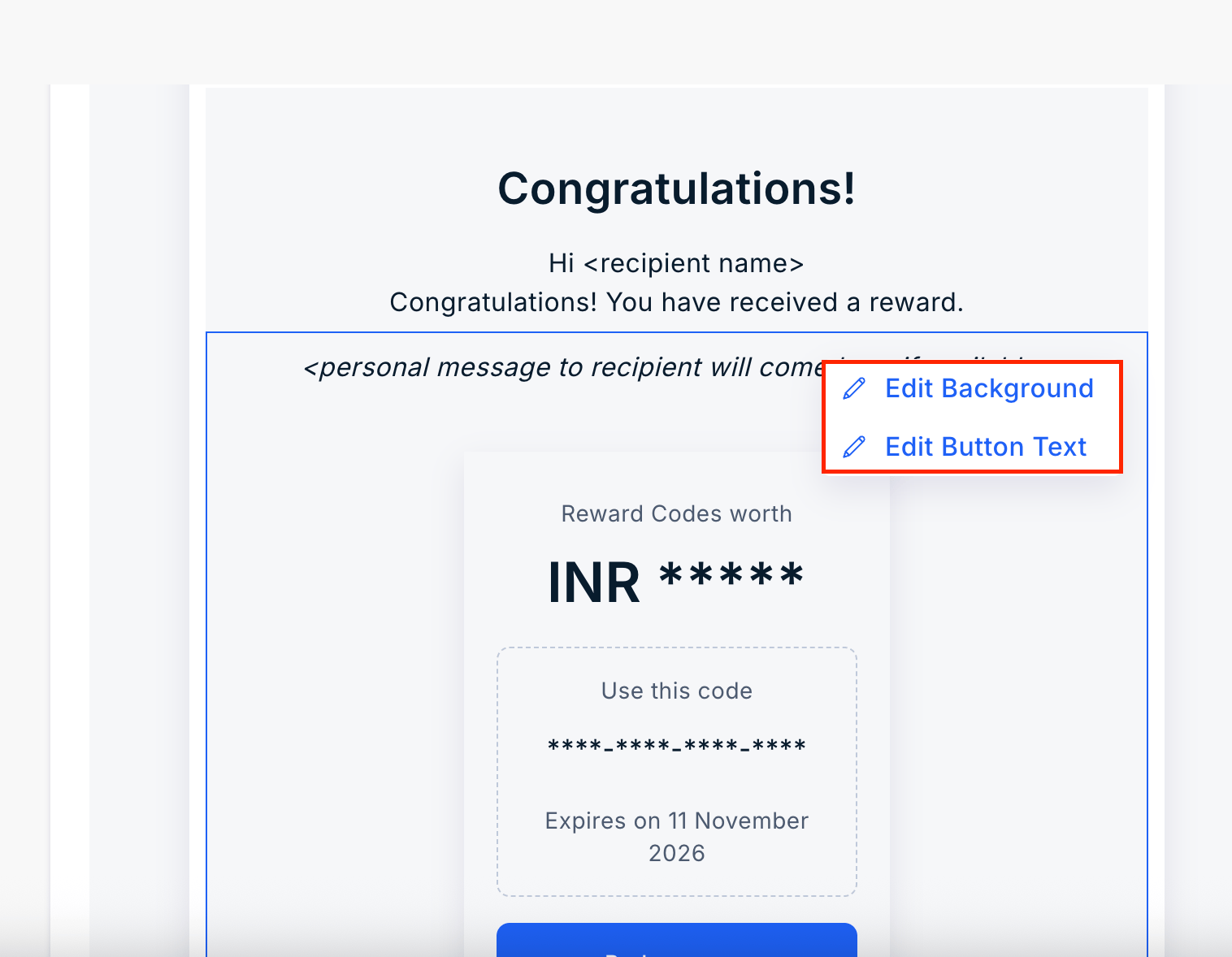
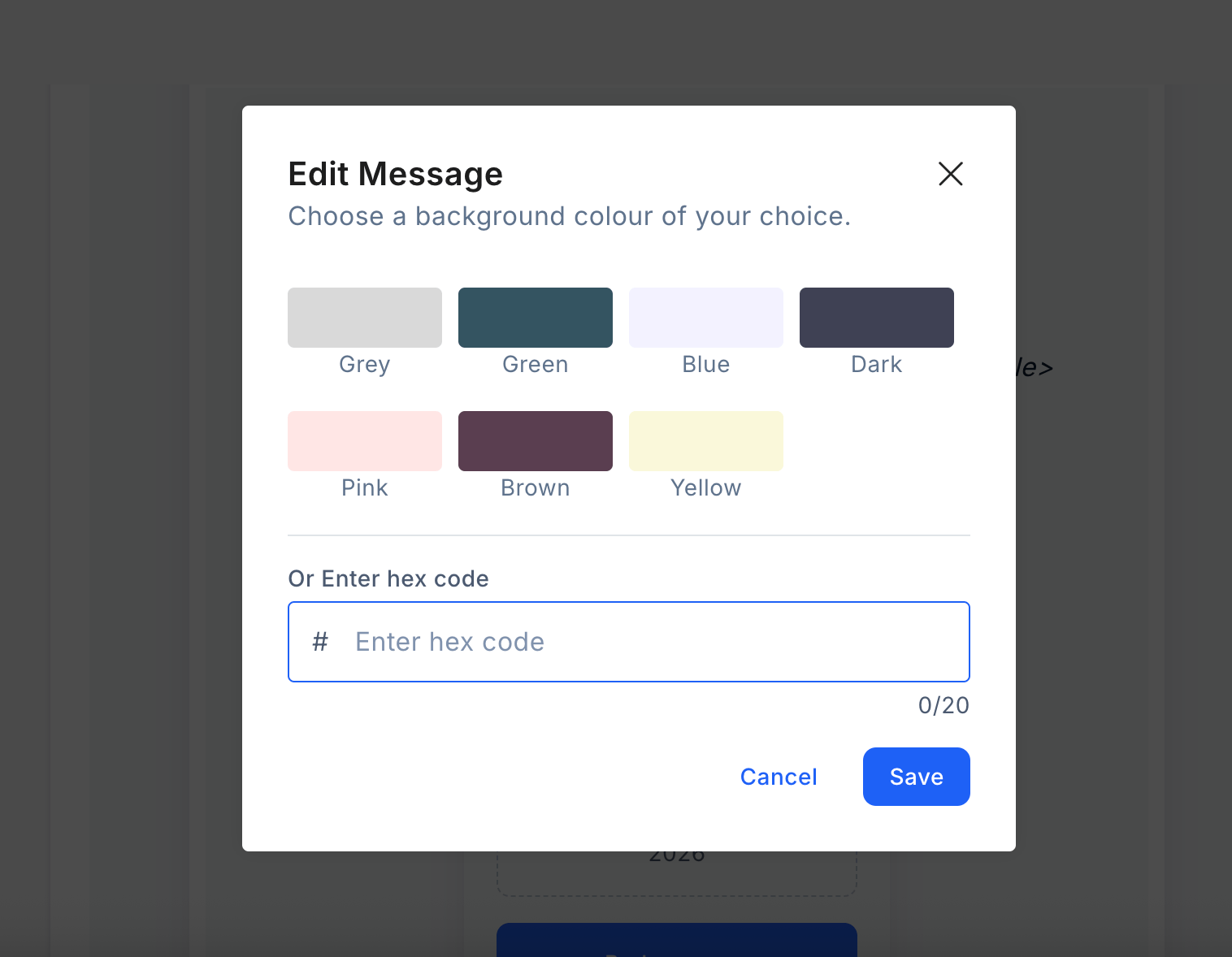
    Edit Background. Click the pen icon to choose from the available colors, or enter your own using a hex code.
    <Frame>
      <img src="https://mintcdn.com/plum/ULbvf1hld-JMEkz8/images/intercom/help-center-send-rewards-reward-links-reward-link-customize-reward-communication-9388891/Screenshot_2025-11-11_at_12_58_17-E2-80-AFPM.png?fit=max&auto=format&n=ULbvf1hld-JMEkz8&q=85&s=17a69dff5670aebfef728c1c9beae570" alt="" width="1516" height="1178" data-path="images/intercom/help-center-send-rewards-reward-links-reward-link-customize-reward-communication-9388891/Screenshot_2025-11-11_at_12_58_17-E2-80-AFPM.png" />
    </Frame>

    <Frame>
      <img src="https://mintcdn.com/plum/ULbvf1hld-JMEkz8/images/intercom/help-center-send-rewards-reward-links-reward-link-customize-reward-communication-9388891/Screenshot_2025-11-11_at_12_58_33-E2-80-AFPM.png?fit=max&auto=format&n=ULbvf1hld-JMEkz8&q=85&s=afa55cc48faf4e8c6303590ca0d1e6ea" alt="" width="1516" height="1178" data-path="images/intercom/help-center-send-rewards-reward-links-reward-link-customize-reward-communication-9388891/Screenshot_2025-11-11_at_12_58_33-E2-80-AFPM.png" />
    </Frame>

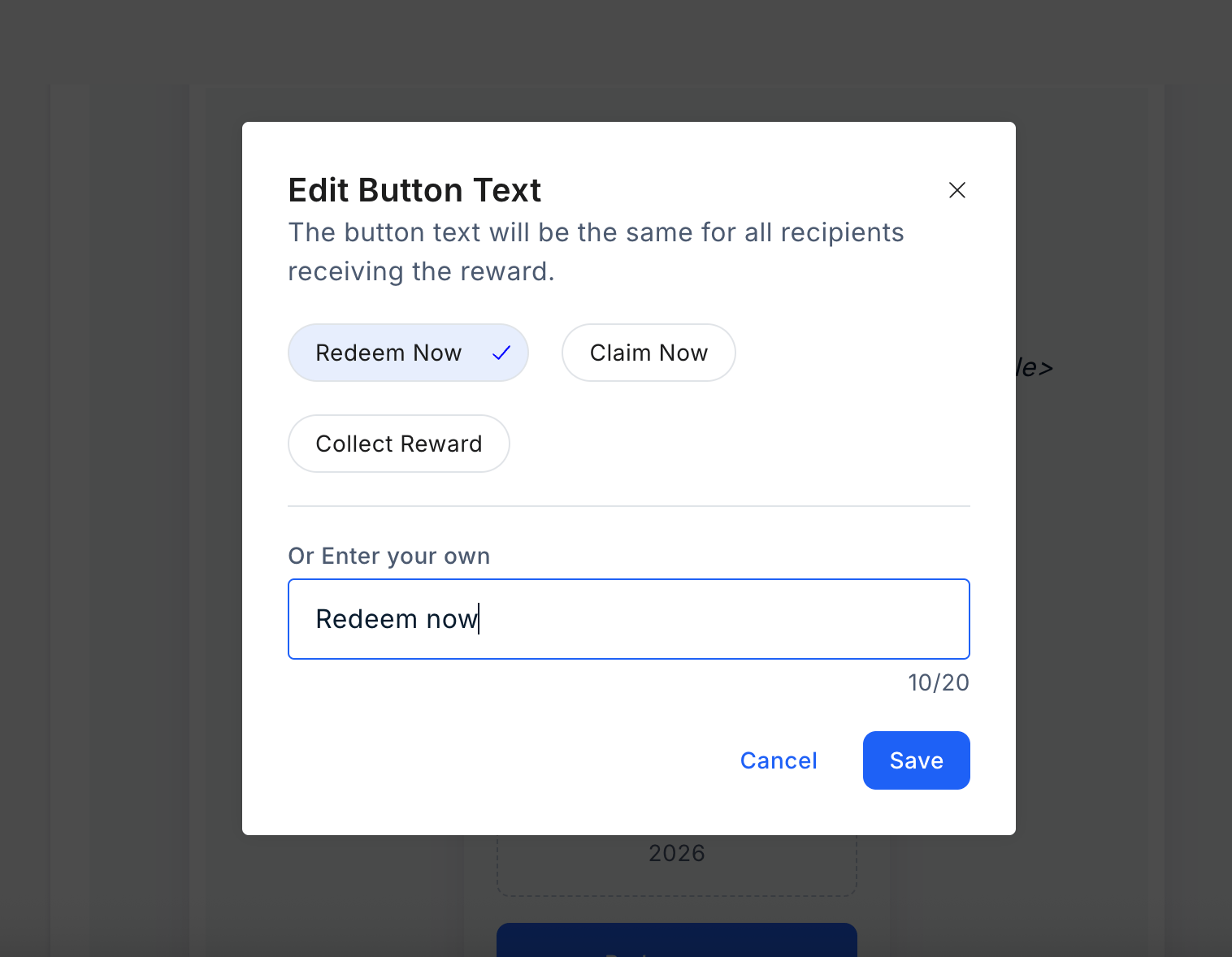
    Edit the background text by selecting one of the available options or entering your own. Then, "**Save**" your changes.
    <Frame>
      <img src="https://mintcdn.com/plum/ULbvf1hld-JMEkz8/images/intercom/help-center-send-rewards-reward-links-reward-link-customize-reward-communication-9388891/Screenshot_2025-11-11_at_12_58_39-E2-80-AFPM.png?fit=max&auto=format&n=ULbvf1hld-JMEkz8&q=85&s=4383e515281a5272bf8425c3bde3a396" alt="" width="1516" height="1178" data-path="images/intercom/help-center-send-rewards-reward-links-reward-link-customize-reward-communication-9388891/Screenshot_2025-11-11_at_12_58_39-E2-80-AFPM.png" />
    </Frame>
  </Step>
</Steps>

***

## Customizing SMS

To customize the SMS, follow these steps:

<Steps>
  <Step title="Navigate to Reward SMS settings">
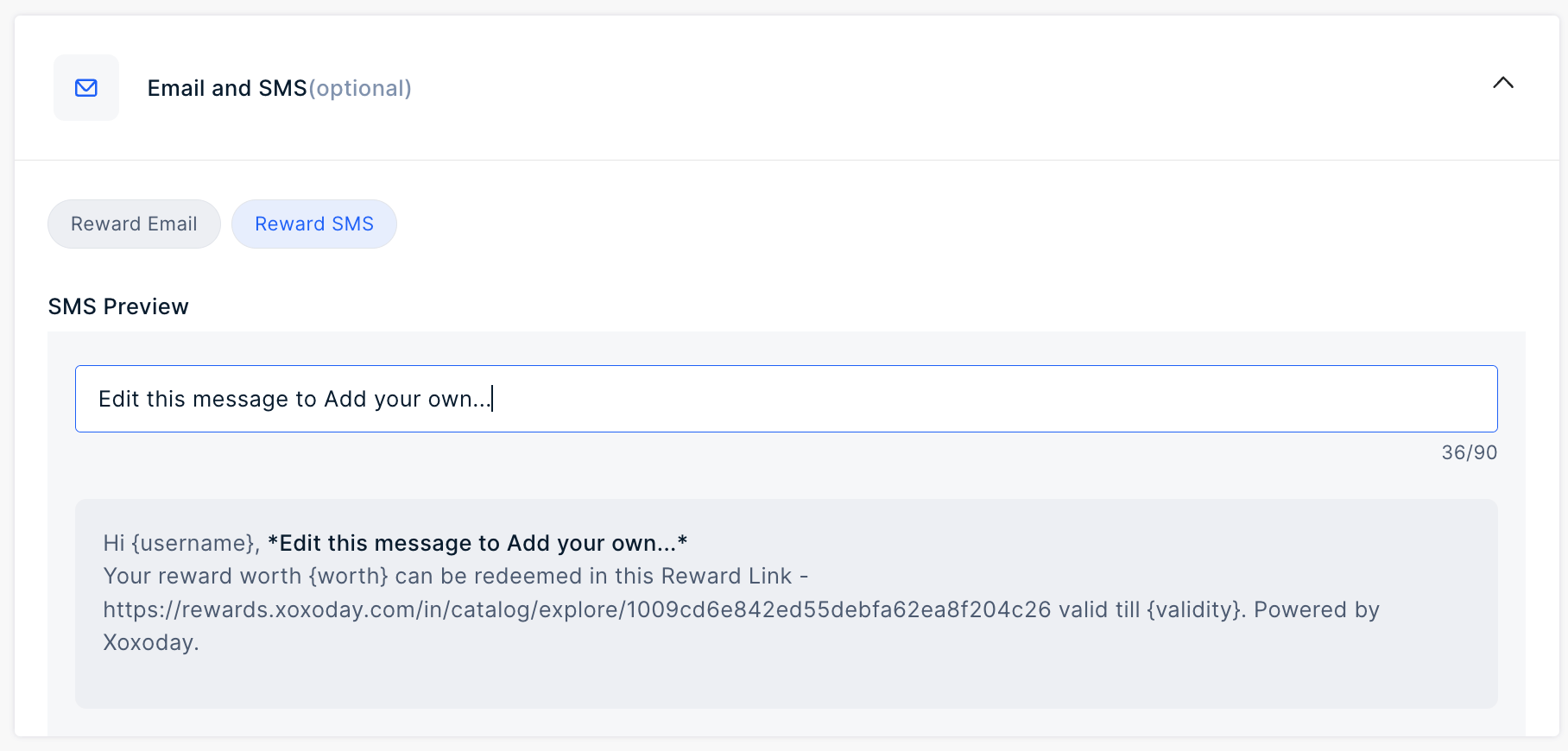
    Navigate to **Send Rewards > Reward Link > Additional Settings > Email and SMS**. Go to the tab "**Reward SMS**".
    <Frame>
      <img src="https://mintcdn.com/plum/ULbvf1hld-JMEkz8/images/intercom/help-center-send-rewards-reward-links-reward-link-customize-reward-communication-9388891/SMS-1.png?fit=max&auto=format&n=ULbvf1hld-JMEkz8&q=85&s=81aecab3ca361655e10a7b3dc26a717e" alt="" width="1816" height="870" data-path="images/intercom/help-center-send-rewards-reward-links-reward-link-customize-reward-communication-9388891/SMS-1.png" />
    </Frame>
  </Step>

  <Step title="Customize the SMS">
    Add your message in the input field to customize the SMS.

    <Info>
      Remember to preview your SMS and Email before sending out the reward links.
    </Info>
  </Step>
</Steps>

***

Feedback or Questions: Email [cs@xoxoday.com](mailto:cs@xoxoday.com)
