> ## Documentation Index
> Fetch the complete documentation index at: https://help-plum.xoxoday.com/llms.txt
> Use this file to discover all available pages before exploring further.
# Bulk Upload
*Learn how to send reward link to many recipients at a time*
## About Reward Link
Quickly create campaigns and distribute rewards with Reward Link. Share the link through any channel, allowing recipients to redeem rewards from a curated list of global brands easily.
## Reward Link is a good fit if you want to
* Provide recipients with one-click redemption without the hassle of account creation.
* Create campaigns with micro-landing pages with your hand-picked gift selections.
* Customize link expiry dates to match campaign needs.
You'll need to create a campaign to be able to send Reward Link rewards to recipients. [Click here](https://revamptest.readme.io/docs/creating-xoxolink-campaigns) to learn how.
***
***
## Send Reward Link to many
**Pro tip:** Download the available template directly from the dashboard for your convenience.
"Import Recipients From CSV" allows you to send Reward Link to multiple people at one go.
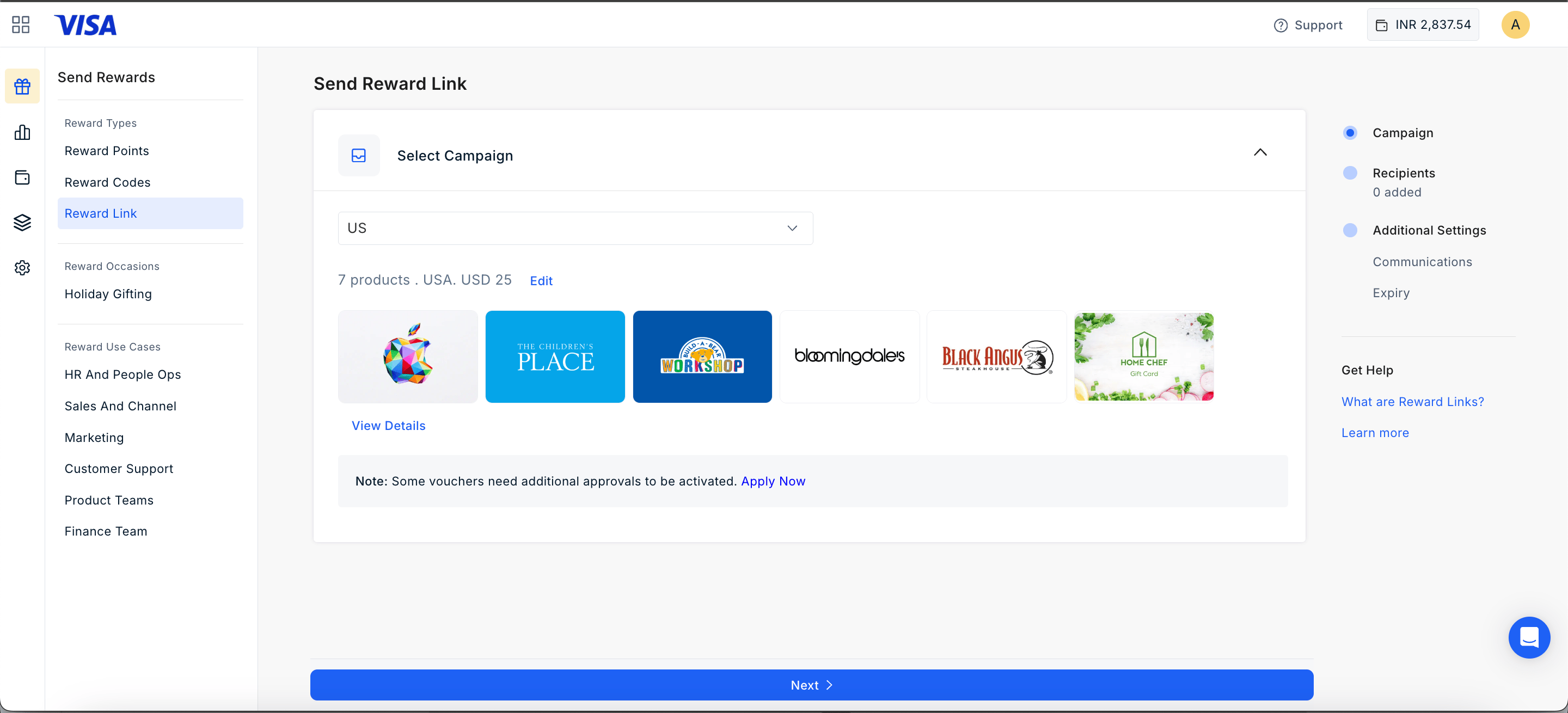
Select the campaign you wish to use for the campaign.
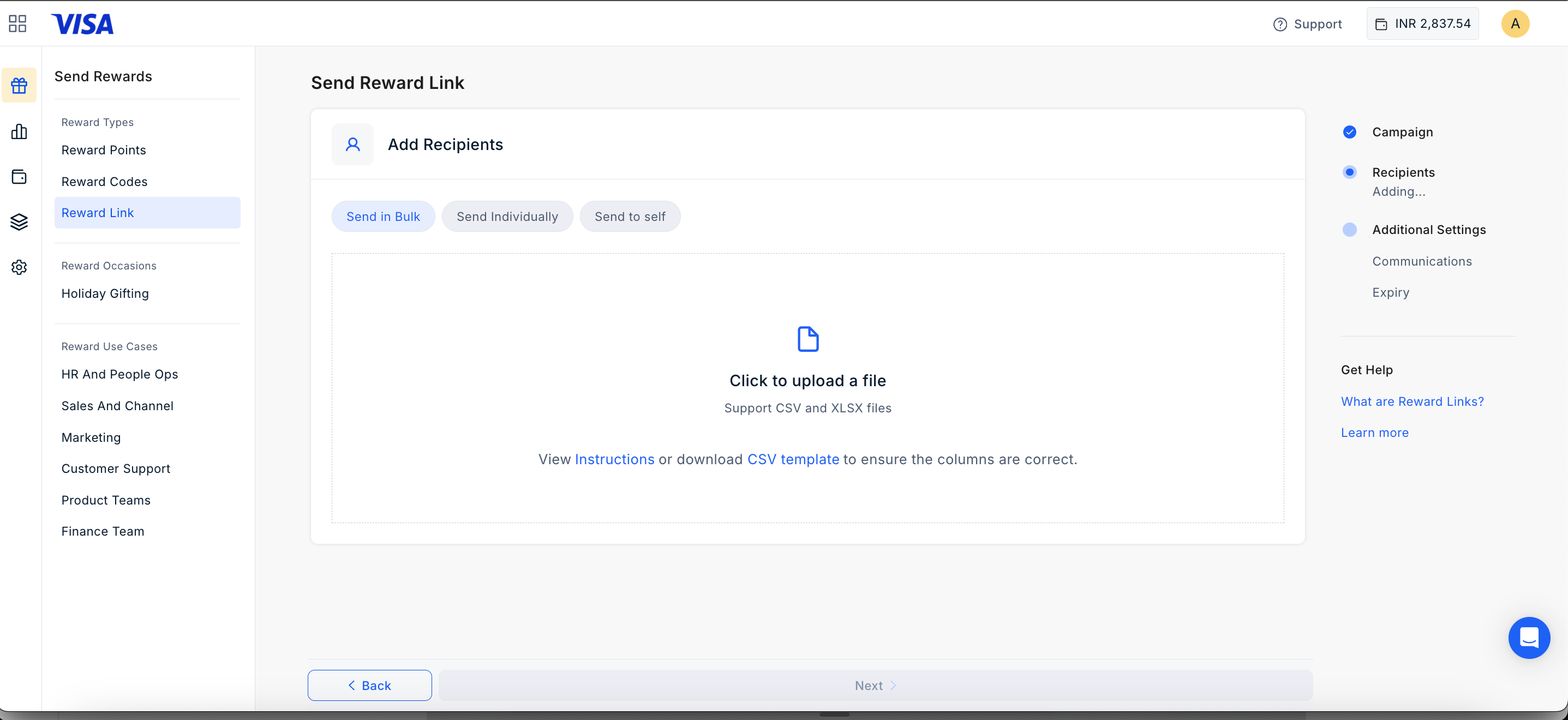
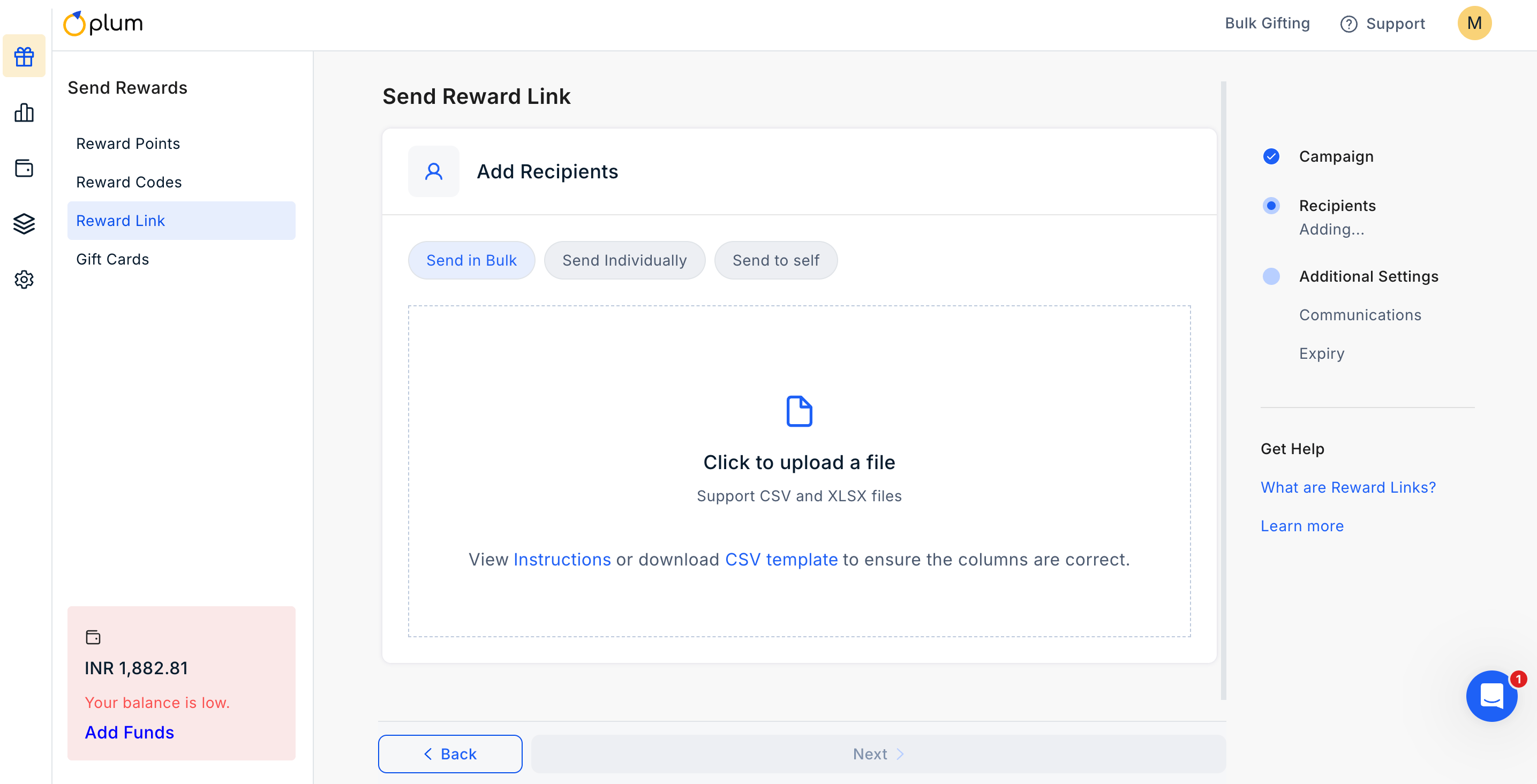
 Check the instructions of how to create the CSV fields and upload the CSV file as per the defined template.
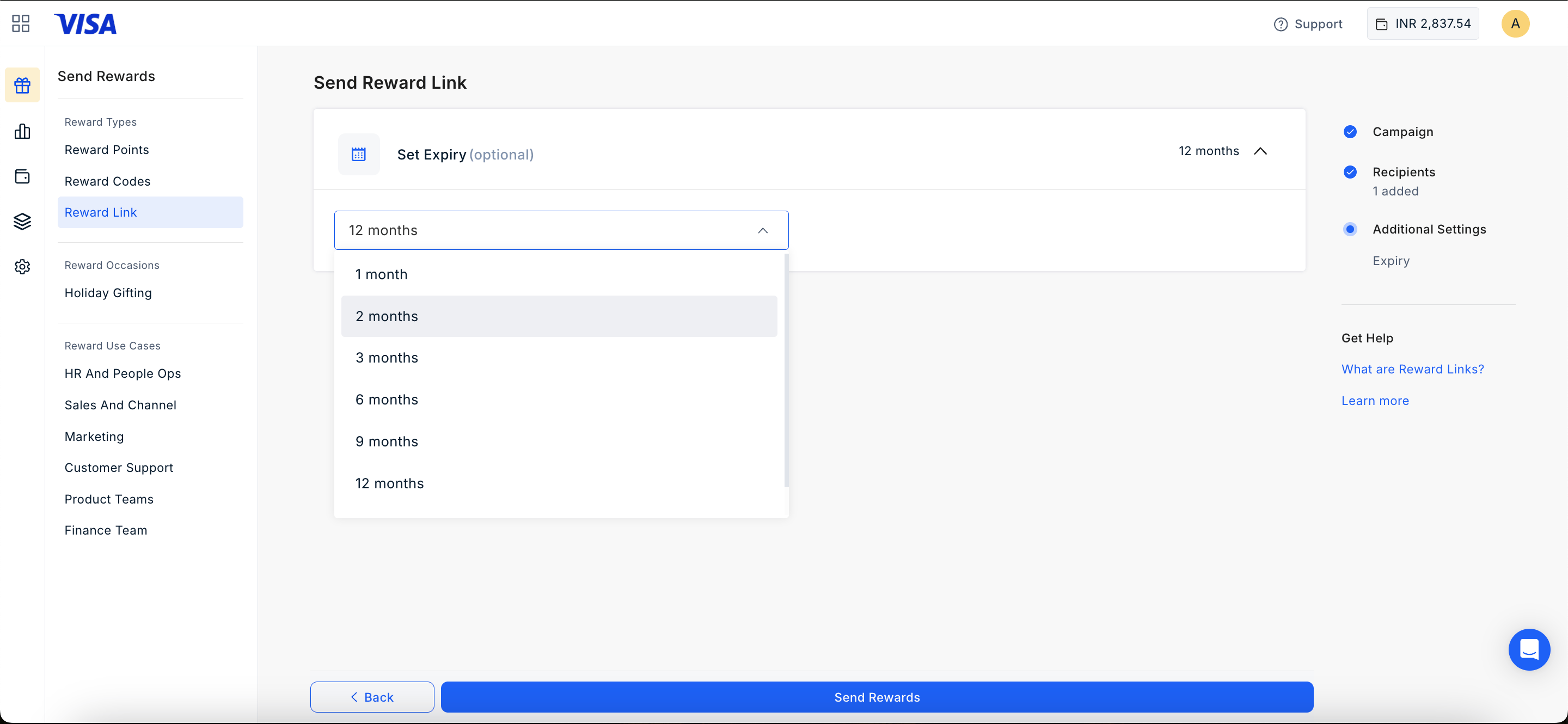
 Set an expiry (**select the month from 1, 2, 3, 6, 9, 12 or Custom dates**) and customize email and SMS messages as needed.
 Send Reward Link by clicking the "**Send Reward**" button at the bottom of the page.
***
## Send to Self
**Pro tip:** Download the available template directly from the dashboard for your convenience.
"Import Recipients From CSV" allows you to send Reward Link to multiple people at one go.
Select the campaign you wish to use for the campaign.
Send Reward Link by clicking the "**Send Reward**" button at the bottom of the page.
***
## Send to Self
**Pro tip:** Download the available template directly from the dashboard for your convenience.
"Import Recipients From CSV" allows you to send Reward Link to multiple people at one go.
Select the campaign you wish to use for the campaign.
 Set an expiry (**select the month from 1, 2, 3, 6, 9, 12 or Custom dates**) and customize email and SMS messages as needed.
Send Reward Link by clicking the "**Send Reward**" button at the bottom of the page.
***
Feedback or questions: Email [cs@xoxoday.com](mailto:cs@xoxoday.com)Feedback or questions: Email [cs@xoxoday.com](mailto:cs@xoxoday.com)
Set an expiry (**select the month from 1, 2, 3, 6, 9, 12 or Custom dates**) and customize email and SMS messages as needed.
Send Reward Link by clicking the "**Send Reward**" button at the bottom of the page.
***
Feedback or questions: Email [cs@xoxoday.com](mailto:cs@xoxoday.com)Feedback or questions: Email [cs@xoxoday.com](mailto:cs@xoxoday.com)