> ## Documentation Index
> Fetch the complete documentation index at: https://help-plum.xoxoday.com/llms.txt
> Use this file to discover all available pages before exploring further.
# Send to Self
*Learn how to send reward link to self*
## About Reward Link
Quickly create campaigns and distribute rewards with Reward Link. Share the link through any channel, allowing recipients to redeem rewards from a curated list of global brands easily.
## Reward Link is a good fit if you want to
* Provide recipients with one-click redemption without the hassle of account creation
* Create campaigns with micro-landing pages with your hand-picked gift selections
* Customize link expiry dates to match campaign needs
You'll need to create a campaign to be able to send Reward link rewards to recipients. [Click here](/send-rewards/reward-links/reward-link-customize-reward-communication) to learn how.
***
## Send Reward Links to Self
If you'd like to front-end the communication, say, via your email — you can generate Reward link to self in bulk and distribute it as you see fit. Follow the steps below:
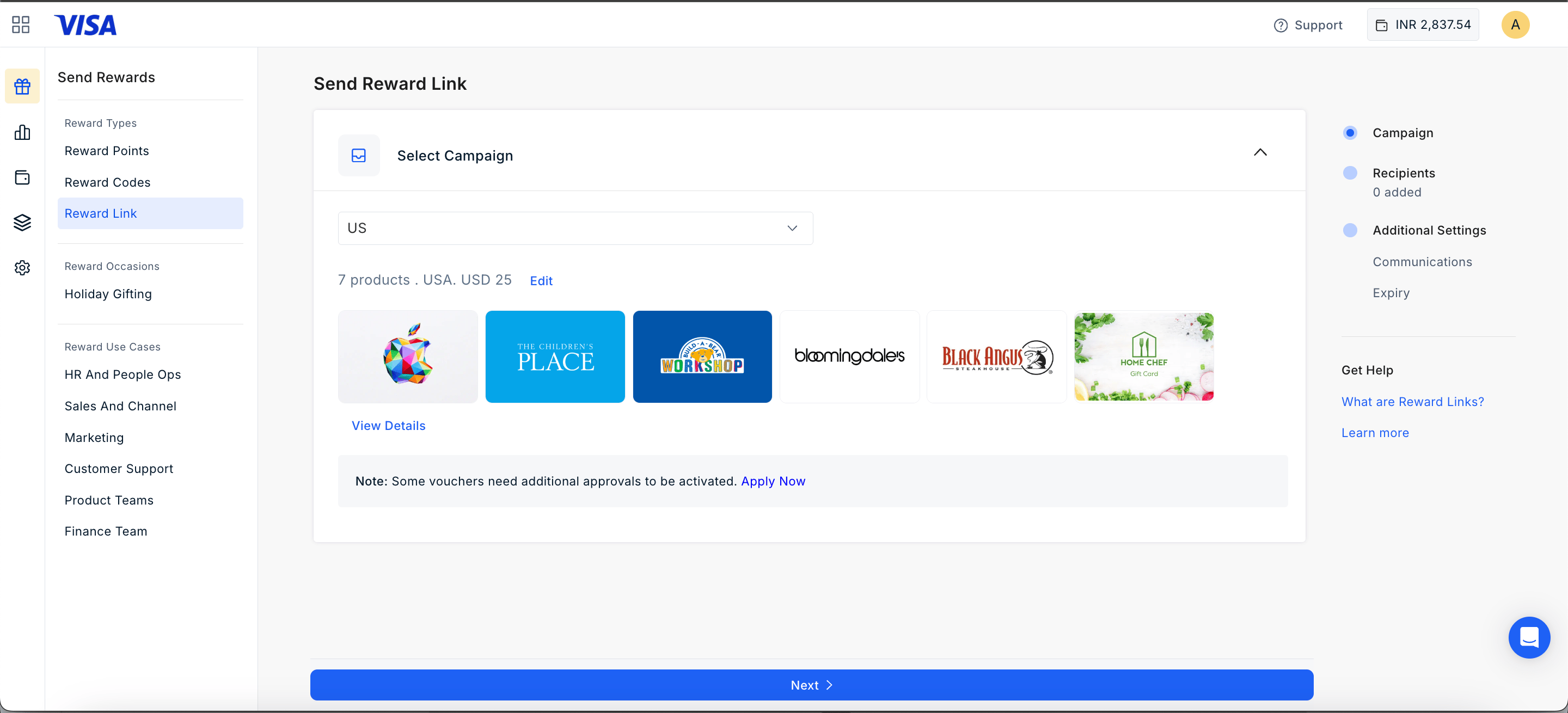
Select the campaign you wish to use for the campaign.
 Specify the number of Reward links (the quantity) for delivery in the selected campaign.
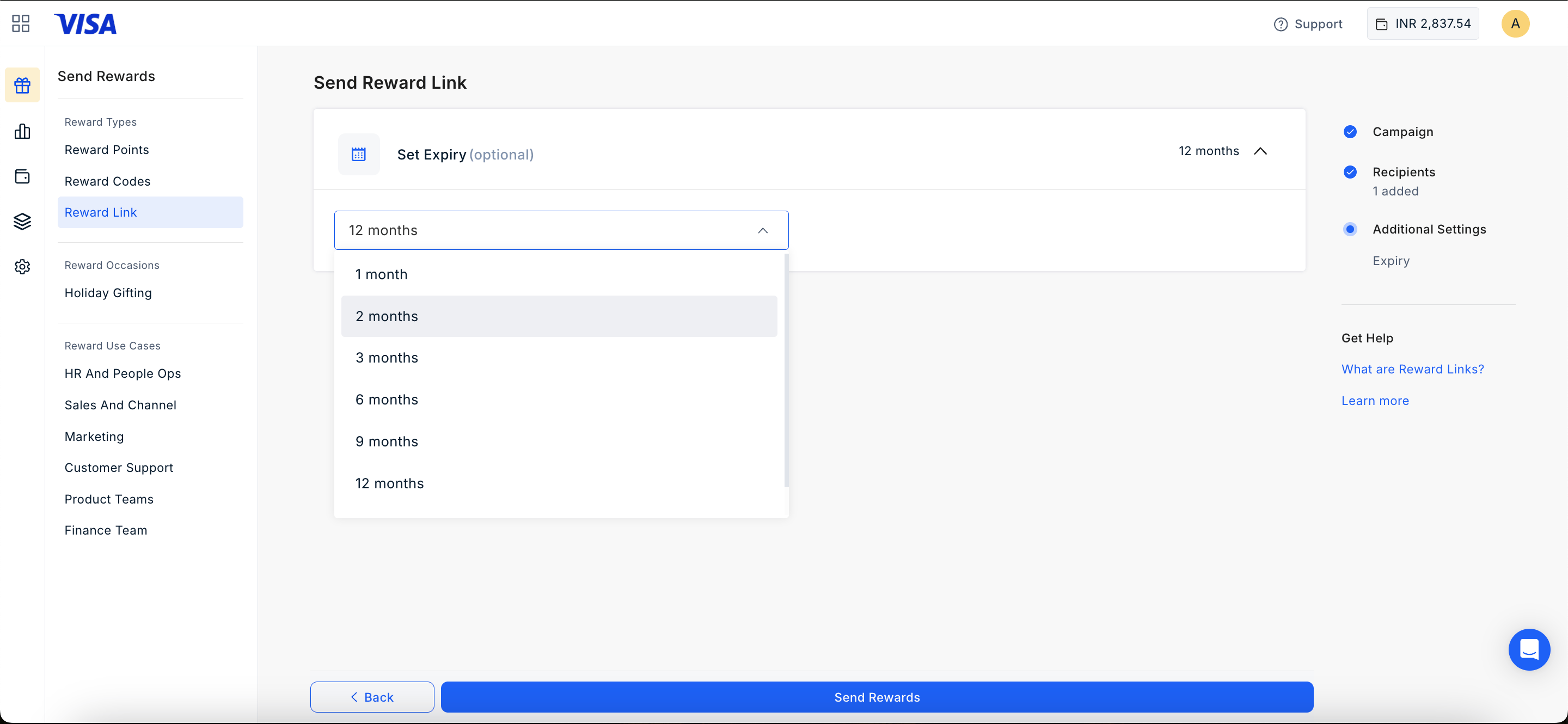
Use the drop-down menu to select the reward link's expiry duration. Available options include **1, 2, 3, 6, 9, 12 months, or a custom duration.** Once selected, click "**Send Reward**" to proceed.
Specify the number of Reward links (the quantity) for delivery in the selected campaign.
Use the drop-down menu to select the reward link's expiry duration. Available options include **1, 2, 3, 6, 9, 12 months, or a custom duration.** Once selected, click "**Send Reward**" to proceed.
 ***
Feedback or questions: Email at [cs@xoxoday.com](mailto:cs@xoxoday.com)
***
Feedback or questions: Email at [cs@xoxoday.com](mailto:cs@xoxoday.com)