> ## Documentation Index
> Fetch the complete documentation index at: https://help-plum.xoxoday.com/llms.txt
> Use this file to discover all available pages before exploring further.

# Bulk Upload

*Learn how to send reward points to many recipients at once.*

<Info>
  Users must be registered on Plum to receive points; if not, they will receive a registration link to set up their account.
</Info>

***

## Send Reward Points to Recipients

<Steps>
  <Step title="Navigate to Send Rewards > Reward Points">
    Navigate to **Send Rewards > Reward Points** in the main menu.
  </Step>

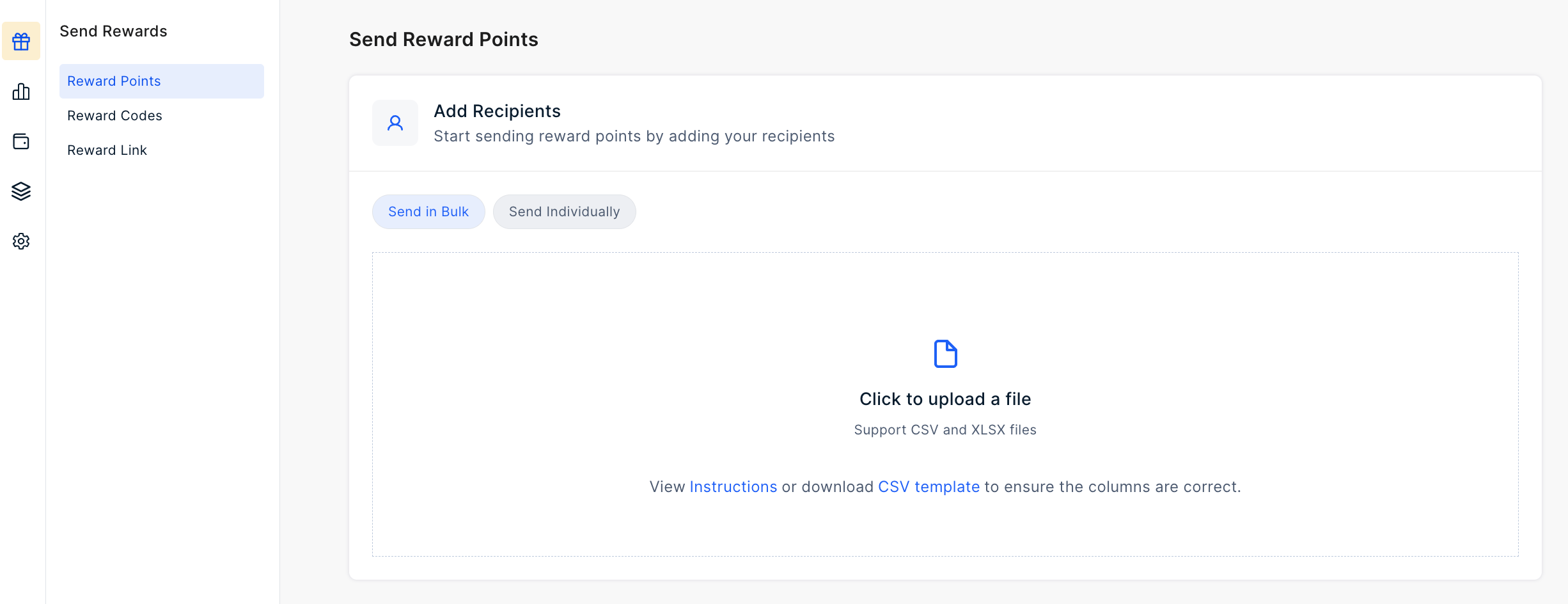
  <Step title="Select Send in Bulk and upload CSV">
    Select the **Send in Bulk** option. To efficiently reward a large group of recipients, upload the CSV file by clicking the option provided.

    <Info>
      **Pro tip:** Download the available template directly from the dashboard for your convenience.
    </Info>

    <Frame>
      <img src="https://mintcdn.com/plum/ULbvf1hld-JMEkz8/images/intercom/help-center-send-rewards-reward-points-send-reward-points-bulk-upload-9393362/9c92e84-Screenshot_2024-02-29_at_3_15_31_PM.png?fit=max&auto=format&n=ULbvf1hld-JMEkz8&q=85&s=f99c58b0daa338c3b127c42cbaaa2ba3" alt="" width="2452" height="944" data-path="images/intercom/help-center-send-rewards-reward-points-send-reward-points-bulk-upload-9393362/9c92e84-Screenshot_2024-02-29_at_3_15_31_PM.png" />
    </Frame>
  </Step>

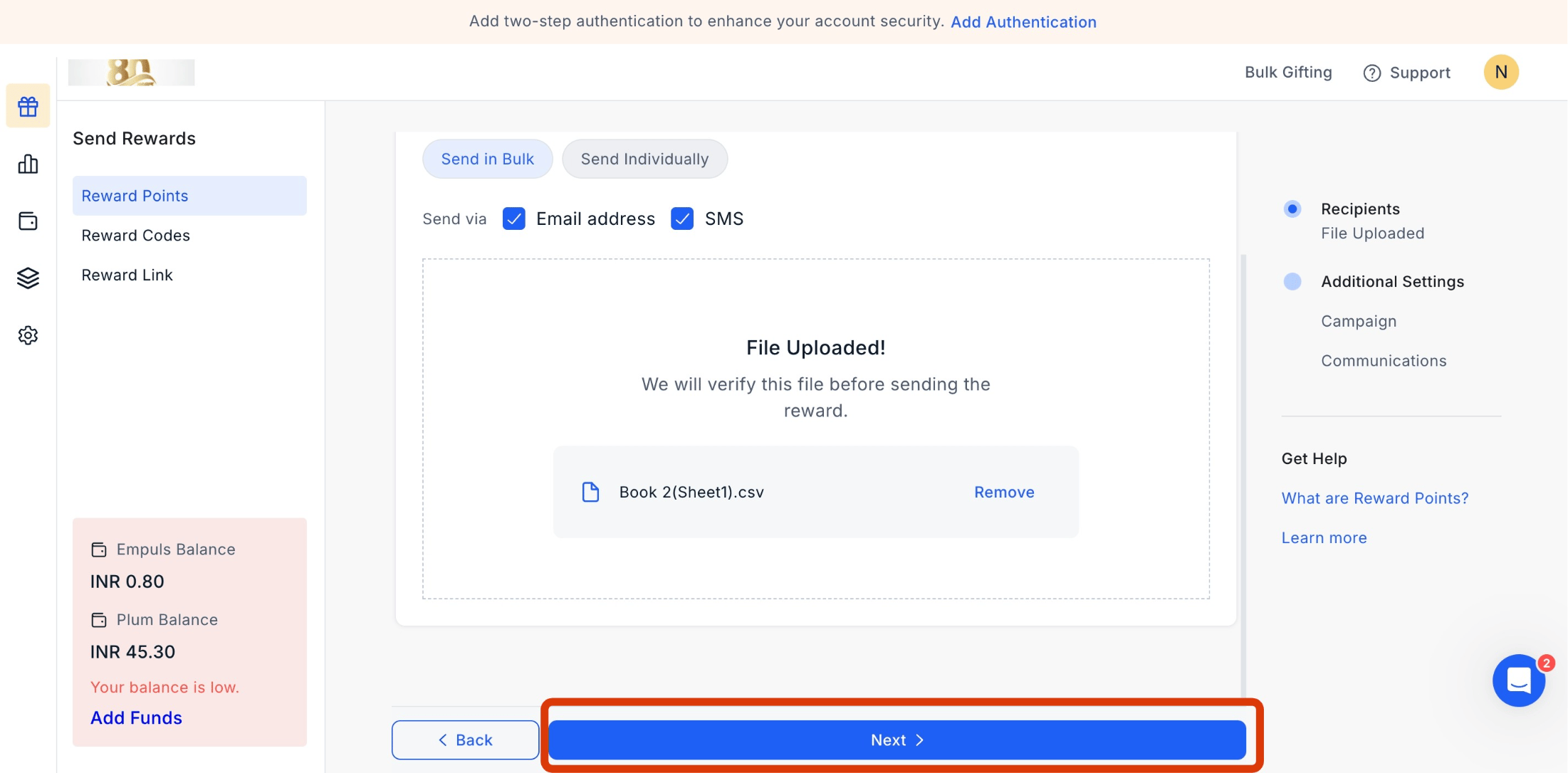
  <Step title="Click Next">
    After uploading the file, click on **Next** to move ahead.
    <Frame>
      <img src="https://mintcdn.com/plum/ULbvf1hld-JMEkz8/images/intercom/help-center-send-rewards-reward-points-send-reward-points-bulk-upload-9393362/6269086b99e9168c461ea13d3e5356d4467a62100c5976a8f18d8de6a8b45412-screenshot_-_2025-04-08T115019_889.png?fit=max&auto=format&n=ULbvf1hld-JMEkz8&q=85&s=dfc3092613c52e1169117432bcefc71f" alt="" width="2202" height="1086" data-path="images/intercom/help-center-send-rewards-reward-points-send-reward-points-bulk-upload-9393362/6269086b99e9168c461ea13d3e5356d4467a62100c5976a8f18d8de6a8b45412-screenshot_-_2025-04-08T115019_889.png" />
    </Frame>
  </Step>

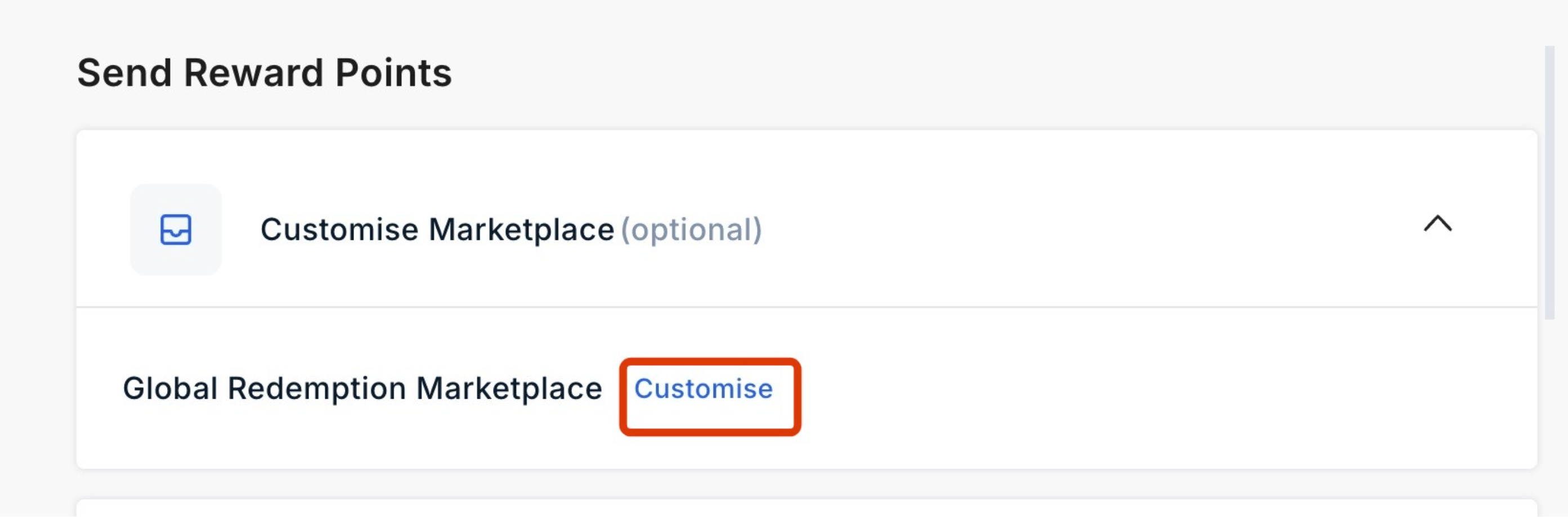
  <Step title="Customize the marketplace">
    Customize the marketplace.

    <Frame>
      <img src="https://mintcdn.com/plum/ULbvf1hld-JMEkz8/images/intercom/help-center-send-rewards-reward-points-send-reward-points-bulk-upload-9393362/f0aee74426287f4ed83b1d10fbe3cae1aebcfa4b2cdb1ca457a9e38f7a5db420-screenshot_-_2025-04-08T115053_498.png?fit=max&auto=format&n=ULbvf1hld-JMEkz8&q=85&s=fea5834f3eb452b7bae03f572ef9c455" alt="" width="2786" height="918" data-path="images/intercom/help-center-send-rewards-reward-points-send-reward-points-bulk-upload-9393362/f0aee74426287f4ed83b1d10fbe3cae1aebcfa4b2cdb1ca457a9e38f7a5db420-screenshot_-_2025-04-08T115053_498.png" />
    </Frame>
  </Step>

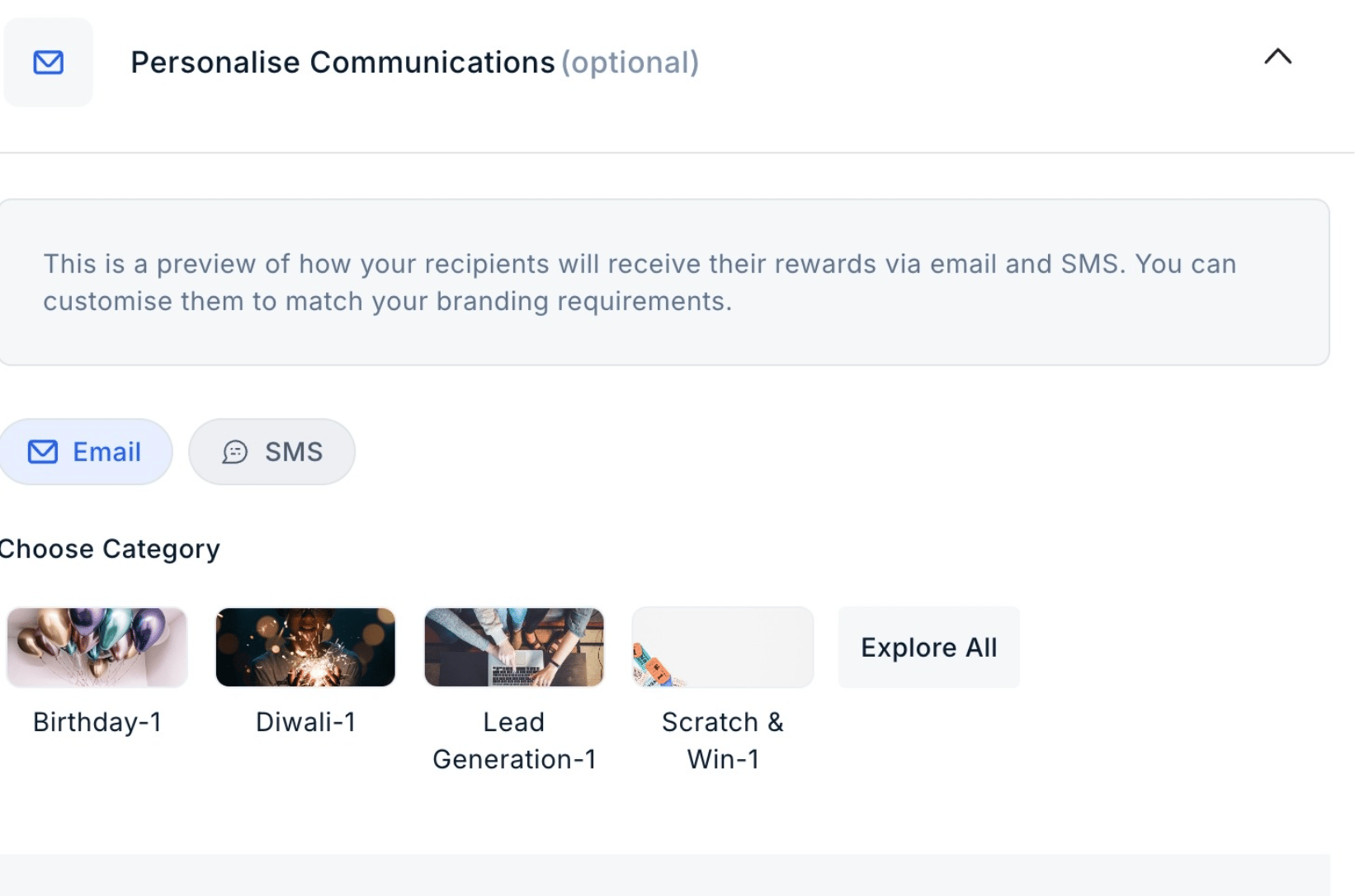
  <Step title="Customize communication">
    Customize the communication for email and SMS.
    <Frame>
      <img src="https://mintcdn.com/plum/ULbvf1hld-JMEkz8/images/intercom/help-center-send-rewards-reward-points-send-reward-points-bulk-upload-9393362/f6385a0f236c80466496e198969a8b2f91344fcd47b0287f77951c3679448bc4-screenshot_-_2025-04-08T115108_637.png?fit=max&auto=format&n=ULbvf1hld-JMEkz8&q=85&s=dc95ed2d508e0f740d30bbbd0a17a35c" alt="" width="1642" height="1086" data-path="images/intercom/help-center-send-rewards-reward-points-send-reward-points-bulk-upload-9393362/f6385a0f236c80466496e198969a8b2f91344fcd47b0287f77951c3679448bc4-screenshot_-_2025-04-08T115108_637.png" />
    </Frame>
  </Step>

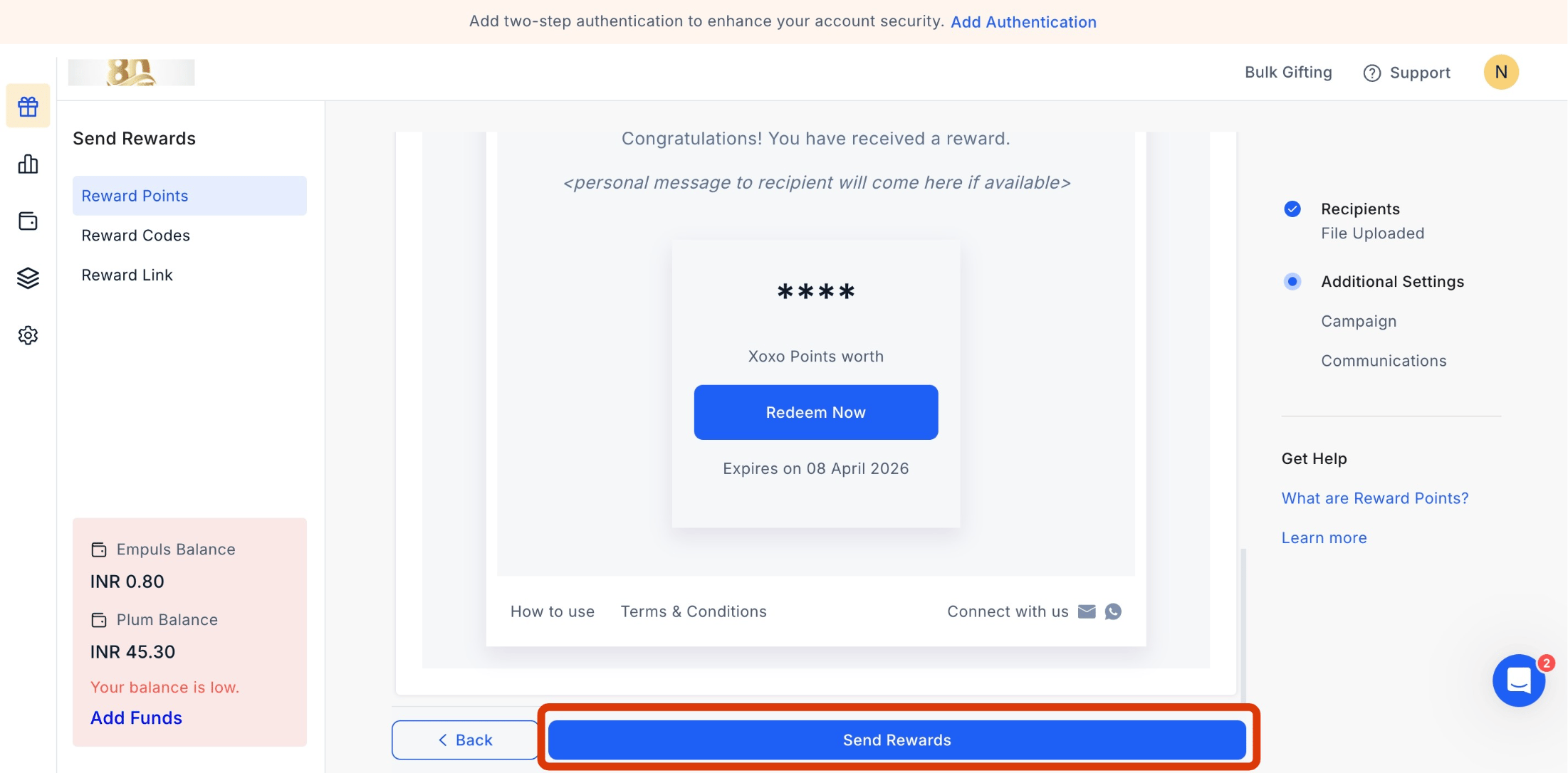
  <Step title="Send Rewards">
    Once done, click on **Send Rewards.**

    <Frame>
      <img src="https://mintcdn.com/plum/ULbvf1hld-JMEkz8/images/intercom/help-center-send-rewards-reward-points-send-reward-points-bulk-upload-9393362/f30d3c72fd2f4bd60d63988ee354c108490c43225cad58bf567a3795ac284ed3-screenshot_-_2025-04-08T115126_210.png?fit=max&auto=format&n=ULbvf1hld-JMEkz8&q=85&s=ab7f7ea23523c9c3cf02565610799e47" alt="" width="2202" height="1086" data-path="images/intercom/help-center-send-rewards-reward-points-send-reward-points-bulk-upload-9393362/f30d3c72fd2f4bd60d63988ee354c108490c43225cad58bf567a3795ac284ed3-screenshot_-_2025-04-08T115126_210.png" />
    </Frame>
  </Step>
</Steps>

***

## Resend Reward Points in Bulk

<Steps>
  <Step title="Navigate to Reports > Reward Points">
    Navigate to **Reports > Reward Points.**
  </Step>

  <Step title="Select contacts">
    **Select Contacts:** Choose the contacts you want to resend the rewards.
  </Step>

  <Step title="Click Resend">
    **Resend Option:** Click the three dots next to the selected contacts, then click **'Resend'.**
  </Step>

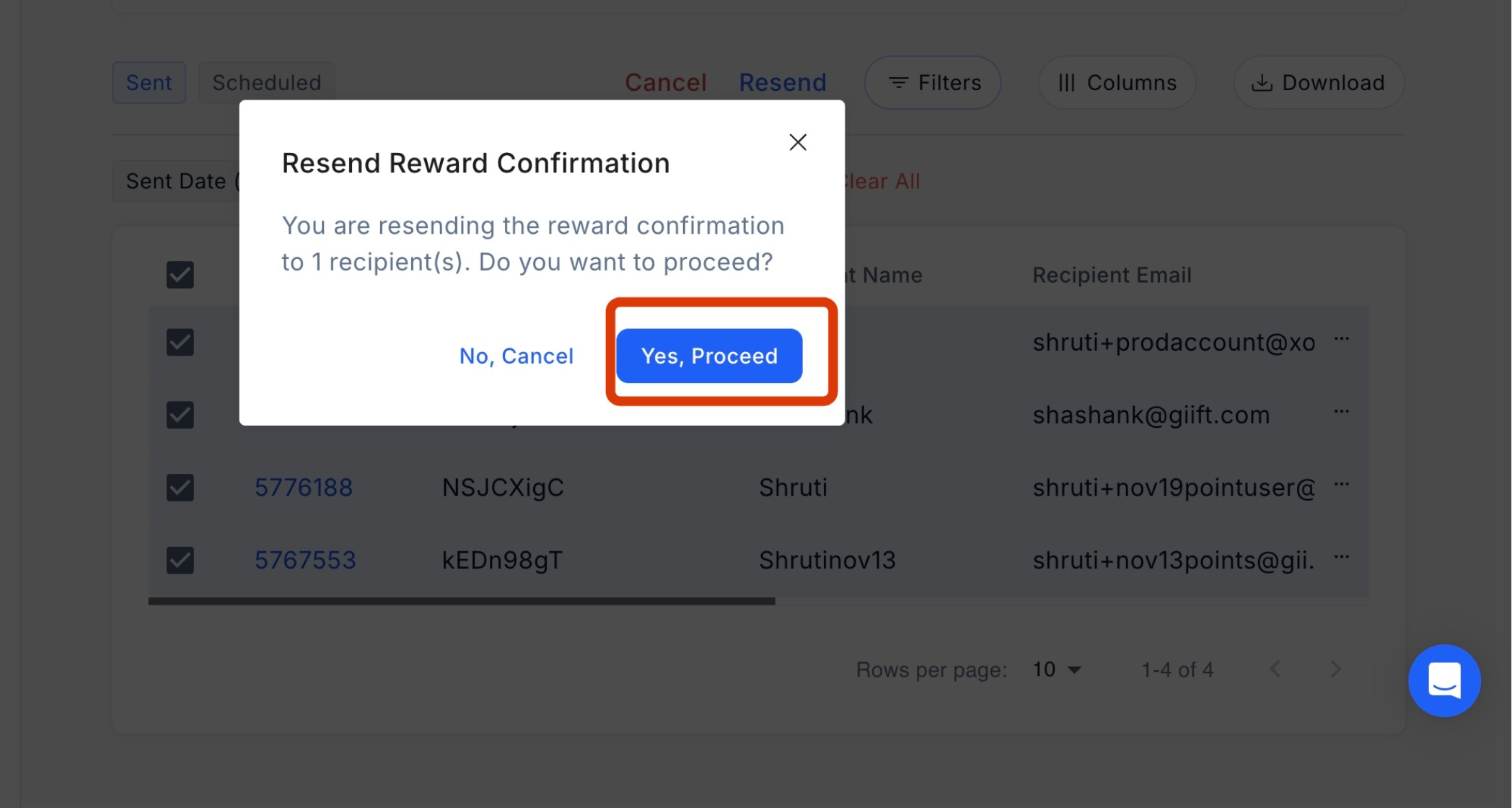
  <Step title="Confirm action">
    **Confirm Action:** A confirmation pop-up will appear. Click **'Yes, Proceed'** to resend the rewards.
    <Frame>
      <img src="https://mintcdn.com/plum/ULbvf1hld-JMEkz8/images/intercom/help-center-send-rewards-reward-points-send-reward-points-bulk-upload-9393362/screenshot__99_.png?fit=max&auto=format&n=ULbvf1hld-JMEkz8&q=85&s=810f007a287bf63dd8b5b6fc28d6ccf2" alt="" width="2096" height="1120" data-path="images/intercom/help-center-send-rewards-reward-points-send-reward-points-bulk-upload-9393362/screenshot__99_.png" />
    </Frame>
  </Step>
</Steps>

Feedback or Questions: Email [cs@xoxoday.com](mailto:cs@xoxoday.com)