

To add an extra layer of security to your webhooks, we have introduced the x-API-key feature.Documentation Index
Fetch the complete documentation index at: https://help-plum.xoxoday.com/llms.txt
Use this file to discover all available pages before exploring further.
When enabled, each webhook request will include a custom header (x-API-key) that you define.
Your server can then validate this key to ensure the request came from us — preventing unauthorized systems from sending fake webhook payloads.
How This Secures the Webhook
Without verification, anyone who knows your webhook URL could send fake requests that look real.By adding a secret x-API-key header:
- We include the secret key in every webhook call we send to you.
- You verify this key on your server before processing the payload.
- Requests without the correct key (or with an incorrect one) are rejected.
How to Enable the Security Feature
- Go to your Settings > API > Configure Webhook.
- Toggle “Add Custom Header” to enable it.
-
In the x-API-key field, enter a secret key (alphanumeric, 13–60 characters).
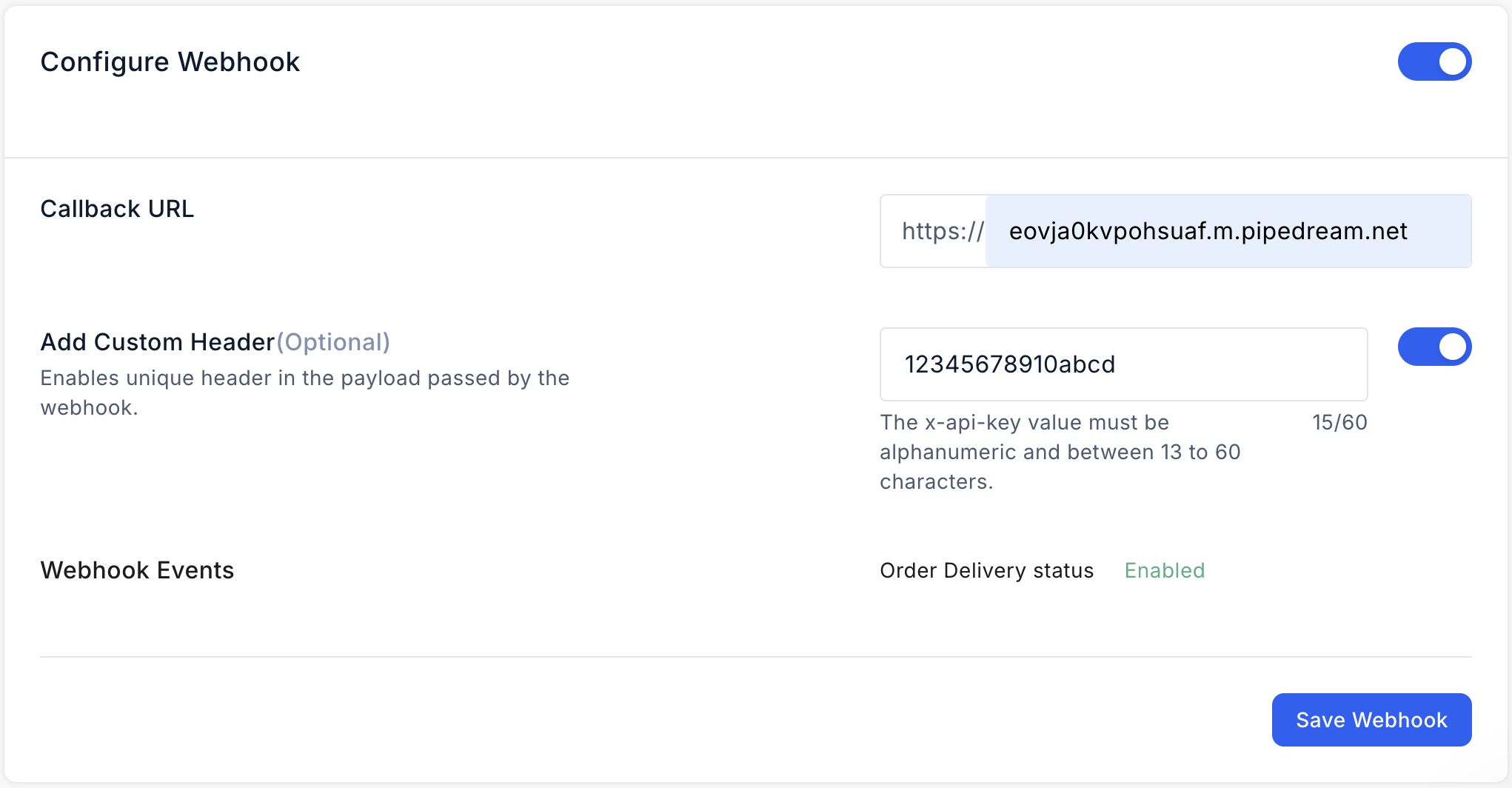
- Click “Save Webhook” to save changes.
From now on, all webhook payloads will include the x-API-key in the request header.
Example x-api-key:
How to Edit/Update the x-API-key
- Click in the x-API-key field and update the value.
- Click “Update Webhook” to save.
- Future webhook calls will carry the new key.
Webhook Payload Example
Legend
<DataType(size)> → Data type and maximum size of the field.
Parameters
| Parameter Name | Type & Size | Description |
|---|---|---|
| x-api-key | String (13–60) | Secret header value to verify webhook source |
| id | Integer (20) | Unique webhook ID |
| orderId | Integer (11) | Unique Xoxo order ID |
| poNumber | String (100) | PO number (if provided at order time) |
| orderDate | String (19) | Date/time when order was placed |
| deliveryStatus | String (9) | Status: Delivered or Canceled |
| createdAt | String (19) | Timestamp when webhook was triggered |