
View the List of Change Requests
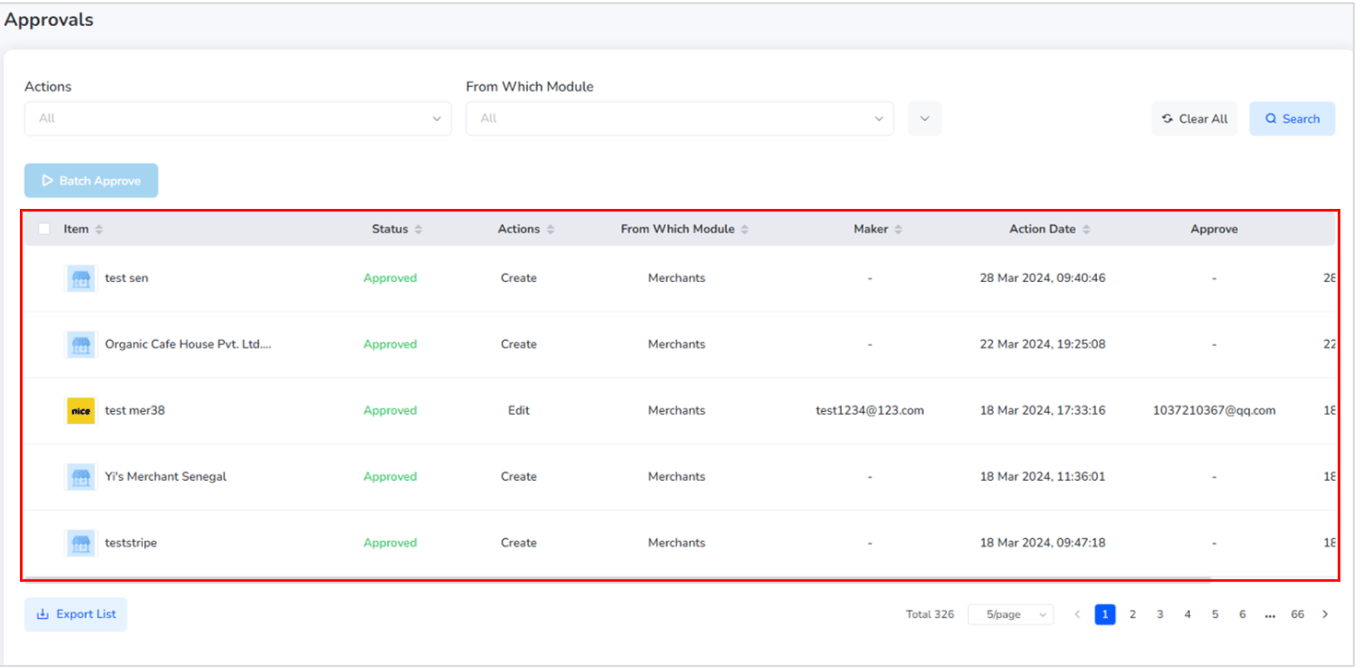
On the Approval Management Page, you’ll find a list of all pending change requests that require review. Each entry in the list shows:- The feature or function being changed
- The type of change requested
- The current status of the request (Pending, Approved, Rejected)
View Details of a Change Request
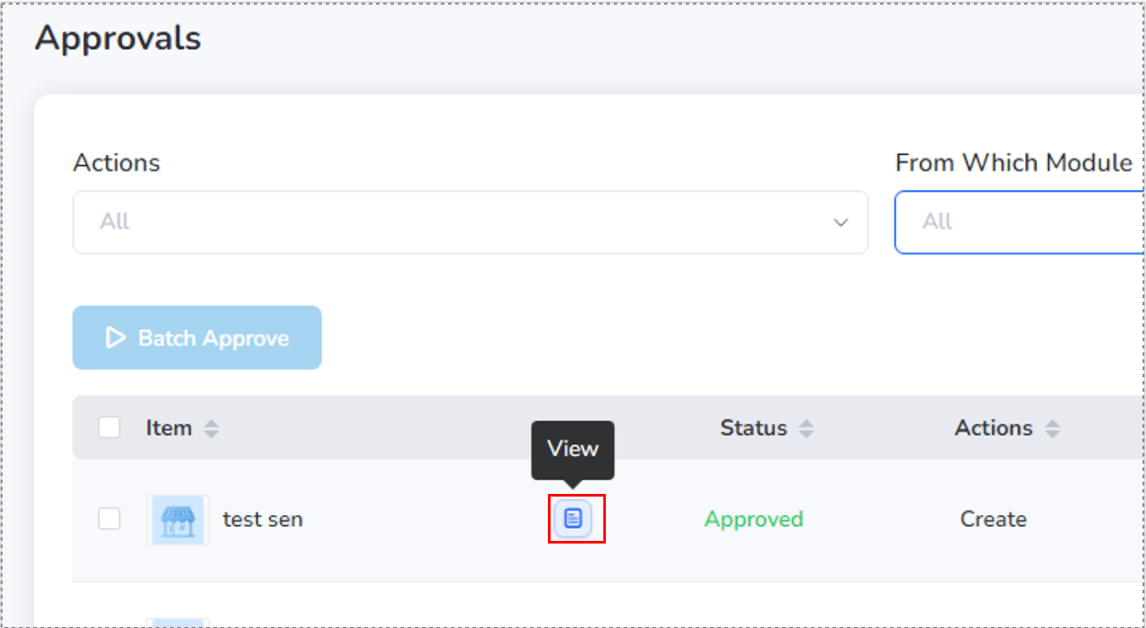
To inspect a specific request:- Click on the “View” button beside the change item.
- This opens a detailed view of the requested changes for review.
Check / Approve or Reject a Change Request
To review and act on a request:- Click “Approver” next to the change request.
-
A detailed overlay will appear showing:
- What feature/function is being changed
- Who made the request
- Time and date of the request
- Summary of changes
-
To proceed:
- Click “Approve” to accept the request.
- Click “Reject” to decline the request.

View the Reason for a Rejected Request
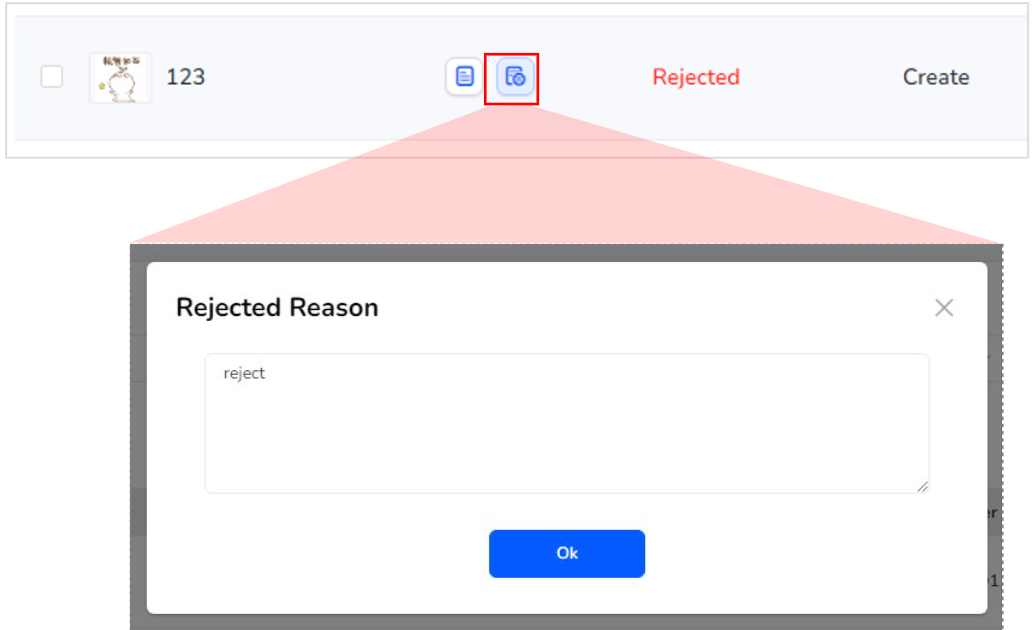
To understand why a request was rejected:- Click “Rejected Reason” beside the rejected change request.
- An overlay will appear displaying the rejection note or feedback.
Export the rejected list of change request
- Admins can export all approval requests—including pending, approved, and rejected—by clicking the “Export Report List” button.
- This generates a downloadable report for tracking and auditing purposes.
Still need help? Raise a support ticket.