
Getting Started
Steps for an admin to send virtual prepaid cards
Step 1: Log in to your Plum account**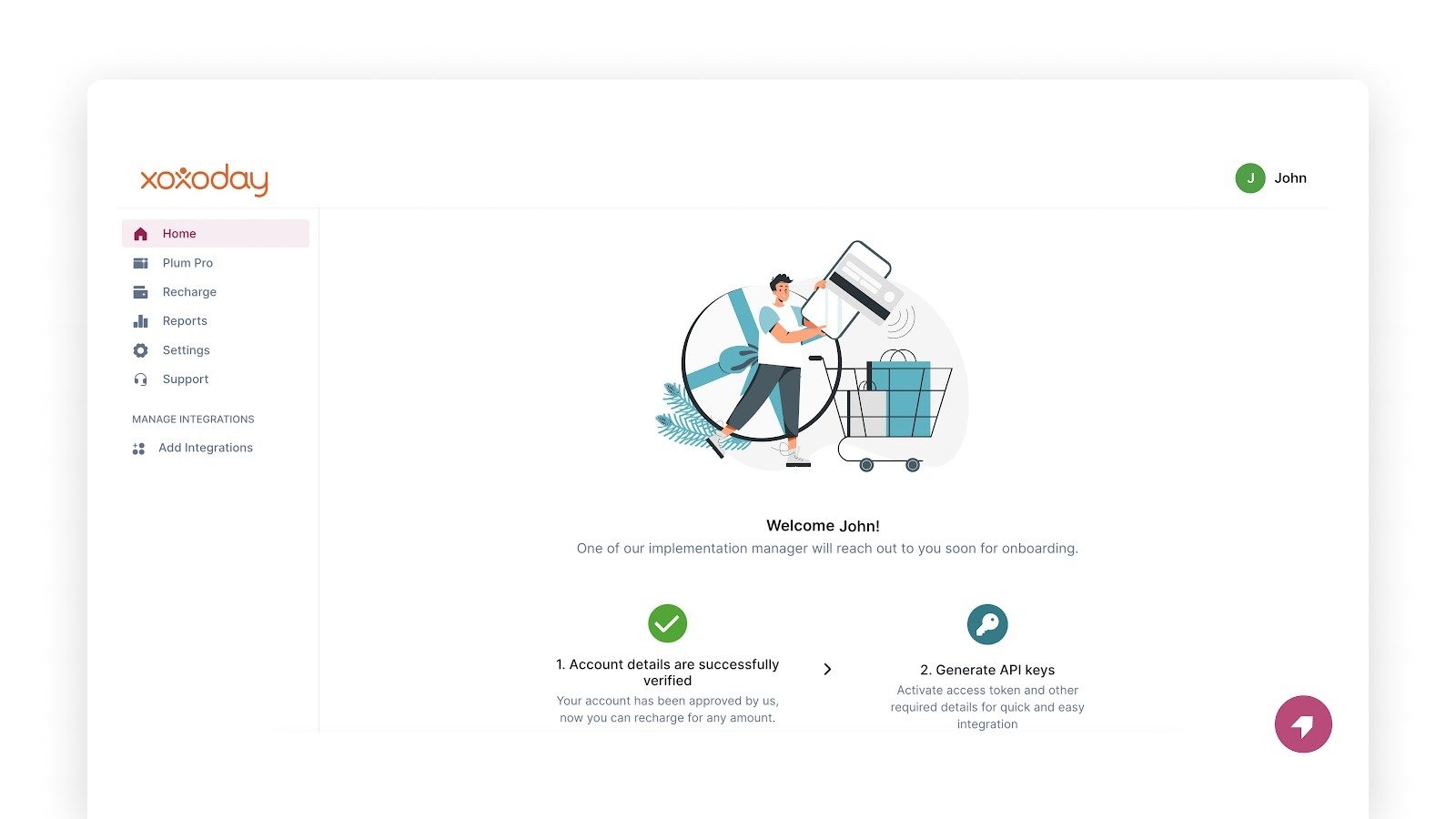
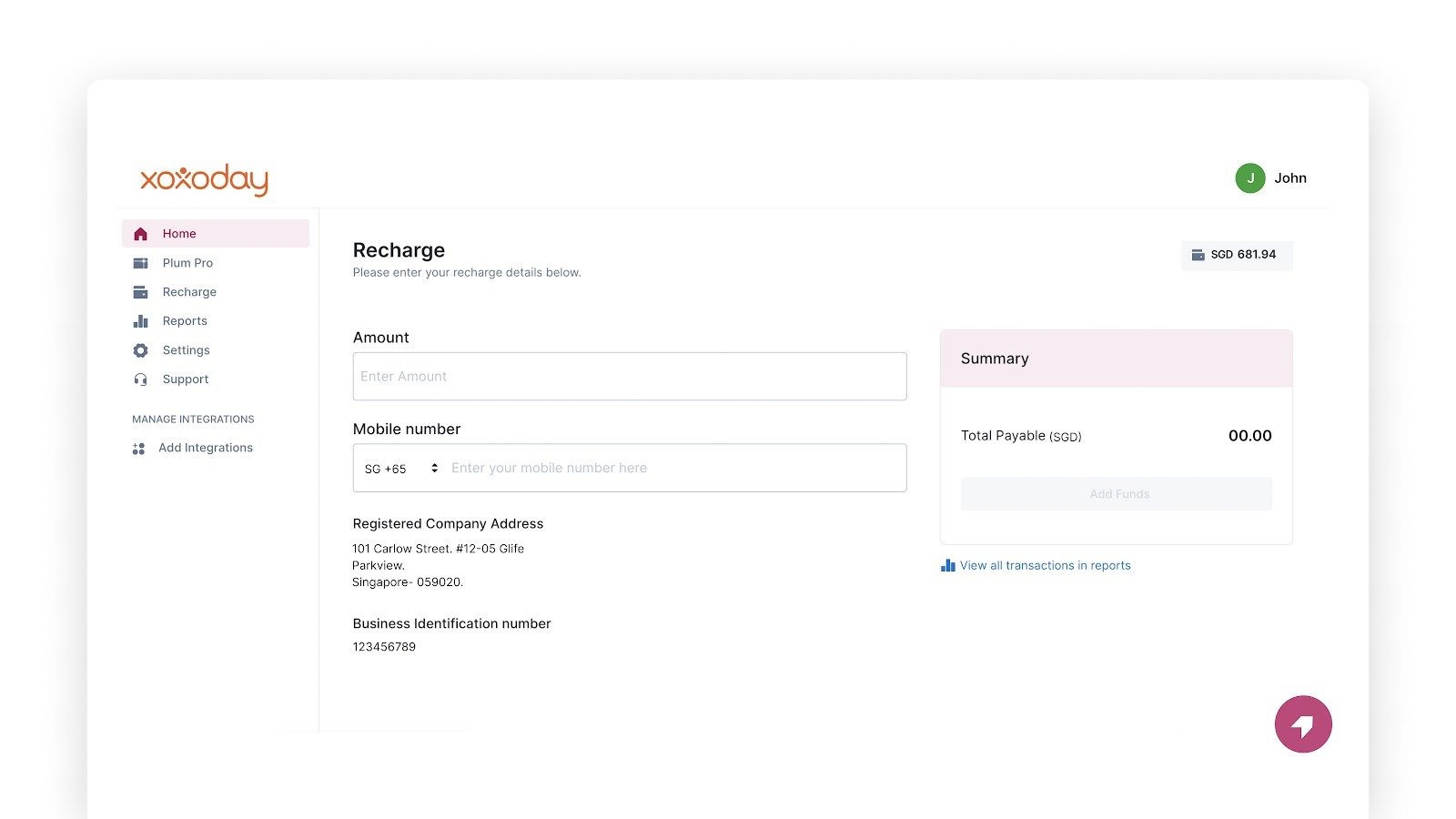
Sending Visa prepaid cards to a single or a few recipients
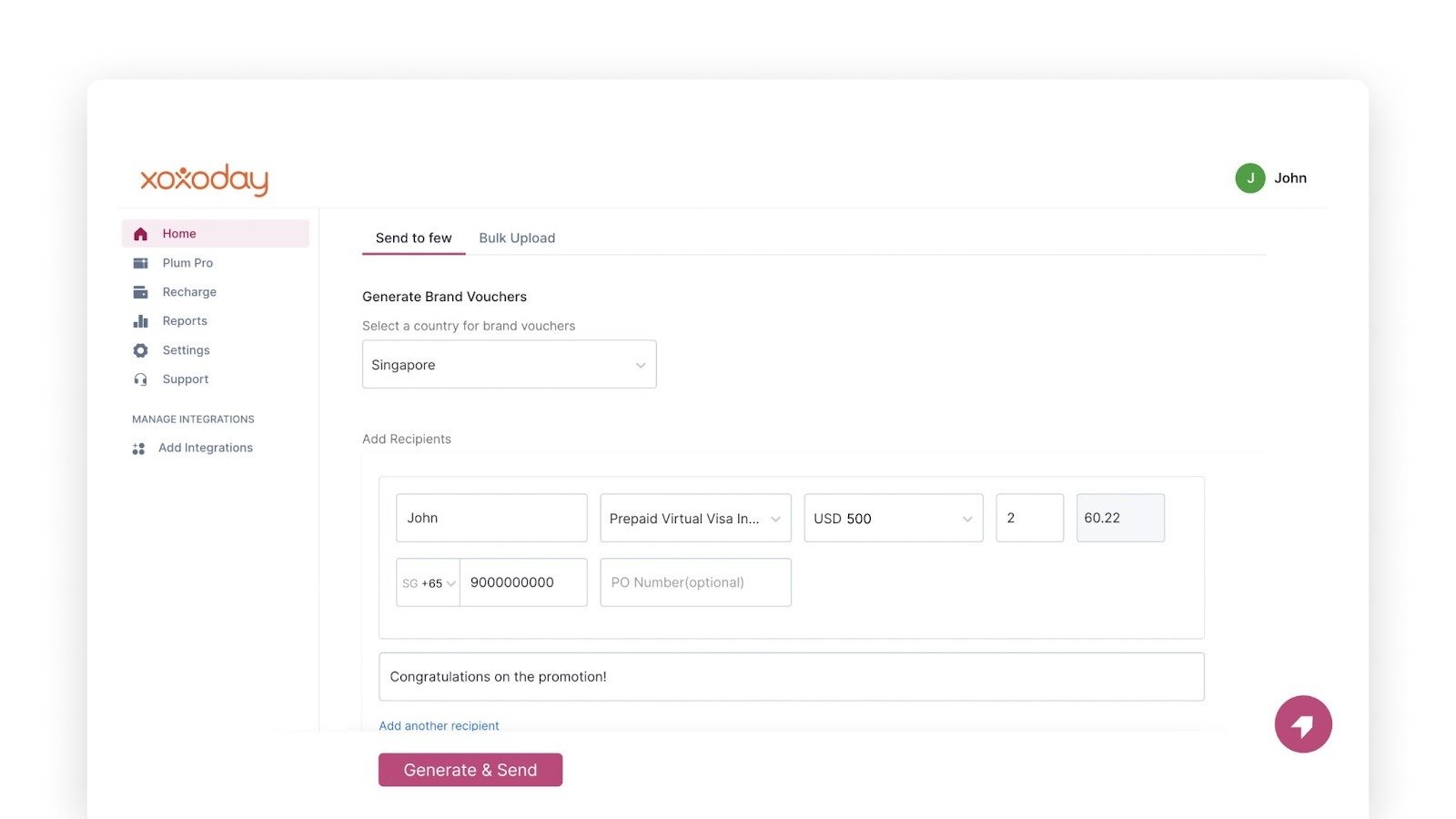
Select the ‘Send to few’ tab and follow these steps:- Under ‘Select a country for brand vouchers’ choose the recipients’ country from the drop-down list.
- In the ‘Add Recipients’ section, add the full name of the recipient.
- For the next box, select ‘Prepaid Virtual Visa International Card USD’ from the drop-down menu
- Select the denomination of the voucher from the drop-down list
- Add the quantity of brand vouchers
- Add the recipient’s phone number (optional)
- Add the PO number (optional)
- Add a personalized message for the recipient
- Click ‘Add another recipient’ to add more recipients and repeat steps 1 to 8 listed above.
- Once you are done click on ‘Generate & Send.’**
- To know the required format for uploading data in bulk, download a sample file by clicking on ‘CSV/XLSX template’ under ‘Add your recipients in bulk.’ You may skip this step if you already have a CSV/XLSX file with data in the required format.
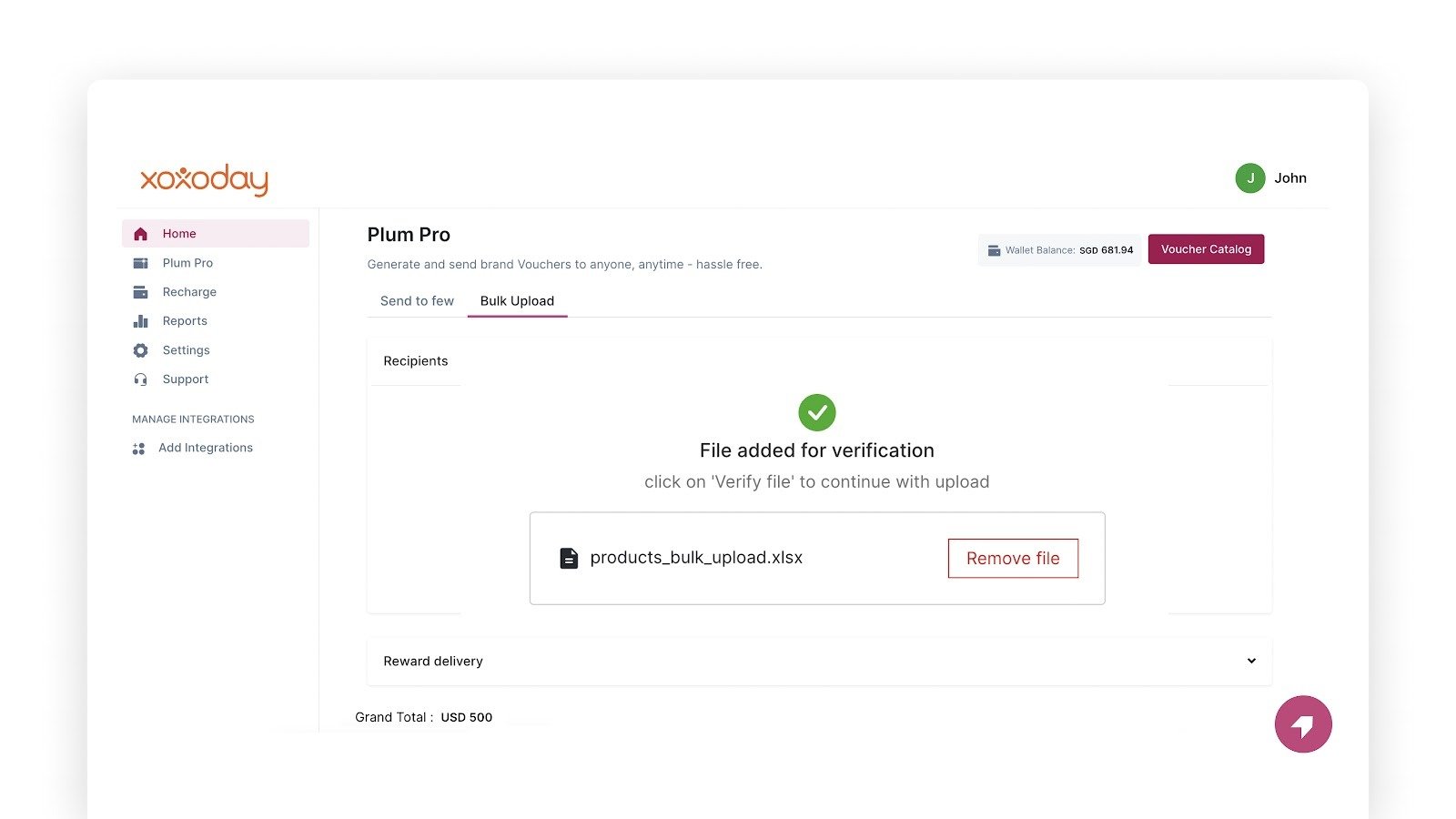
- Once you’ve filled in the details correctly, click ‘Add CSV/XLSX file’ to upload and verify the data.
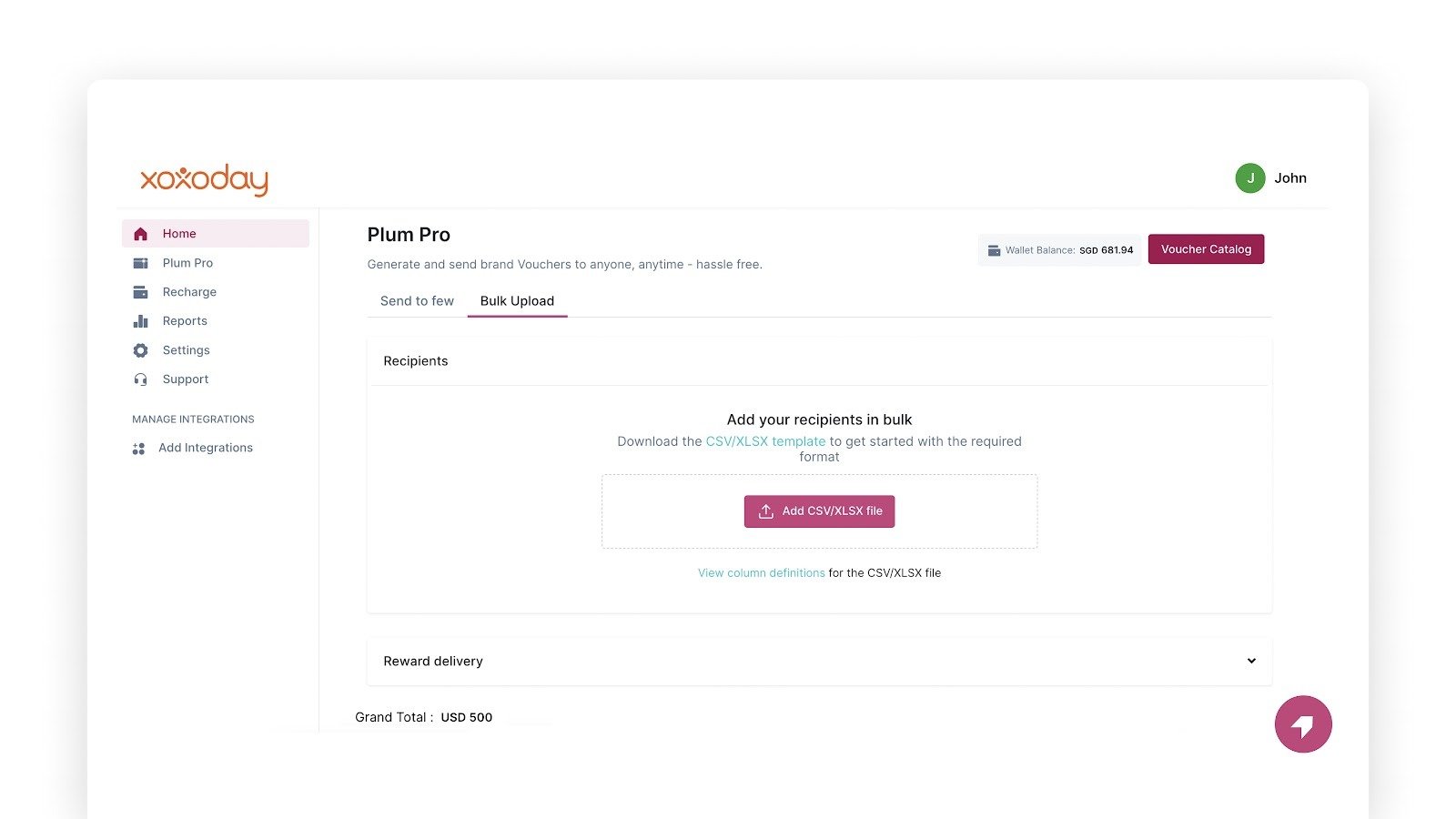
- Add the correct details for each column from the CSV sheet to upload the recipients’ information in bulk.
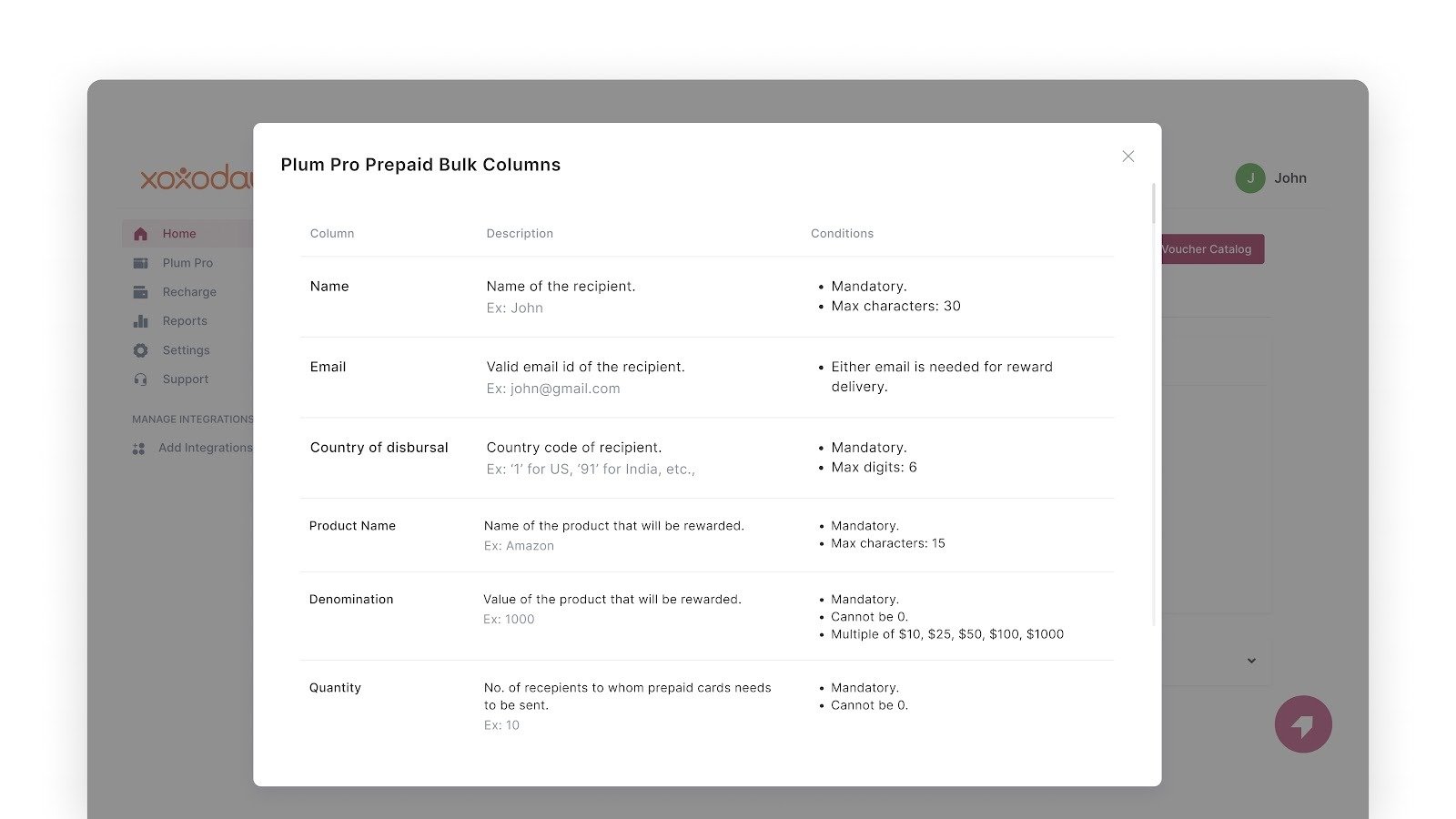
- Click on ‘Verify file’ at the bottom.
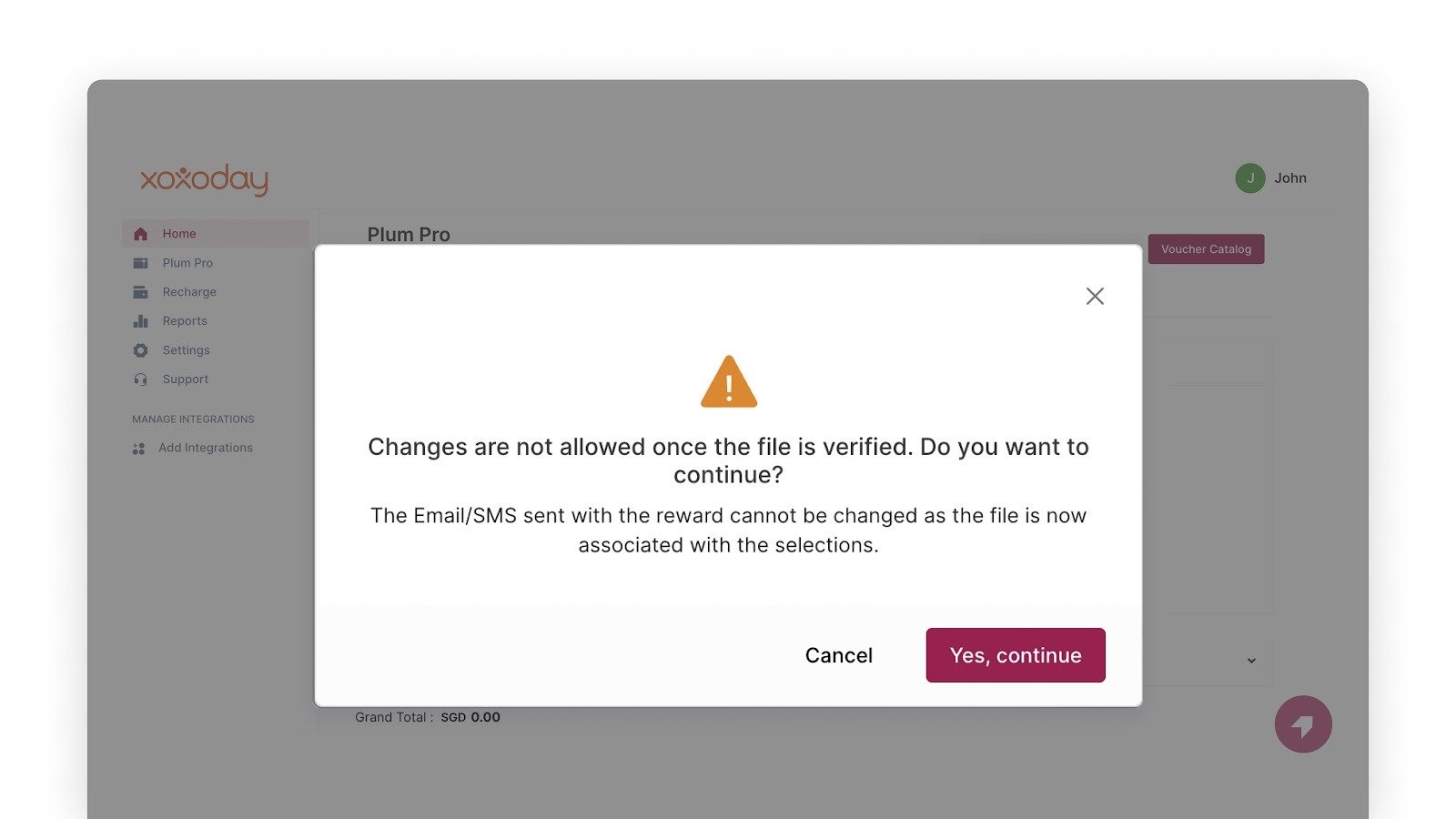
- Click on ‘Yes, continue’ in the pop-up box to verify the file.
- Once you verify the file, click ‘Generate & Send’ to send prepaid cards to the recipients. The recipient receives an email with the details of their prepaid card and a link to claim the reward.
Steps for the recipient to redeem a reward
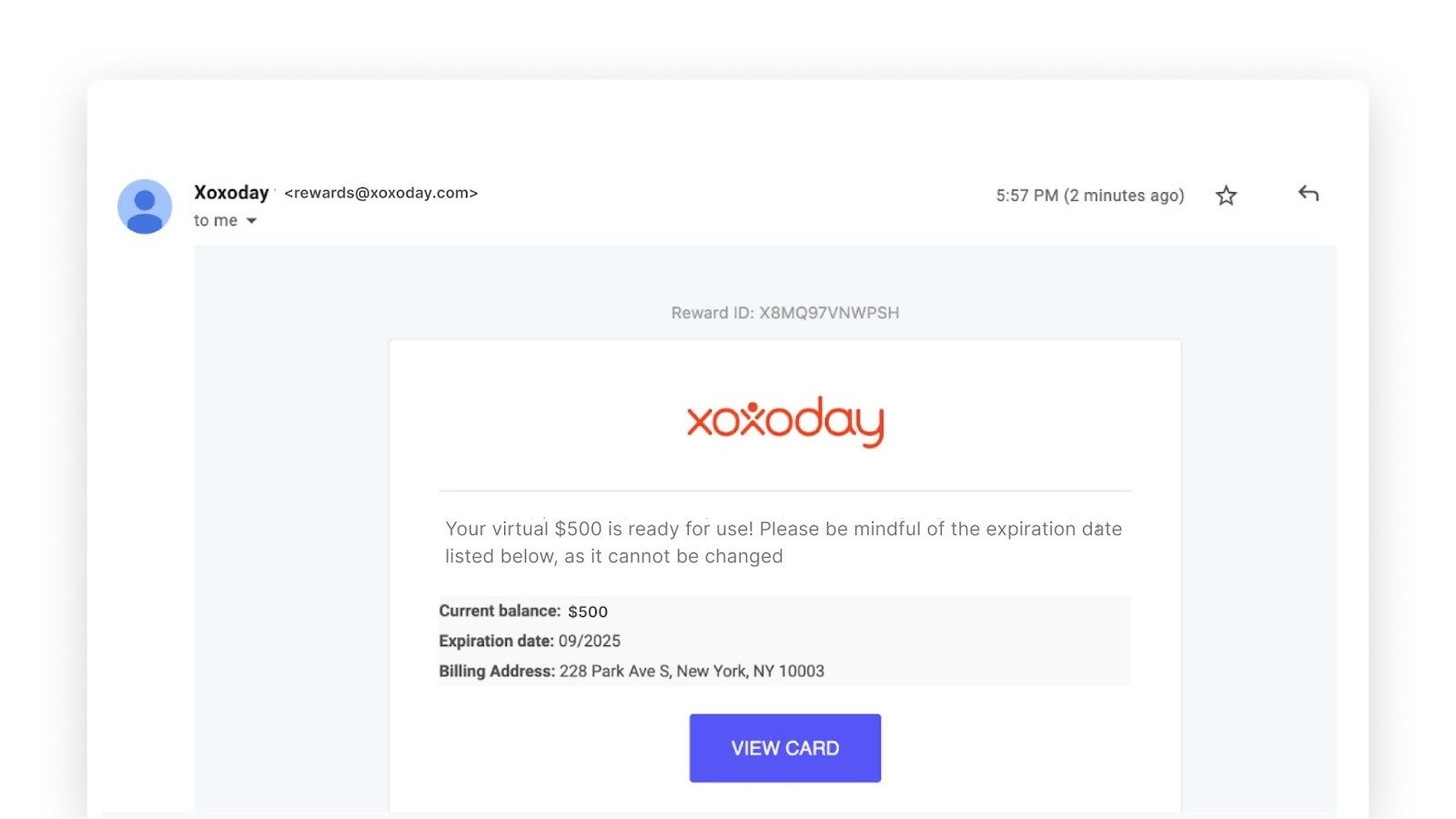
- You will receive an email with the details of your Visa prepaid card. Click on ‘Click Here To Redeem’ to claim the reward.
- Click on ‘Redeem’ to claim the reward.
- Enter your first and last name in the box, go over the E-Sign Disclosure, Cardholder Agreement, and Privacy Policy, tick the two checkboxes to indicate your agreement, and click ‘Activate card.’
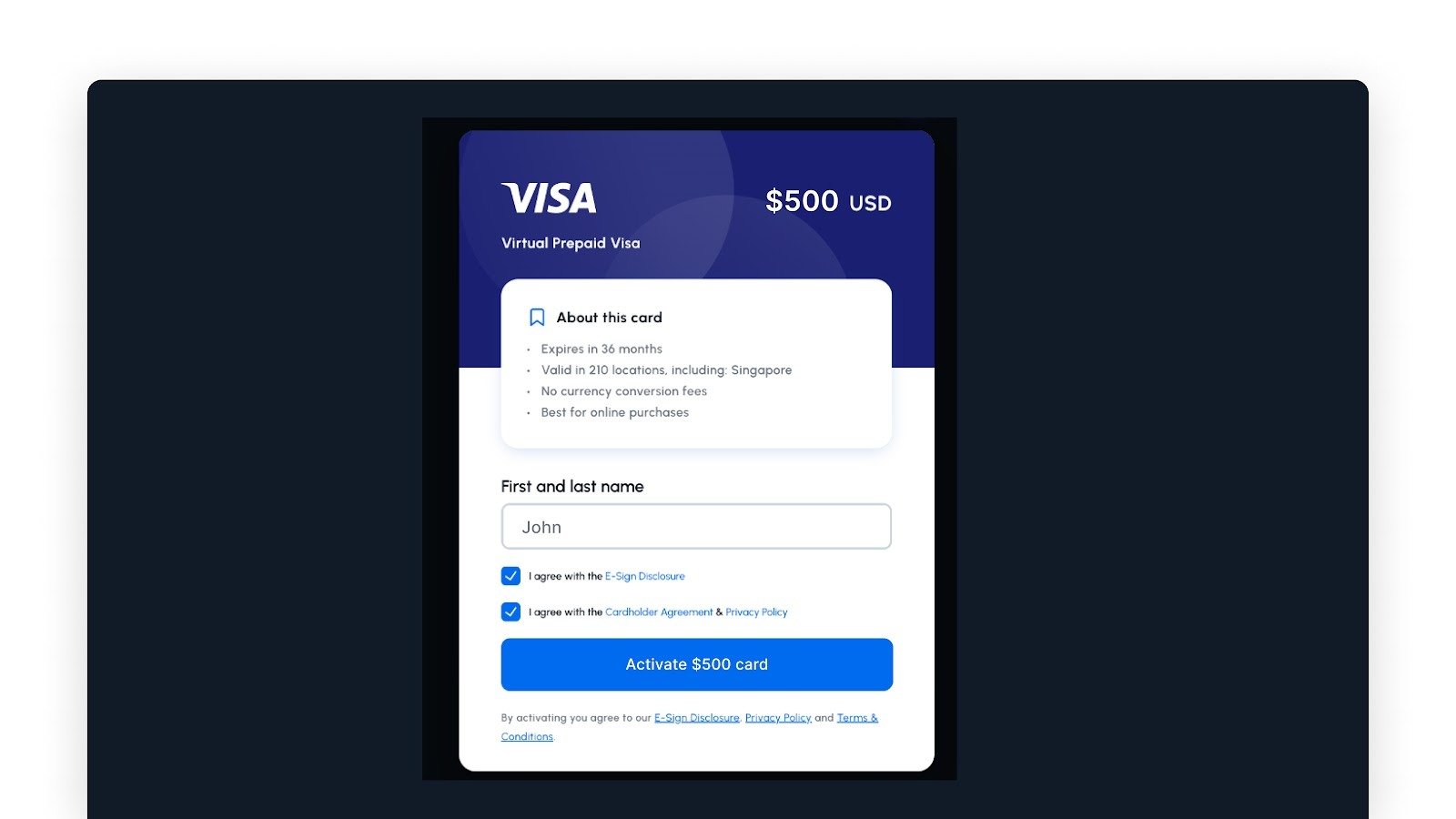
- On the next screen you can see the details of your Visa prepaid card.
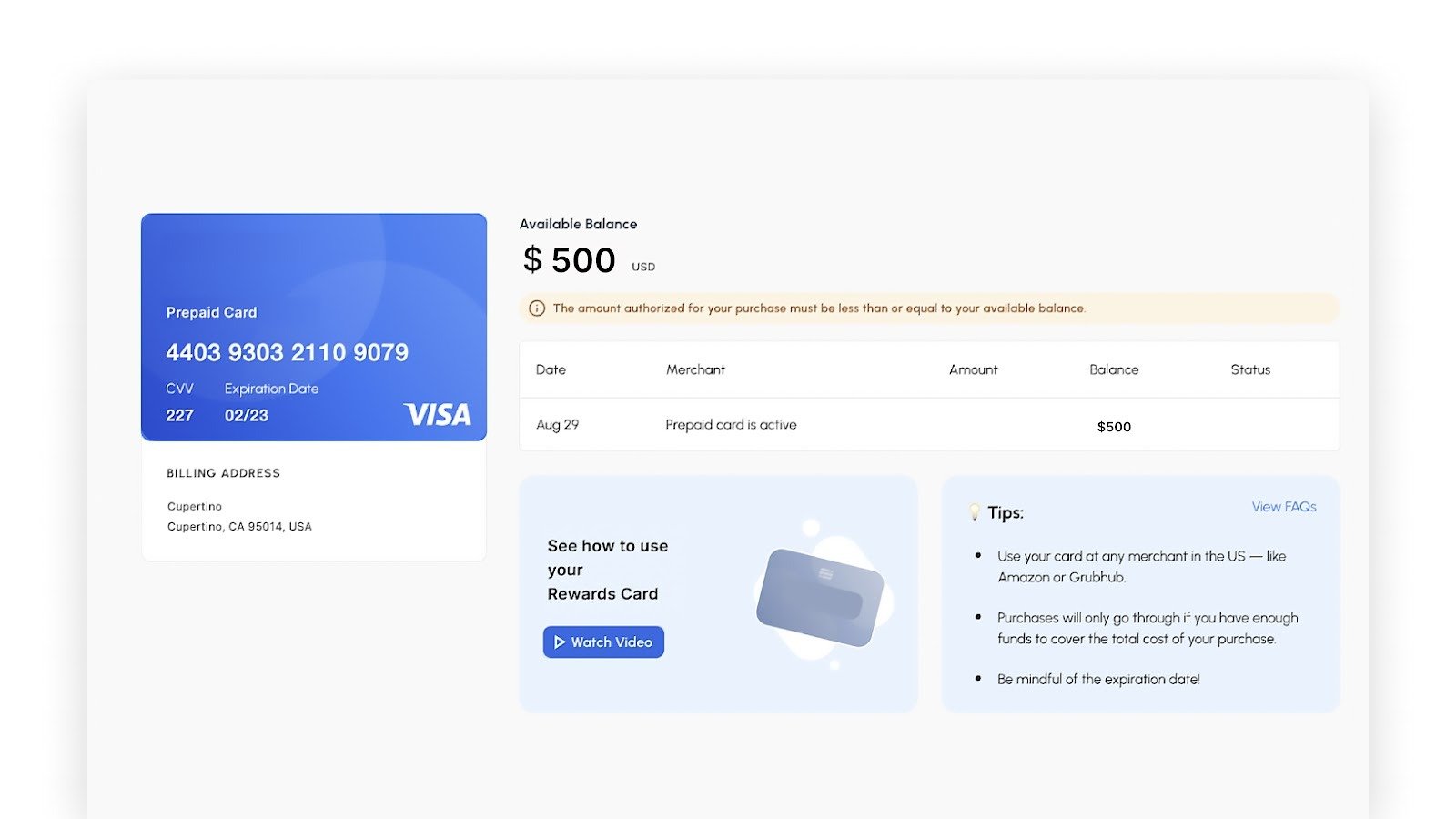
- Post activation, if you’d like to opt for notifications for your Visa prepaid transactions, select either SMS or email, and add your phone number and email address to receive transaction-related messages.
- You’ll now receive a link in your email inbox to view your prepaid card and redeem it
- A Visa prepaid card gives you the flexibility to shop anywhere around the world where Visa debit cards are accepted.
- The funds on your Visa prepaid card must be accessed within 6 months from the date it was issued.
- This card cannot be redeemed in a country where there is a USA sanction.
- This card cannot be redeemed in India.
- The funds on the card cannot be cashed or transferred/added to Google Pay, Apple Pay, or any other wallet.
- This virtual visa card can only be used for online purchases where it is acceptable.
- This card cannot be redeemed in any country where there is a USA sanction.
- This card cannot be redeemed in India.
- This card can only be issued for employee rewards, channel incentives, consumer campaigns, and loyalty programs.
- This card cannot be issued for Facebook advertising payments, procured for business-related payments, or any program that is not part of a reward or incentive use case.
- This card is a one time use card and is non reloadable in nature.
- The card issuer does not charge any currency conversion costs, but in some regions, it’s possible that a merchant where the card would be swiped could charge a fee if the USD Virtual Visa International card is used to make a purchase in a non-USD currency.
- Transactions with the following merchants are prohibited:
- Money transfer services business
- Firearm-related businesses
- Tobacco businesses
- Marijuana-related businesses
- Money services from non-financial institutions (including cryptocurrency)
- Securities brokers/dealers
- Dating services
- Massage parlors
- Government-owned lotteries
- Government-licensed online casinos and online gambling
- Government-licensed horse/dog racing
- Betting, including lottery tickets, casino gaming chips, off-track betting, and wagers at race tracks
About the prepaid virtual Visa Card usage(for the US region only)
A Visa prepaid card gives you the flexibility to shop anywhere around the world where Visa debit cards are accepted.- This card must be used within 6 months from the date of issuance.
- This card is only valid for online/virtual purchases.
- This card can only be issued as part of employee rewards, channel incentives, consumer campaigns, and loyalty programs.
- This card cannot be issued for Facebook advertising payments, business-related payments, or any program that is not part of a reward/ incentive use case.
- This card is a one time use card and is non reloadable in nature.
- Transactions with the following merchants are prohibited:
- Firearm-related businesses
- Outbound telemarketing
- Tobacco businesses
- Marijuana-related businesses
- Money services from non-financial institutions (including cryptocurrency)
- Securities brokers/dealers
- Dating services
- Massage parlors
- Government-owned lotteries
- Government-licensed online casinos and online gambling
- Government-licensed horse/dog racing
- Betting, including lottery tickets, casino gaming chips, off-track betting, and wagers at race tracks**
- This US Visa prepaid virtual card can be added to digital wallets like Apple Pay and Google Pay.