
Accessing Gift Card Reports
Follow these steps to view detailed reports for Gift Card Reports:1
Navigate to Reports
Go to dashboard and click “Reports”.
2
Select Gift Cards
Within the “Reports” section, click on “Gift Card”. You can select the sent date by clicking in the box “Sent Date UTC”.
3
View Detailed Information
Here you’ll find detailed reports containing the following information fields: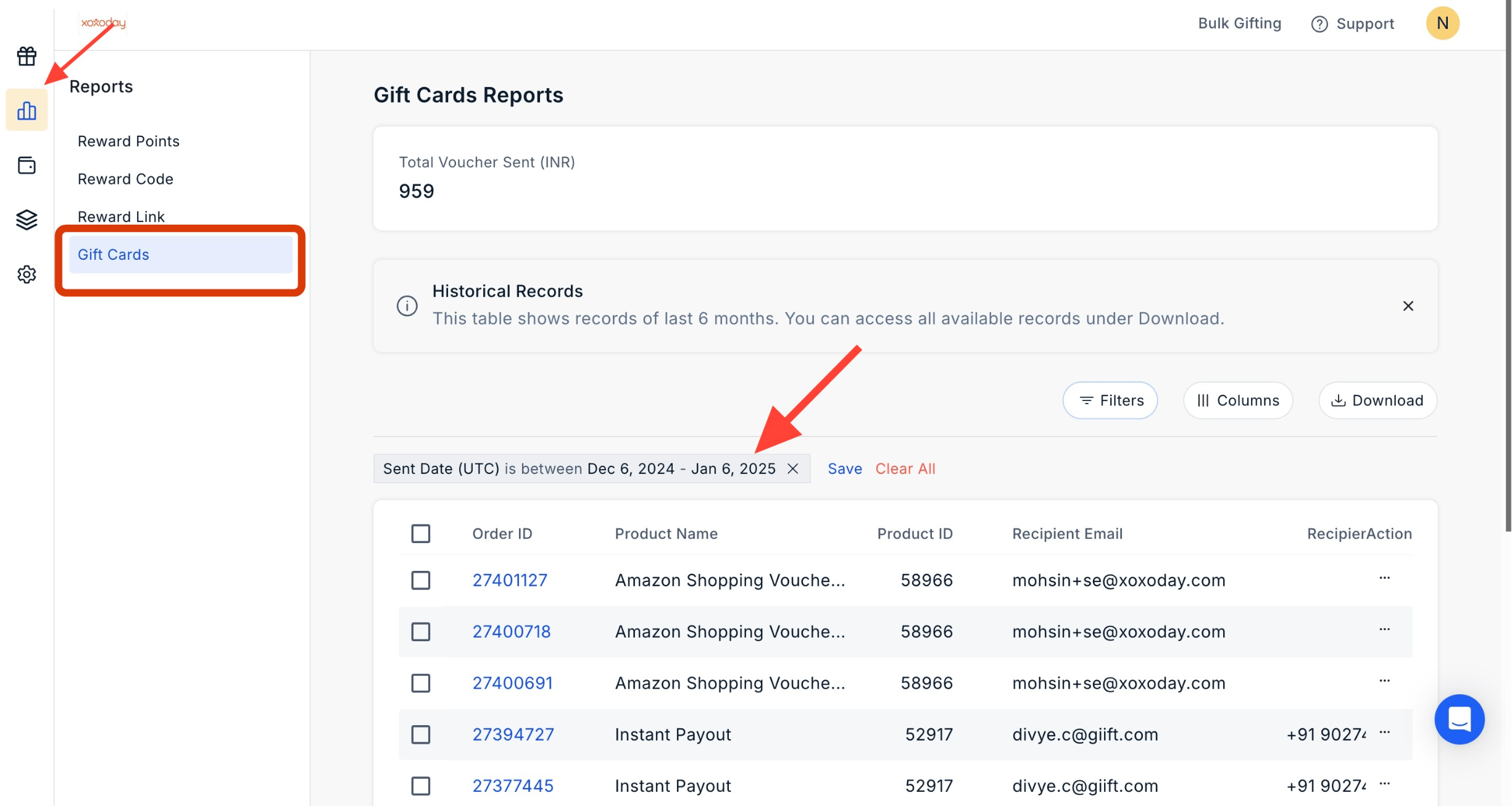
- Order ID
- Product Name
- Product ID
- Recipient Email
- Currency
- Denominations
- Date with Timestamp
- Amount Charged
- Status
- Actions
Filter the Report
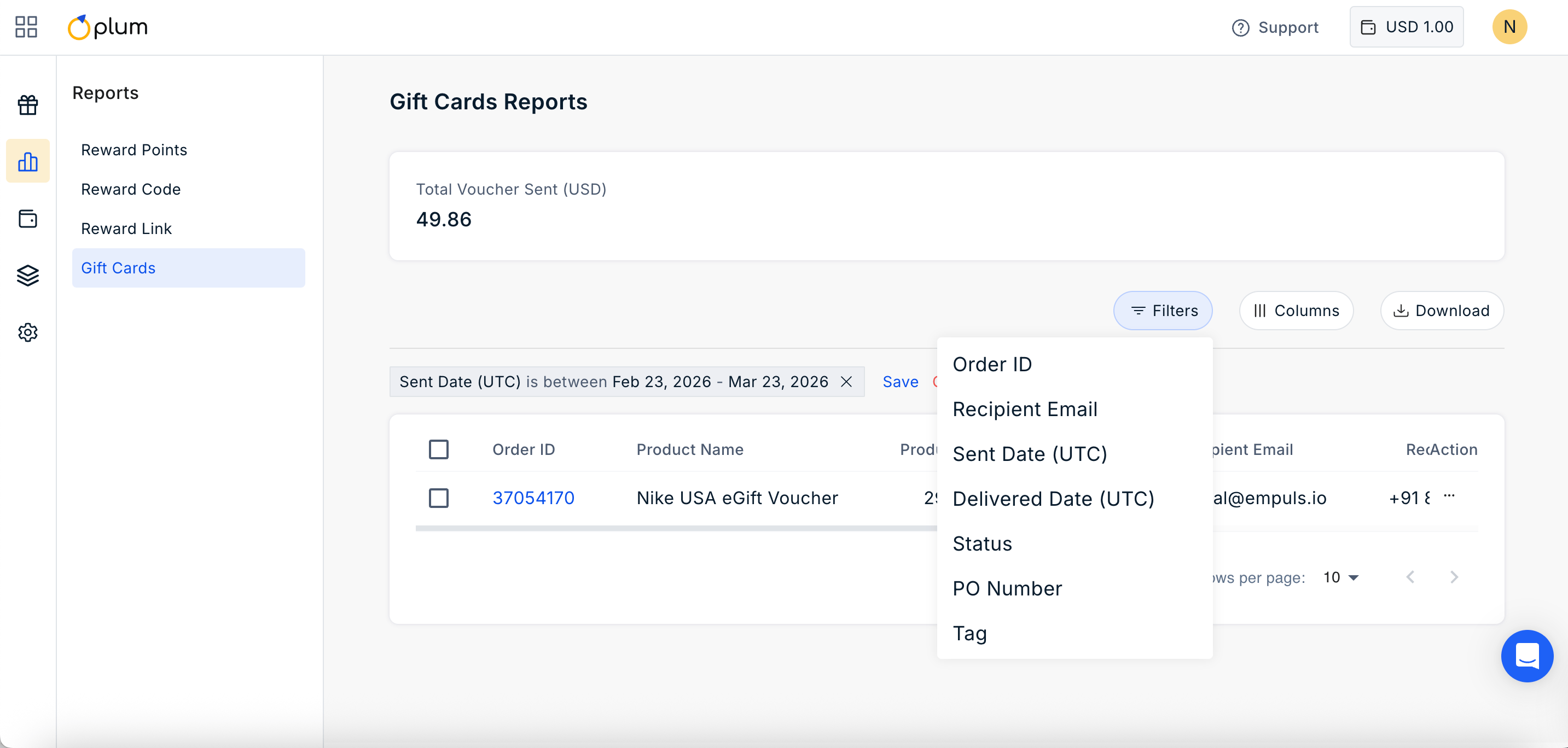
Click on the filter icon to filter the report by:- Order ID
- Recipient Email
- Sent Date
- Delivered Date
- Status
- PO Number
- Tag
Manage Columns
Click on ||| Columns Icon to manage the columns you wish to show in the report. Simply check or uncheck the boxes based on your requirement.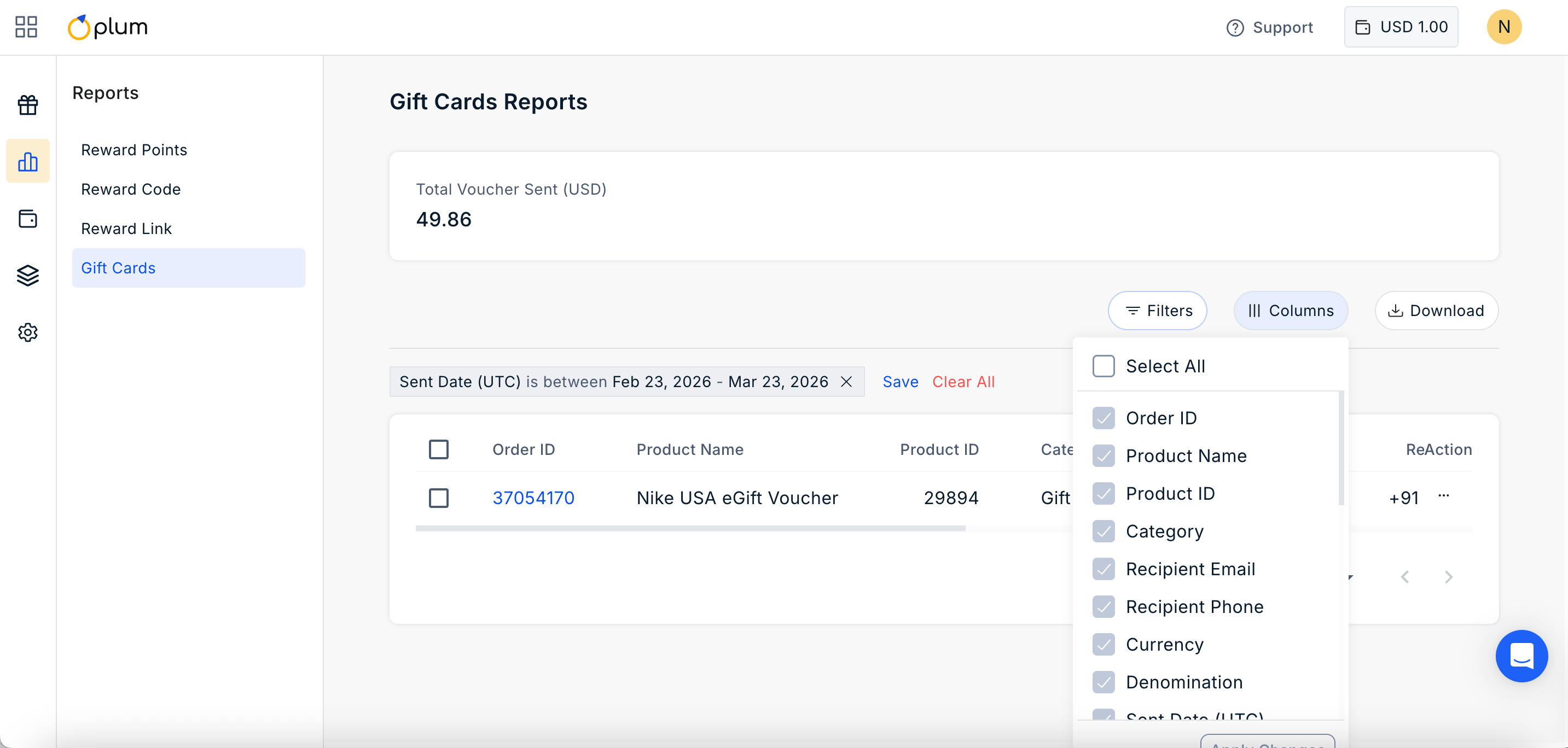
Still need help? Raise a support ticket.