
How to Access Reward Points Reports
- Navigate to Reports.
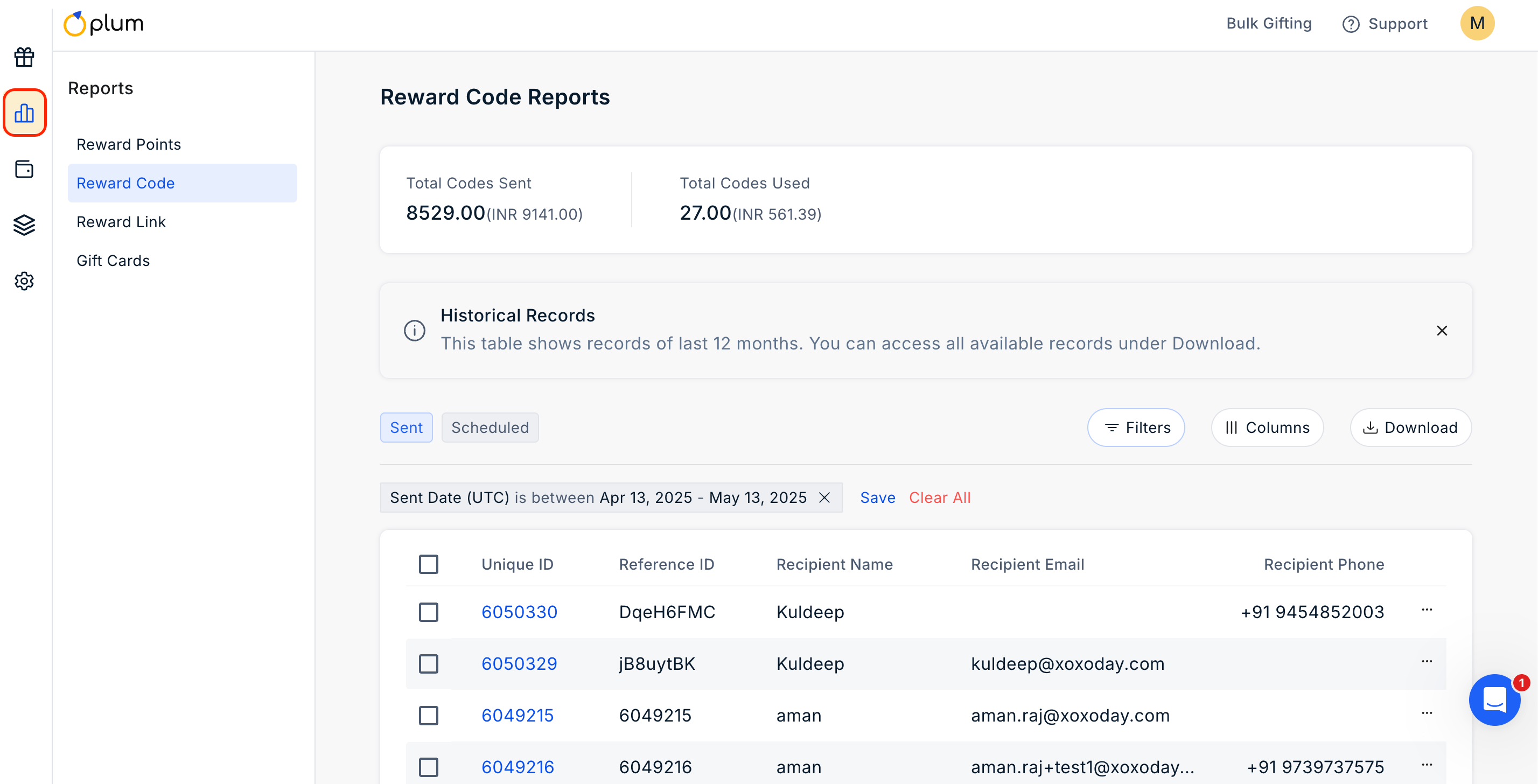
- Click on Reward Points.
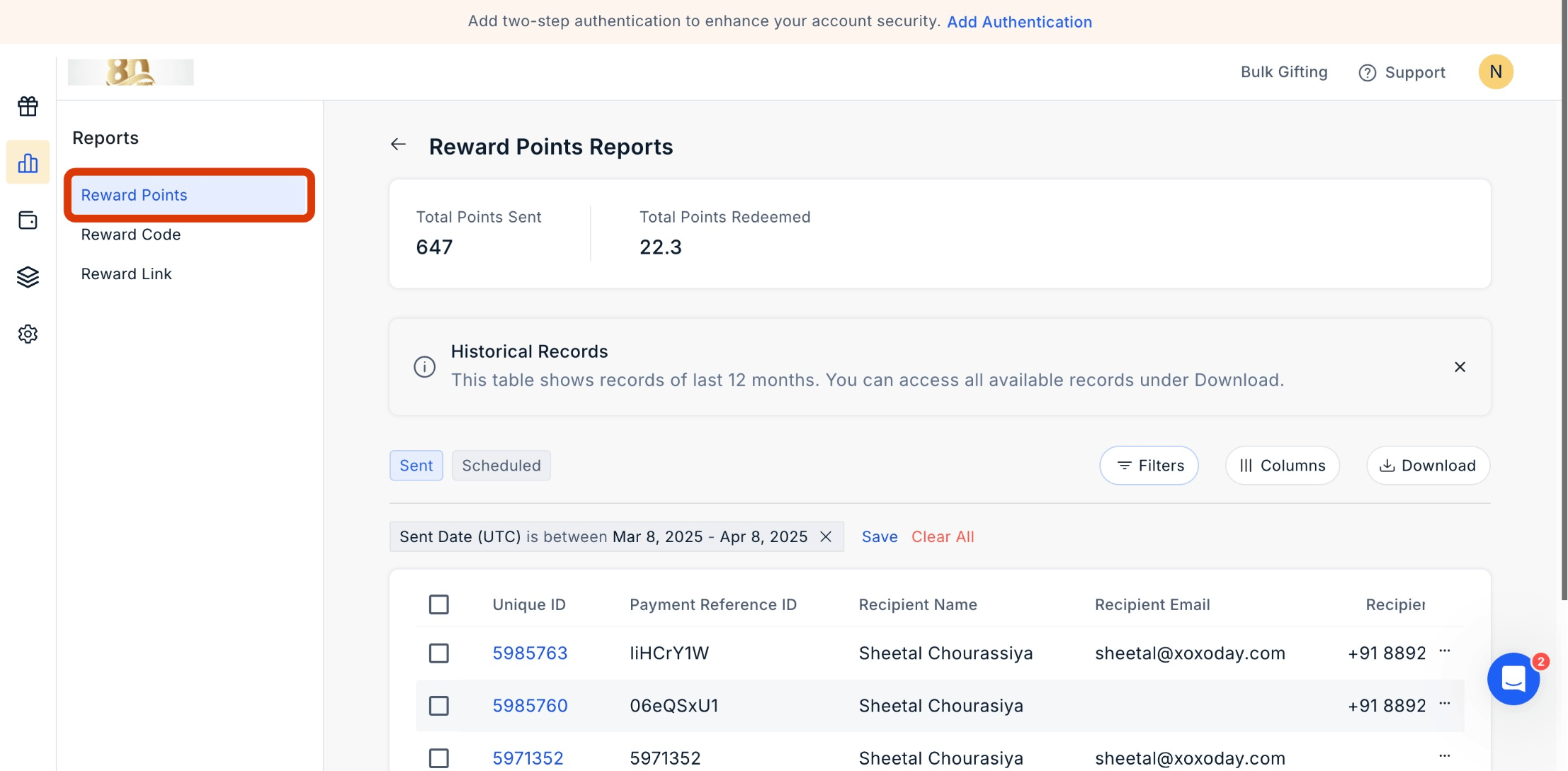
- Utilize the filter options to obtain specific reports based on criteria such as recipient name, recipient email, batch ID, phone number, generation date range, and more.
- Download the report using the top download button.
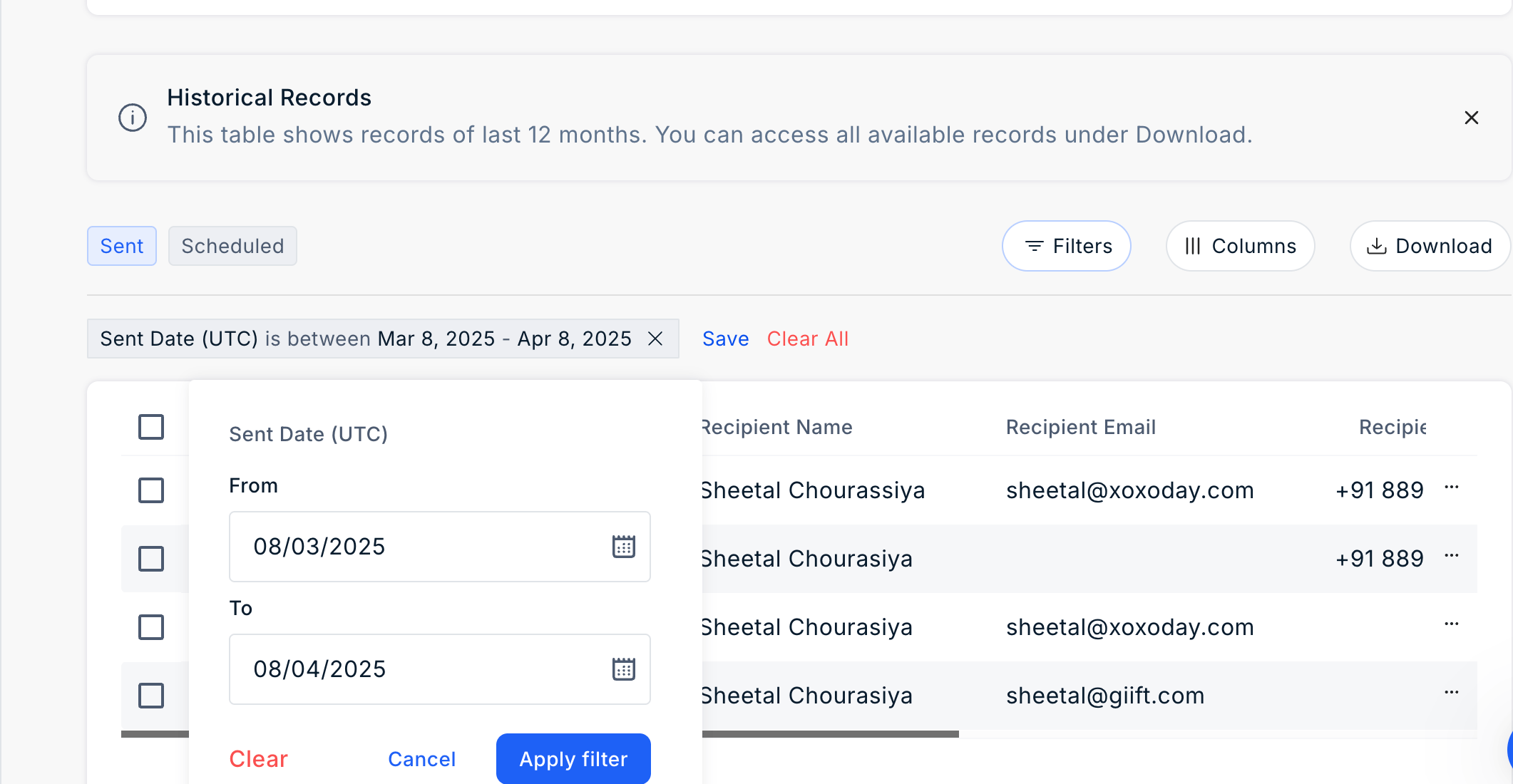
- You can also select your desired time frame by clicking on Sent Date (UTC) and choosing the range.
Tracking Email and SMS Activity in Rewards Reports
You can easily track Email and SMS activity in the Rewards Points report, enabling you to monitor and analyze the communication activities related to rewards distribution.1
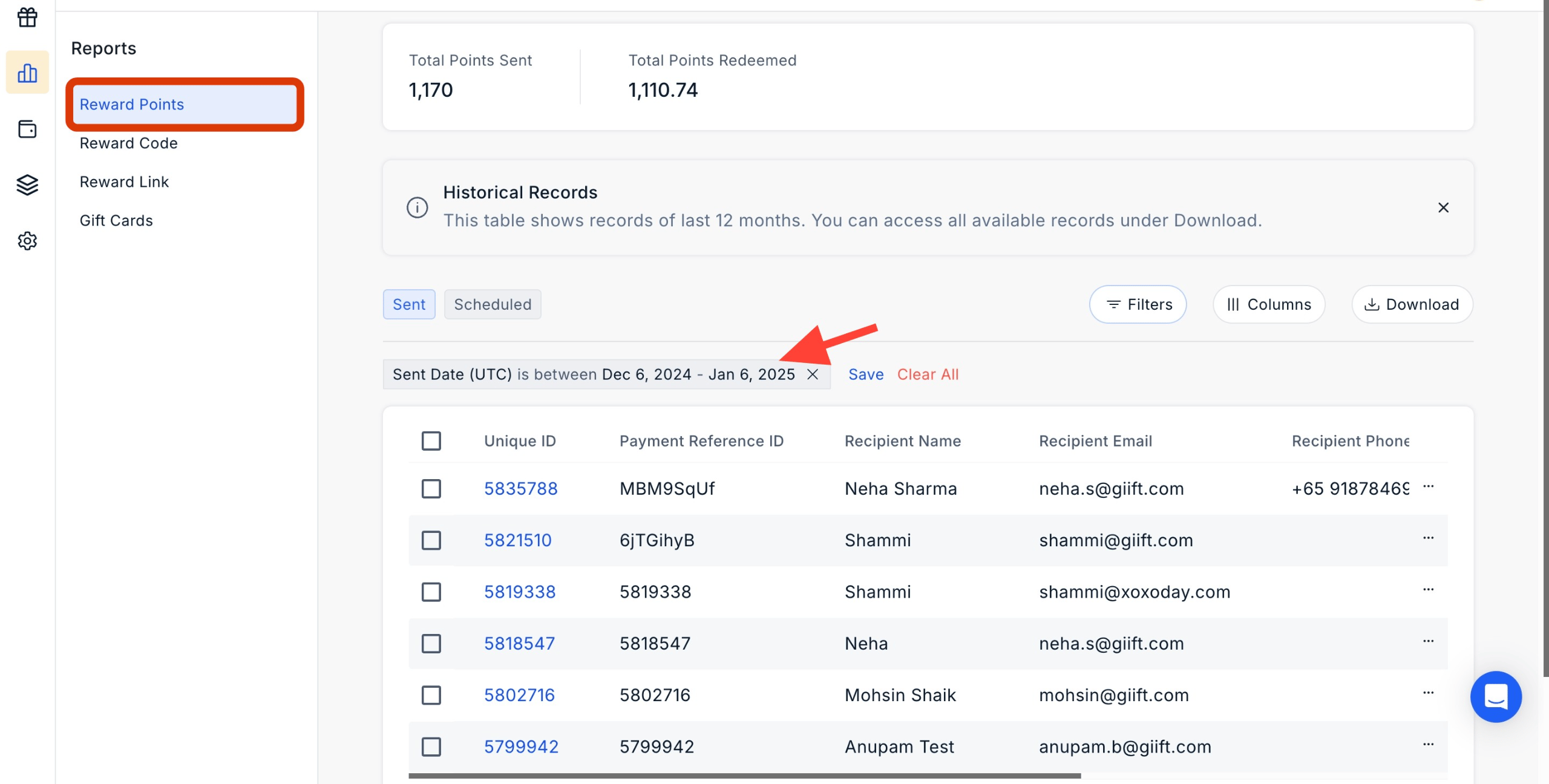
Navigate to Reports > Reward Points
Navigate to Admin Dashboard > Reports > Wallet History > Reward Points. Click the ‘three dots icon’ to move ahead.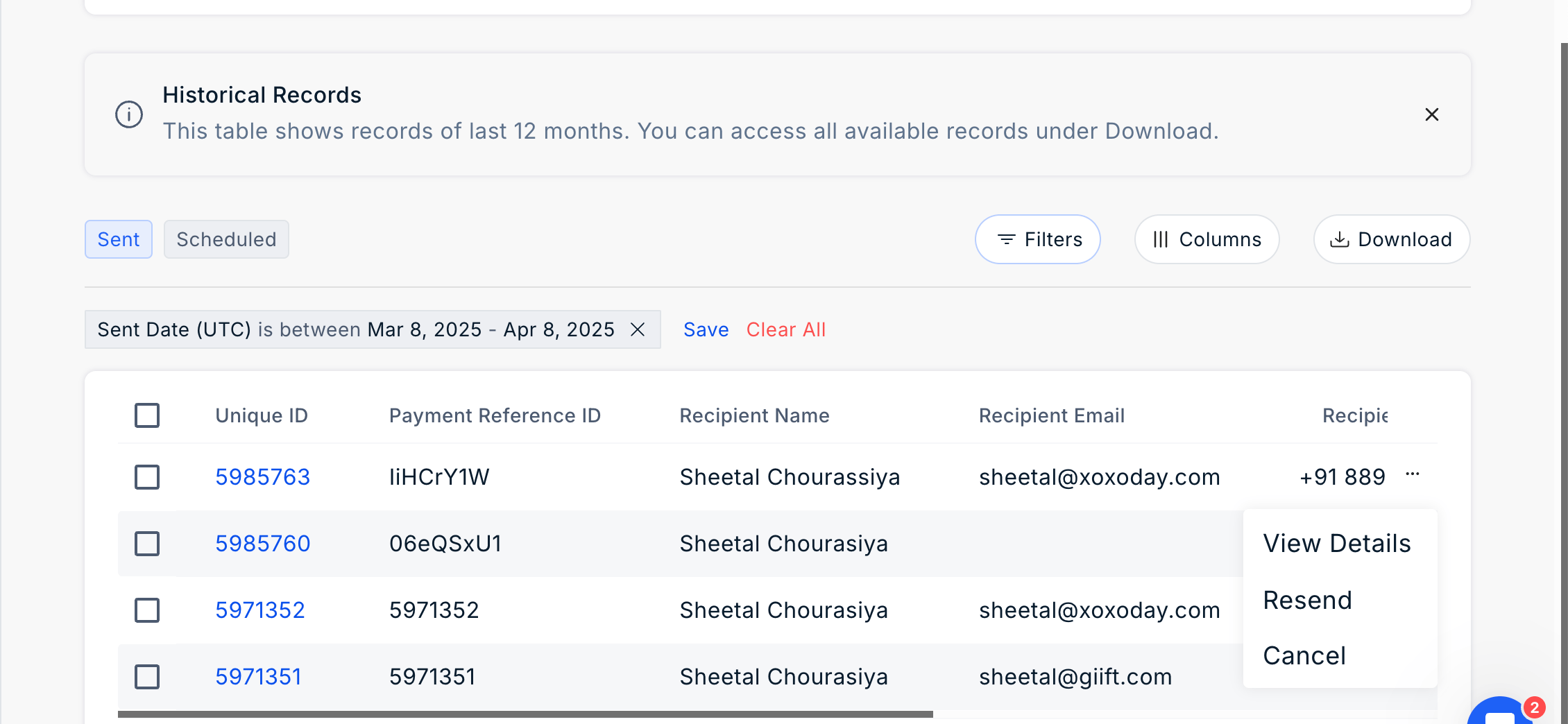
2
View Activity Timeline
Click ‘Take Action’ and the using dropdown view ‘Activity Timeline’.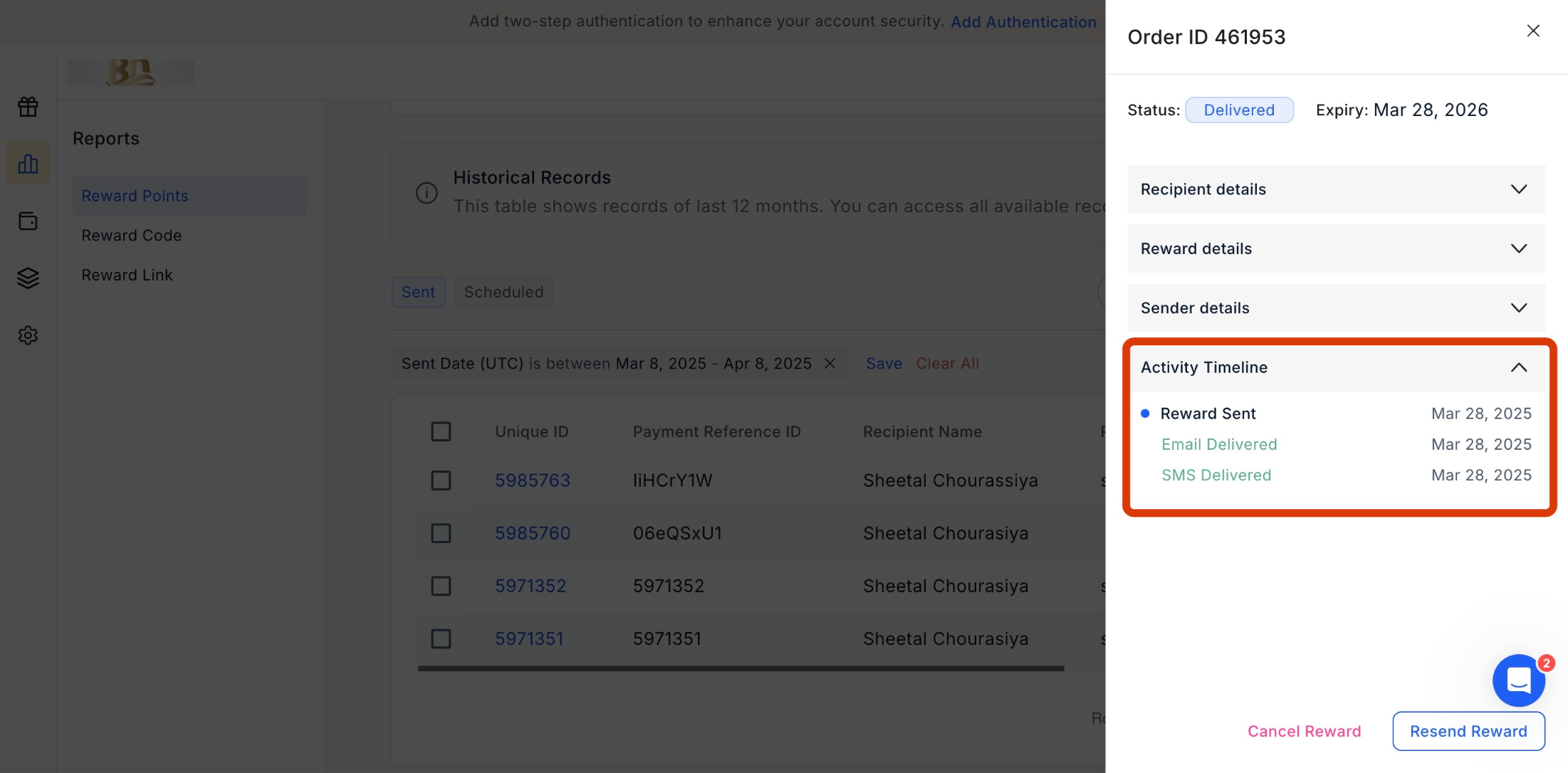
Filter the Report
Click on the filter icon to filter the report.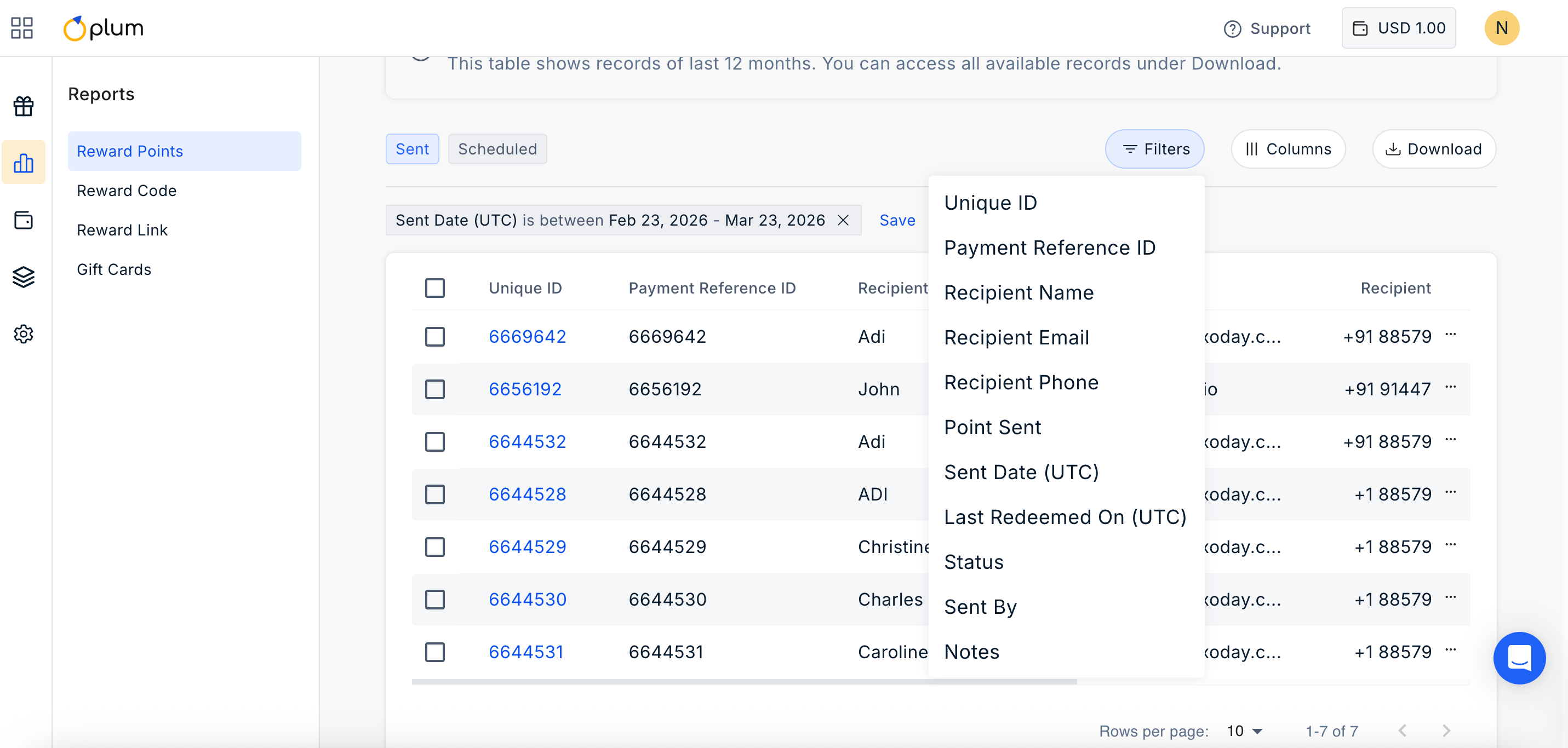
Manage Columns
Click on ||| Columns Icon to manage the columns you wish to show in the report. Simply check or uncheck the boxes based on your requirement.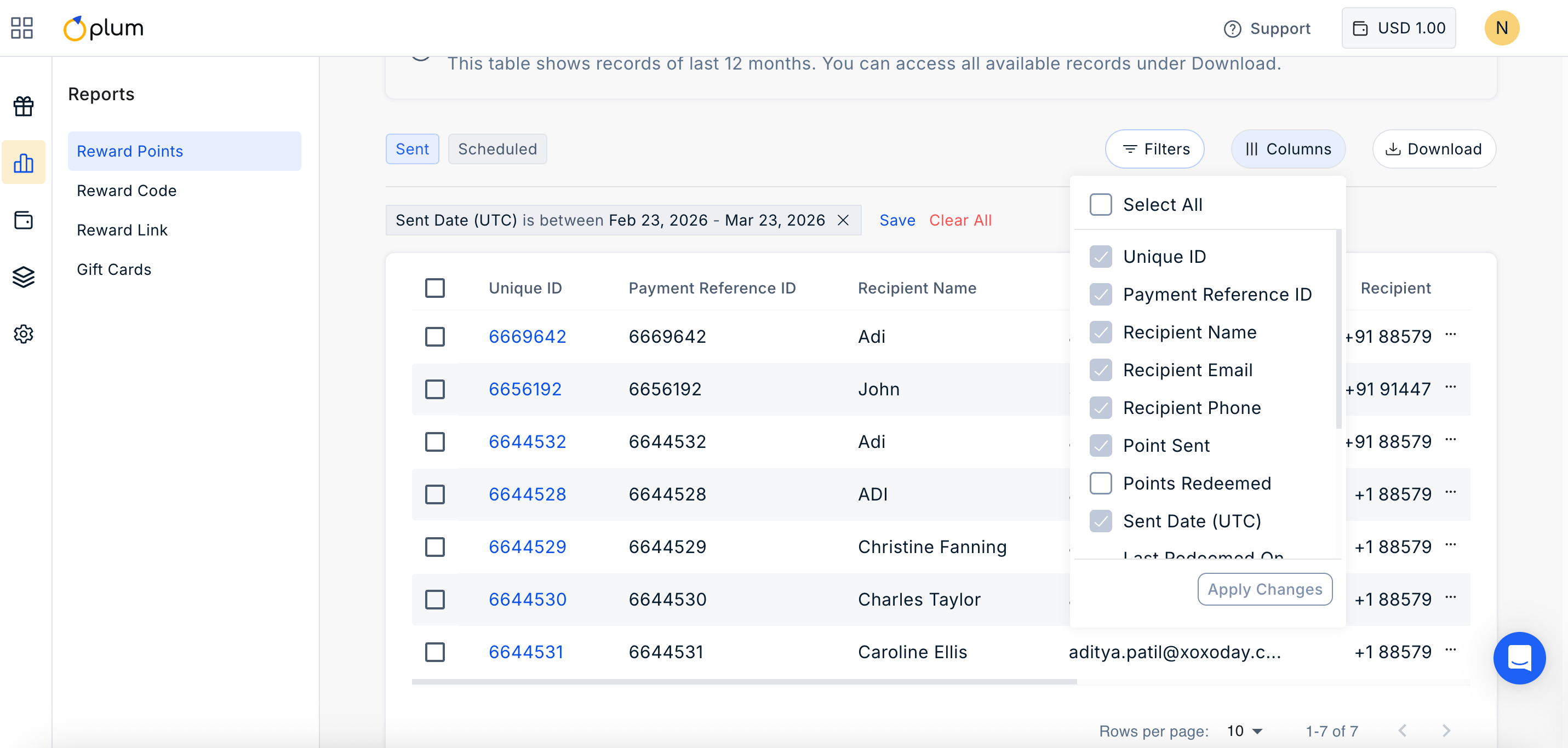
Still need help? Raise a support ticket.