
How to Access Reward Code Reports
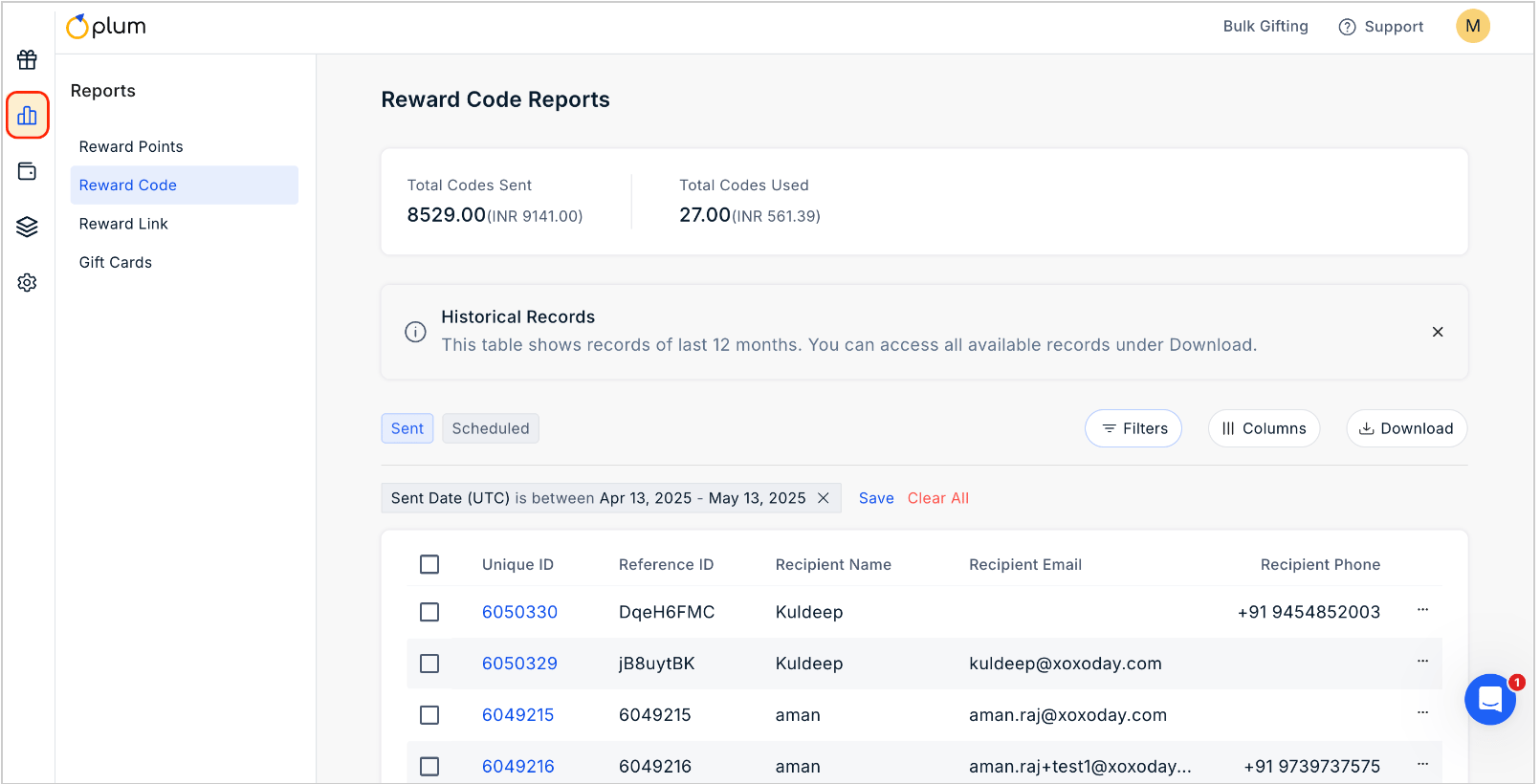
1
Click on Reports
2
Navigate to Reward Code section
To view the report for Reward Code, simply navigate to the “Reward Code” section.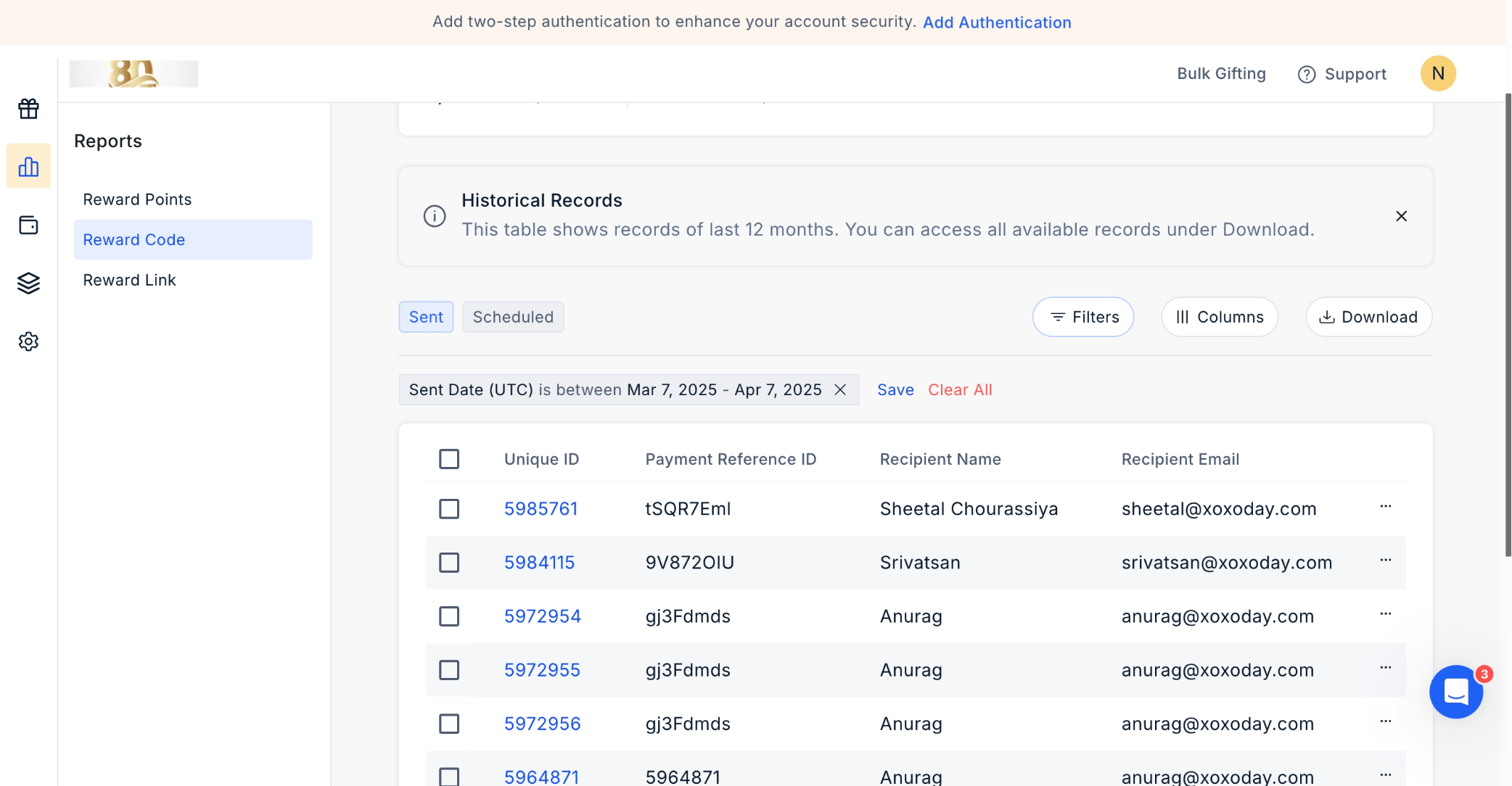
3
View transaction details
In this section, you’ll find comprehensive transaction details, including “Unique ID”, “Payment Reference ID”, “Recipient Name”, and “Recipient Email”, along with other relevant information.
4
Download the report
To download the report, click on “Download” at the top right corner of the page.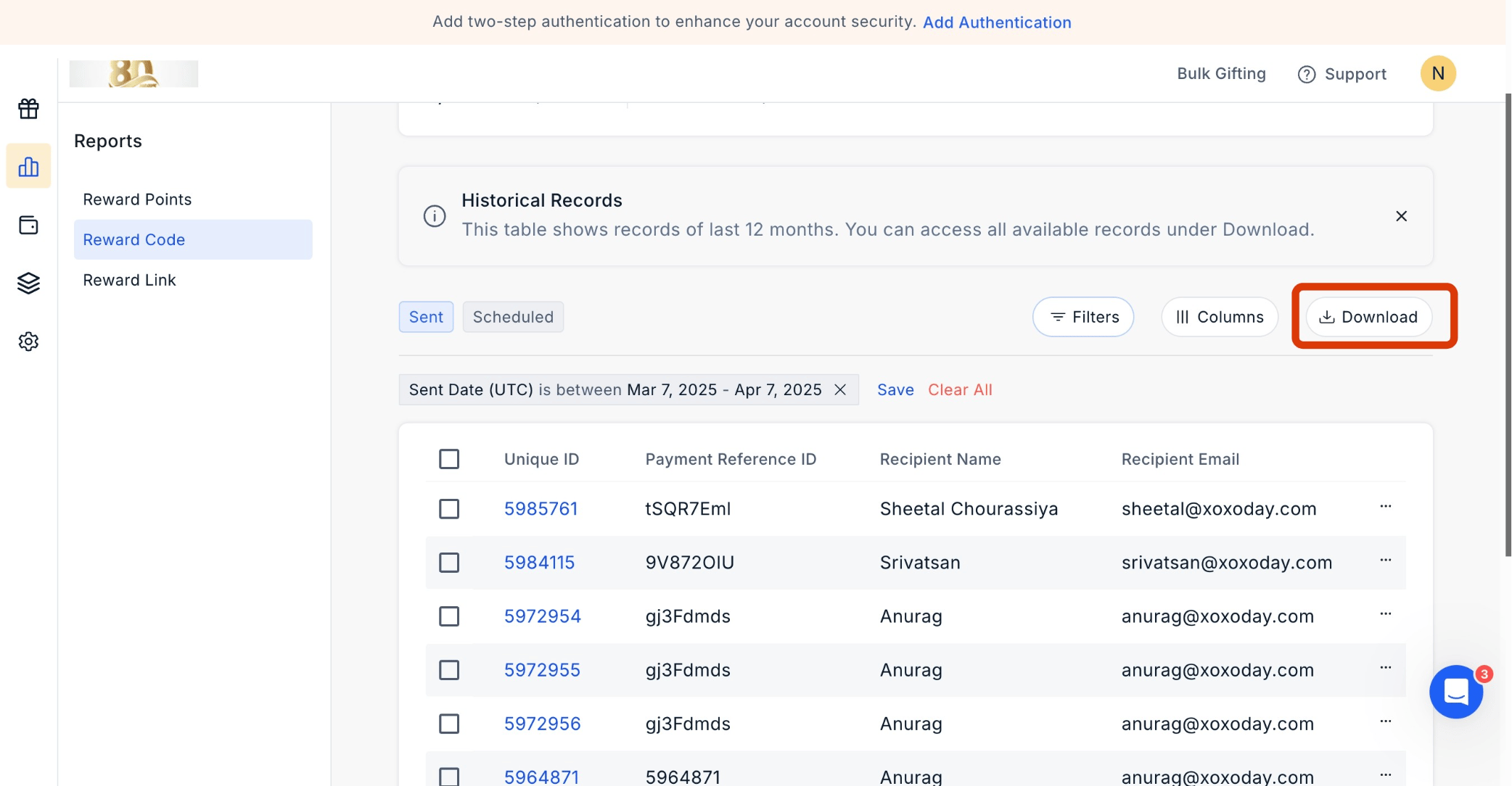
Select your desired time frame for viewing reports by clicking Send Date UTC.
Tracking Email and SMS Activity in Rewards Code Report
You can easily track Email and SMS activity in the Rewards Code report, enabling you to monitor and analyze the communication activities related to rewards distribution.1
Navigate to Reports > Reward Code
Navigate to Admin Dashboard > Reports > Reward Code. Click the ‘three dots icon’ to move ahead.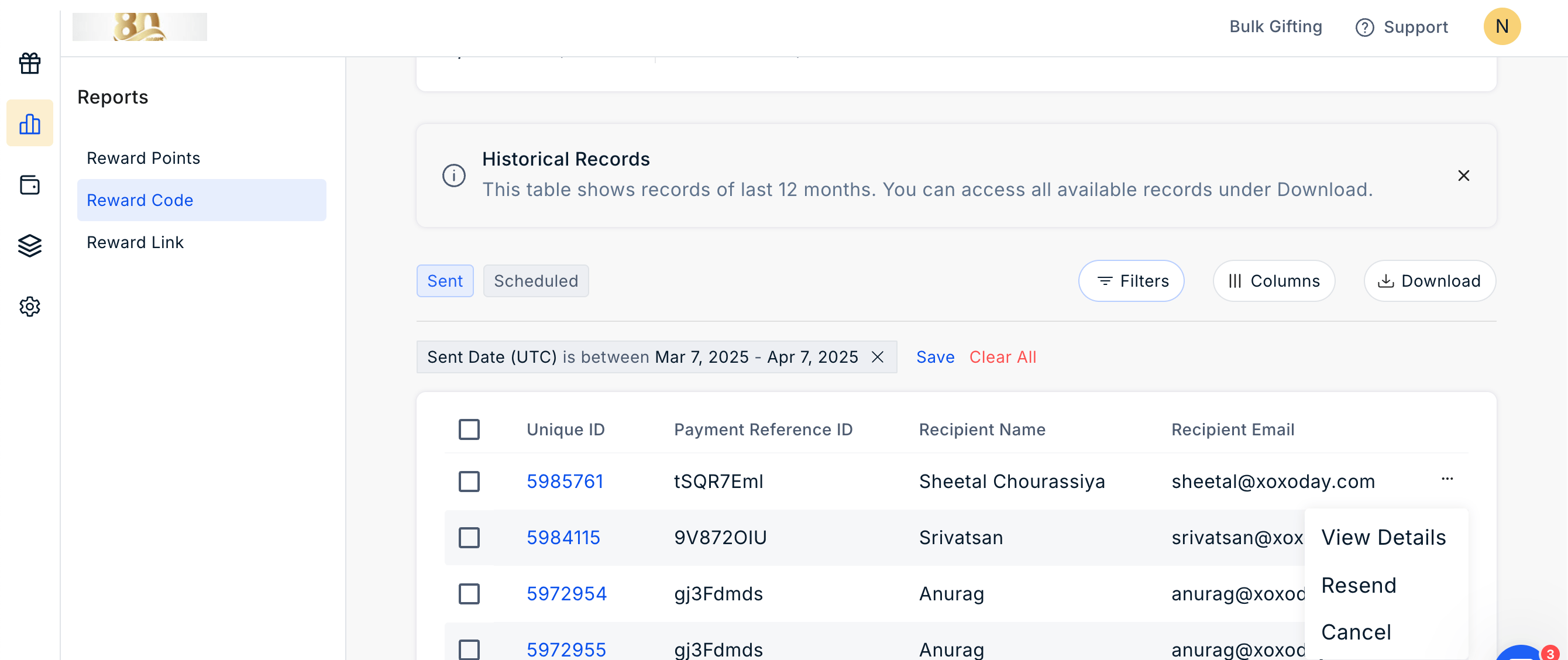
2
View Activity Timeline
Click ‘View Details’ and, using the dropdown menu, view ‘Activity Timeline’.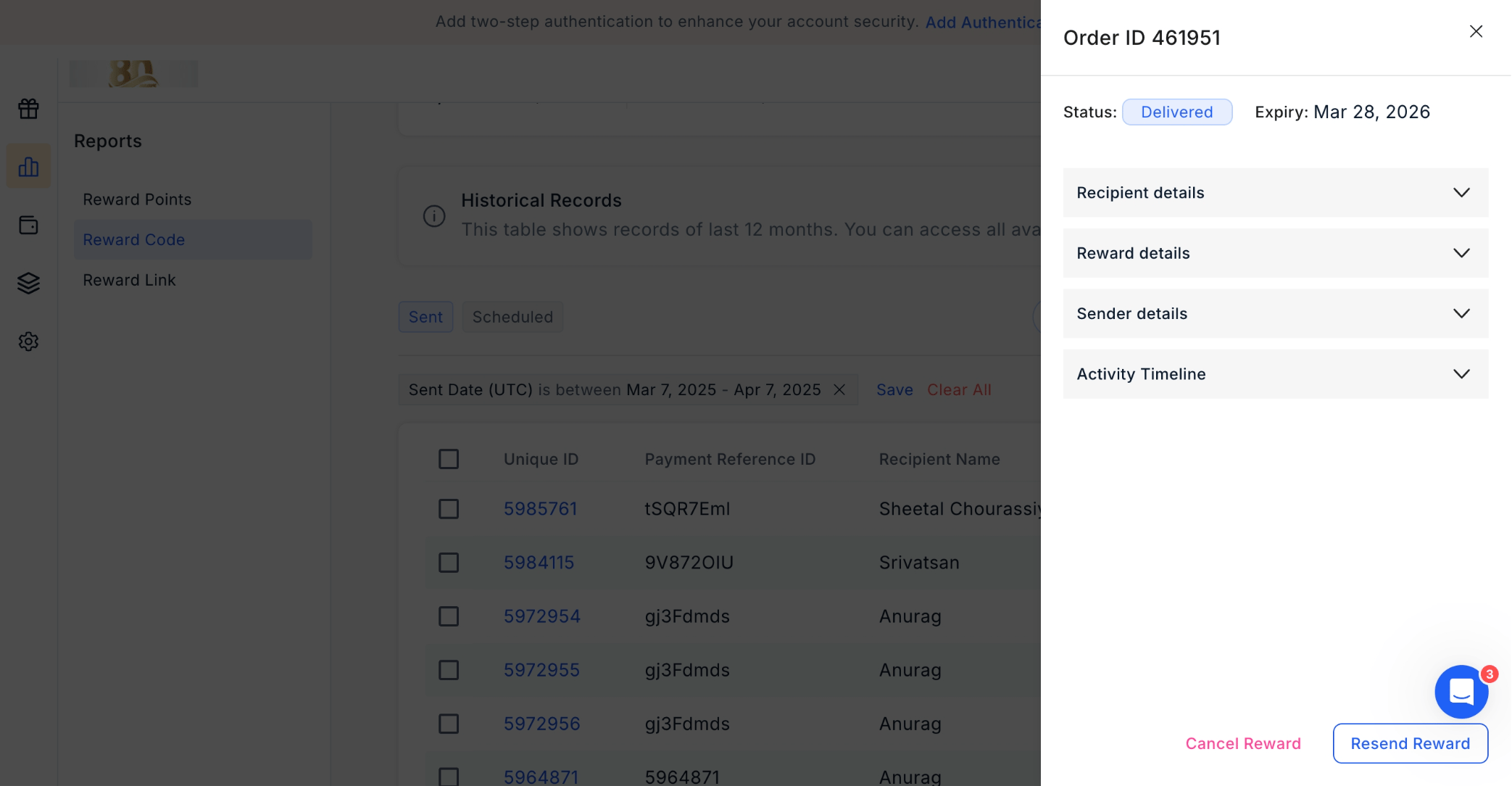
Filter the Report
Click on the filter icon to filter the report by the options given.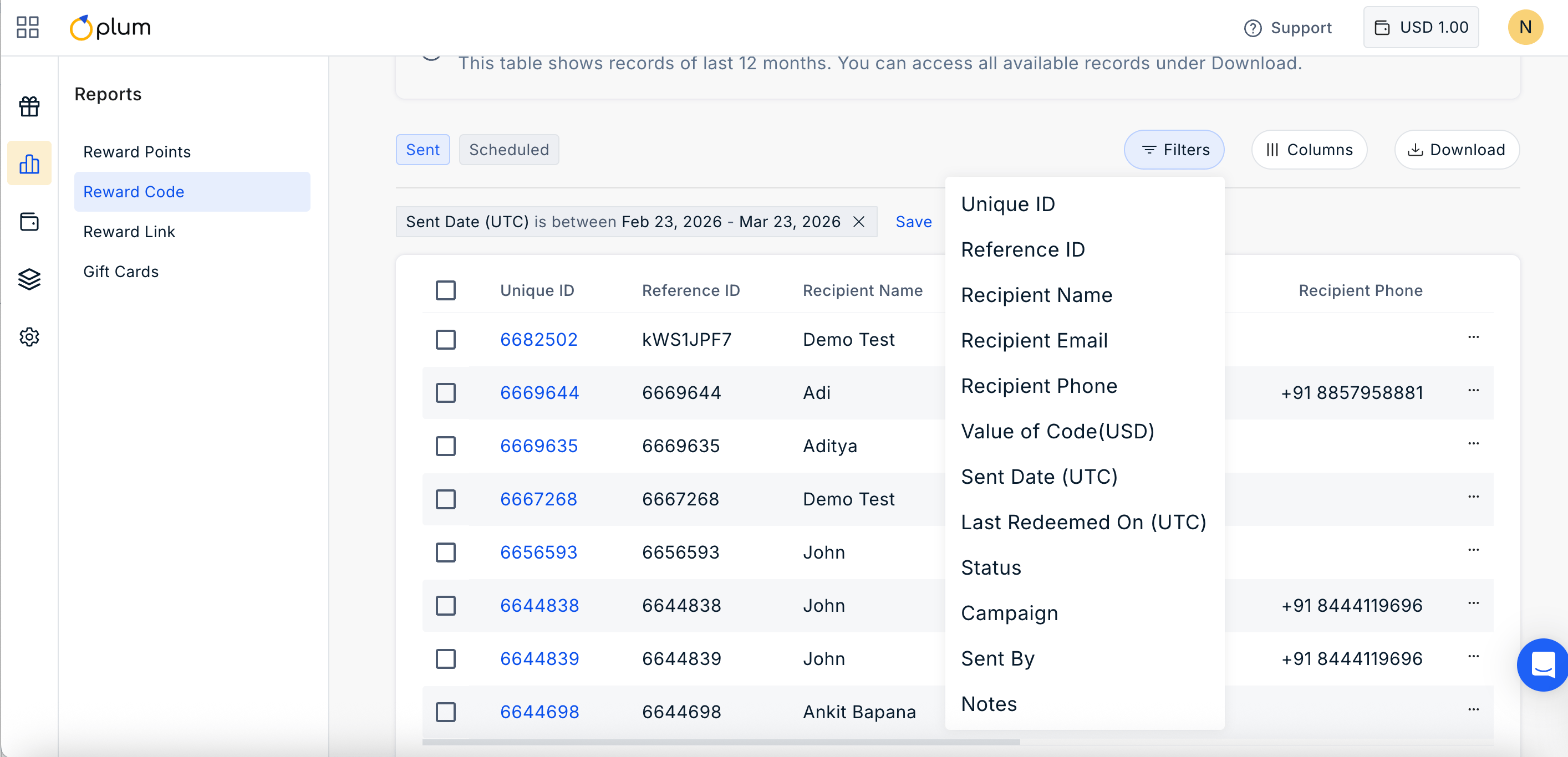
Manage Columns
Click on ||| Columns Icon to manage the columns you wish to show in the report. Simply check or uncheck the boxes based on your requirement.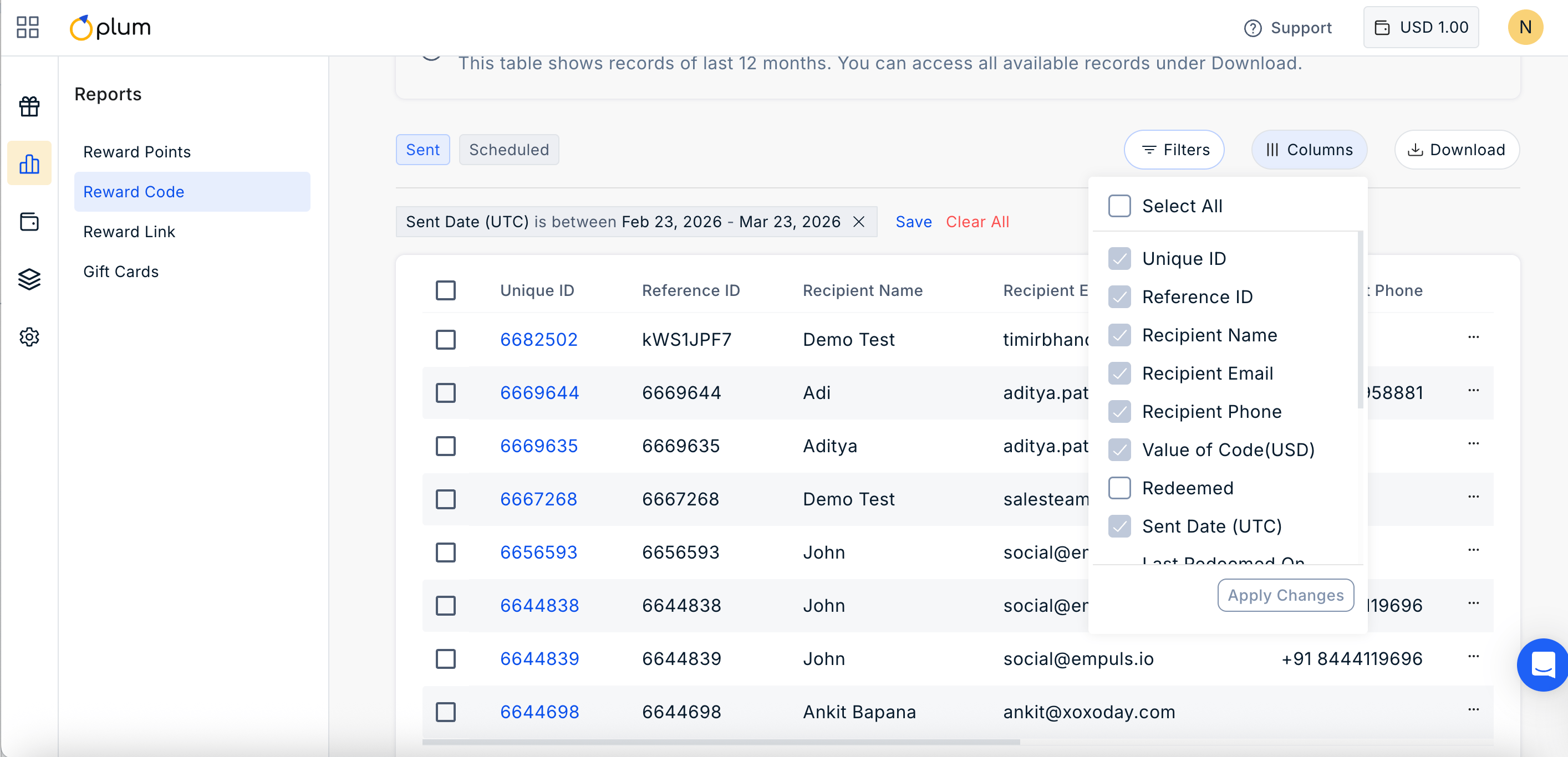
Still need help? Raise a support ticket.