Plum’s reports offer detailed insights into Reward transactions, enabling admins to manage organizational activities effectively.
Plum keeps track of all the transactions of Reward Points, Reward Codes, Reward Links, Perks History, and Plum GiftCard API. Reports allow you to check the status of your transactions along with details like invoice date, amount, invoice note, balance, and comments. You can also view the redemption history of the recipients.
Plum diligently keeps track of all transactions involving Reward Points, Reward Codes, Reward Links, Perks History, and interactions via the Plum GiftCard API. Through detailed reports, users gain insight into the status of their transactions, including crucial details such as invoice dates, transaction amounts, invoice notes, current balance, and any accompanying comments. Additionally, users have the ability to delve into the redemption history of recipients, providing a comprehensive understanding of reward utilization.
Accessing Reports as an Admin
To access the plethora of reports available as a Super Admin, users simply need to navigate to the designated “Reports” section within the admin dashboard’s navigation menu. Super Admins are granted access to a wide array of reports encompassing various transactional activities within the organization.
Note: Admins view only their sent rewards, while Super Admins access all reports.
- Access various reports covering organizational transactions.
- Review scheduled future rewards and cancel them if needed.
- Download reports via the “Download” button in the top right corner.
In addition to viewing transactional reports, users can also manage scheduled future rewards, with the ability to cancel them if necessary, offering flexibility and control over reward disbursements.
Furthermore, users can easily download reports by simply clicking on the “Download” button located in the top right corner of the page, facilitating seamless access to comprehensive transactional data.
Exploring Payment Details
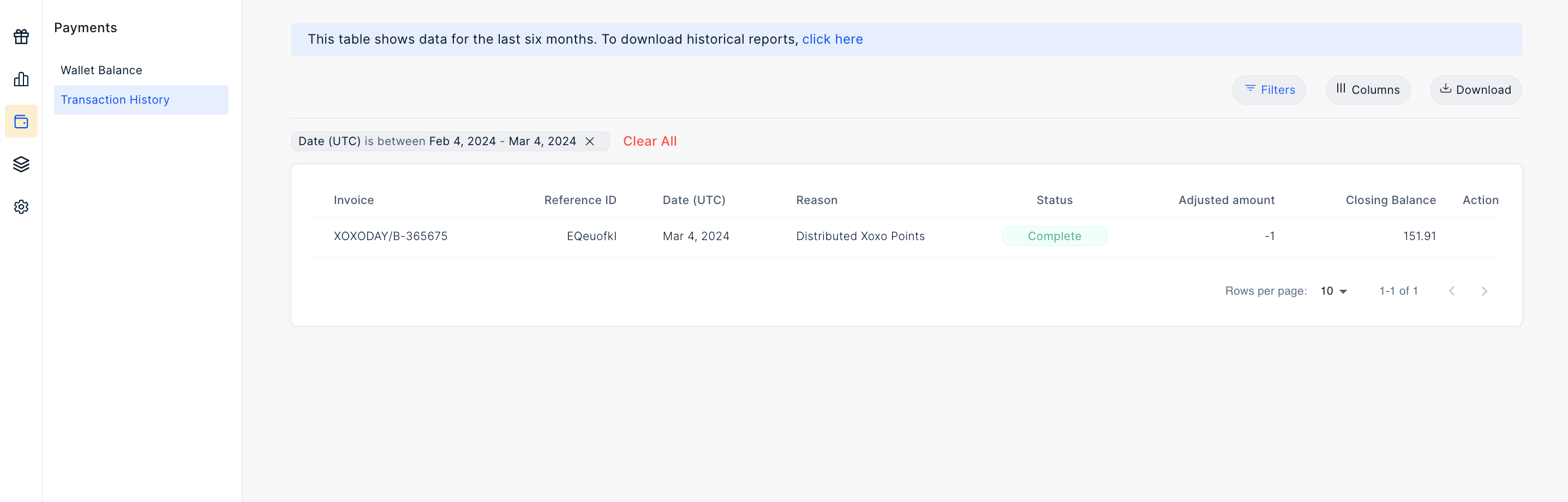
Checking Payments
- Click on ‘Wallet icon on the nav menu
- Click on ‘Transaction history’
- Customize payment reports using filters.
- Explore payment details including invoice, amount, recharge, date, and status.
- Export Excel reports to your email.
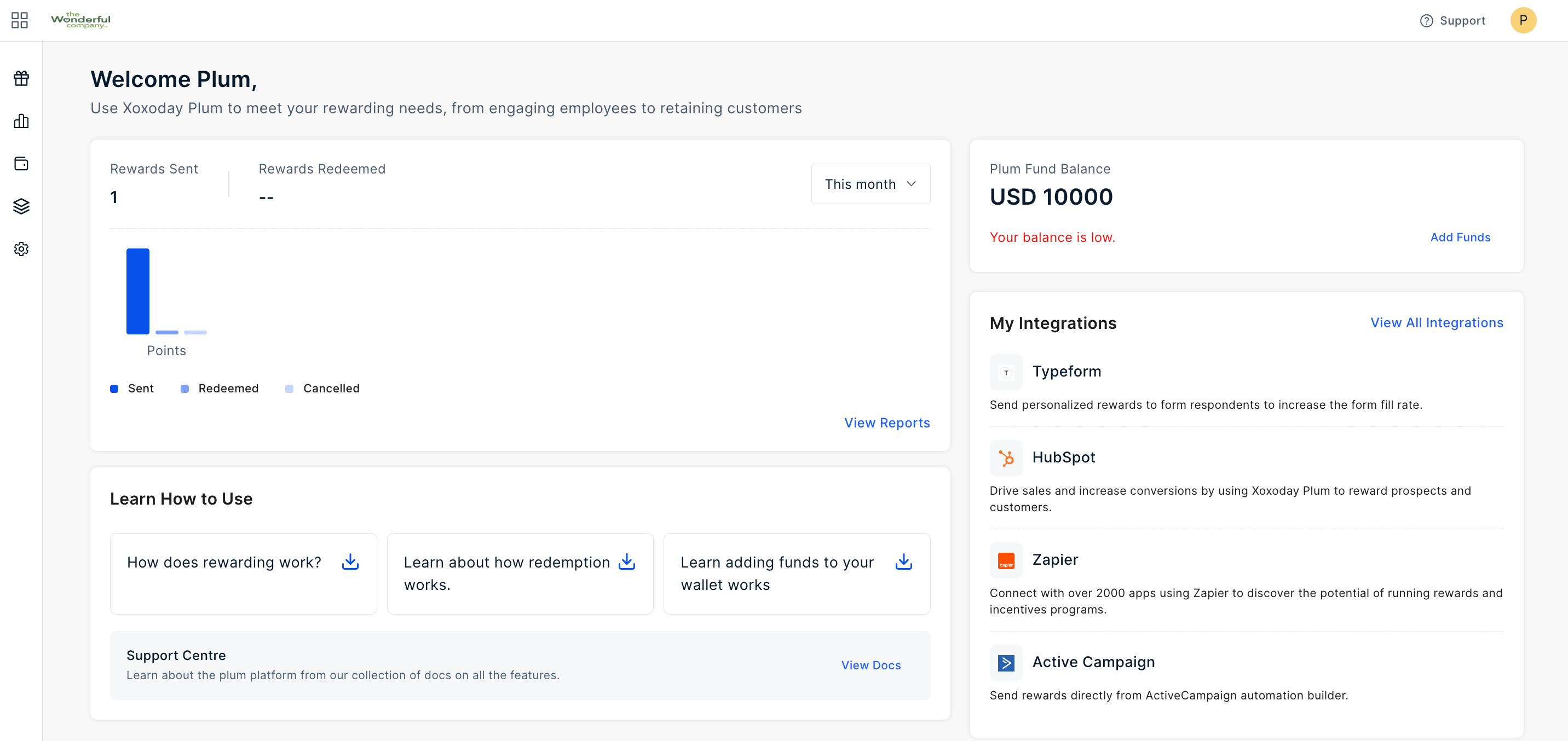
Upon accessing the “Reports” section, users will encounter a screen similar to the one depicted in the provided image. To delve into payment details, users can simply click on the “View Report” option under the “Wallet History” section, initiating a deeper exploration into payment-related activities.
Pro tip: Once within the payment report interface, users have the flexibility to customize their view by utilizing various filters to cater to specific requirements. This customization empowers users to extract pertinent information efficiently.