
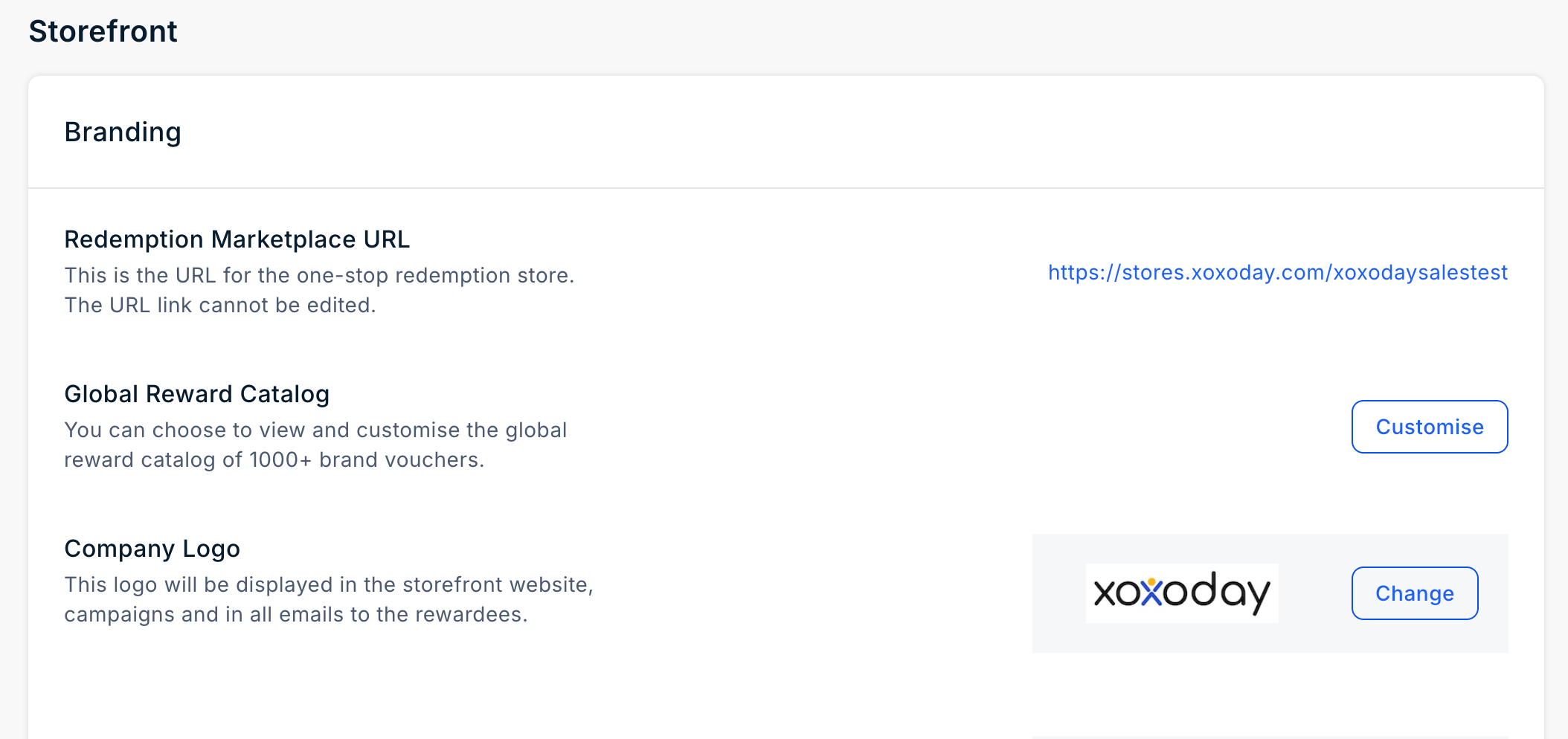
Redemption Marketplace URL
The Storefront URL (also referred to as the Marketplace URL or Domain) is the unique web address for your Plum storefront, for example:https://stores.xoxoday.com/{company-name}
The storefront URL is generated automatically during account setup based on your company name and can be configured only once.
Once your account is created, the storefront URL cannot be changed from the Plum Admin Dashboard. If you need to update your storefront URL, please contact the Xoxoday Plum Support team.
Company Logo
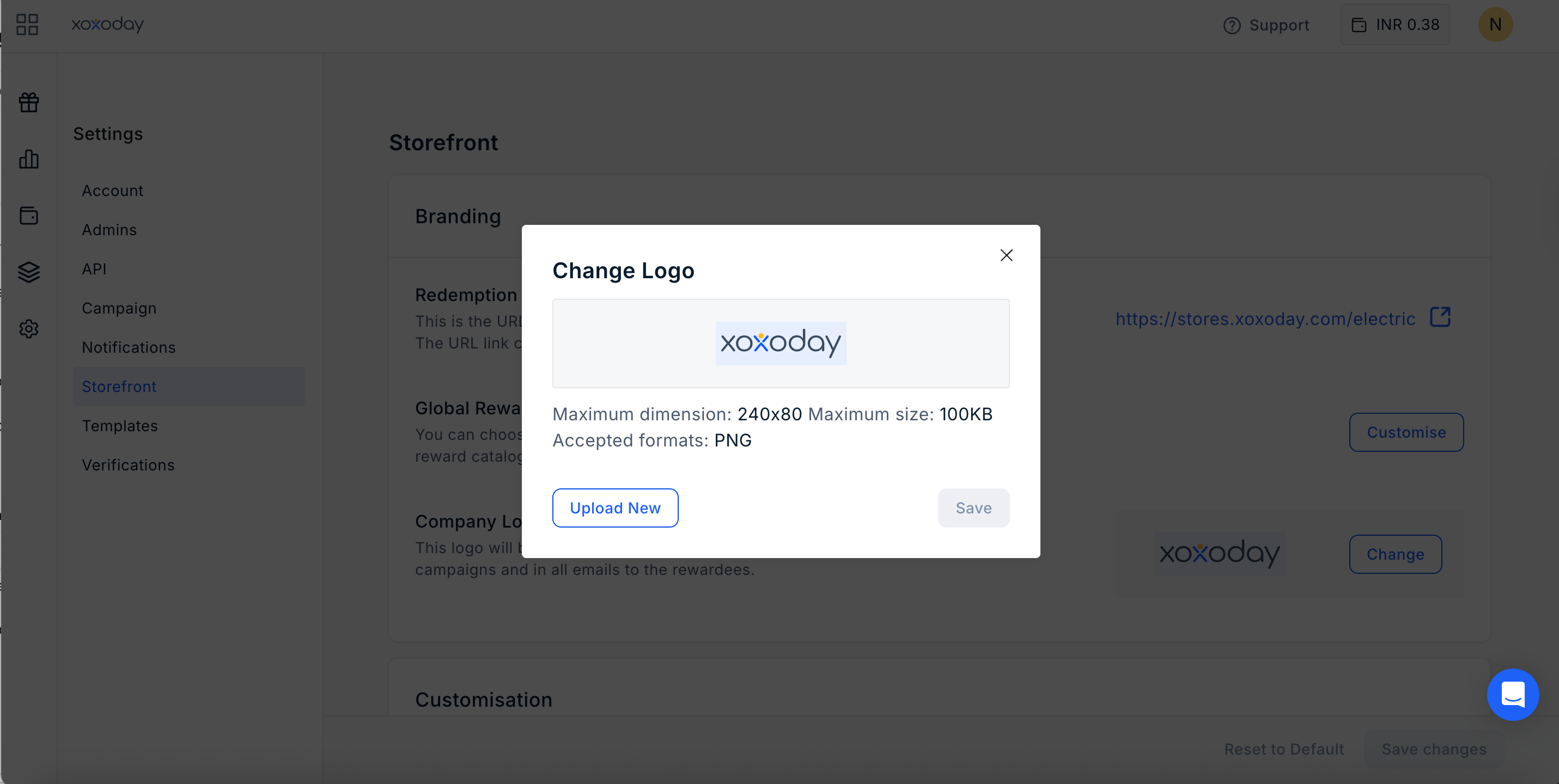
You can also upload a custom logo. Navigate to Settings > Storefront > Company Logo and click on “Change”.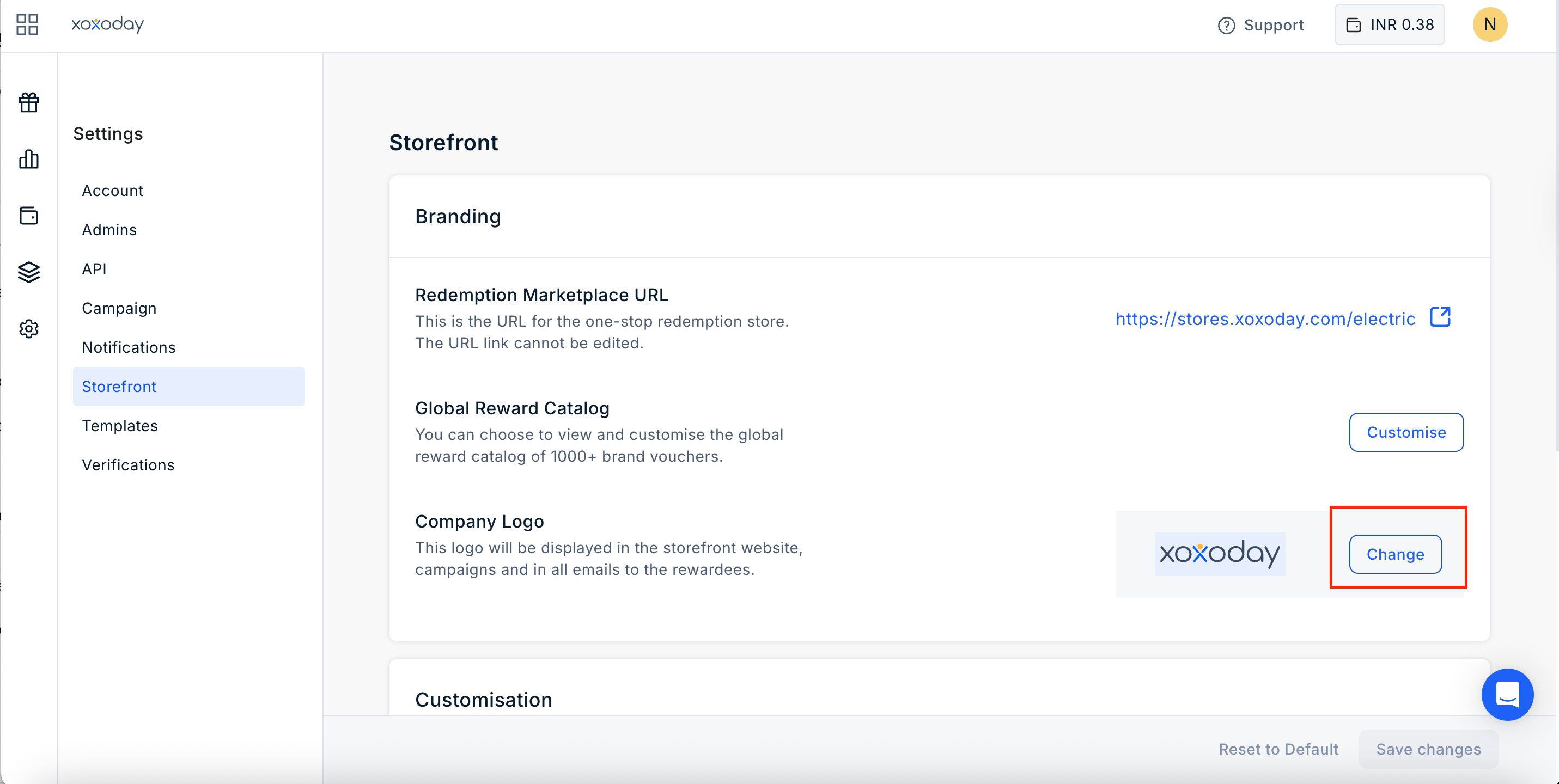
- Choose a transparent logo file (maximum size: 240 x 80 px).
- Upload it to the platform and click “Save”.
Update the Favicon
The favicon is the small icon displayed in the browser tab when users open your storefront. Navigate to Settings > Storefront > Branding and click Change under Favicon. Choose the favicon image and upload it to the platform. Click Save. The uploaded favicon replaces the default Xoxoday icon and is displayed in the browser tab whenever users visit your storefront.Storefront Theme
The theme color controls the primary color used across your storefront. Navigate to Settings > Storefront > Branding and select or enter your preferred theme color (Hex code). Click Save. The selected color is applied across the storefront, including buttons, the navigation bar, category highlights, and call-to-action (CTA) links, giving your storefront a consistent branded appearance.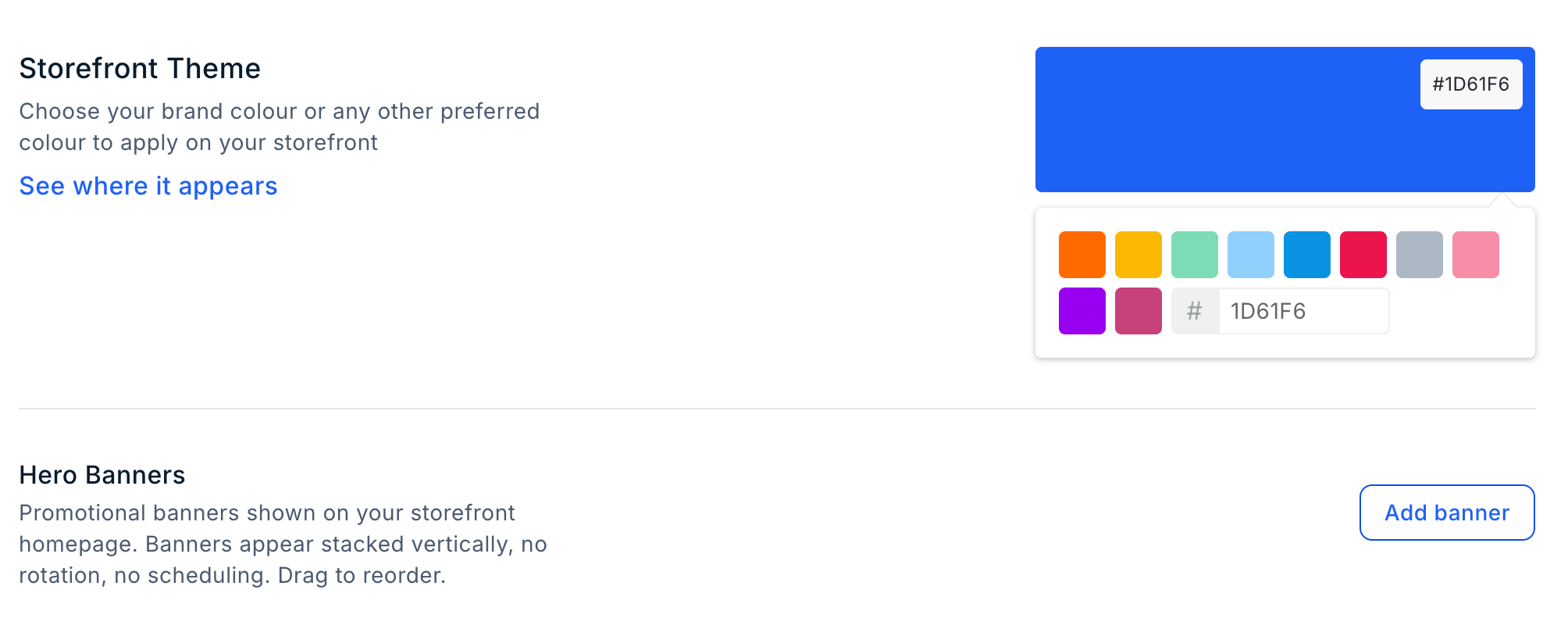
Hero Banner
The Hero Banners feature allows you to add promotional banners to the homepage of your Plum storefront. You can use banners to highlight campaigns, offers, announcements, or other relevant information. Banners are displayed vertically on the storefront homepage in the order configured by the Admin.Add a Hero Banner
To add a banner:- Navigate to Settings > Storefront.
- Locate the Hero Banner section.
- Click Add Banner.
- Upload the Banner Image.
- The image must be in PNG or JPG format.
- The maximum file size is 2 MB.
- Enter a Banner Name.
- Enter the Redirect URL. This is the URL that opens when a user clicks the banner.
- Click Save Banner.
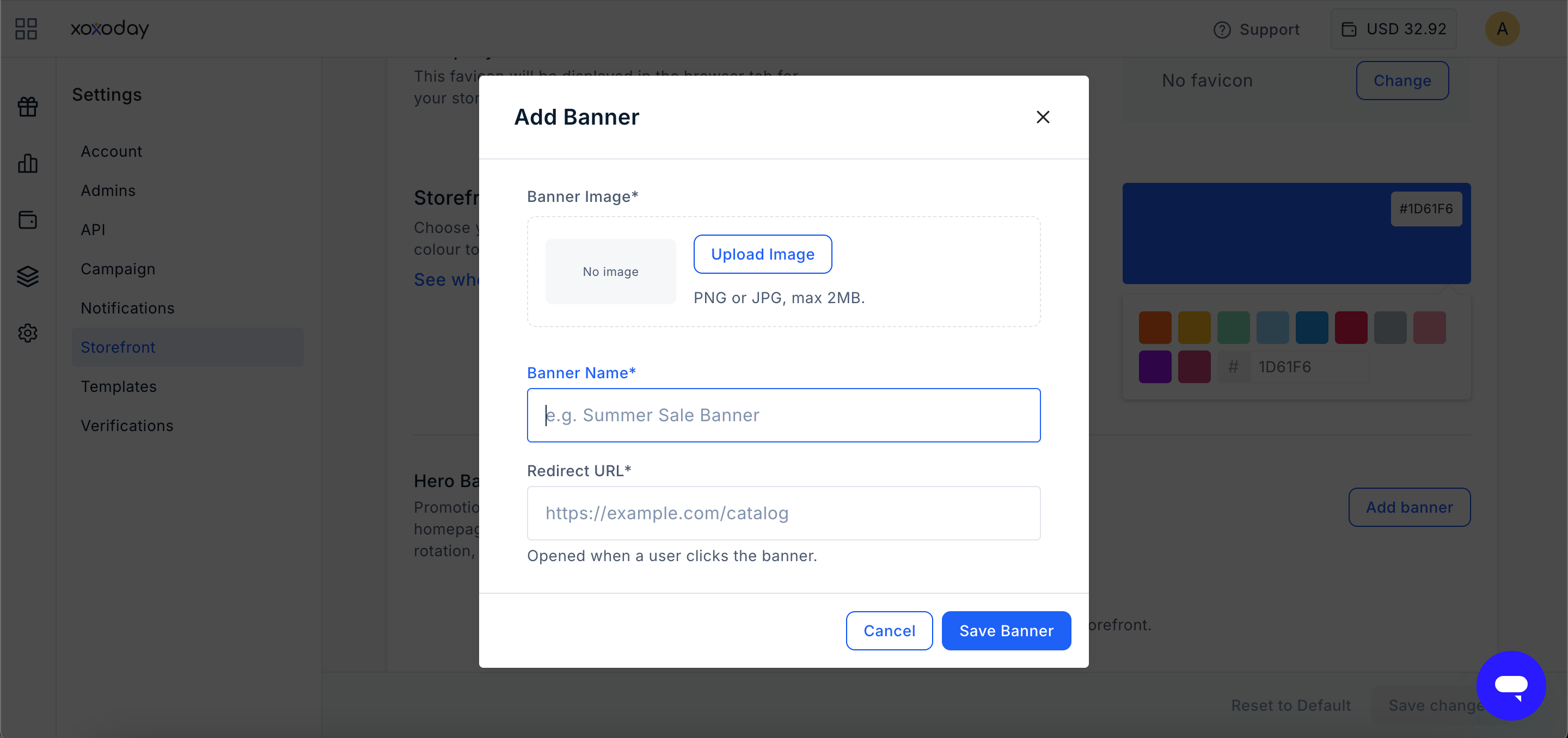
Manage Promotional Banners
You can manage the banners displayed on your storefront homepage.- Banners are displayed vertically on the homepage.
- Banners do not rotate automatically.
- Banners cannot be scheduled for specific dates or times.
- You can drag and drop banners to change their display order.
Global Reward Catalog
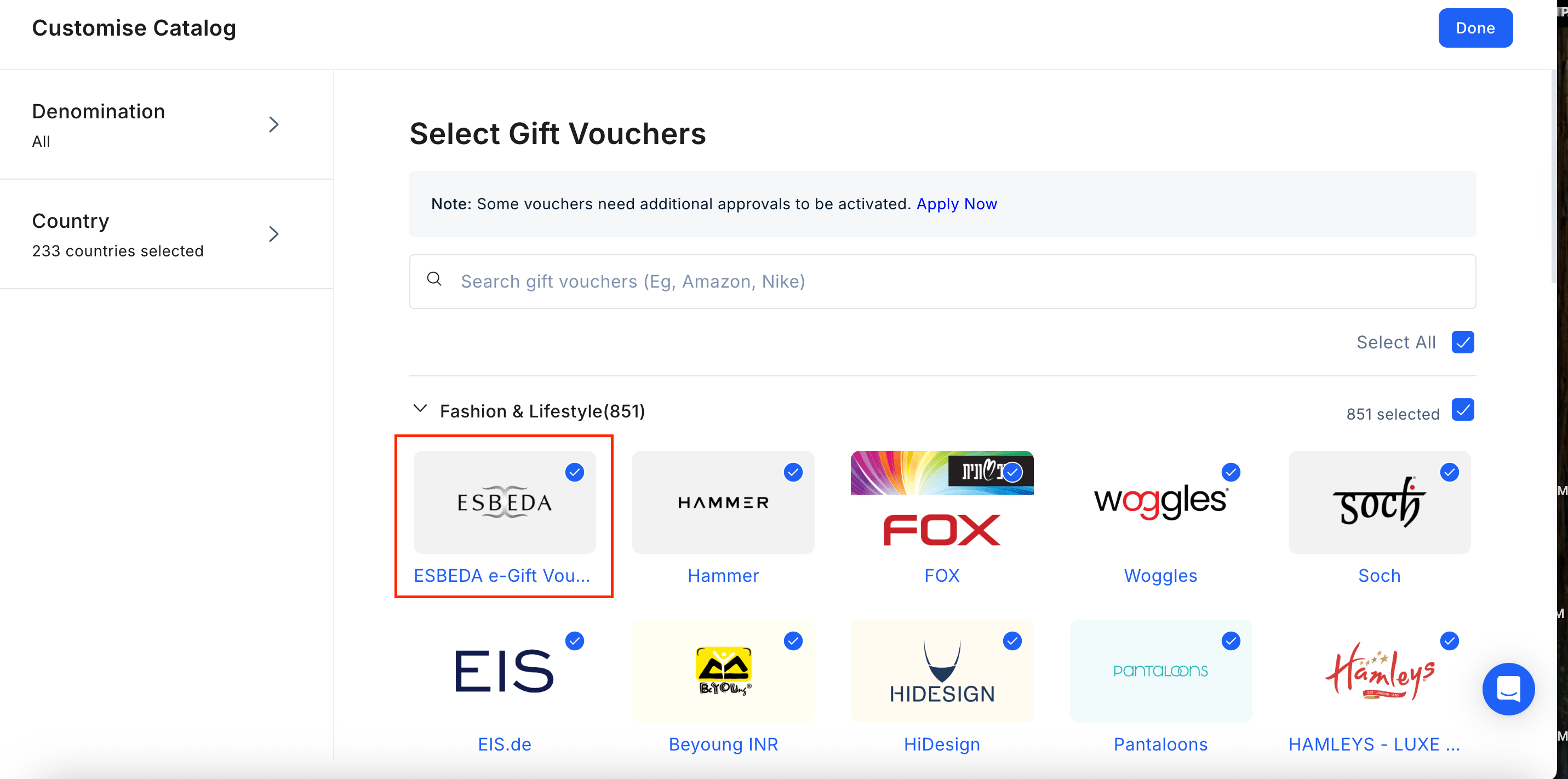
This feature allow to customise the reward catalog shown in our marketplace. You can enable or disable categories like Gift Cards, Merchandise, Experience and Perks along with control of restricting some catalog for different countries.1
Navigate to Global Reward Catalog
Navigate to Settings > Storefront > Global Reward Catalog and click on “Customize”.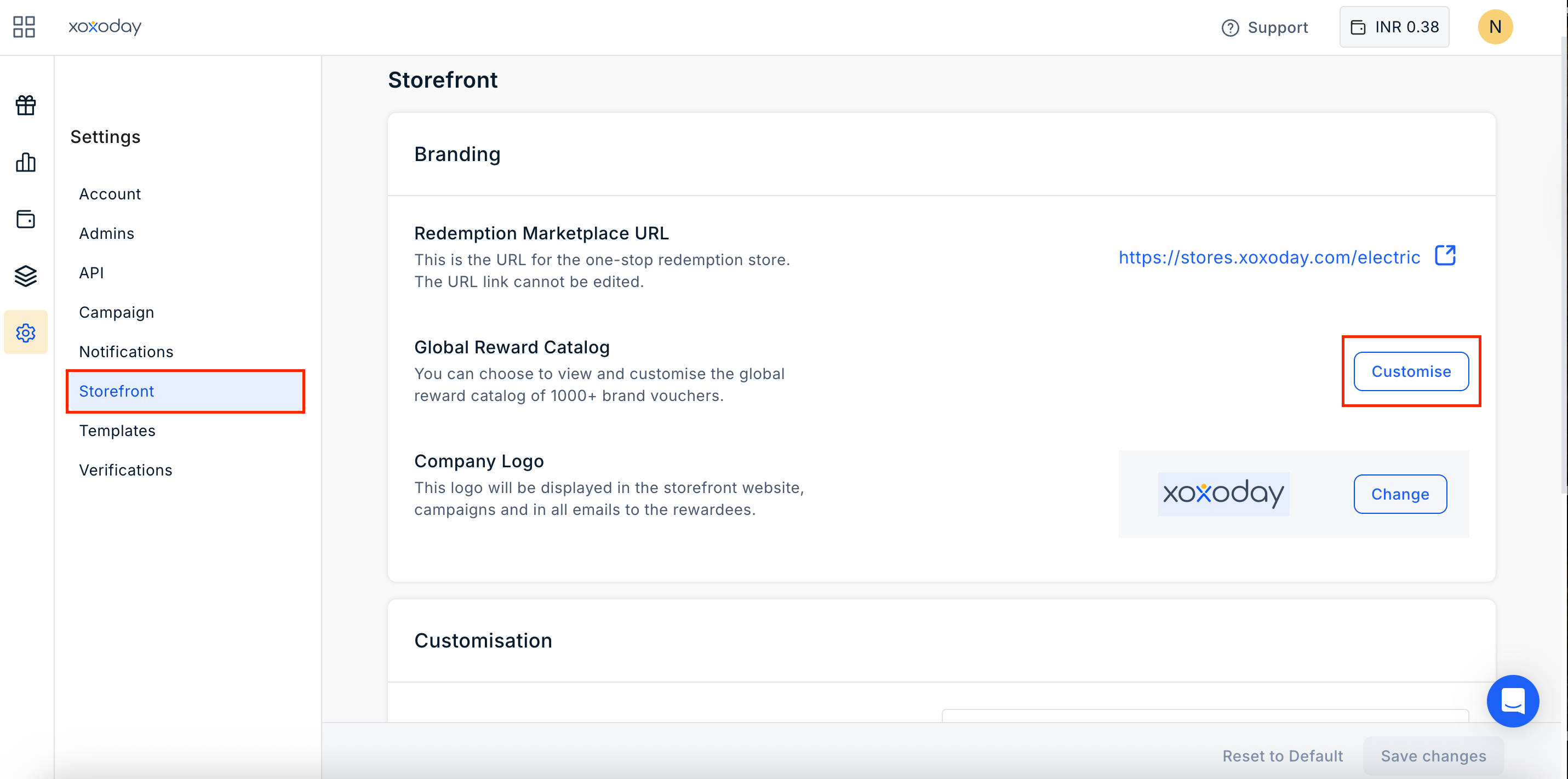
2
Set Denomination Range
Define the value range by entering a minimum and maximum denomination.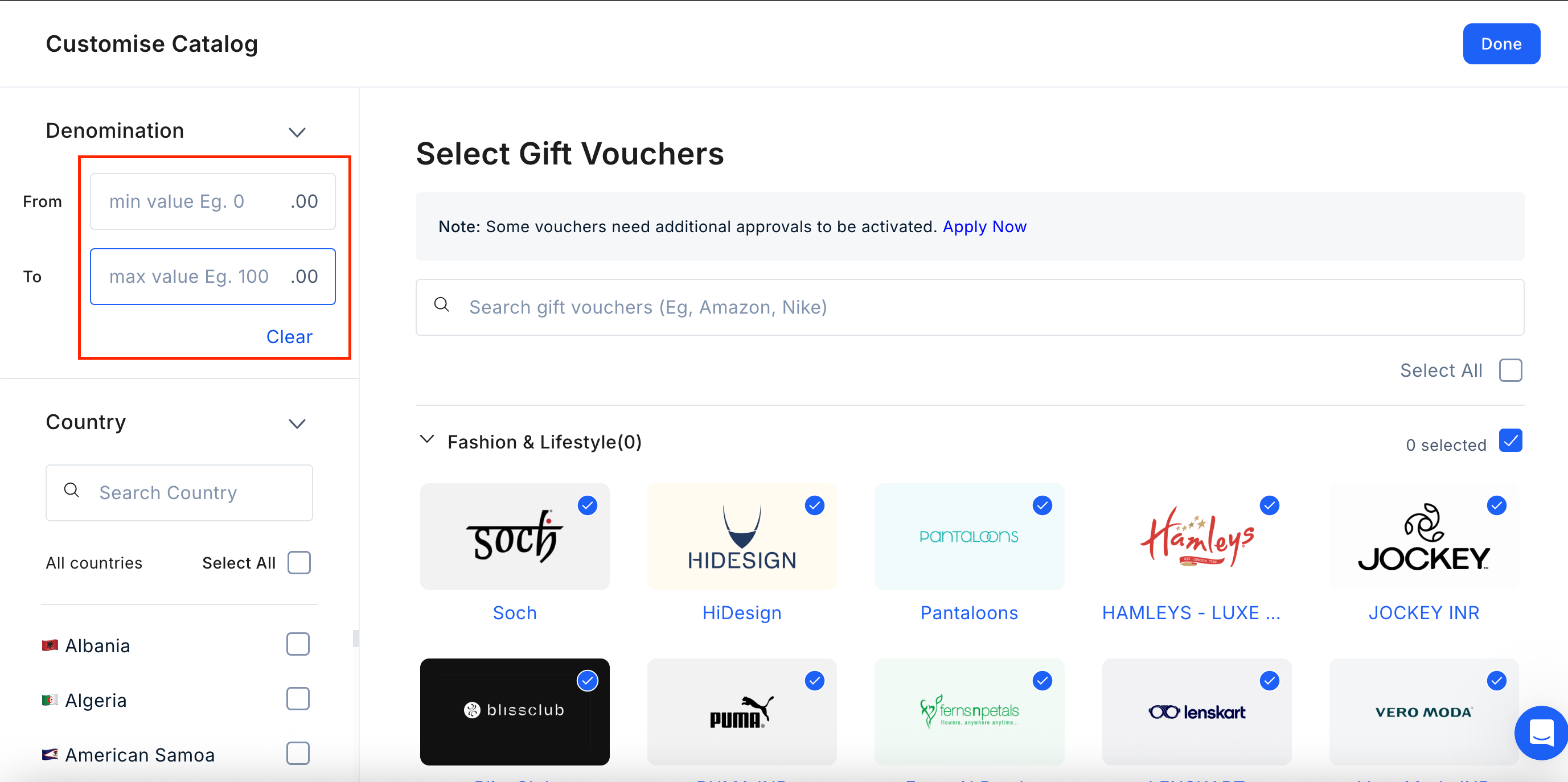
3
Select Geography
Filter your results by selecting the specific countries or geographic regions you wish to include.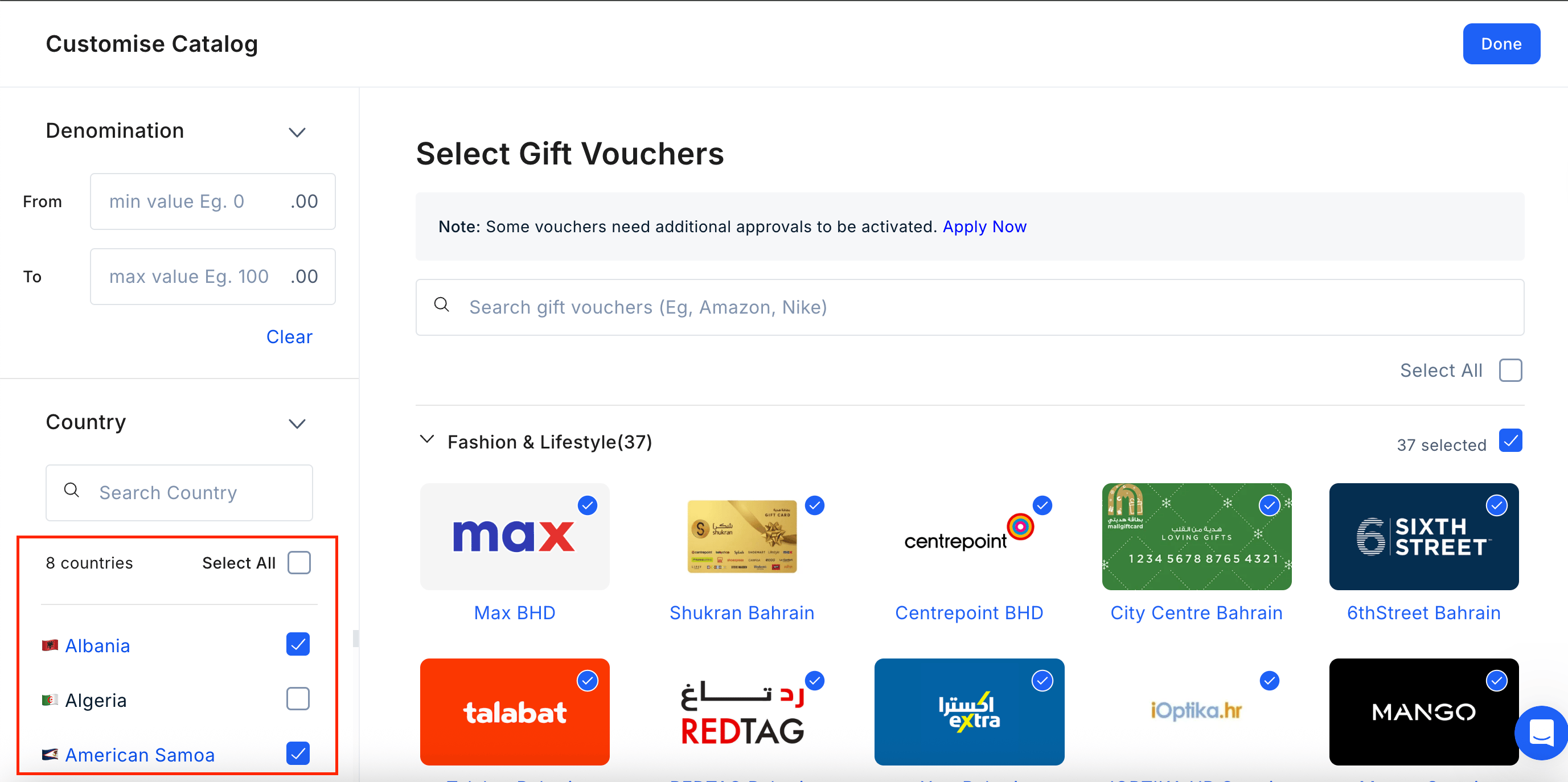
4
Customise categories
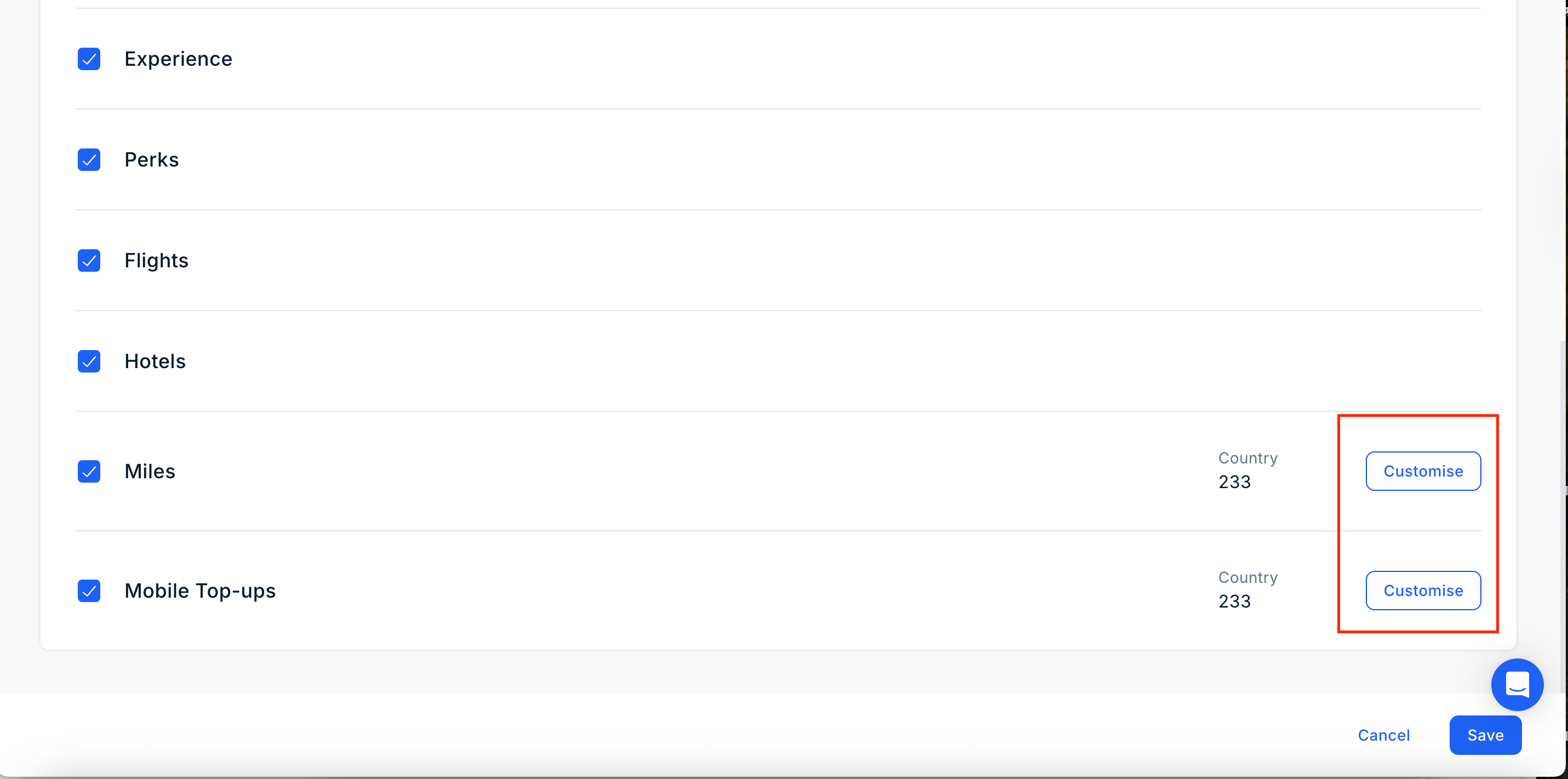
You can choose to view and customise the global reward catalog of 1000+ brand vouchers. You can see a list of categories which includes: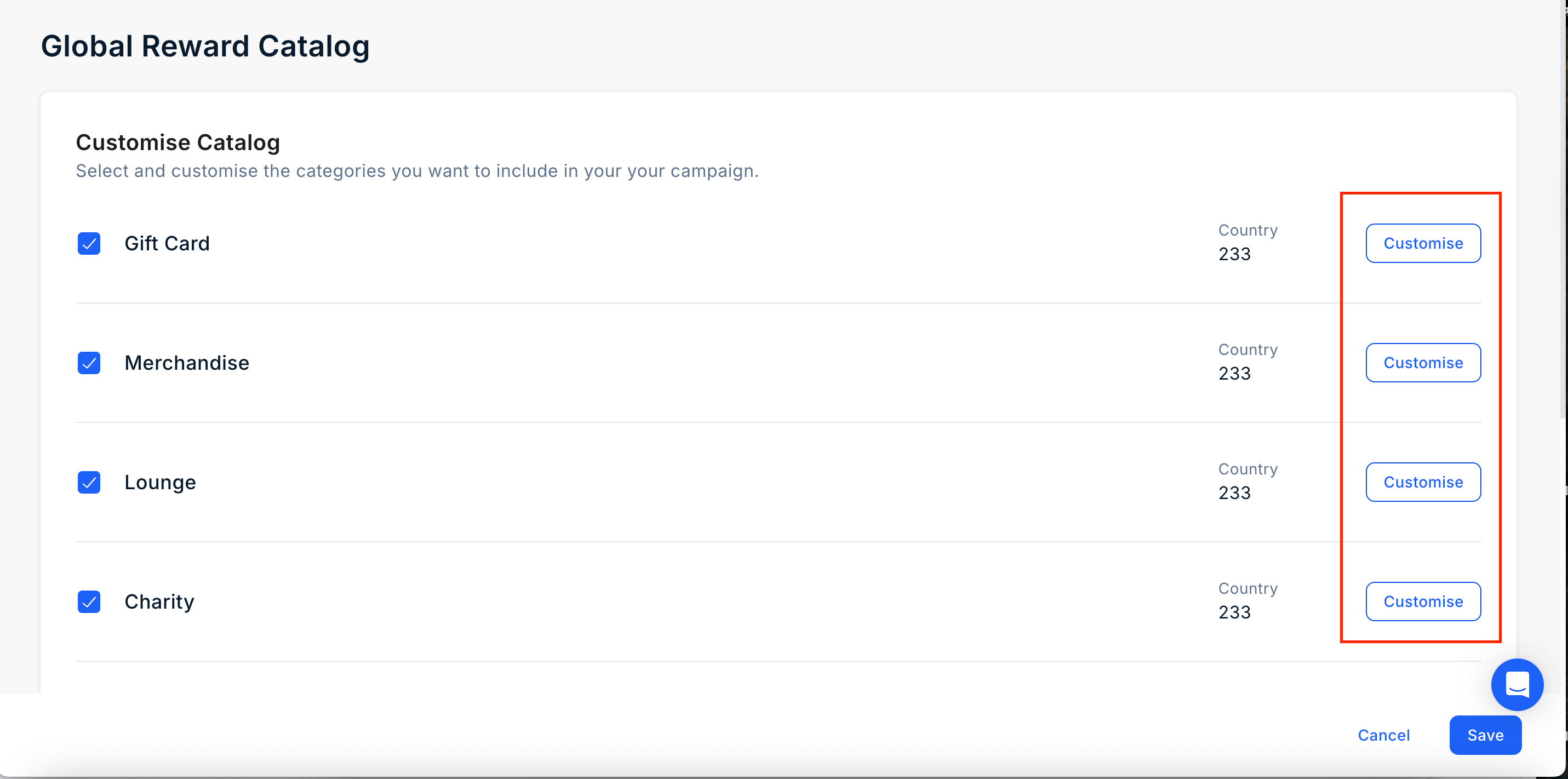
- Gift Card
- Merchandise
- Lounge
- Charity
- Experience
- Perks
- Flights
- Hotels
- Miles
- Mobile Top-ups
Still need help? Raise a support ticket.