Here’s what’s new:
01 — Login to Rewards Hub with OTP
End users and admins can now log to the platform in using OTP as a primary authentication method, alongside the existing password flow. This is especially useful for programs operating across shared devices, frontline teams, partner networks, or geographies where SMS-based authentication is the operational norm. The result is a faster login experience with lower friction for users and fewer password reset dependencies for support teams.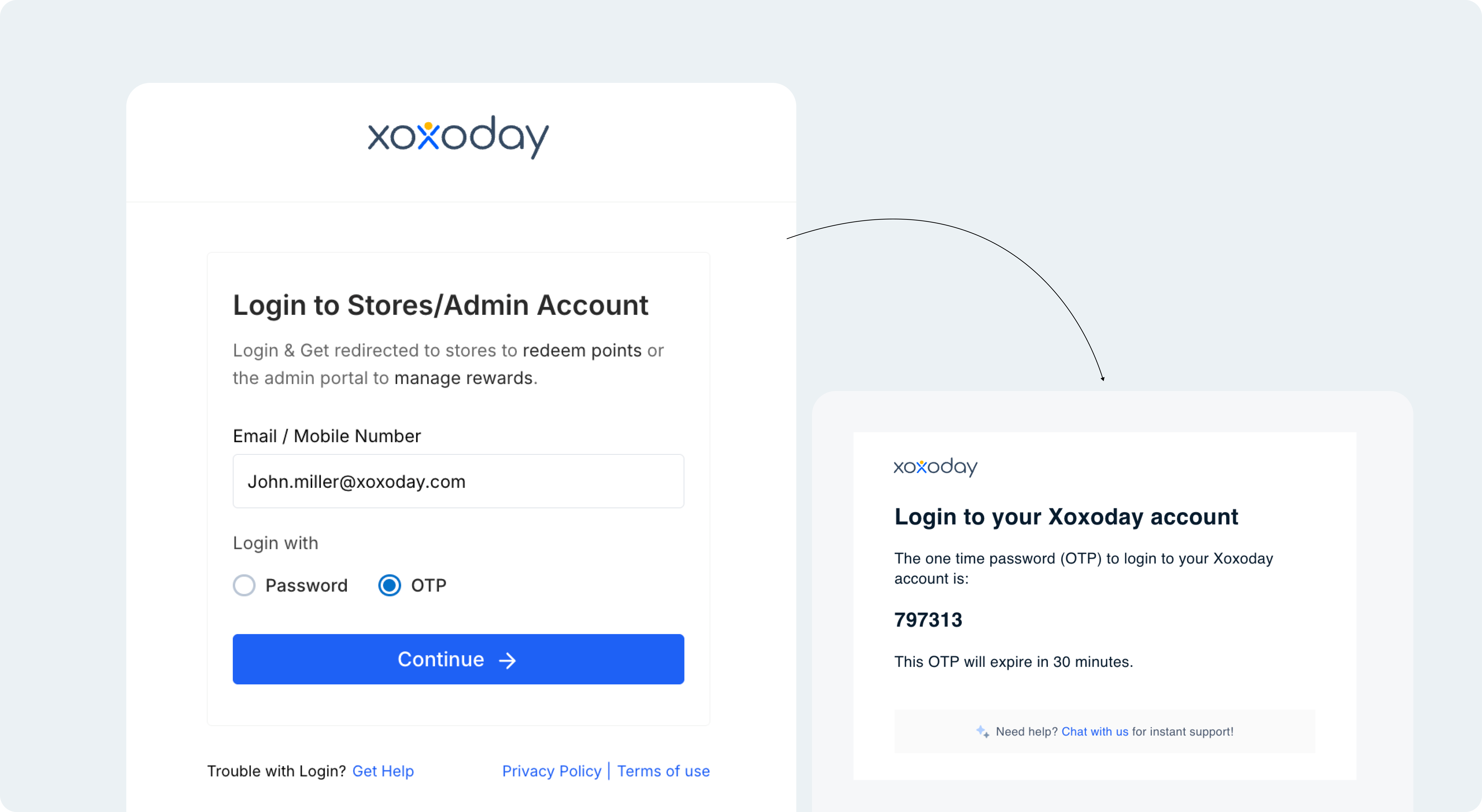
02 — Two-Factor Authentication for Xoxo Points users
Xoxo Points accounts now provides two-factor authentication at login, adding an extra layer of protection beyond the password. After entering their password, users verify a one-time password (OTP) sent to their email or mobile. This ensures that a leaked password alone is not enough to access an account, significantly reducing the risk of account takeover.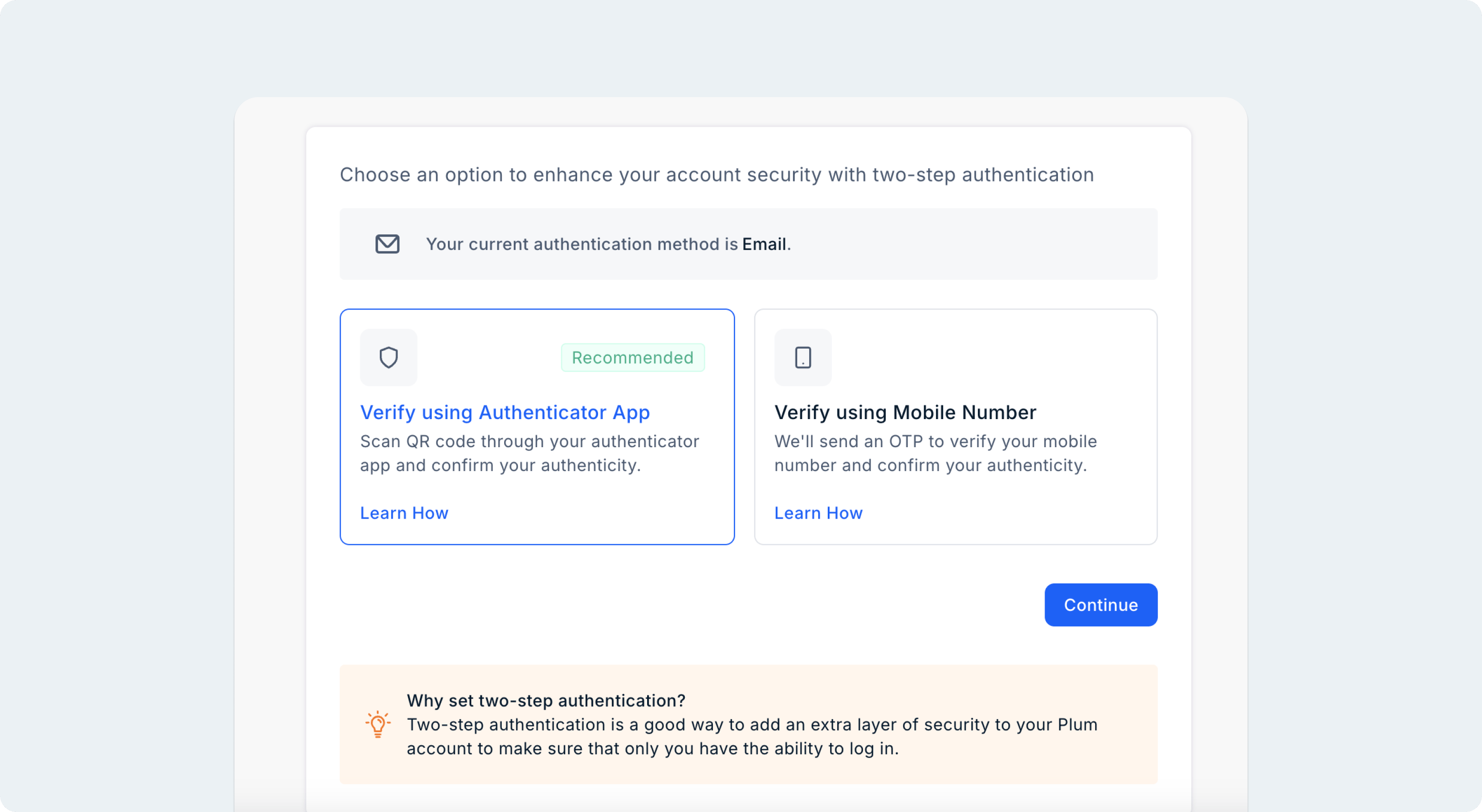
03 — Benefit Codes — One Code, A World of Savings
Plum Rewards Hub introduces Benefit Codes — send a single code to your users and they get access to discounted gift cards and curated offers from top brands. No account creation, no onboarding, no fulfillment overhead. Recipients unlock discounted gift cards and exclusive offers of up to 75% off across 1,000+ partner brands — spanning shopping, dining, travel, wellness, and more. The best part: savings are powered by our brand partners, so you hand out high-value benefits at near-zero cost.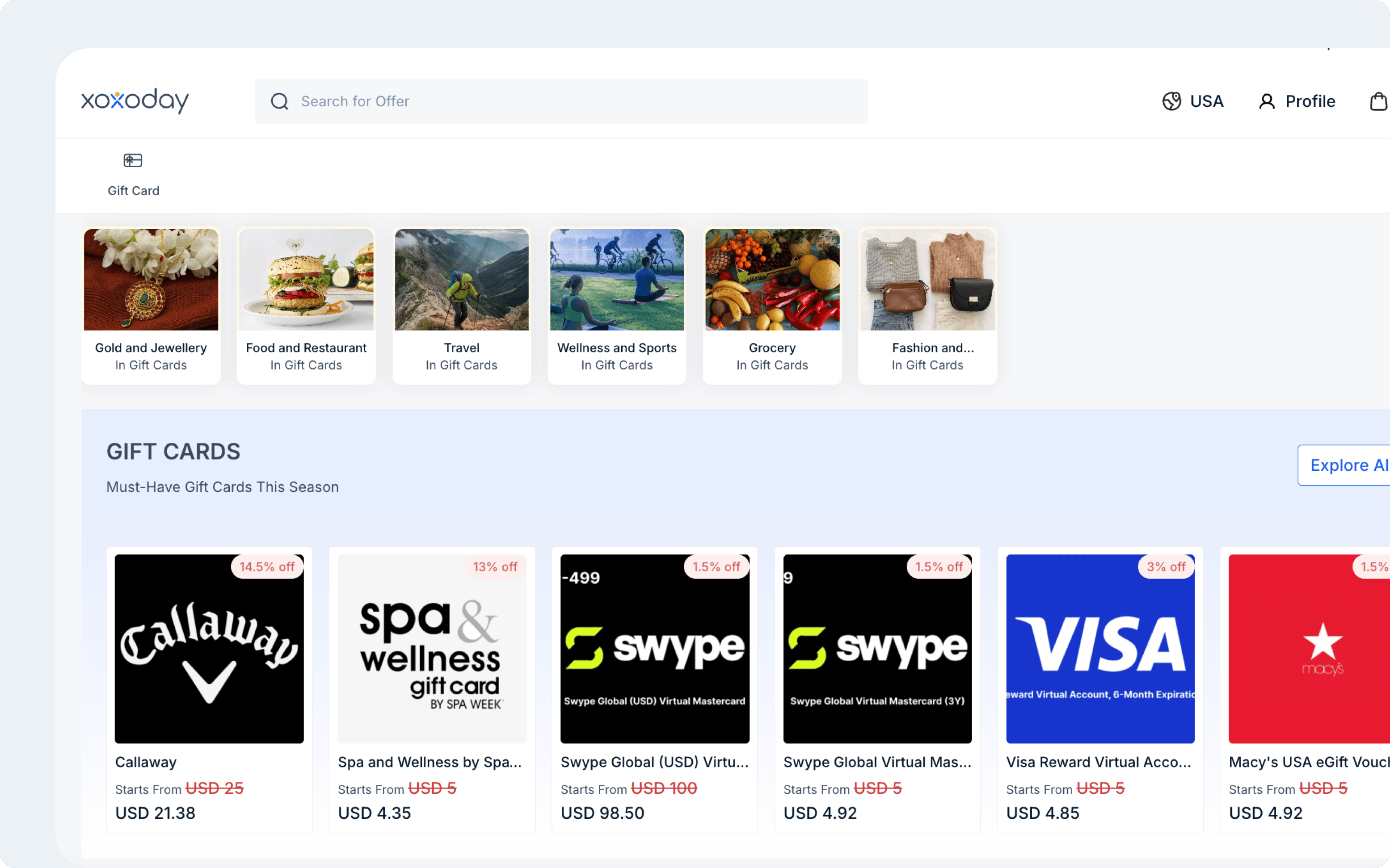
04 - Custom Reports in Rewards Hub
Rewards Hub now supports the creation of role-based reports that can be shared with specific users. Super admins can define precisely which data each team is able to view, ensuring that sensitive commercial information remains restricted to authorized personnel. A Super Admin can enable Custom Reports under Platform Preferences, create a report by selecting which columns to include (order ID, product name, delivery status, cost, margin, and so on), and shares it with chosen users. Where it works best: This capability provides controlled, role-appropriate access to data. Finance teams may be granted visibility of cost and margin columns, while customer support teams are limited to order and delivery information.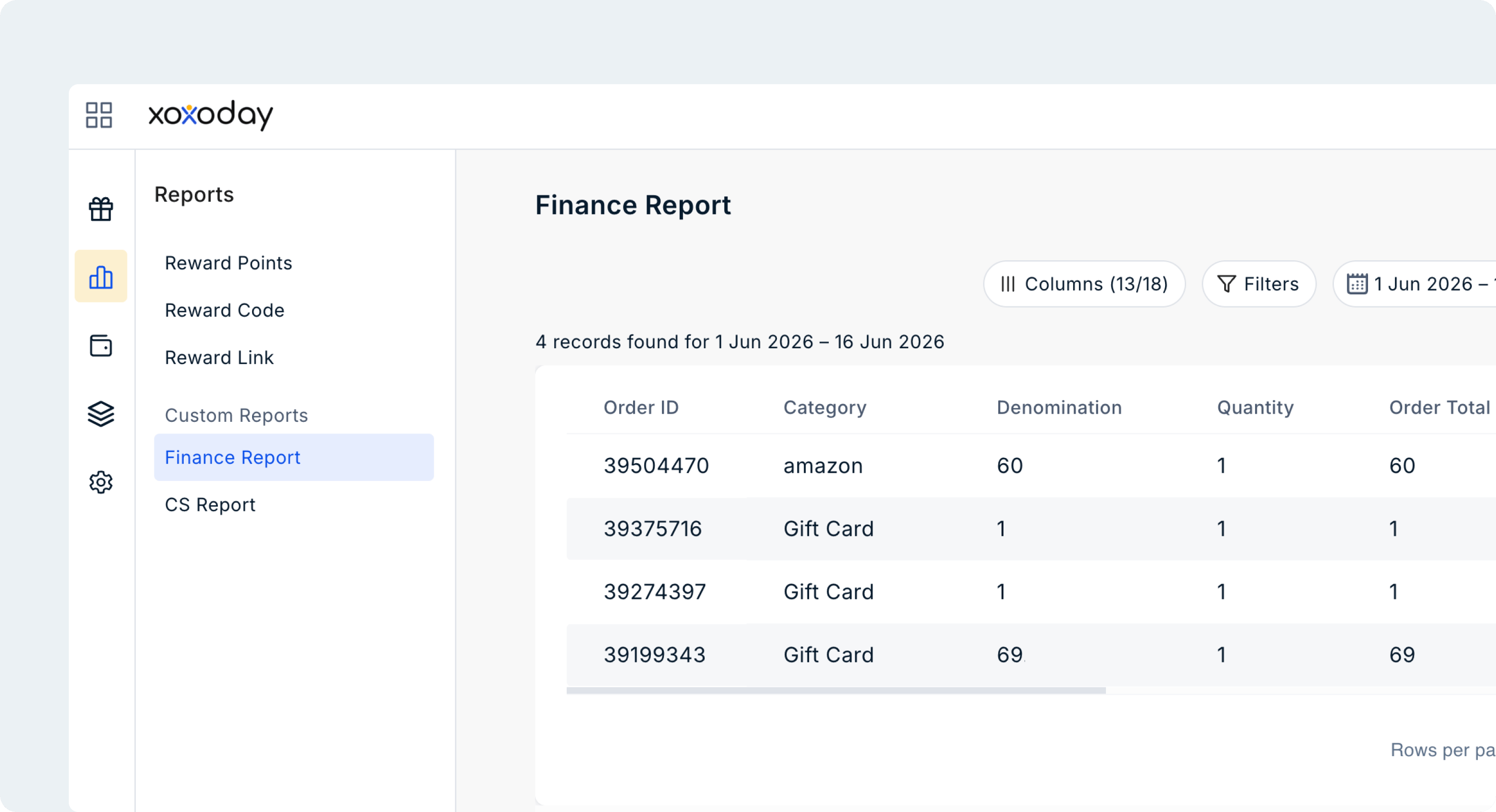
05 — Quantity visibility added to Reports
Reports now include a dedicated QTY column for orders involving multiple quantities of the same product. This gives finance and operations teams clearer visibility into order-level transactions and simplifies reconciliation workflows where value alone was previously not enough.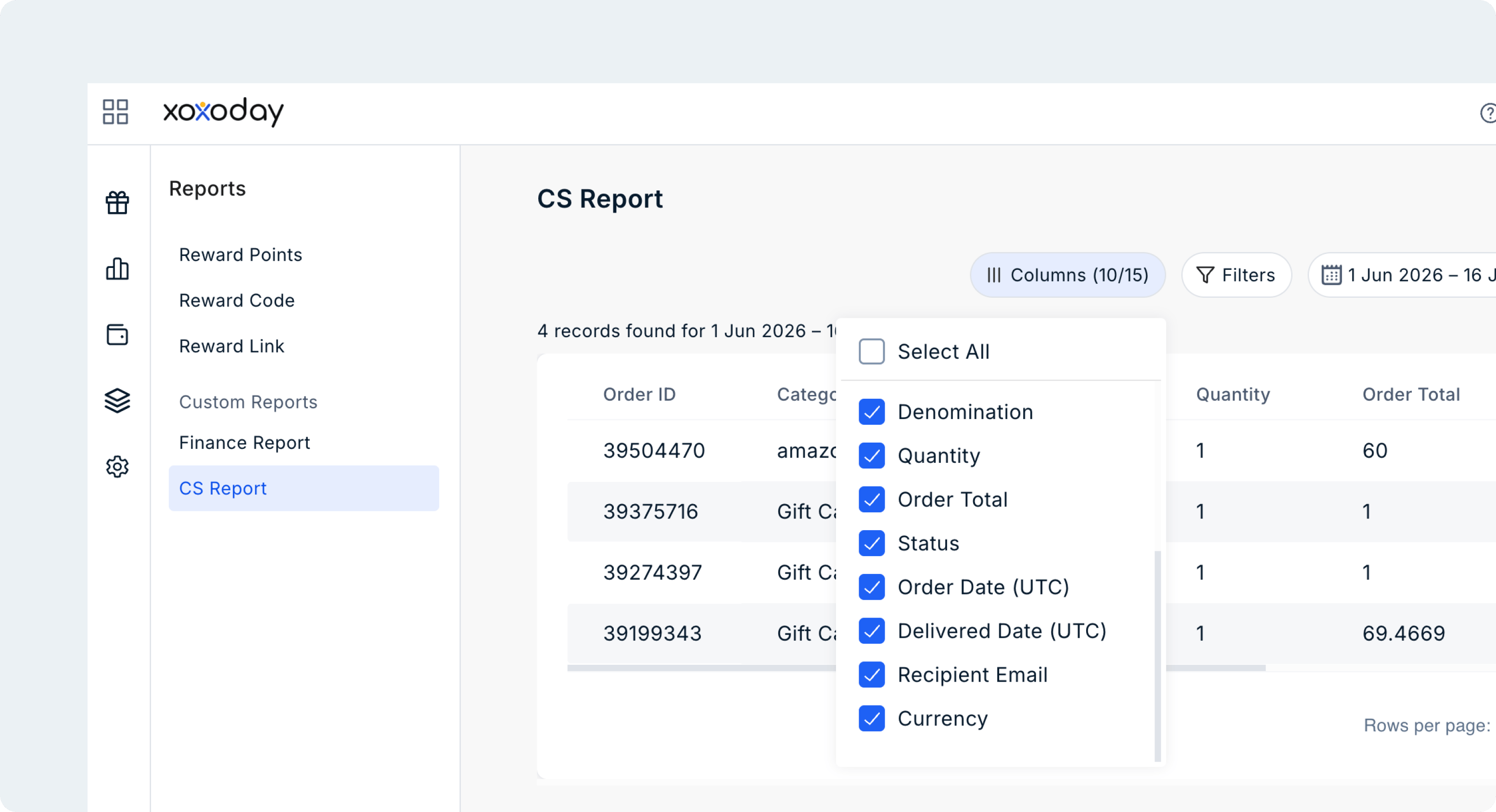
06 — Payment gateway charges now visible on invoices
Payment gateway charges are now shown as a separate line item on invoices instead of being absorbed within the total amount. This gives finance teams clearer visibility into transaction costs and reduces the manual effort required during reporting.07 — Self-Rewards links now replaces file attachments
Self-Rewards distribution has moved away from Excel and CSV file attachments to secure, access-controlled reward links. Recipients are authenticated before they can view or redeem, while operations teams get better visibility into who accessed what and when. This improves access control, reduces the risk of unintended sharing and fraud, and creates a cleaner redemption experience for users.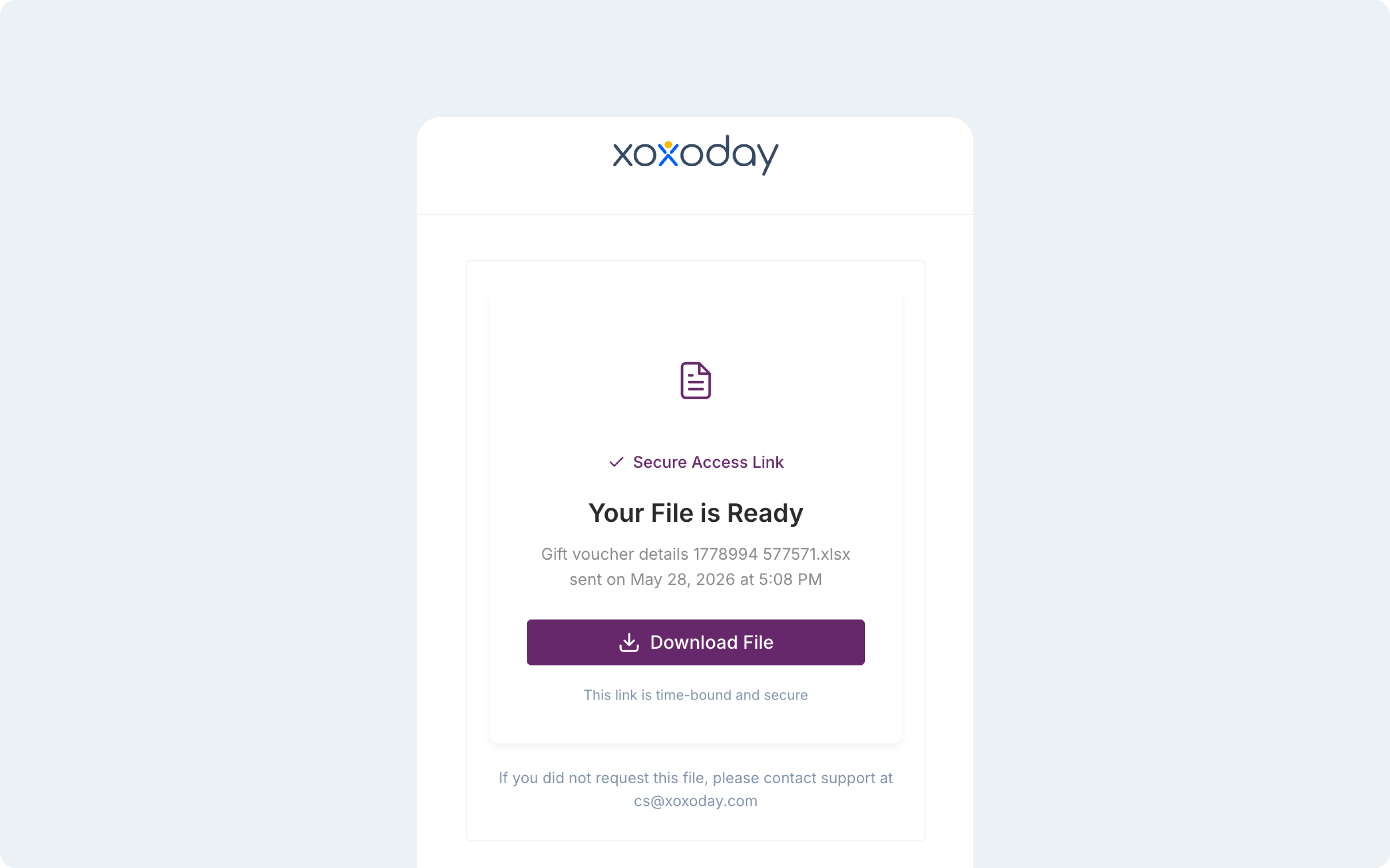
08 — Expanded gift card coverage across Saudi Arabia and Middle East
The Xoxoday catalogue now includes deeper gift card coverage across Saudi Arabia and nearby Middle East markets. For clients running regional reward programs, this expands access to more locally relevant brands and improves redemption relevance for users in the geography.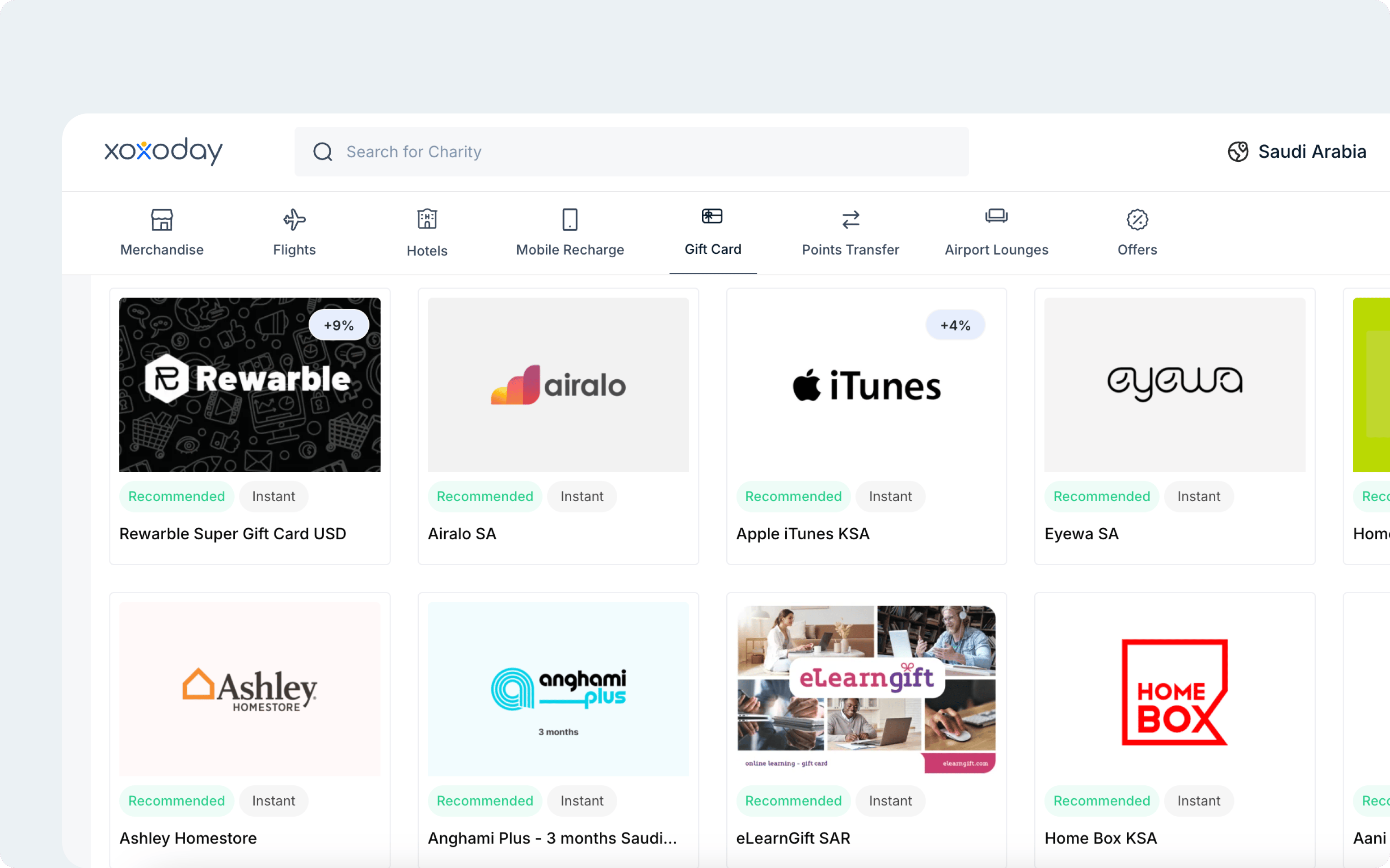
09 — Saved delivery addresses for faster merchandise checkout
Logged-in users are now able to save and reuse delivery addresses during merchandise checkout, removing the need to enter their full address details for every physical order. Users may save up to three addresses, each with a recognisable label such as “Home” or “Office”, and select a saved address with a single click at checkout. For users who redeem physical rewards frequently, this removes repetitive address entry and makes checkout significantly faster and smoother.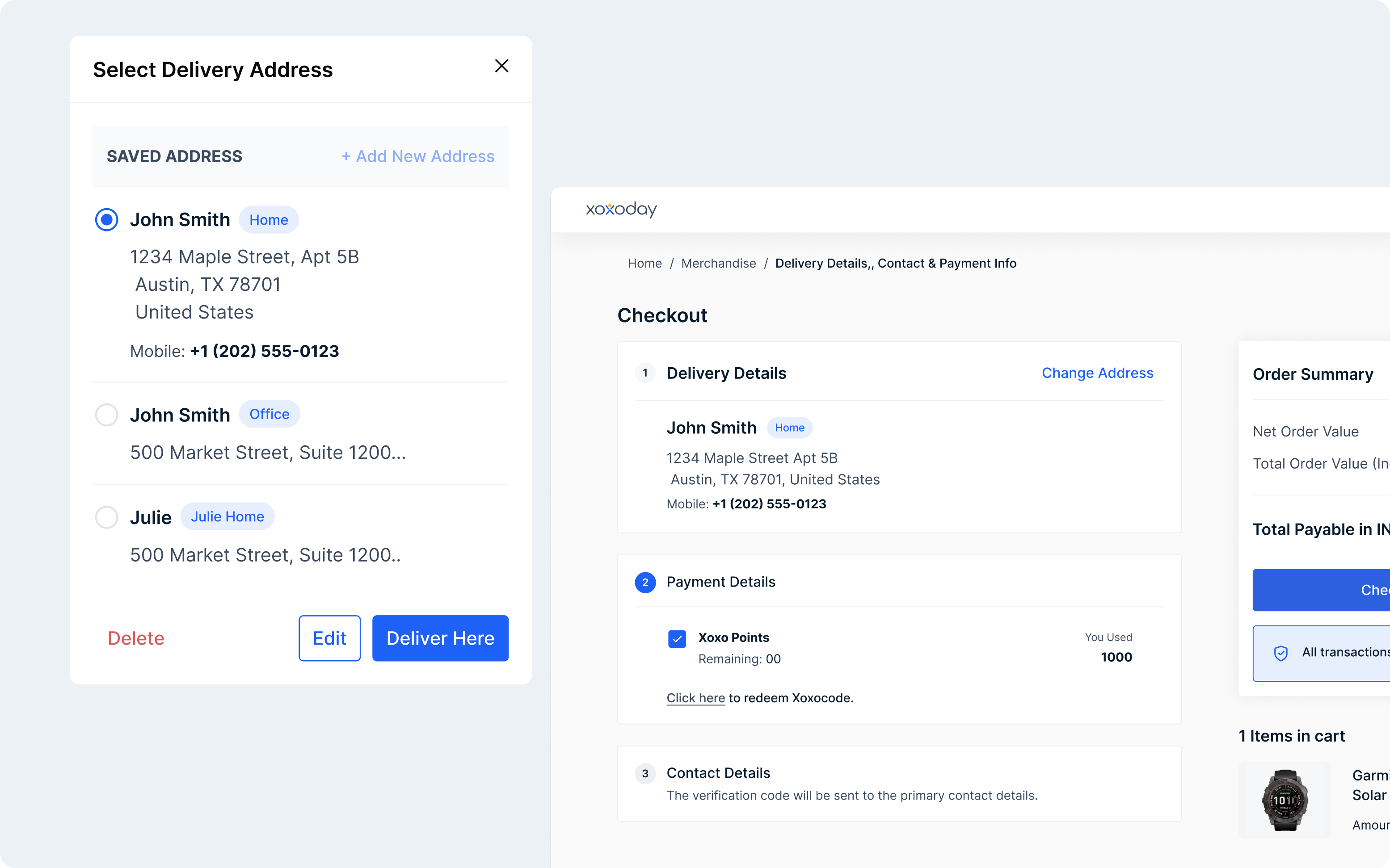
10 — Address Locking on Merchandise Orders
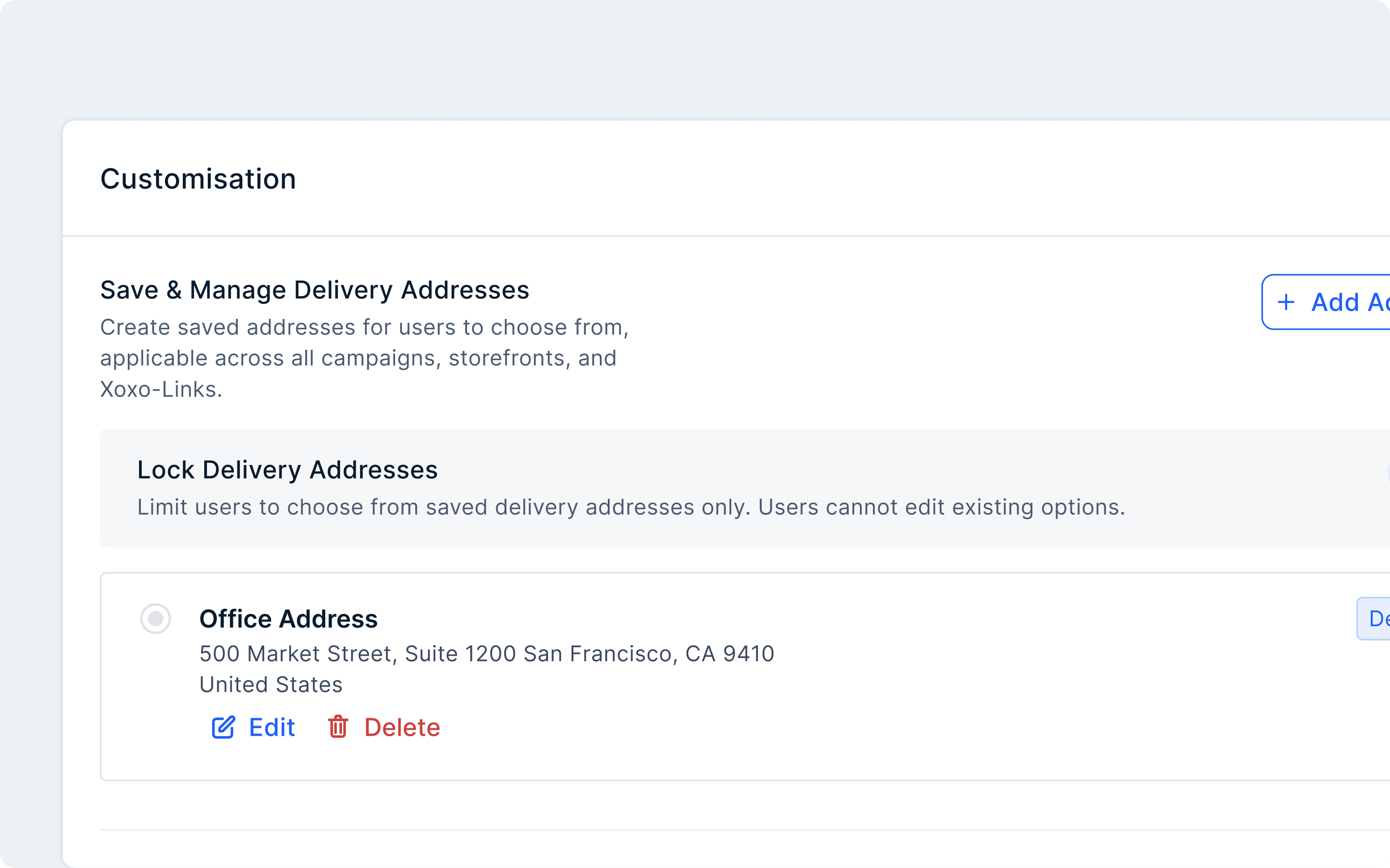
Organizations can now restrict merchandise deliveries to a set of approved addresses, ensuring that physical rewards can only be shipped to locations sanctioned by the company — such as office branches or warehouses — rather than to addresses entered freely by recipients at checkout. When redeeming a reward, the recipient is presented with a dropdown of the administrator’s pre-configured addresses and selects one. The control applies only to physical merchandise; digital rewards such as vouchers are unaffected.