
Overview
**Xoxoday Plum acts as a Redemption Partner for SAP SuccessFactors. Points assigned to Employees on SAP SuccessFactors can be redeemed in Plum’s Marketplace via SSO Sign-On. Employees can choose amongst the options available in the catalog and redeem their points. The Plum rewards application is now available on the SAP SuccessFactors and is listed in the SAP App Center.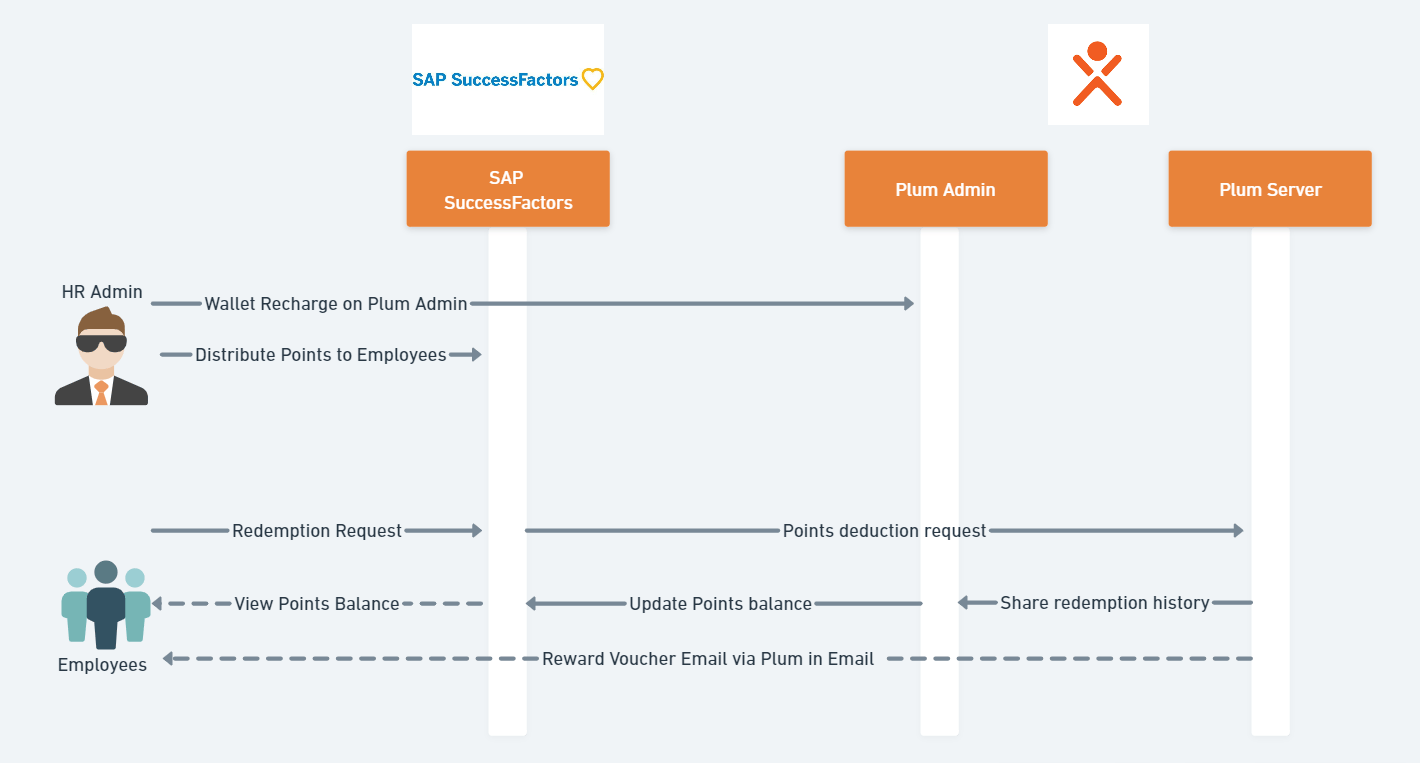
Key User journeys
- Point Distribution & Wallet recharge** **Your customers’ HR Admin user sets up a wallet fund and distributes Points to employees by SAP SuccessFactors Reward Program.
- Point Balance for Employee** **Employees of your customers can view their Points directly within your SAP Successfactors Recognition portal.
- Reward Redemption
- Plum auto-identifies and authenticates via an OAuth 2.0 SSO and the Employee_user is redirected to the Plum dashboard, where they can explore the catalog and complete their redemption.
- Balance Update
Redemption on Xoxoday for Points-Based Award Programs
In a points-based program, recipients receive points instead of direct compensation. The system converts the points to virtual currency that employees redeem with Xoxoday. Connections to Xoxoday must be enabled before a points-based award program becomes active. Multiple steps are required for setting up redemption options. Configuration and sign-on to partner sites are only part of the requirement. **You also create different accounts, or wallets, for the points and how the points are redeemed. Note**: Award recipients can view their reward balances through the user interface. When converting points, the system rounds amounts to 2 decimal places. For amounts halfway between, the system rounds up. To set up the program and setup Integration with Xoxoday:- Enable points-based settings in Manage Award Program Settings
- Establish a connection with Xoxoday through whom employees redeem their awards.
- Configure a Single Sign-On connection with Xoxoday and configure API communications.
- Set up the points-based awards program, designate the redemption partner as Xoxoday, and configure the wallet (account) used to accumulate and then redeem the points.
Step 1: Enable Point-Based Settings
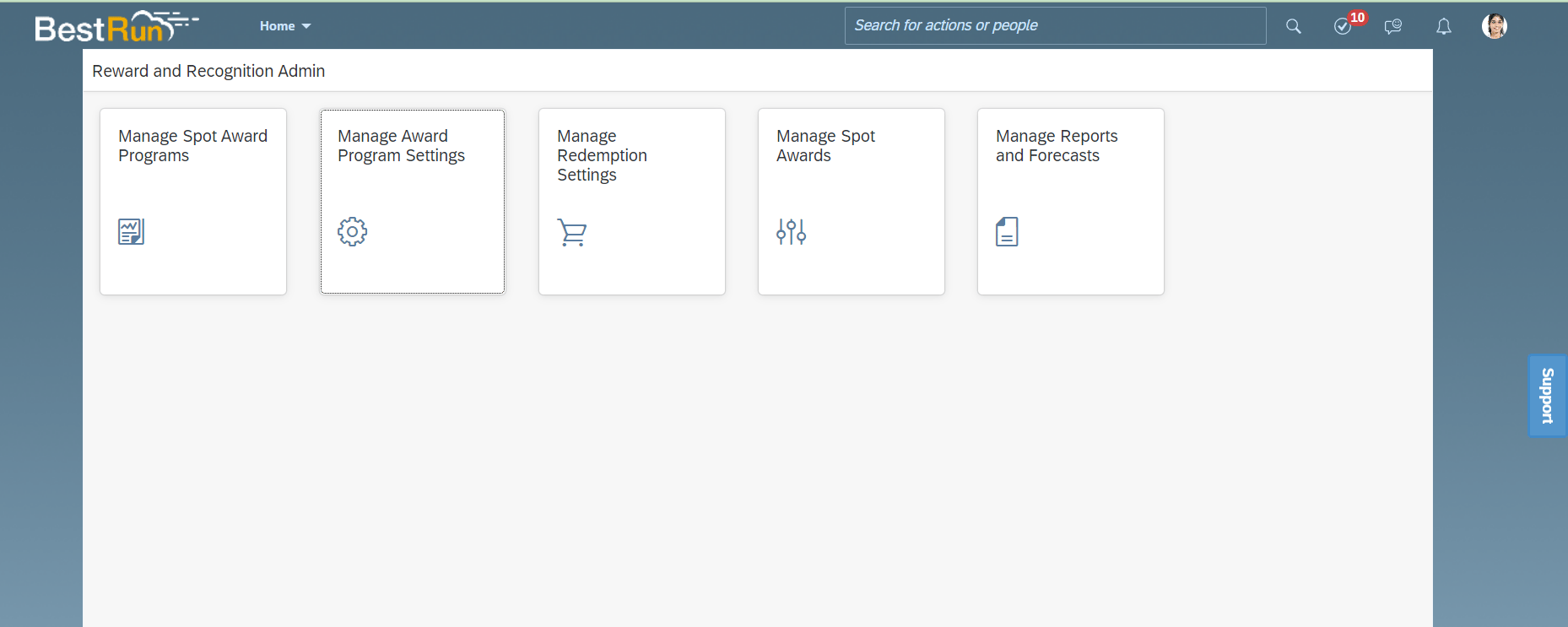
- Enable points-based setting in the Manage Award Program Settings.
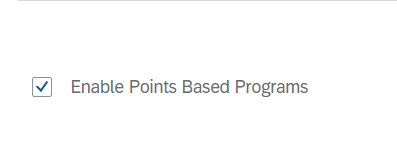
- Visit Reward and Recognition > Manage Award Program Settings and select the checkbox ‘Enable Points Based Programs’
**Step 2: Establishing a Single Sign-On (SSO) Connection with Redemption Partner Xoxoday.
- After enabling the points-based program, you next set up Single Sign-On connections with the partners that will fulfill your employees’ requests to redeem their points. Note that part of this process involves contacting SAP SuccessFactors Technical Support.
- To expedite the process for you, please make sure that you are guided by Customer Success Partner from Xoxoday.
Prerequisites
You have the role-based permission for Manage OAuth2 Client Applications.Procedure
- Within your SAP SuccessFactors instance, go to Admin Center Manage OAuth2 Client Applications.**
- Select Register Client Application** **
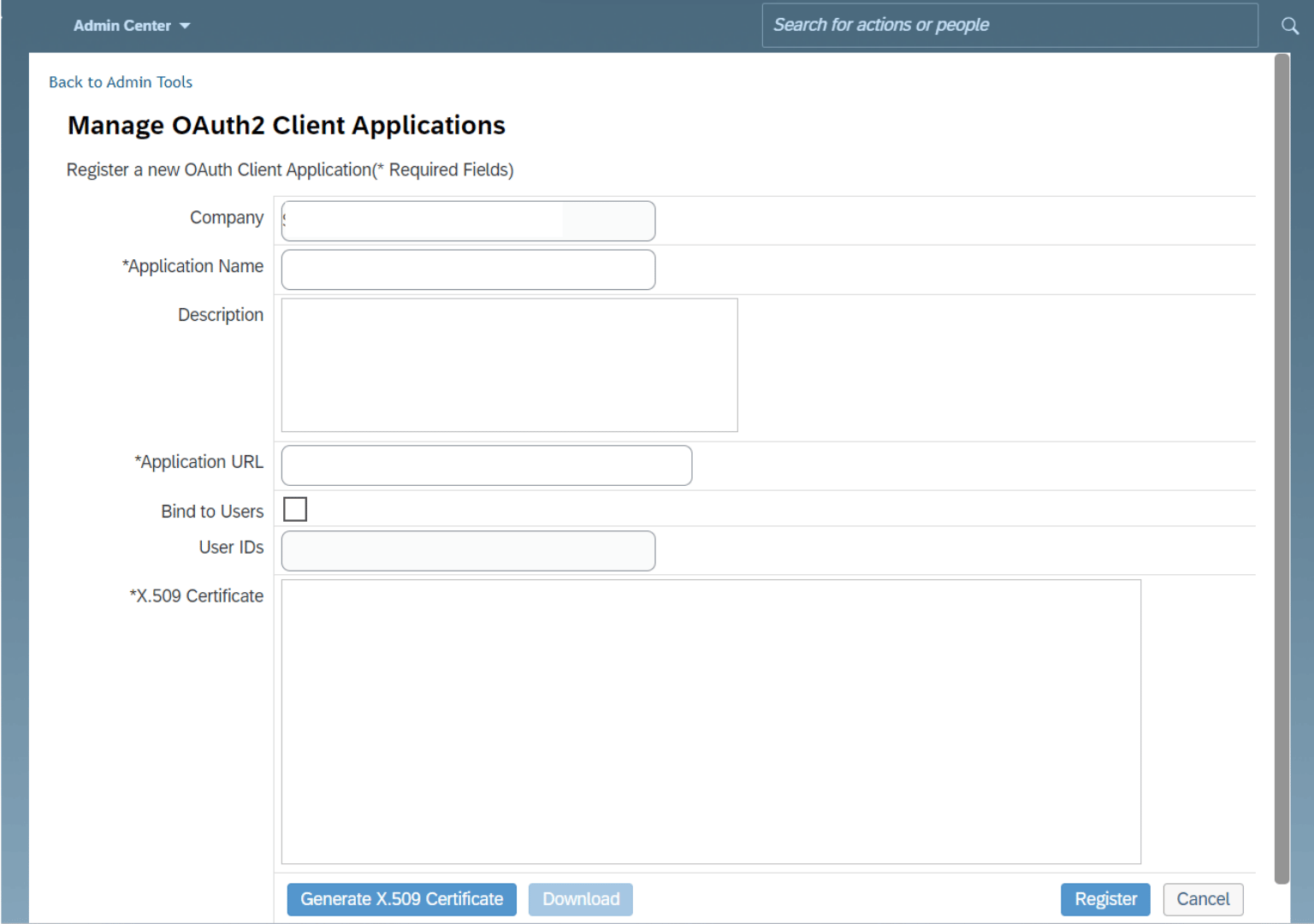
- Company will be auto-populated with CompanyID
- Add Application Name as ‘Xoxoday Plum’
- Add Description as:**Rewards by Xoxoday Plum 6. Set Application URL field: https://www.xoxoday.com
- Copy the value for API Key.
- Note the Company ID for your SAP SuccessFactors instance. Use it for Company ID.
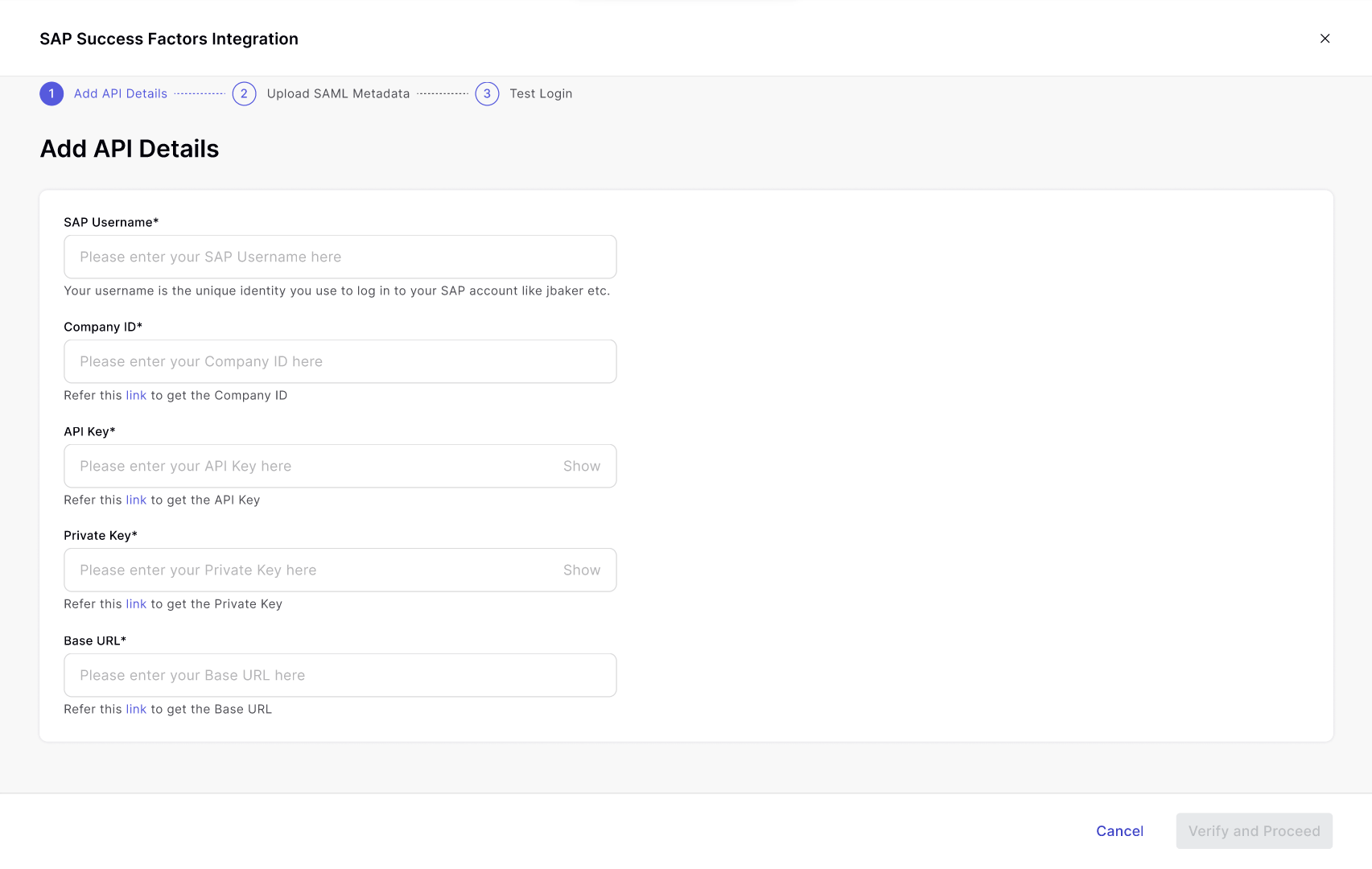
- API Key
- Private Key- Base API URL- SAML File
Step 3: Setup Account in Xoxoday Plum
Proceed to: Navigate to Integrations > SAP SuccessFactors. Click on the ‘Configure**’ button.**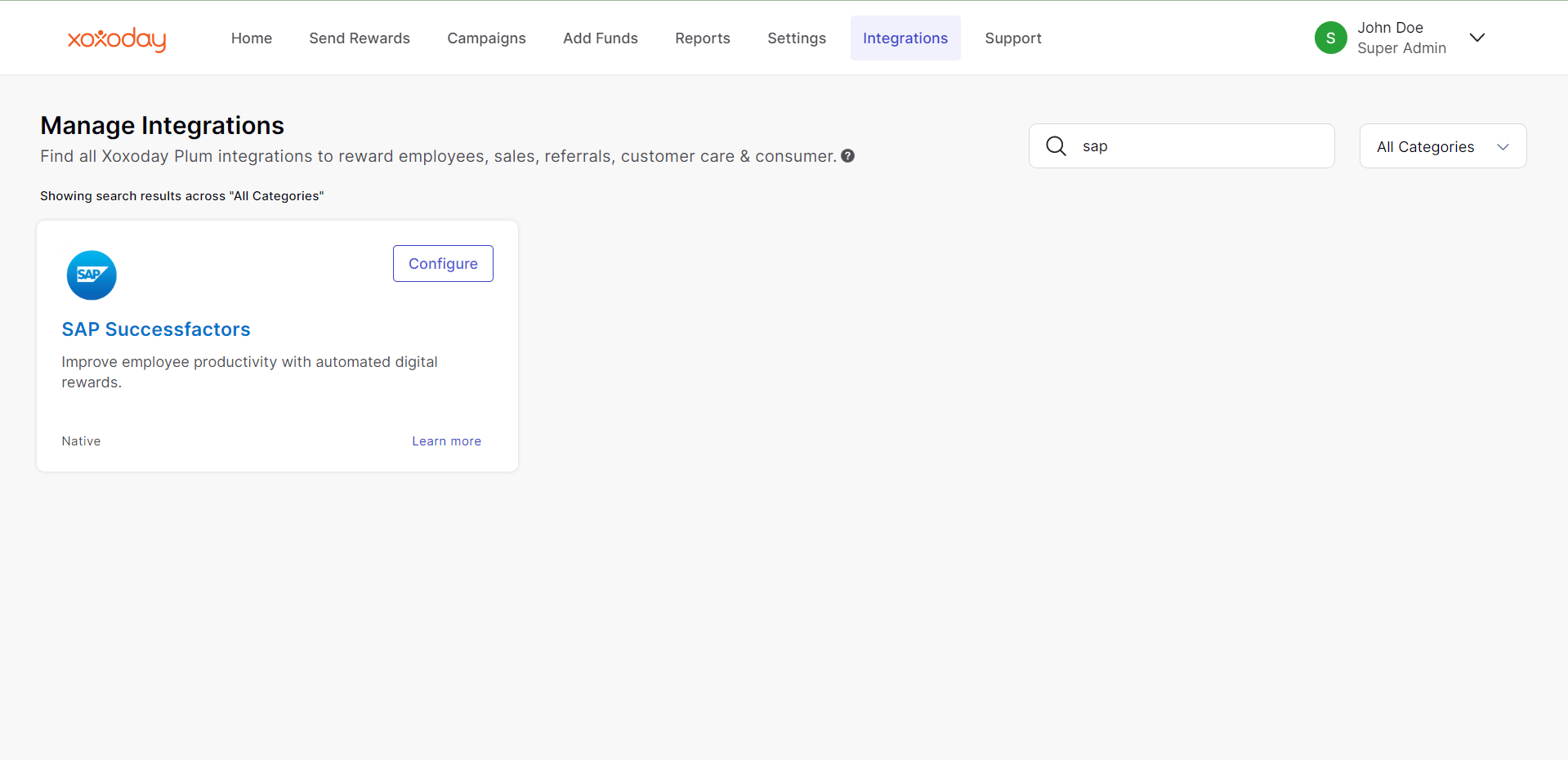
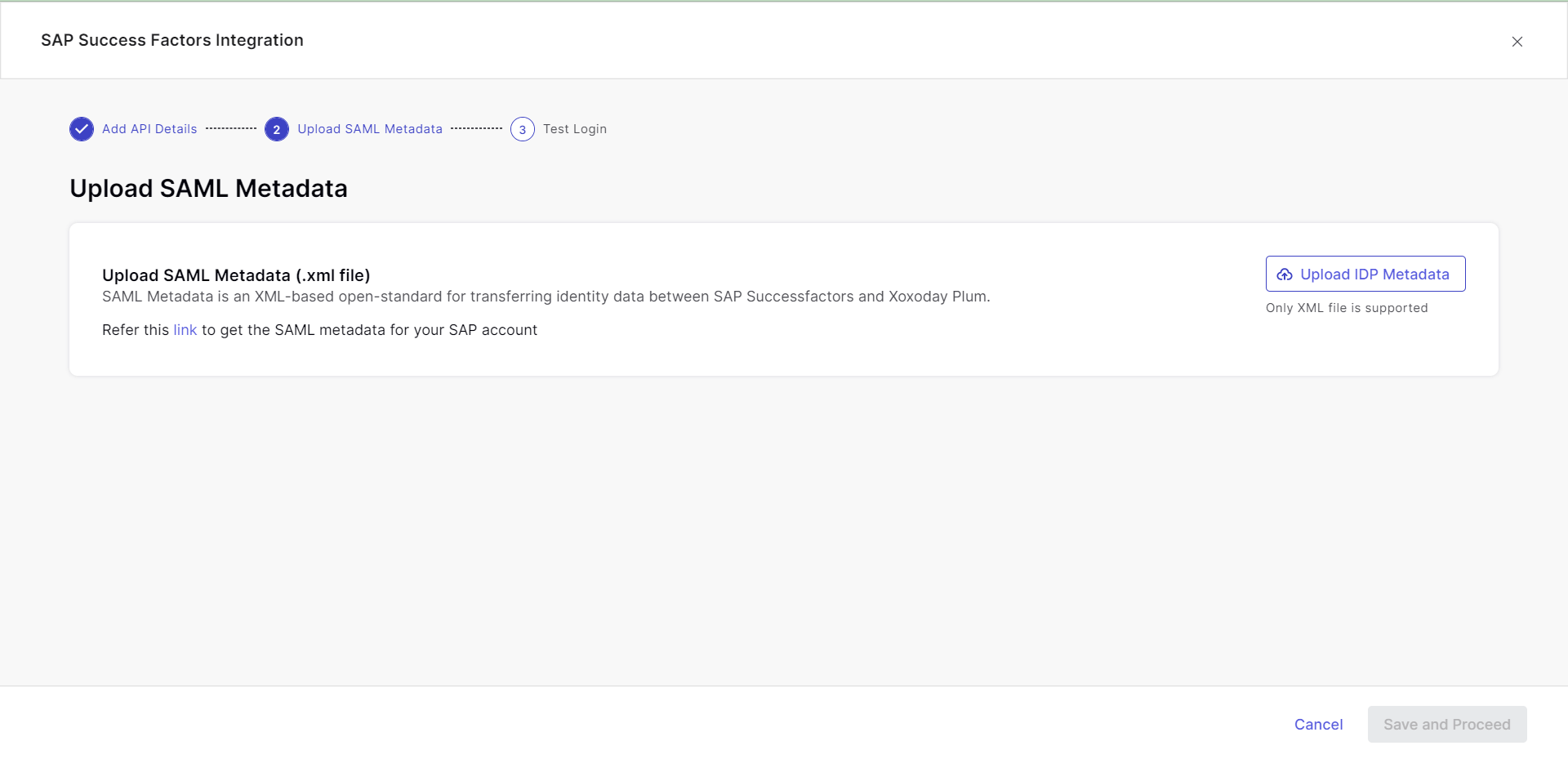
Step 2: UPLOAD SAML METADATA
Upload the SAML file generated from the above steps.
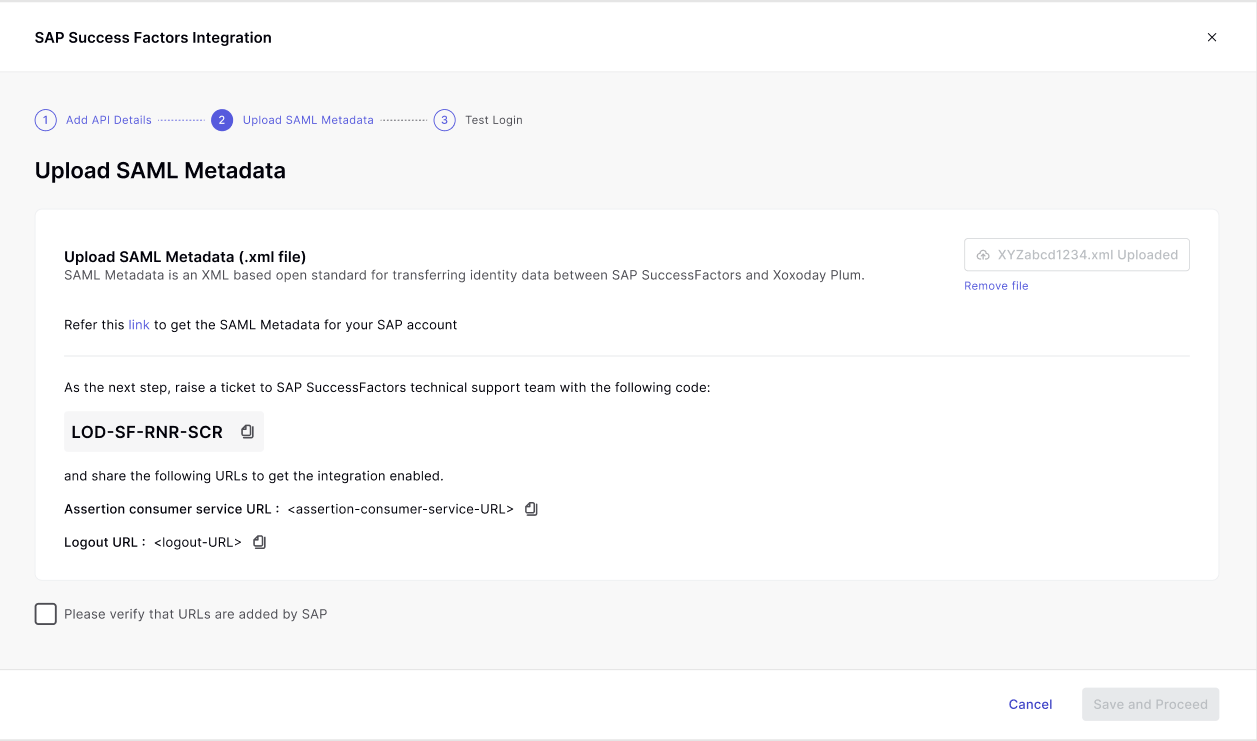
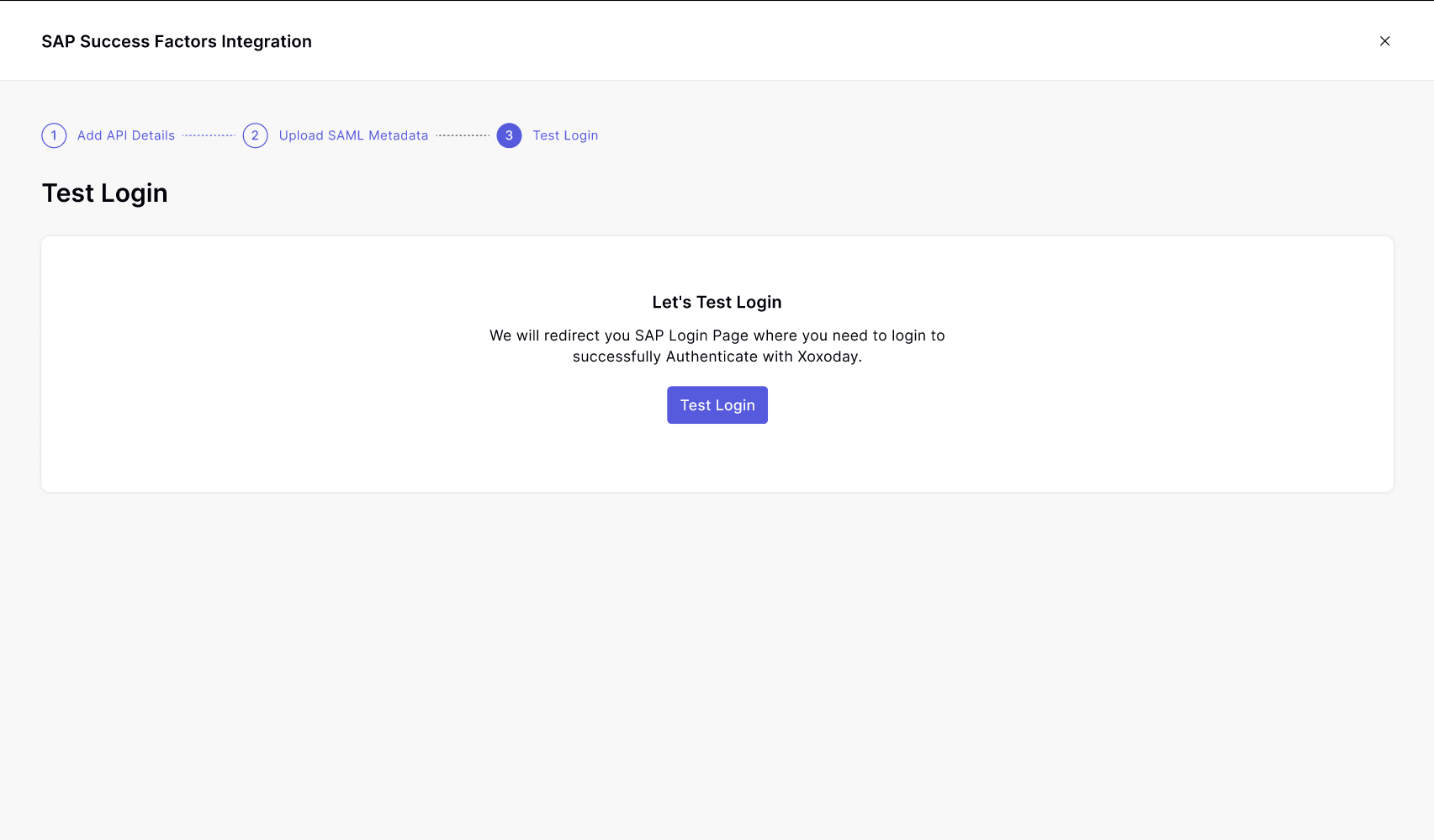
Step 3: Test Login
Redemption Process
**Xoxoday use the SAP SuccessFactors APIs to request the following information:- First and last name
- Email address
- Mailing address
- Phone number
- Country/Region
- Award balance
- Currency type