
STEP 1: NAVIGATE TO AUTOMATION WORKFLOW RULES
Visit Setup > Automation > Workflow Rules for setting workflows.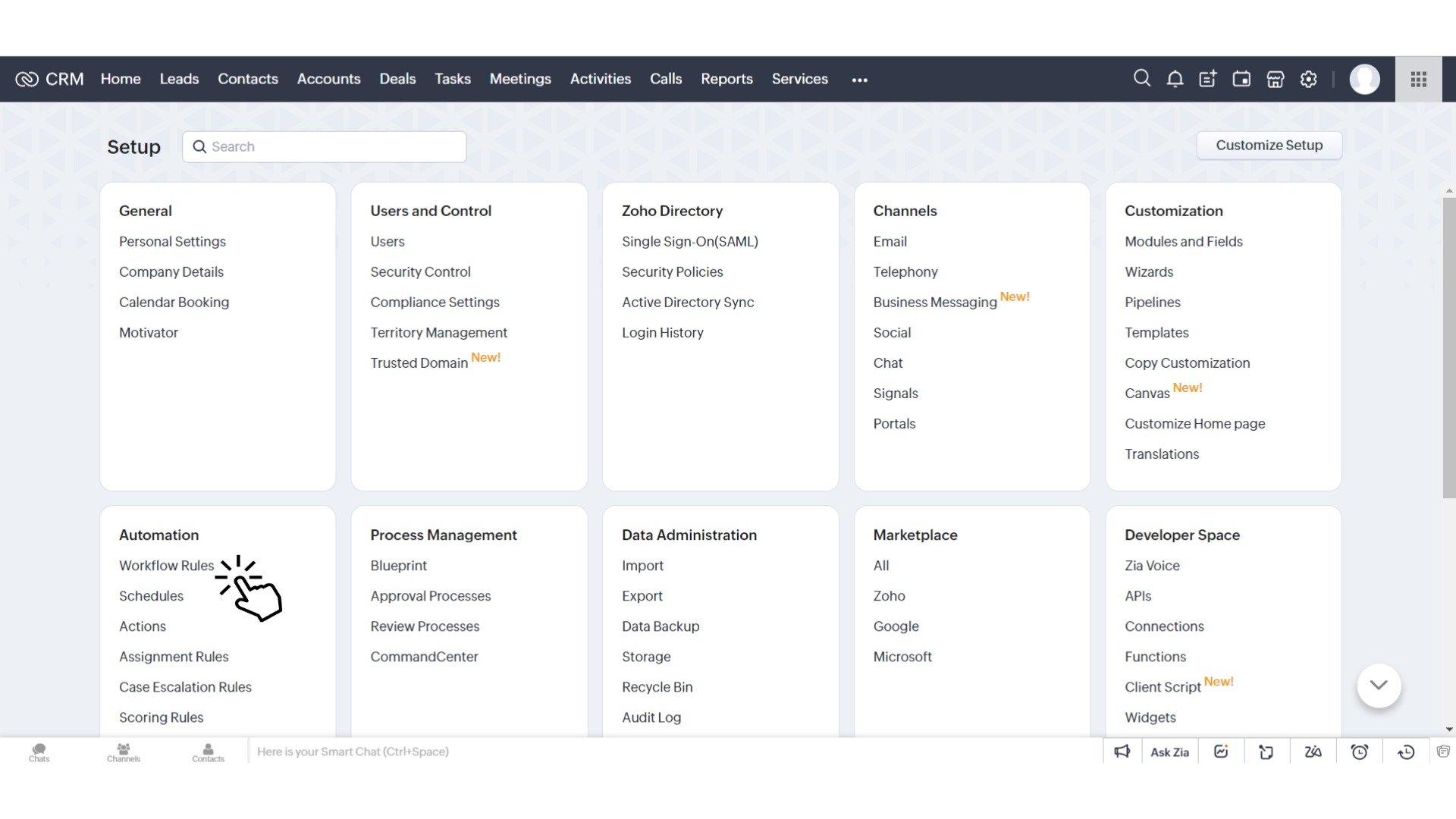
STEP 2: CREATING A REWARD WORKFLOW RULE
Click ‘Create Rules’ button.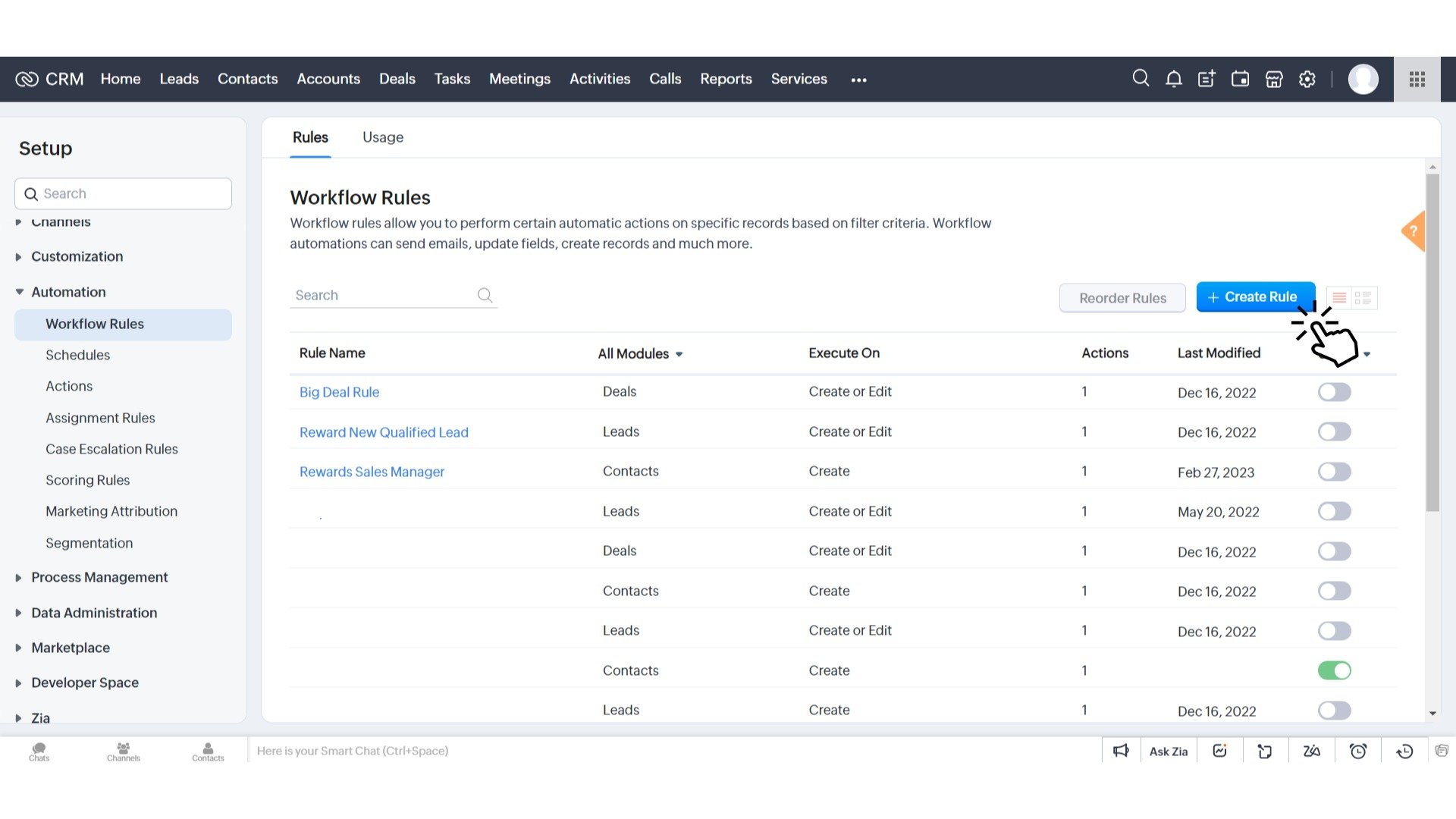
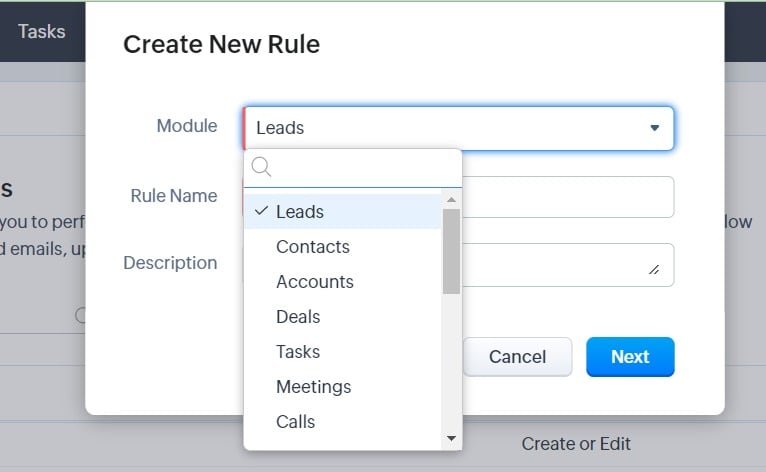
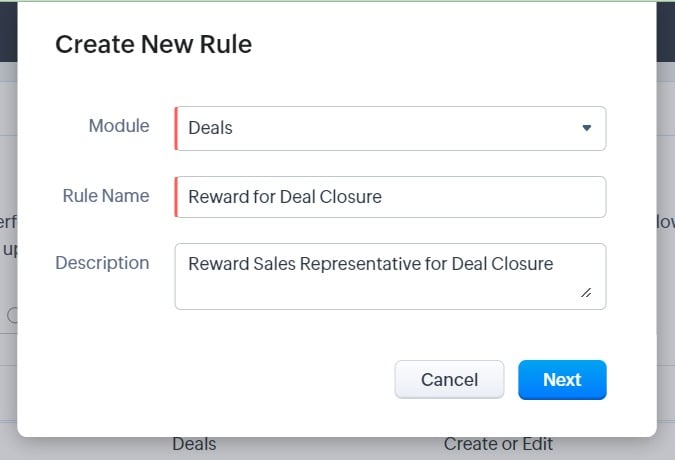
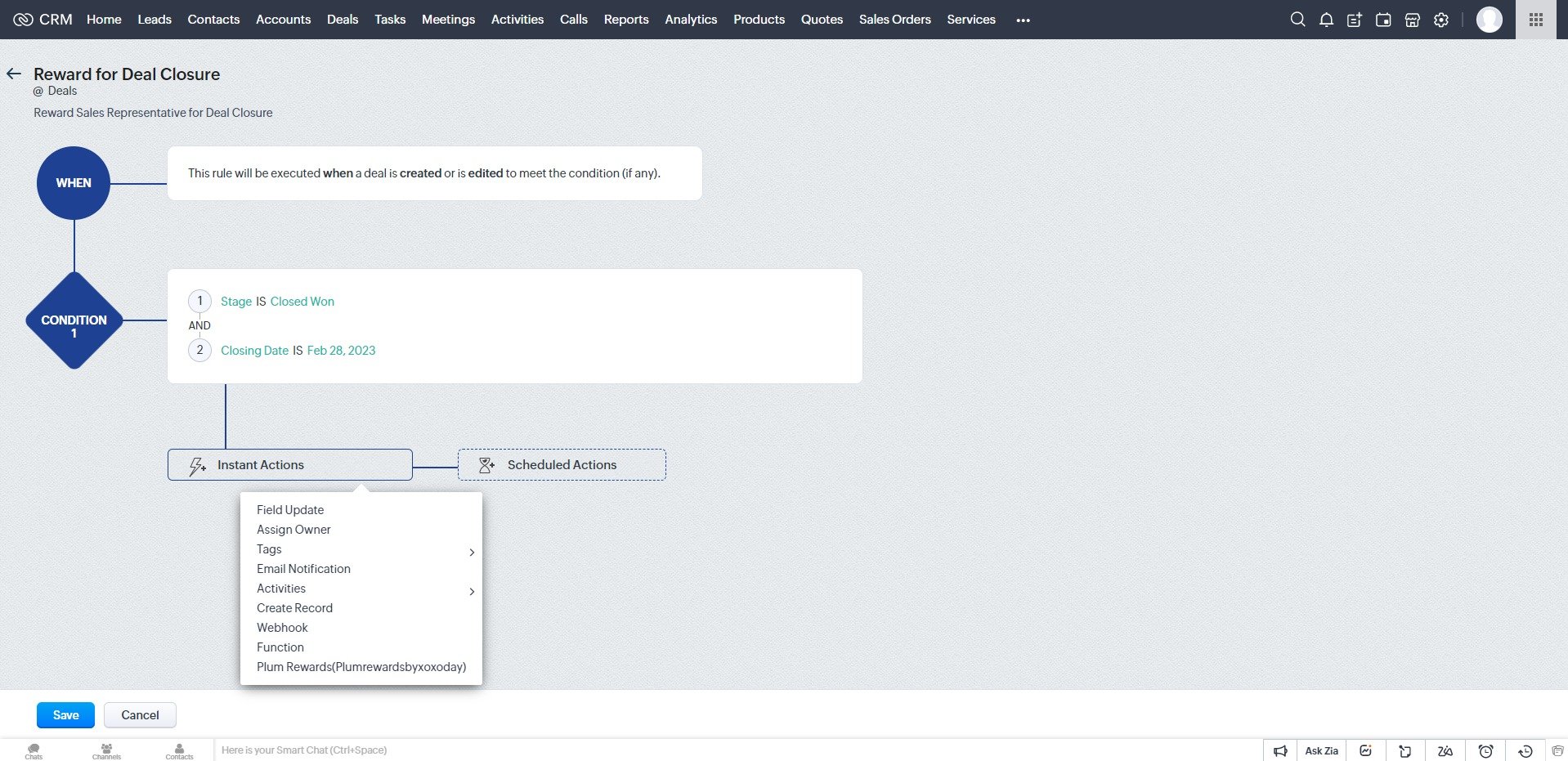
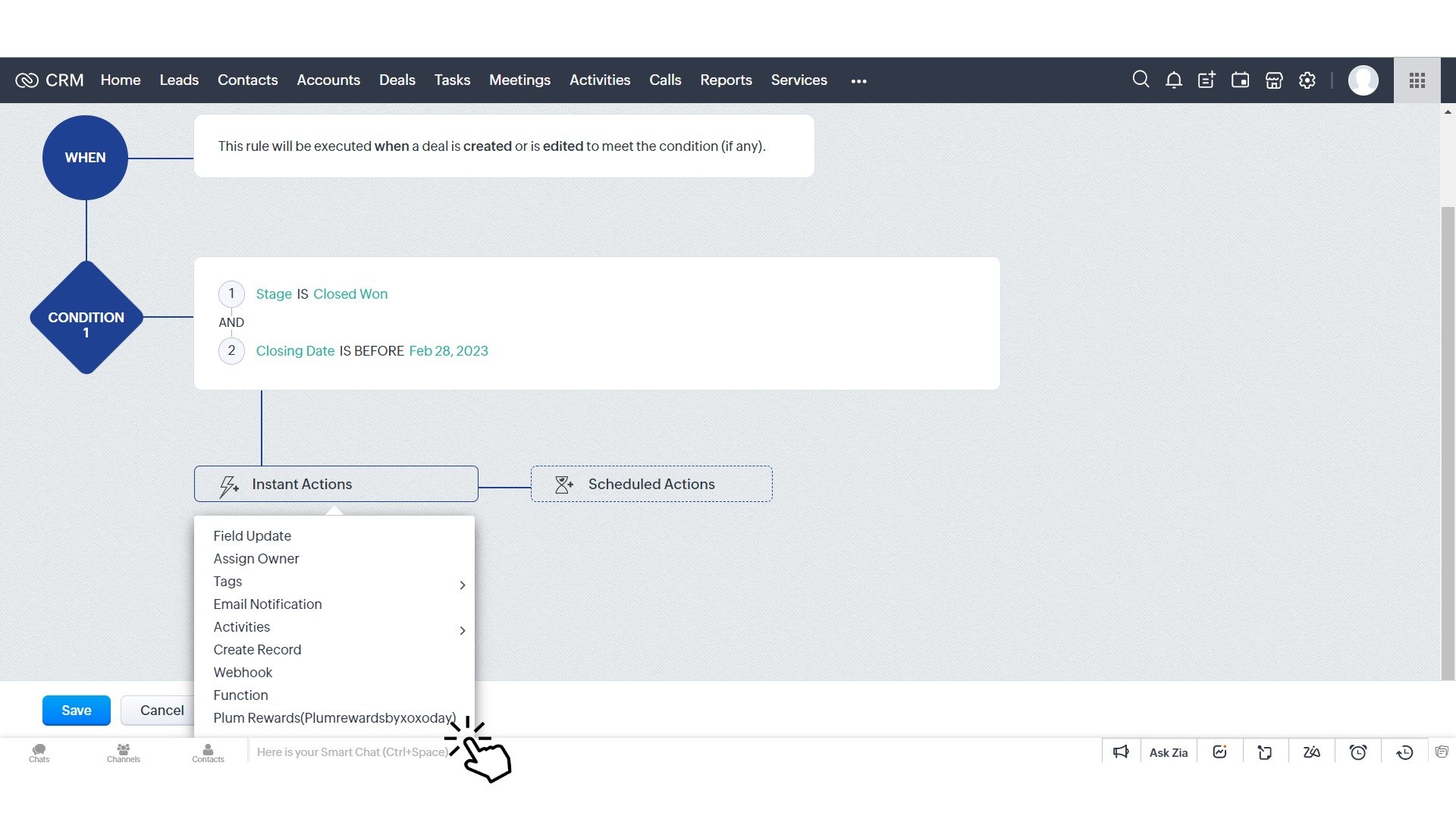
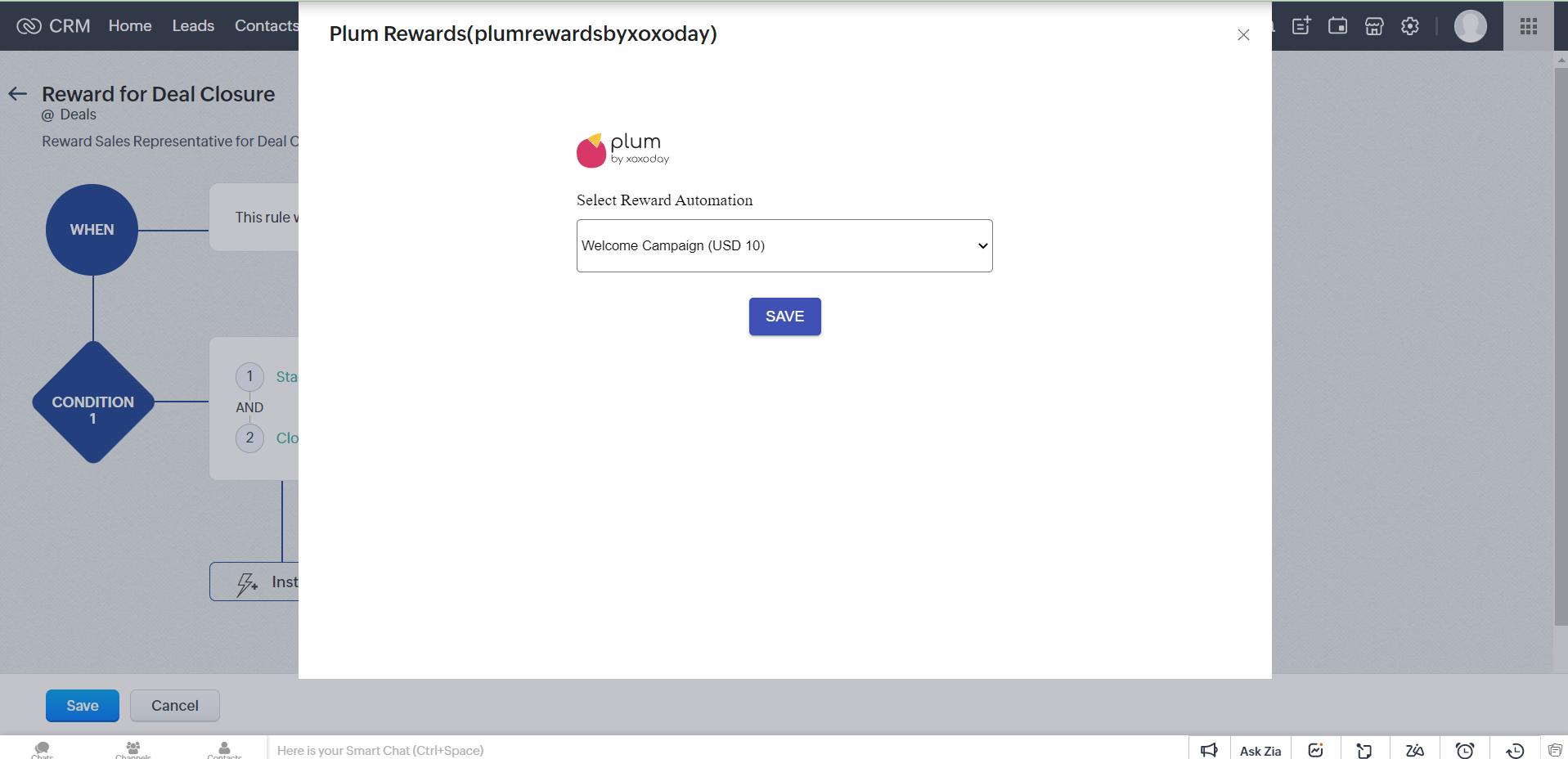
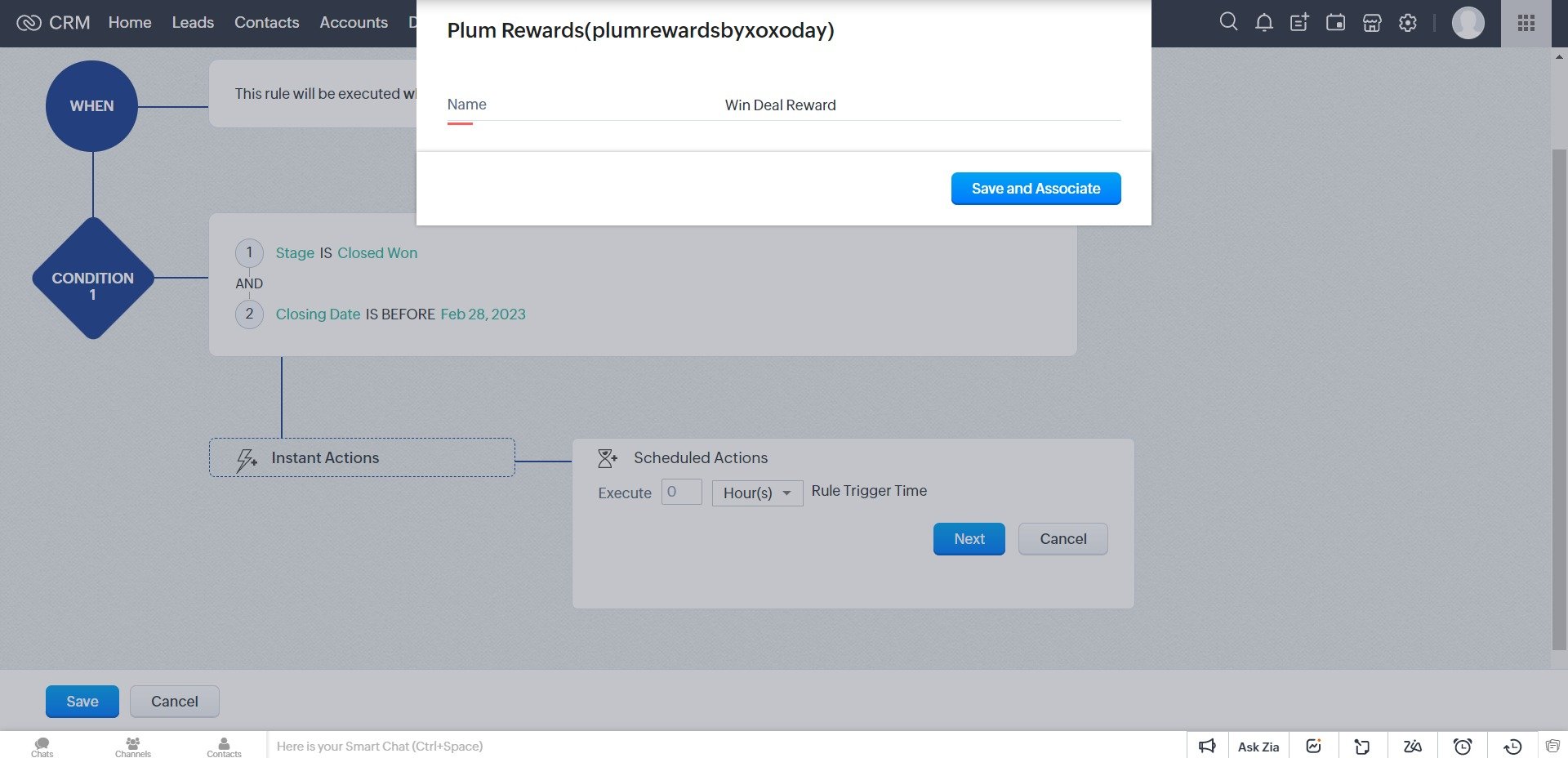
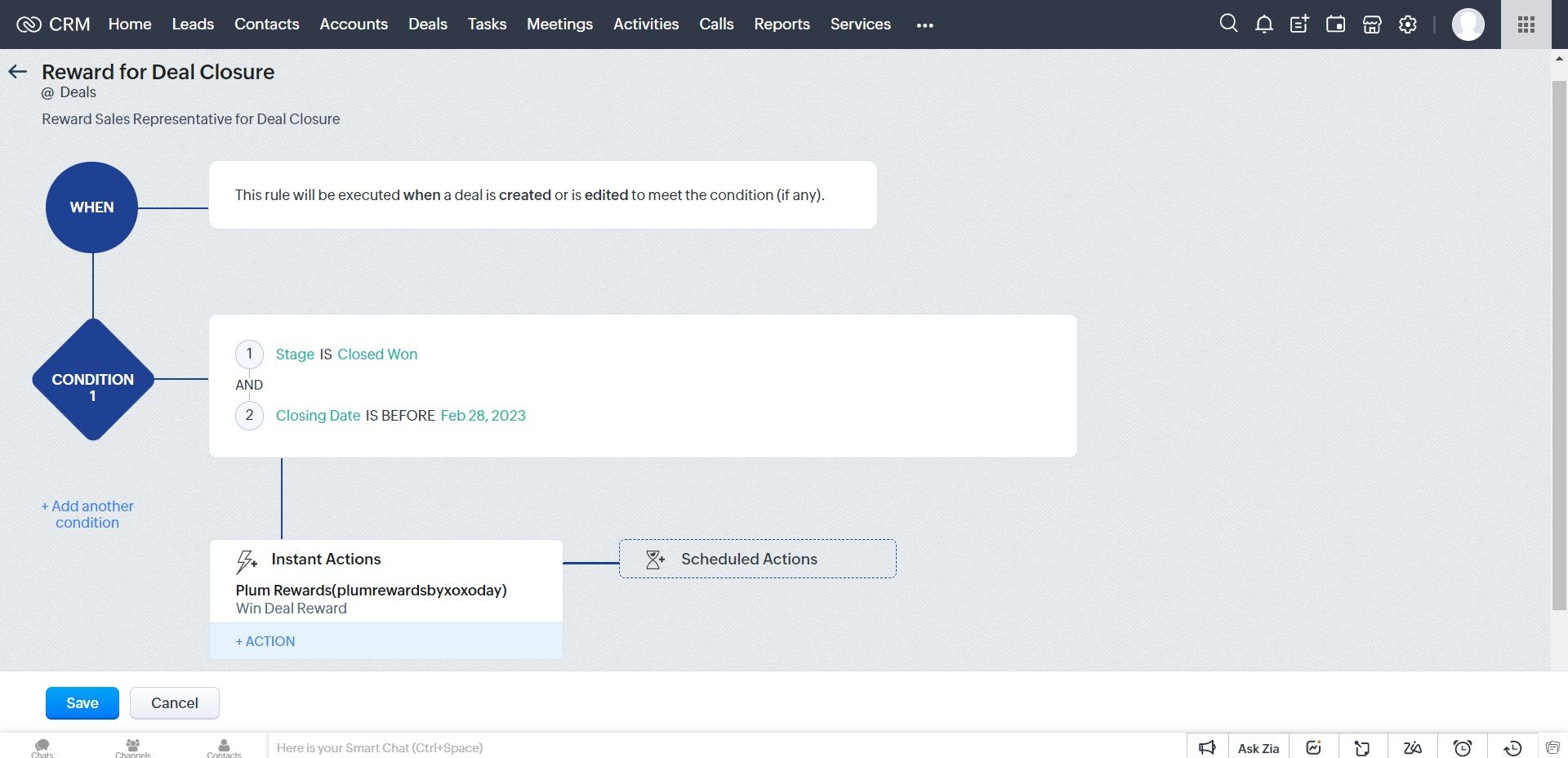
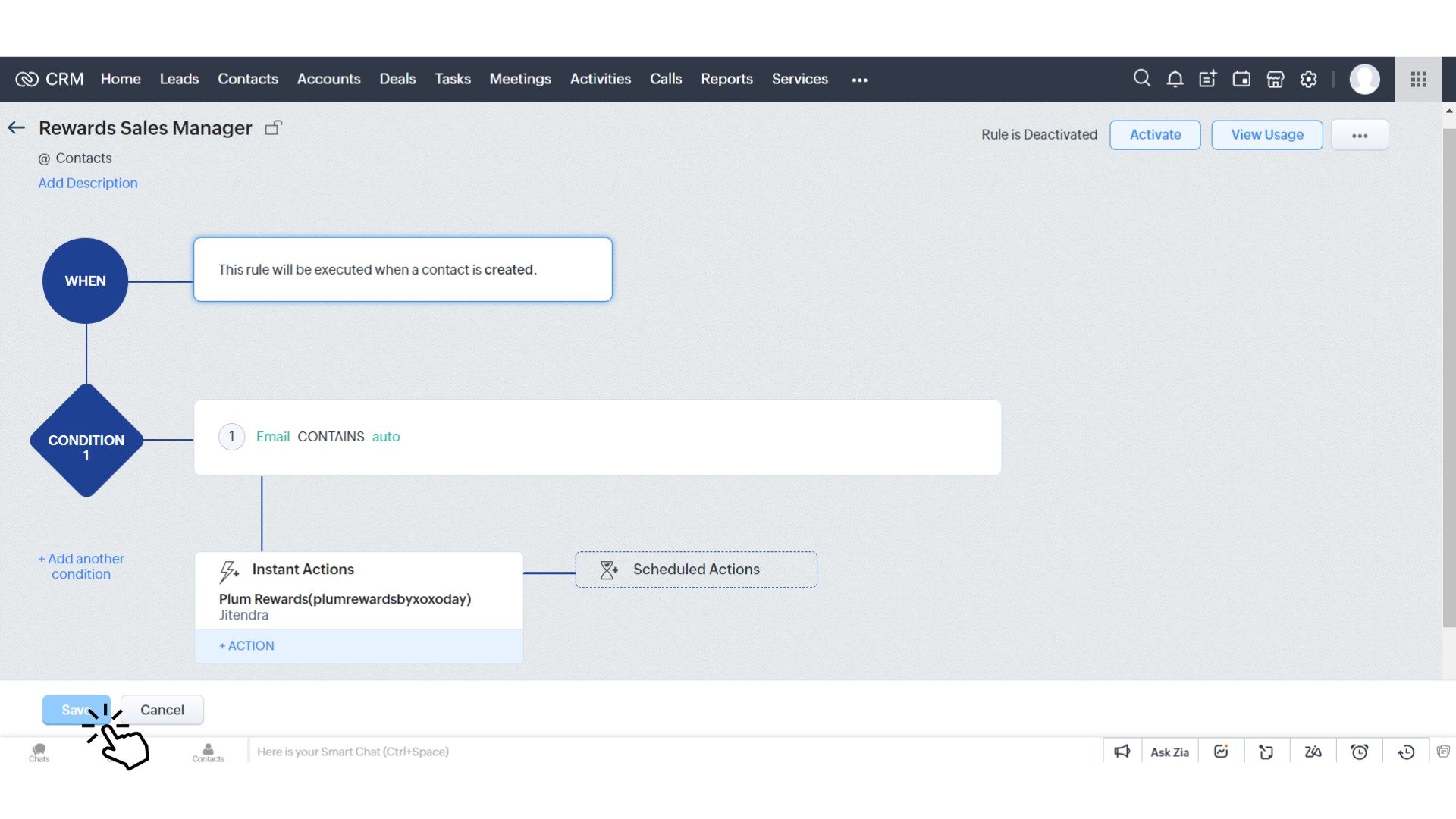
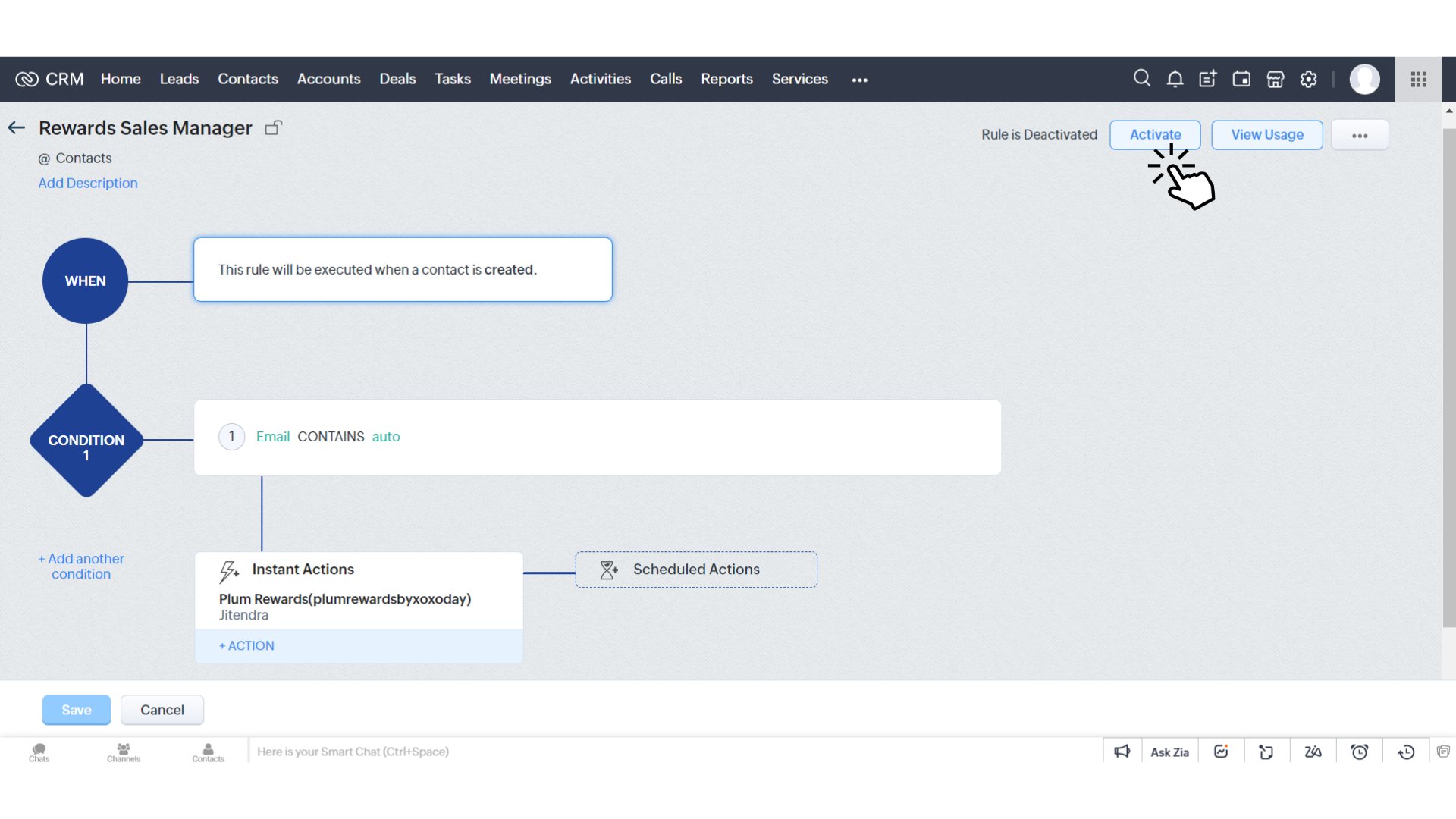
Learn how to set up automation workflow rules for sending rewards automatically in Zoho CRM using the Plum integration.