
Report Types Available
Loopr offers three key types of reports to help you track user engagement and campaign effectiveness:- Redeemed vs. Claimed Report — Compare how many offers have been claimed vs. how many have been redeemed. This helps you identify which offers are being acted upon and which might need attention.
- Anonymous Click Report — Track clicks from users who have interacted with the offers but haven’t logged in or provided identifiable details. Useful for measuring interest from new or guest users.
- User Landing Page Report — Understand how users are landing on your offer pages. This gives insight into traffic sources and campaign reach.
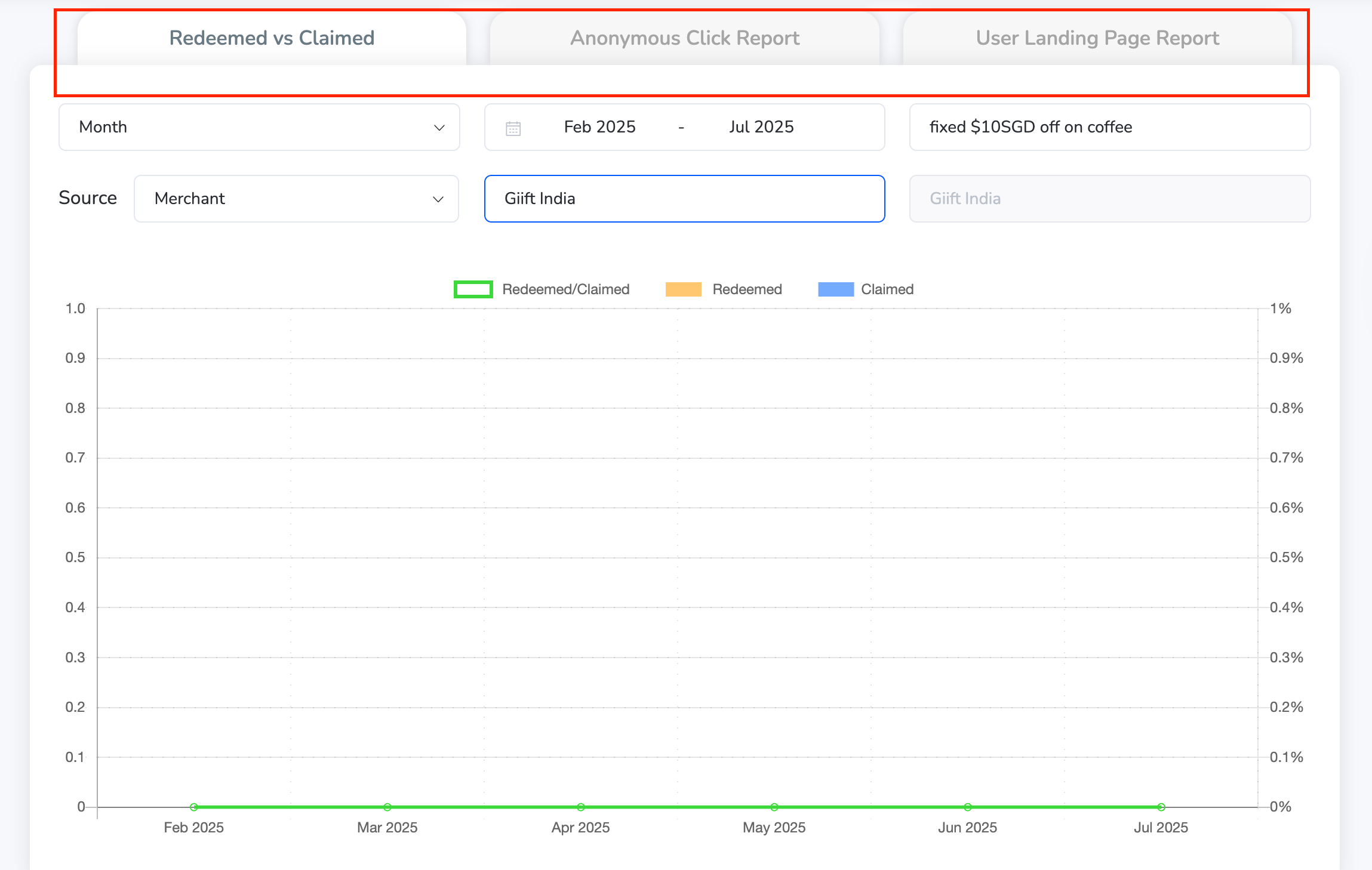
Filters & Customization Options
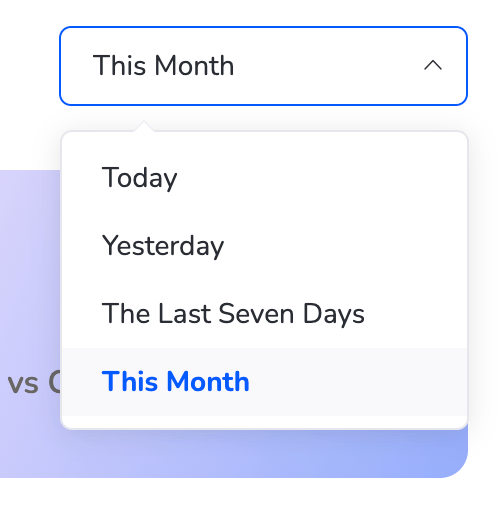
To help you zero in on specific insights, Reports come with powerful filtering options:Date Filters
You can select from the following predefined time ranges:- Today
- Yesterday
- Last 7 Days
- This Month
Filter Parameters
Further refine your data using the following filters:- Day / Month
- Offer Name
- Source (e.g., Web Portal, Merchant, Campaign)
- Merchant Name
How to Use the Reports Section
1
Navigate to Reports
Navigate to Reports from the dashboard.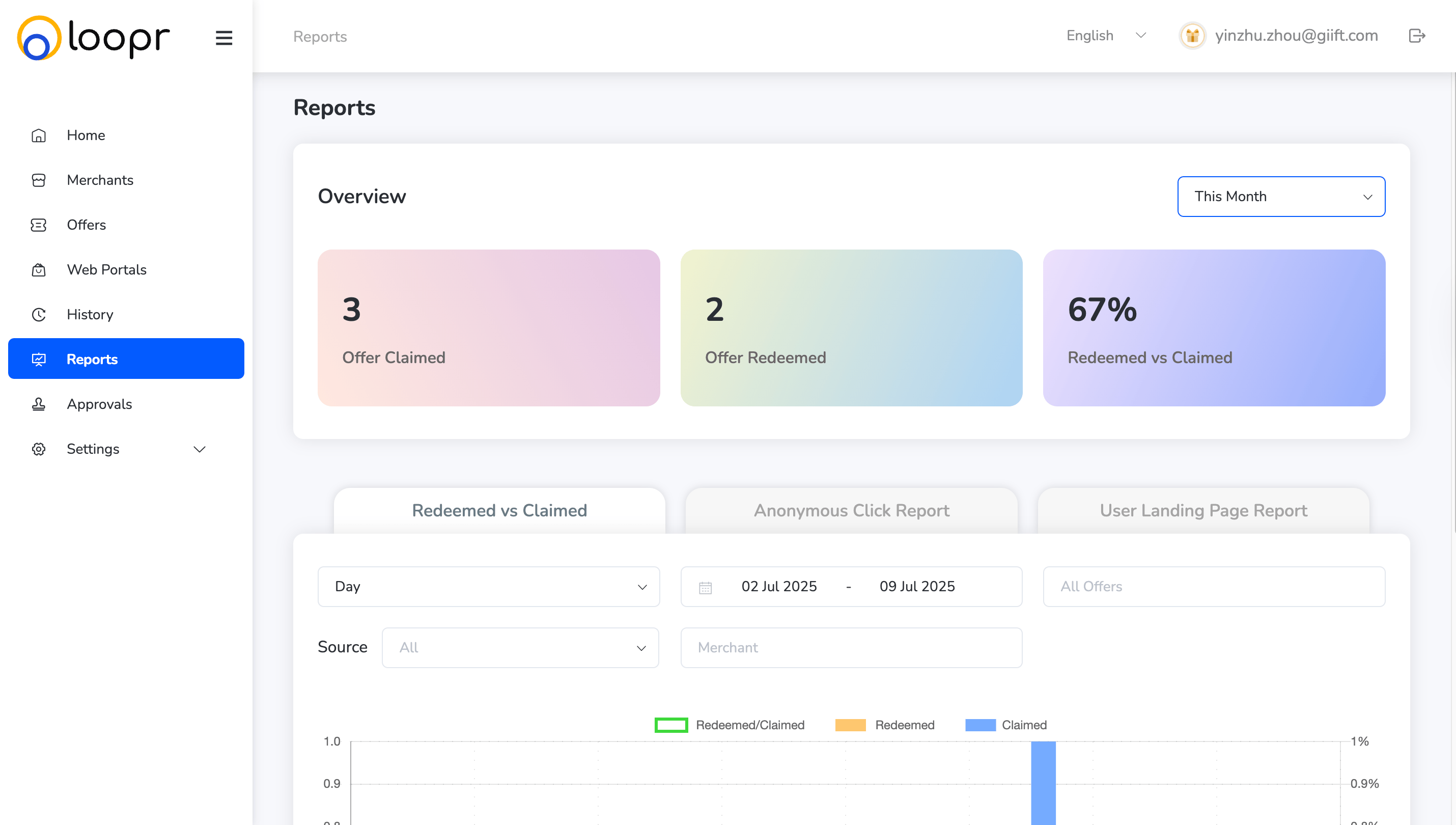
2
Choose the type of report
Choose the type of report you want to view (Redeemed vs. Claimed, Anonymous Clicks, or User Landing Page).
3
Apply the date range
Apply the date range from the top filter panel.
4
Use dropdown filters
Use dropdown filters for Offer Name, Source, Merchant, or specific Days/Months.
5
View or export the data
View or export the data as needed. Click “Export Report”.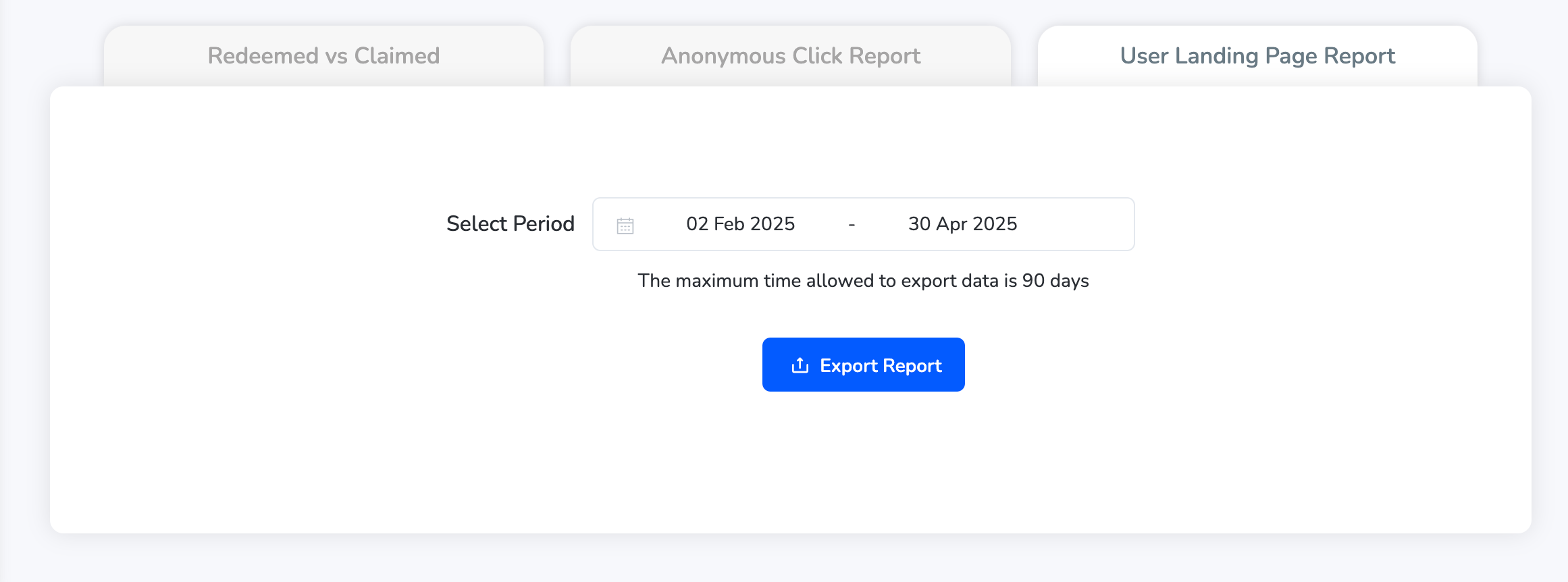
Still need help? Raise a support ticket.