
Creating Offers
To create a new offer:1
Click Create Offer
Click the “Create Offer” button.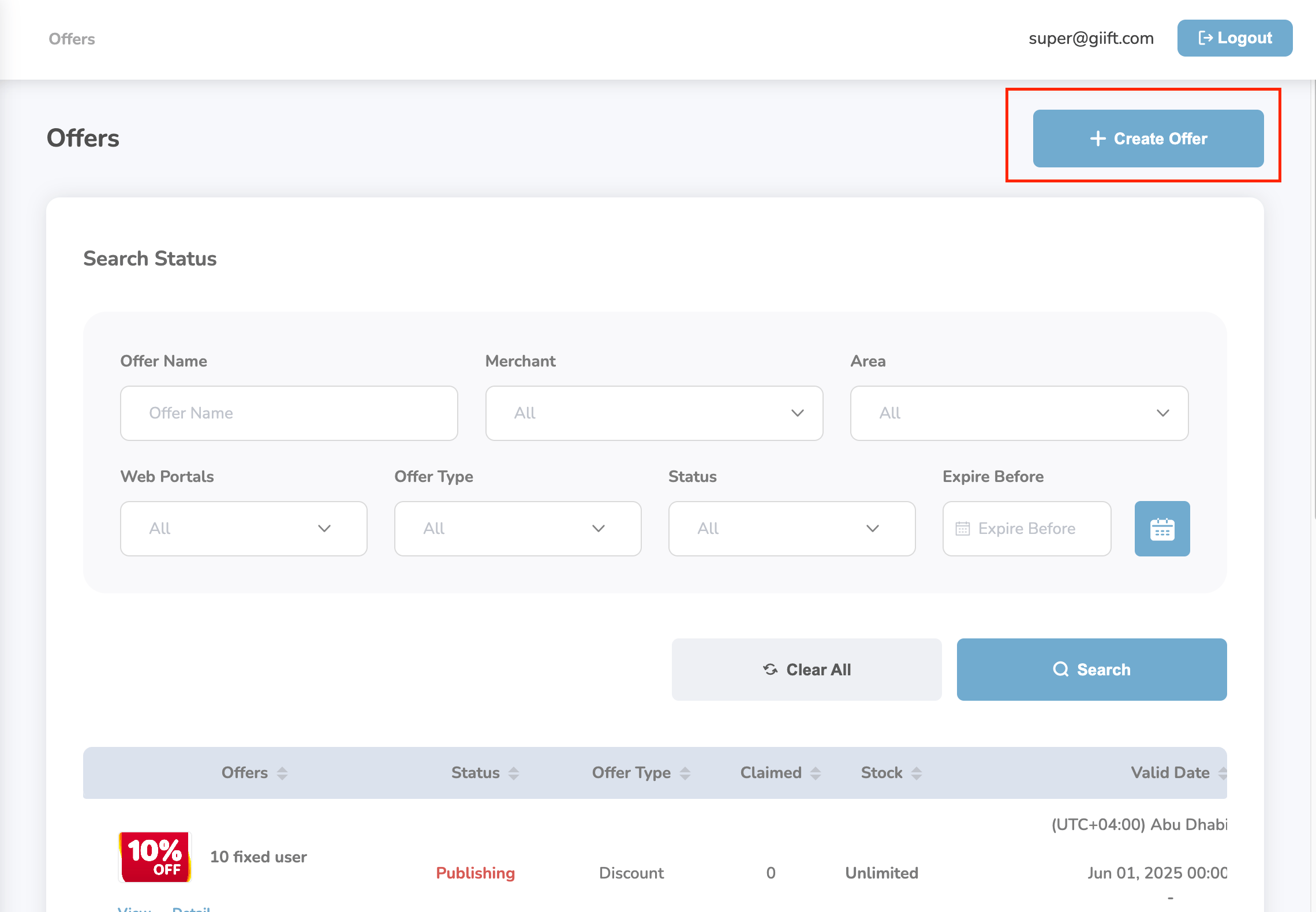
2
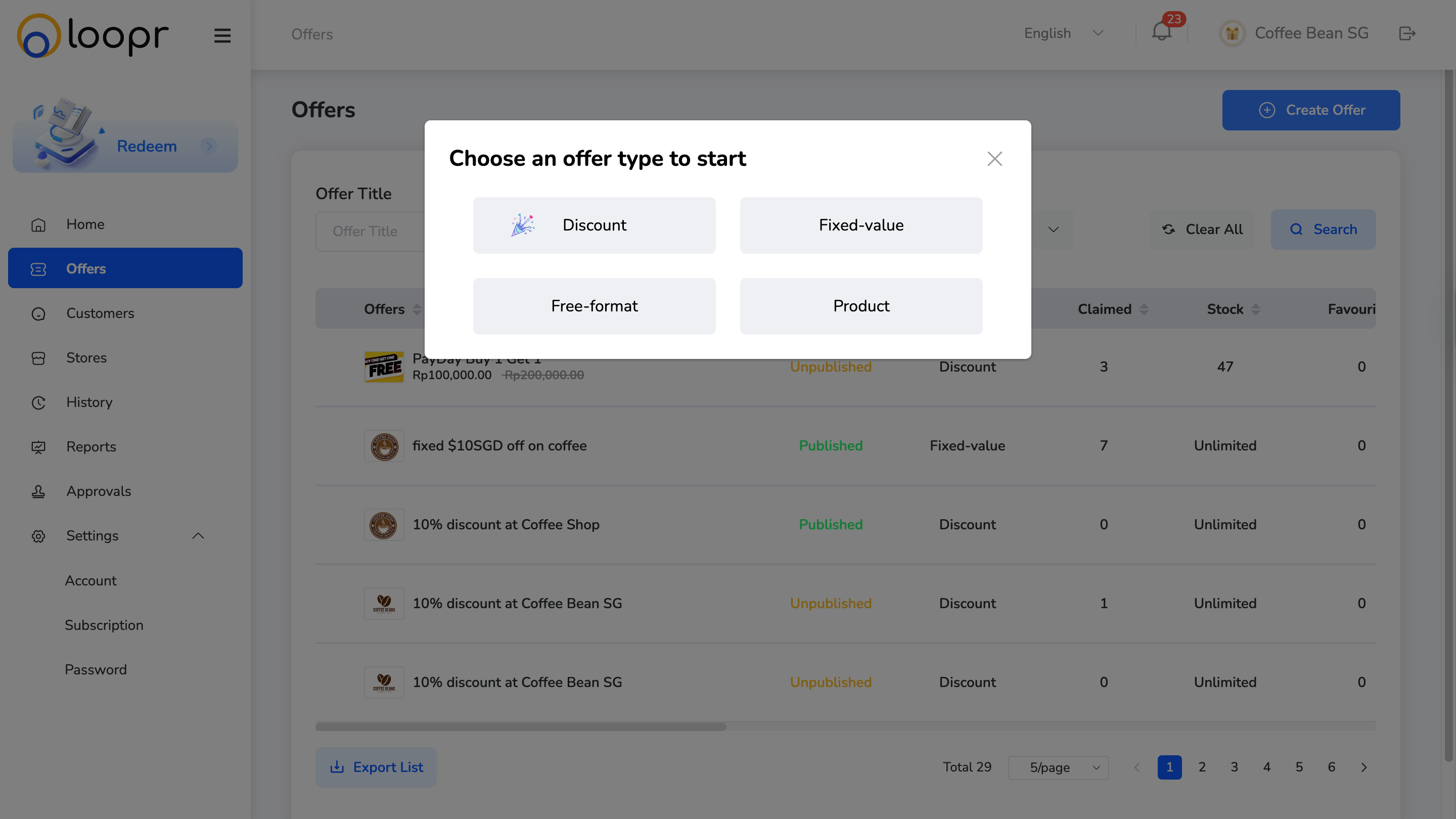
Select the offer type
- Discount (percentage-based)
- Fixed-value (e.g., $10 off)
- Free-format (custom offer format)
- Product (physical or digital product)
3
Fill in all required fields
After selecting the offer type, fill in all required fields across the following sections: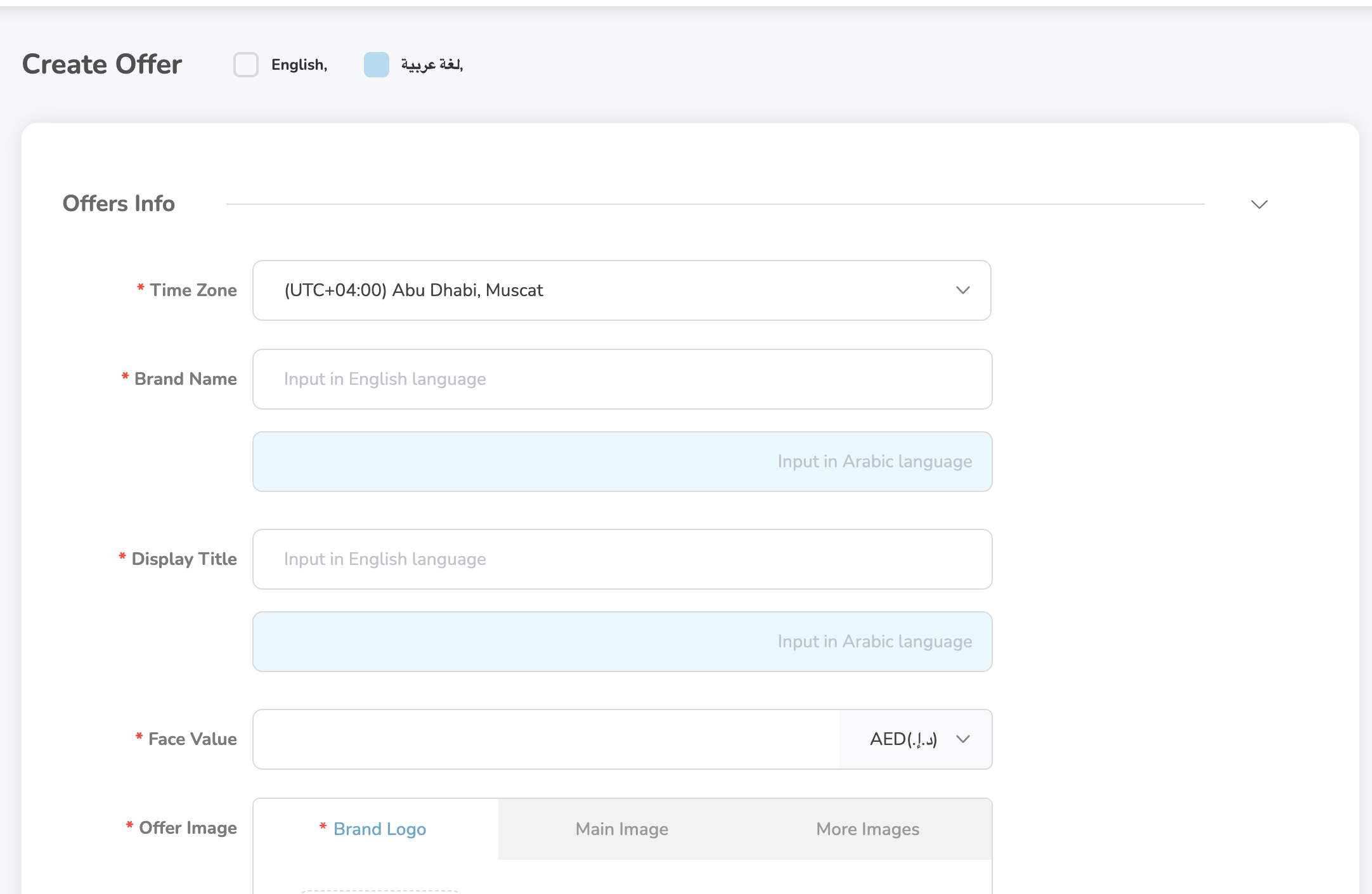
- Time Zone
- Brand Name
- Display Title
- Face Value (use drop-down menu to select)
- Offer Image
- Description
- Voucher Code Info
- Redemption Info