
How to Access the User Feedback Page:
- Navigate to the Left Menu — From the dashboard, click on “User Feedback” under the Settings module.
- Open the Feedback Management Page — Clicking on “User Feedback” will direct you to the User Feedback Management Page, where you can view and manage feedback options.
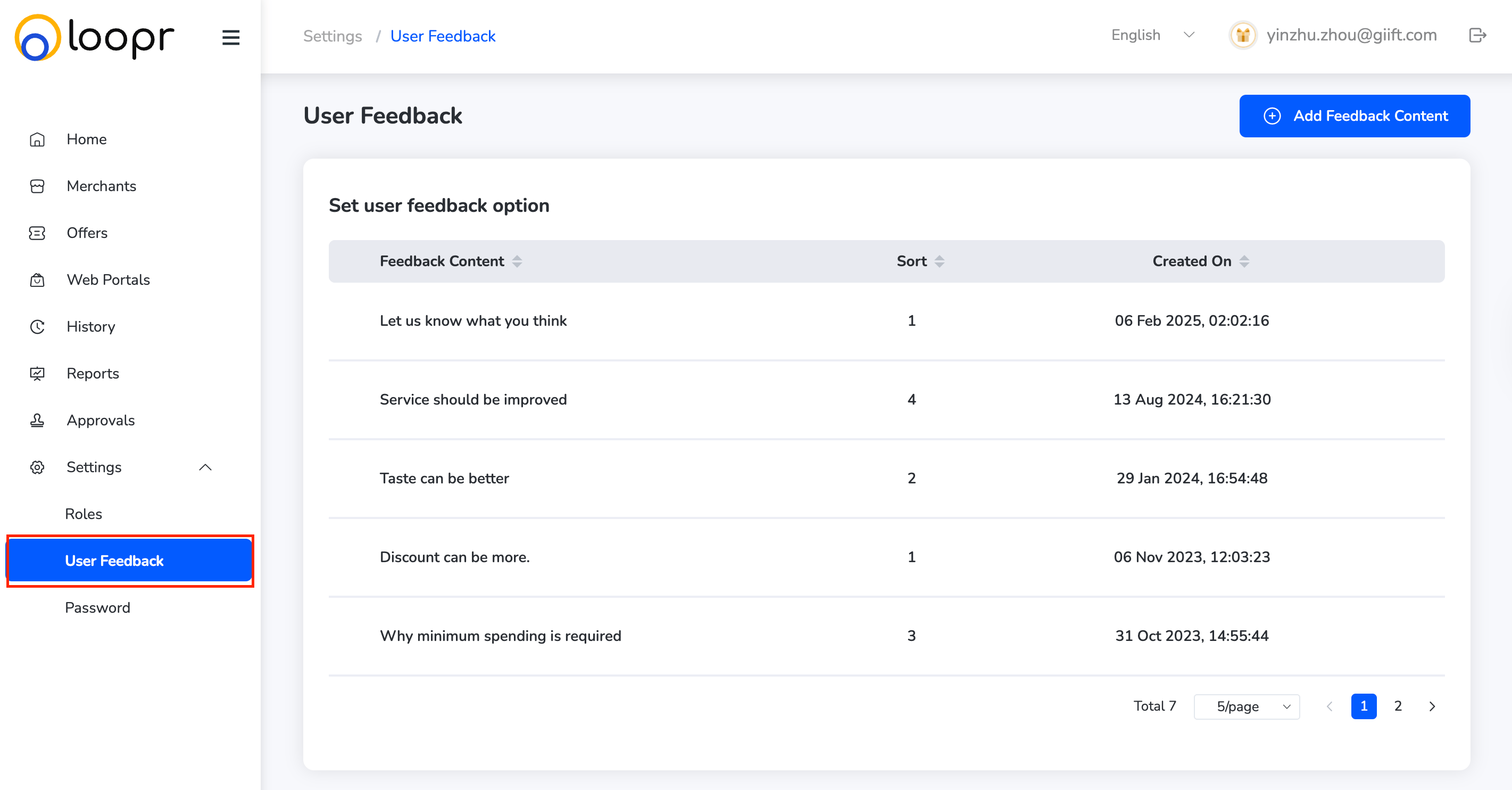
What You Can Do on the User Feedback Page:
- View Feedback Options — See a list of all existing user feedback options currently available on the platform.
- Edit Feedback Option — Modify the content or category of any feedback option by clicking the “Edit” button.
- Add New Feedback Option — Click “Add” to create a new user feedback option. Enter the required details and save.
- Delete Feedback Option — Remove outdated or irrelevant feedback options by clicking “Delete” next to the corresponding item.
Still need help? Raise a support ticket.