
1
Open the Add Offers Overlay
- Navigate to the Web Portals tab from the left-hand side menu.
- Click on the web portal you want to add offers to, and then click “View” under the selected offer.
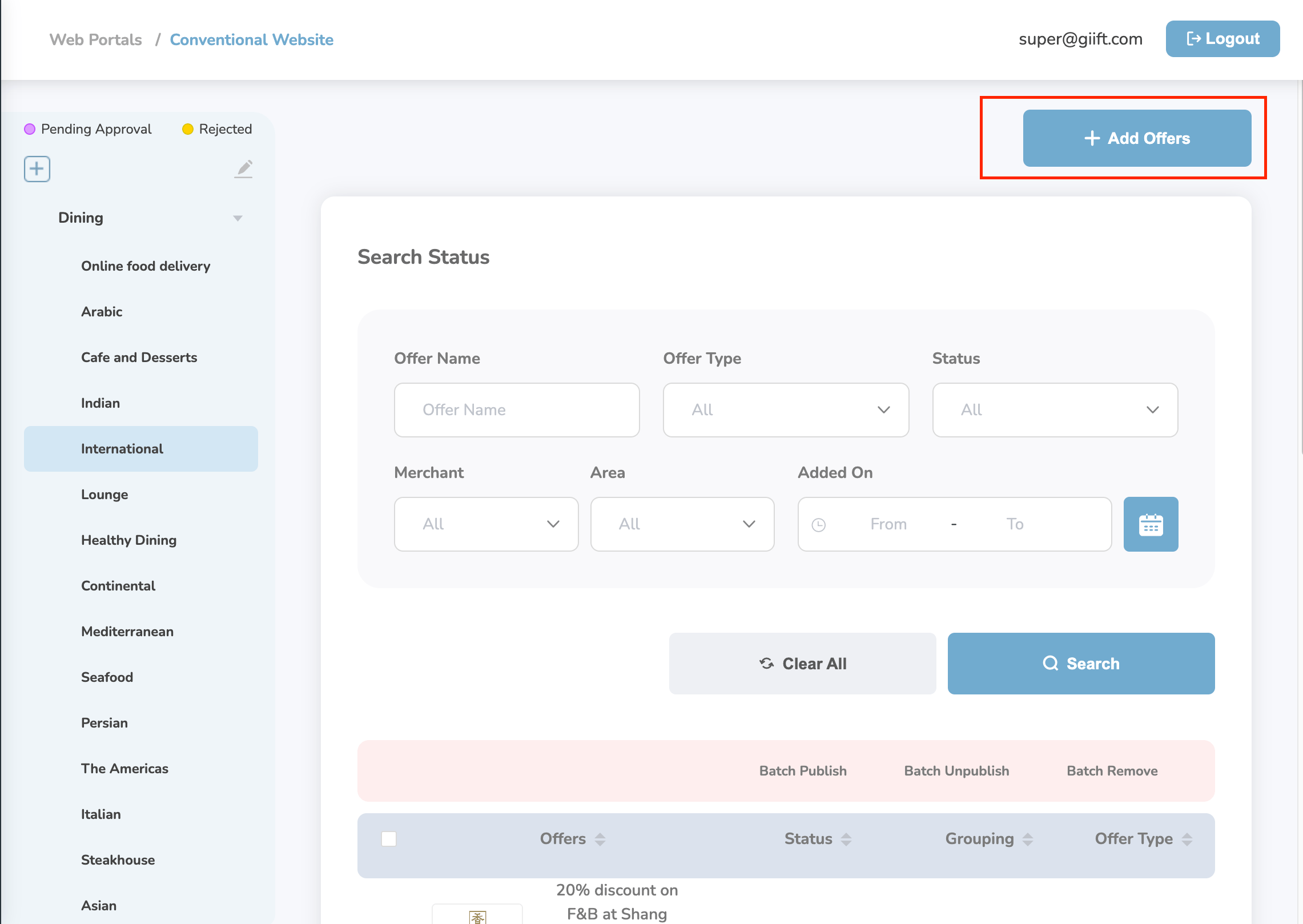
- On the portal details page, click “Add Offers” located at the top right corner.
- This will open the Add Offers overlay window.
2
Select and Add Offers
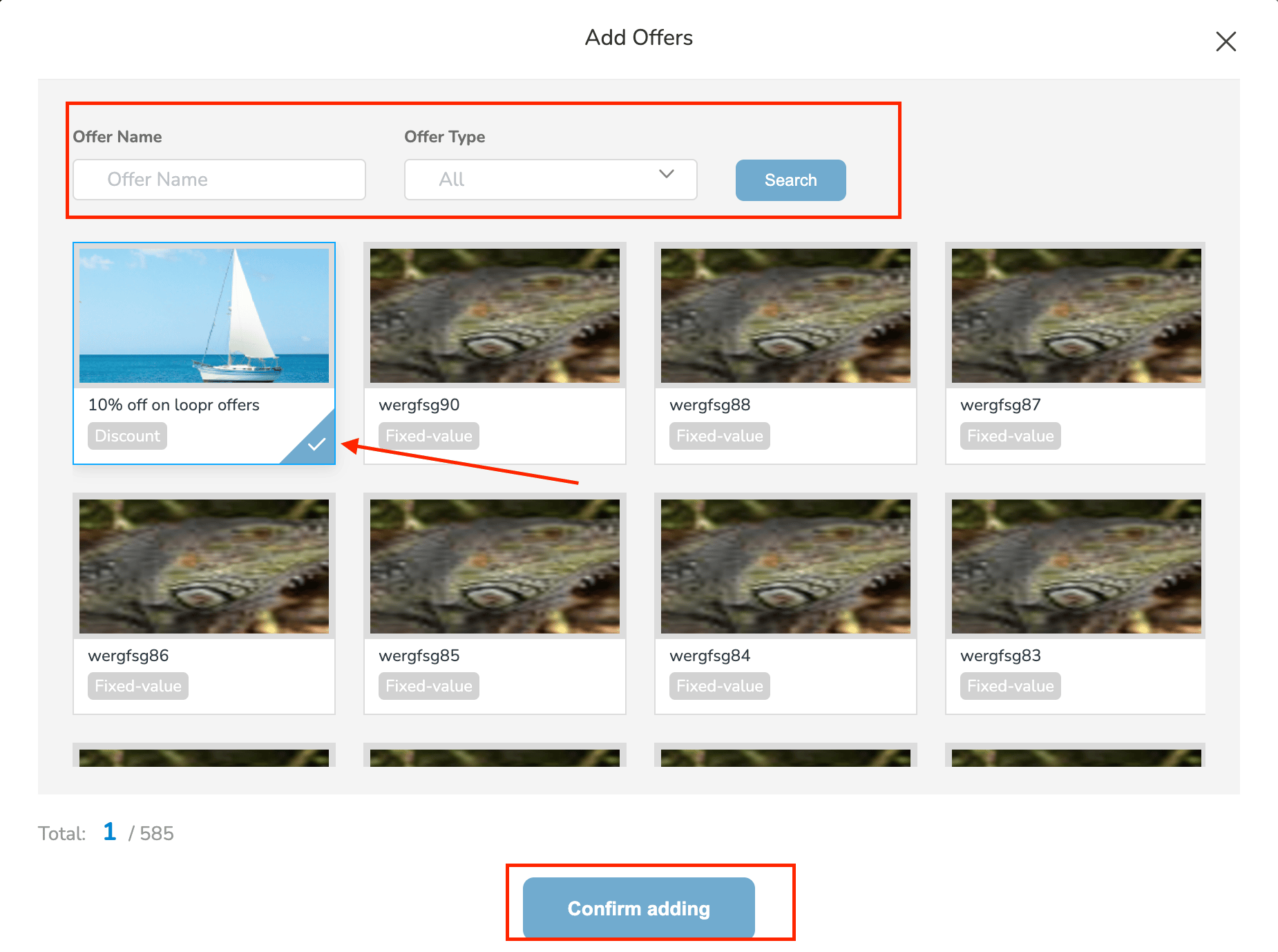
- Browse or search the list of available offers in the overlay.
- Click on the offers you want to add — selected offers will be highlighted.
- Once your selection is complete, click “Confirm Adding” to add the selected offers to the web portal.
Still need help? Raise a support ticket.