
1
Navigate to the Web Portal
- Go to the Web Portals tab from the left-hand side menu.
- Select the web portal where you want to edit a category or sub-category.
- Click “View” to open the portal details page.
2
Open the Edit Category/Sub-Category Overlay
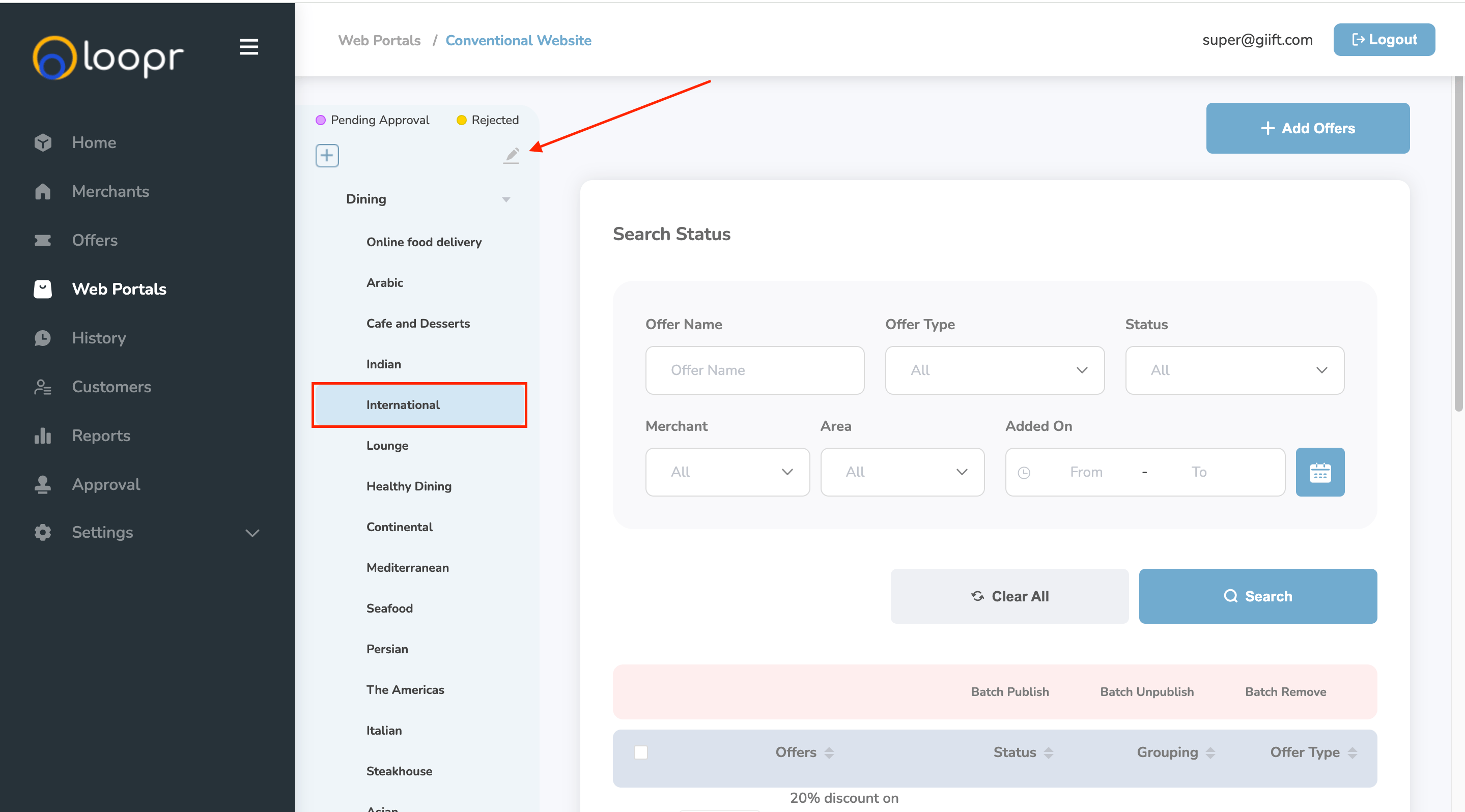
- Click on the desired category or sub-category from the left panel.
- Click the “Edit” (pencil) icon next to the selected item.
- This will open the Edit Category/Sub-Category overlay.
3
Edit and Save
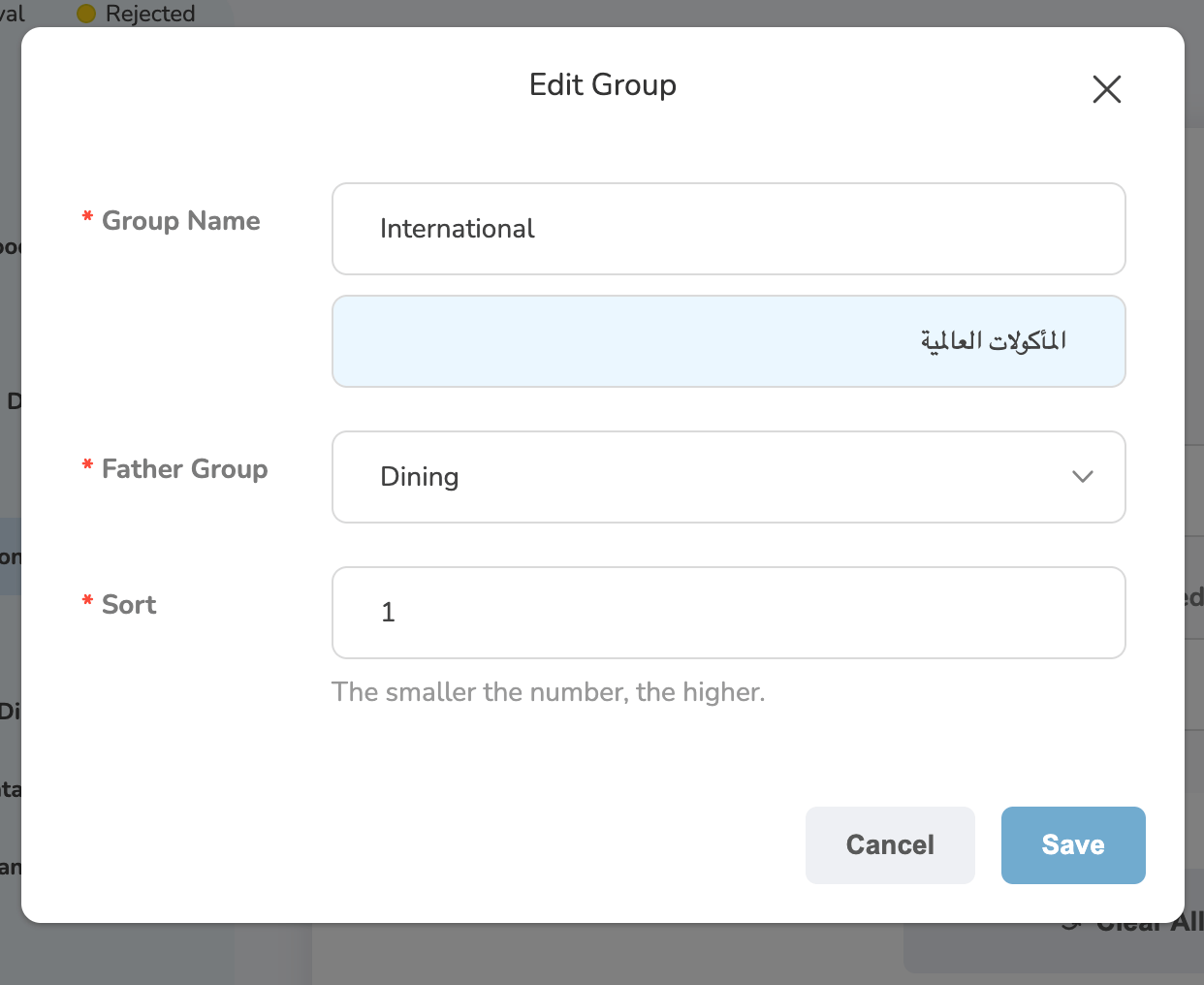
- Update the required category or sub-category information in the overlay fields.
- Click “Save” to apply and update the changes.
Still need help? Raise a support ticket.