
1
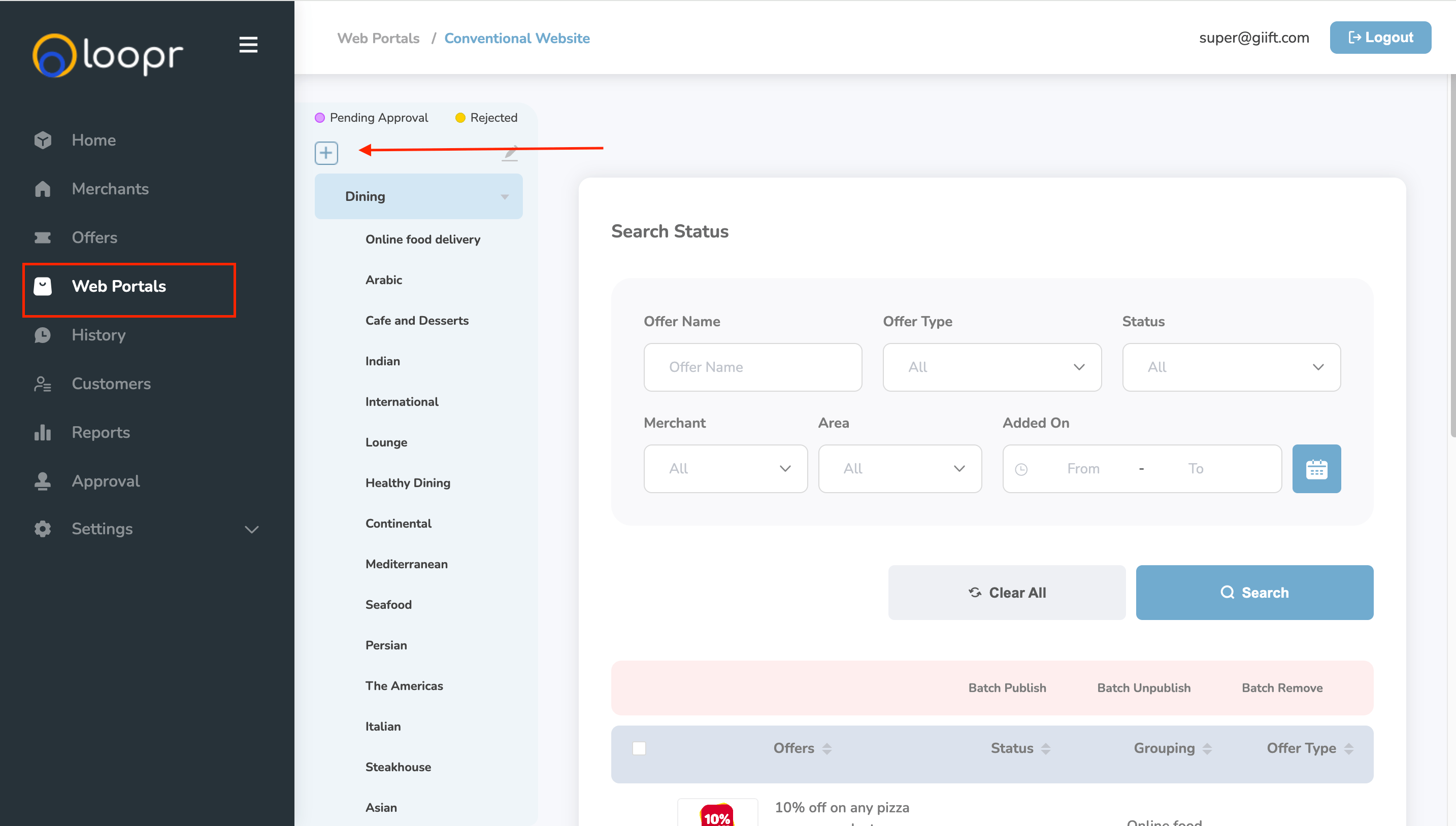
Navigate to the Web Portal
- Go to the Web Portals tab from the left-hand side menu.
- Click on the desired web portal from the list.
- Once the selected portal loads, the categories and sub-categories will be displayed on the left panel.
2
Open the Add Category/Sub-Category Overlay
- Click on the ”+” icon located near the categories panel.
- This will open the Add Category/Sub-Category overlay.
3
Add Group Details
Fill in the following fields in the overlay: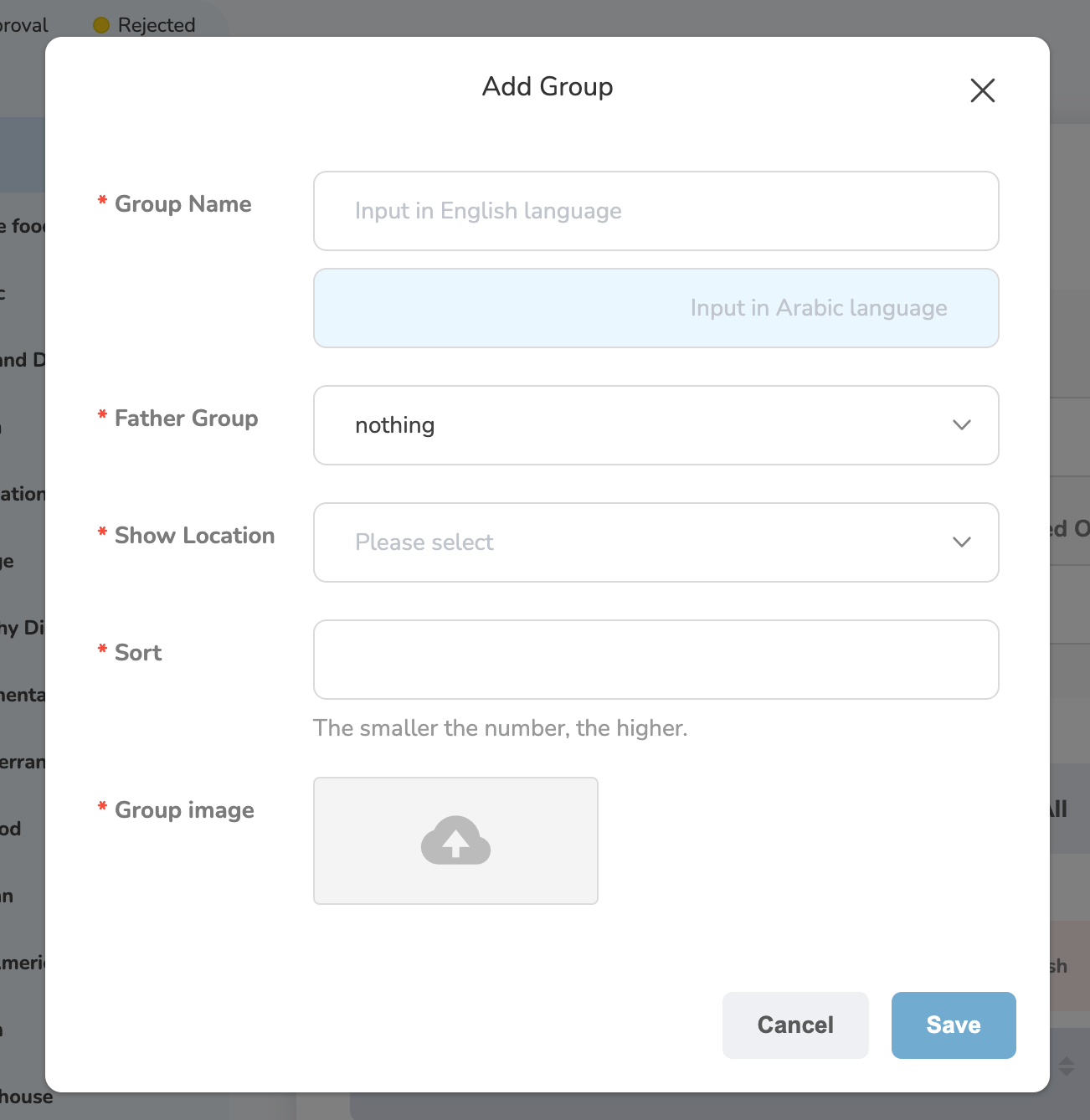
- Group Name
- Father Group (select parent category if it’s a sub-category)
- Show Location
- Sort Order
- Group Image
Still need help? Raise a support ticket.