
1
Navigate to Web Portals
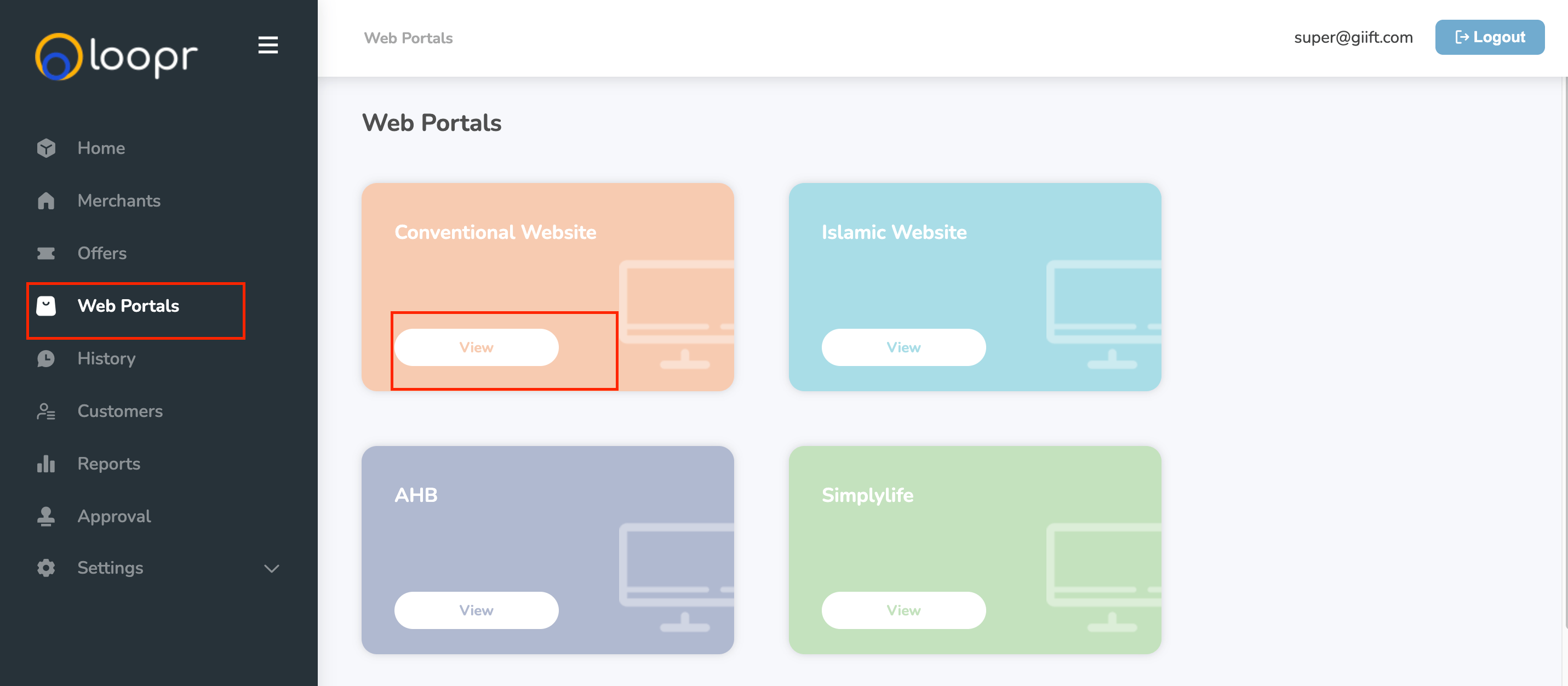
Go to the left-hand side (LHS) menu and click on “Web Portals.”
2
View Details of a Web Portal
- Select a web portal from the list.
- This will redirect you to the corresponding Web Portal Management page.
- Click on the “View” button next to the portal you want to explore.
- The categories and sub-categories of the selected web portal.
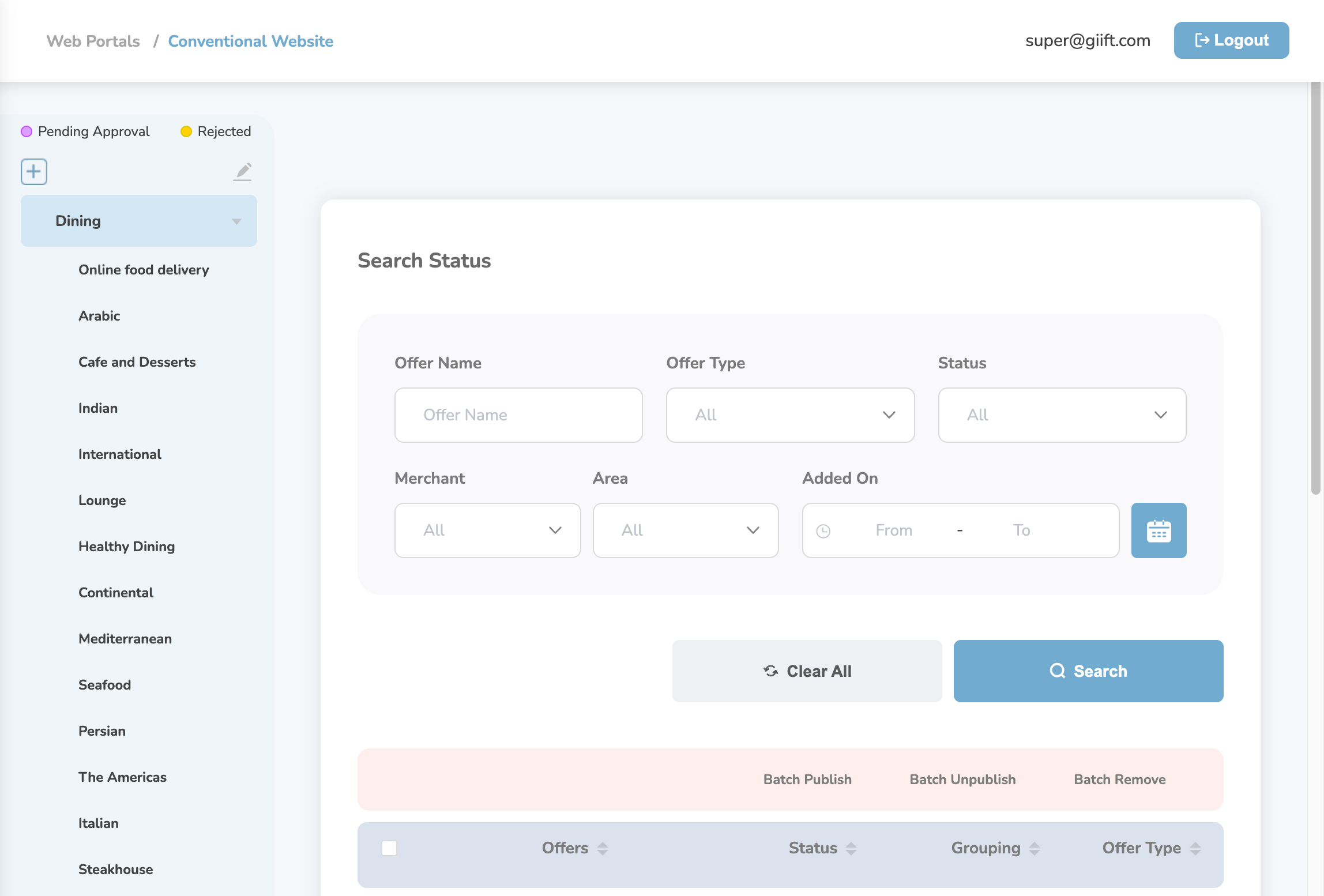
- The offers that have been added to this web portal.
Still need help? Raise a support ticket.