
1
Navigate to the Web Portal tab
Navigate to the Web Portal tab and select the relevant portal. Click the “Brand” button to open the Brand Management page.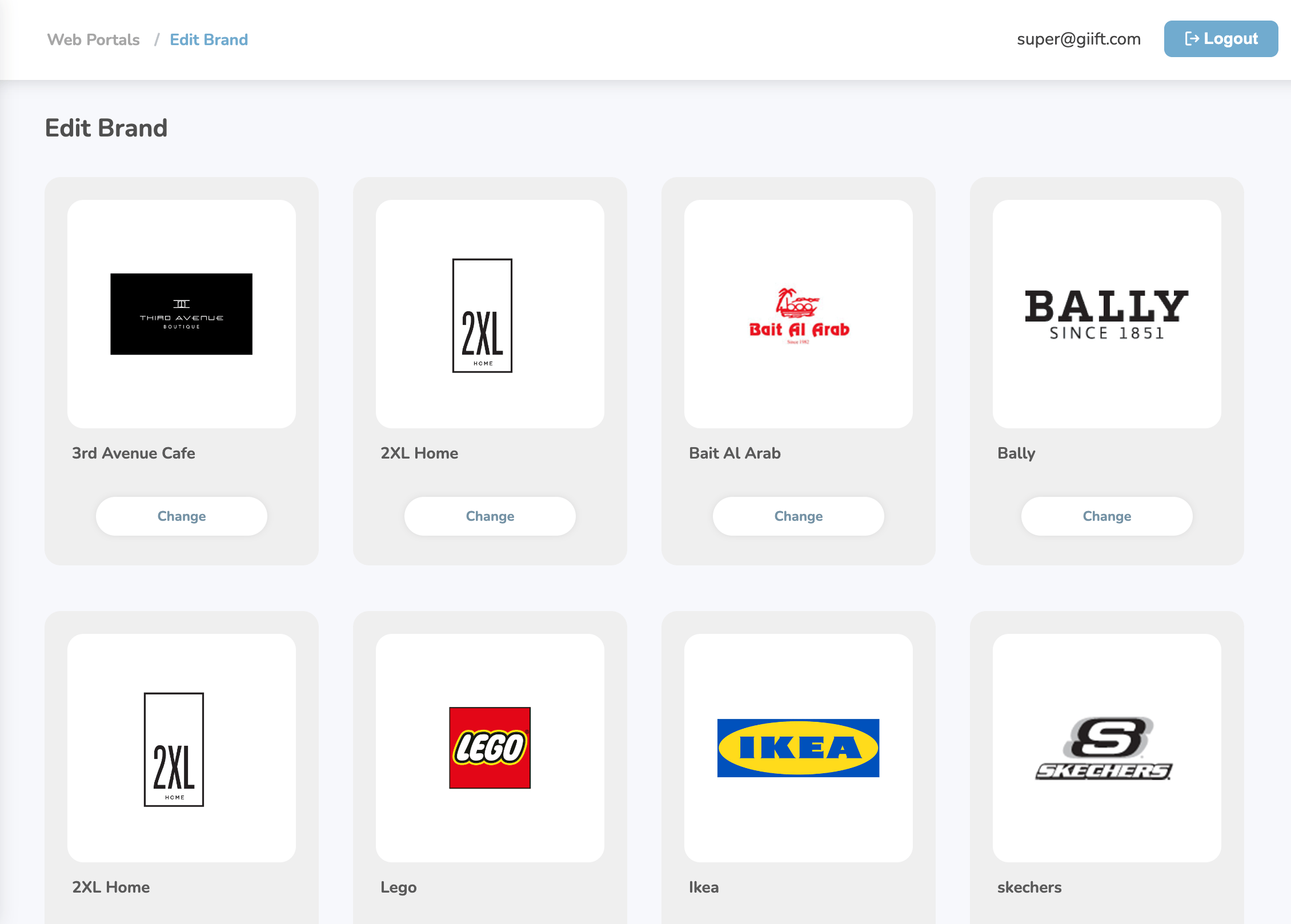
2
Click Change on the brand
On the specific brand you want to change, click the “Change” button below it. An overlay will appear showing all available brands.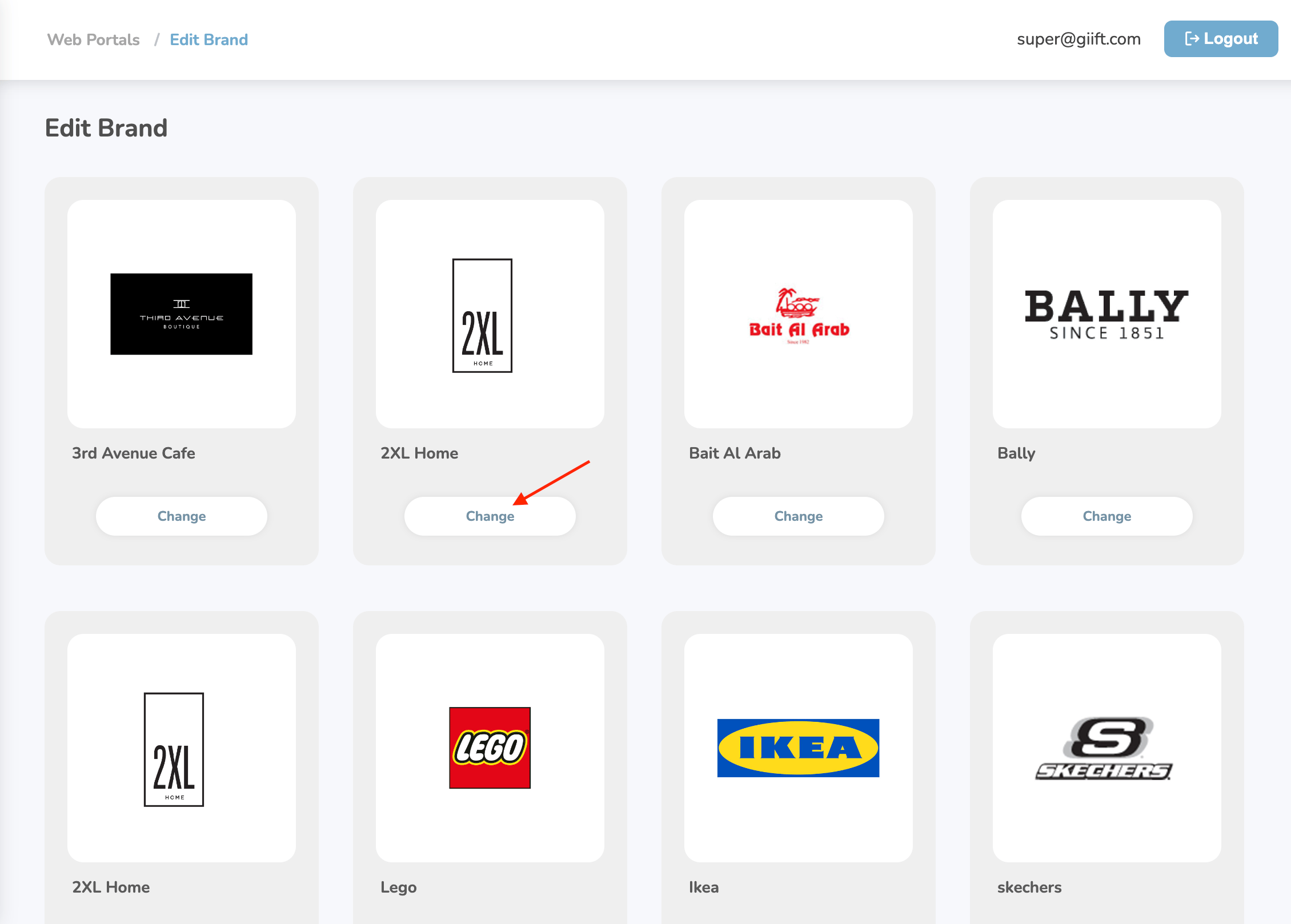
3
Select and submit the brand
You can either search for a brand or select one by simply clicking on it. Once selected, click Submit to save your changes.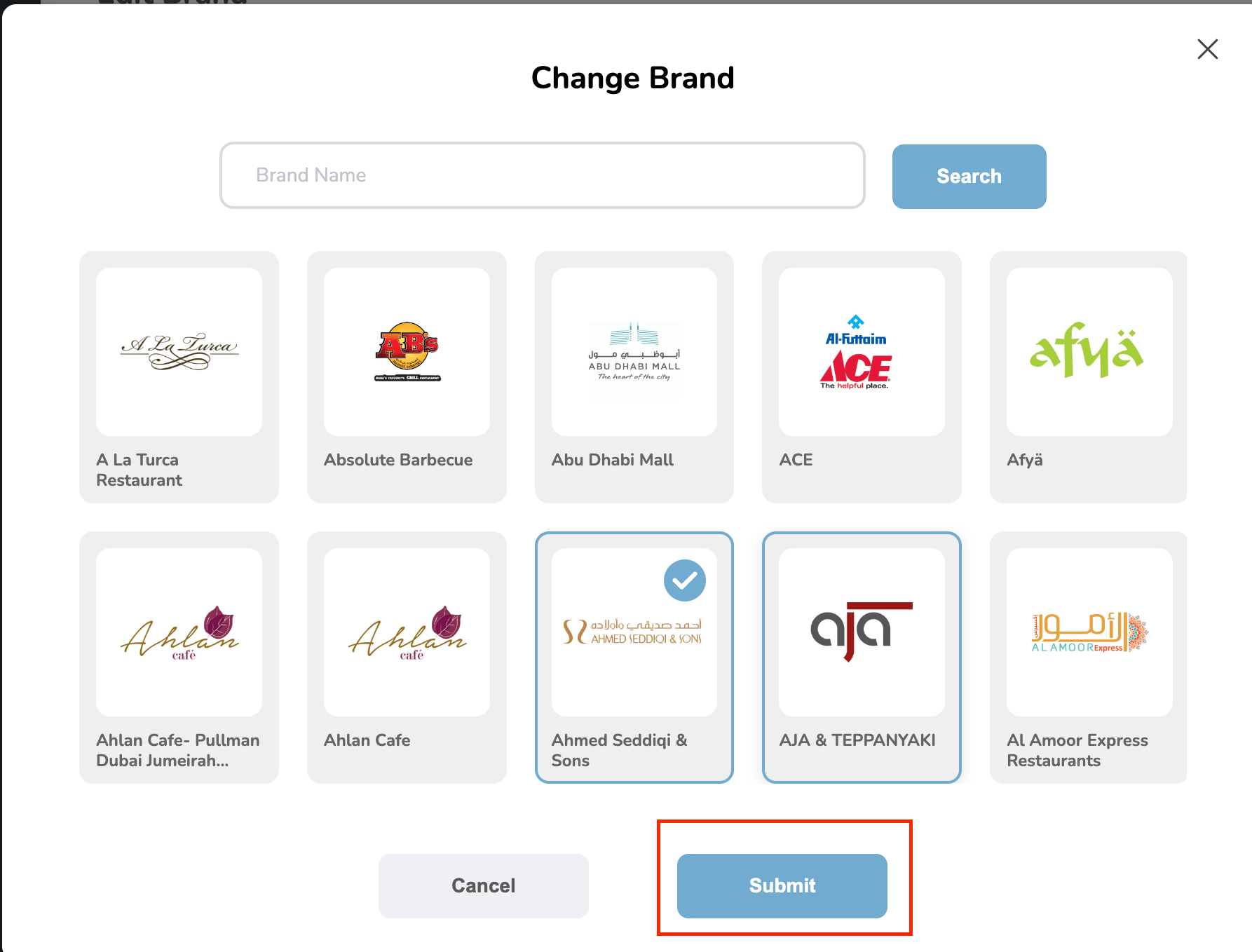
Still need help? Raise a support ticket.