
Publishing Offers
1
Go to the Web Portals section
Go to the Web Portals section from the admin dashboard. Select the desired web portal to view its details.
2
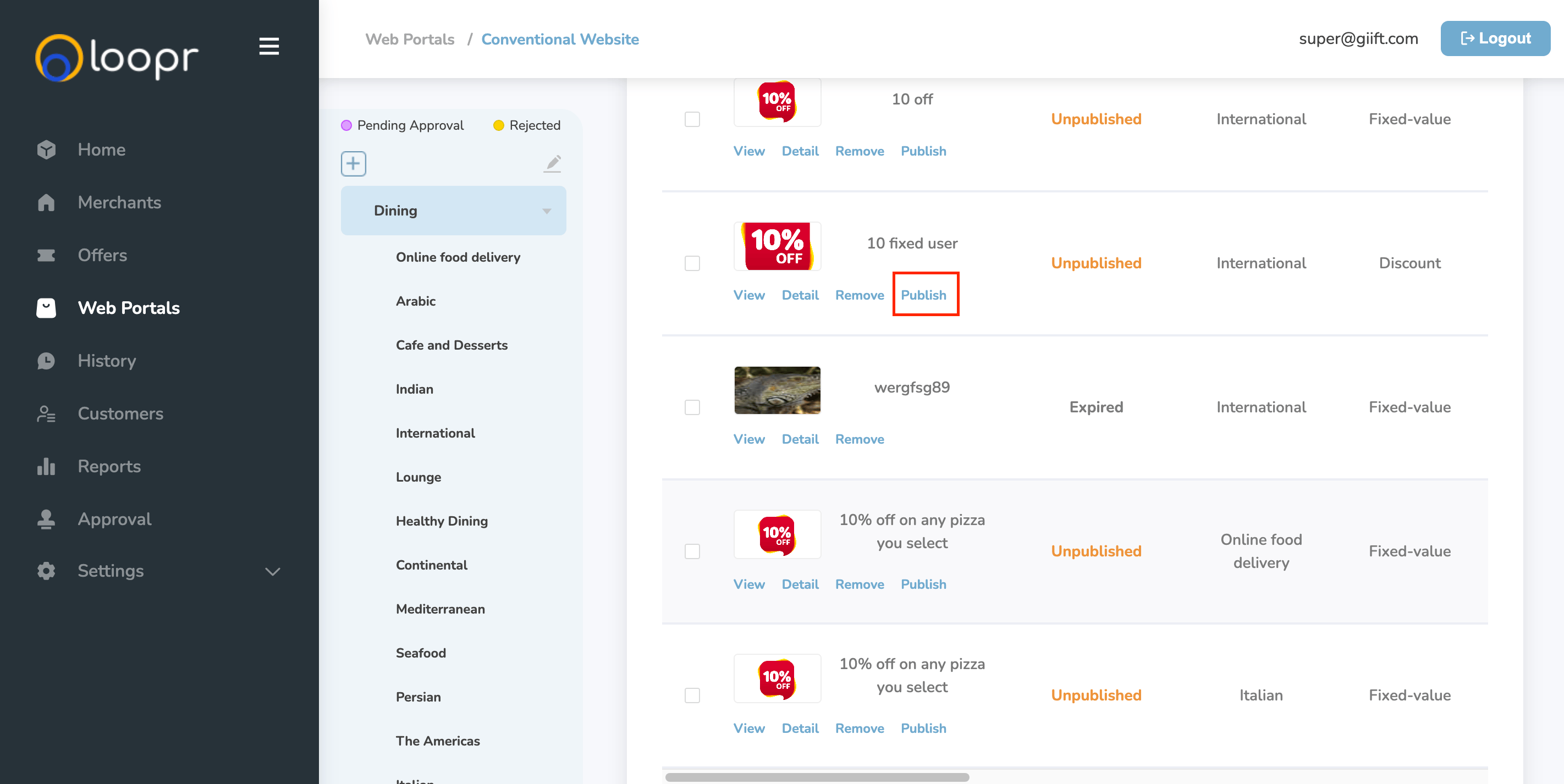
Publish the offer
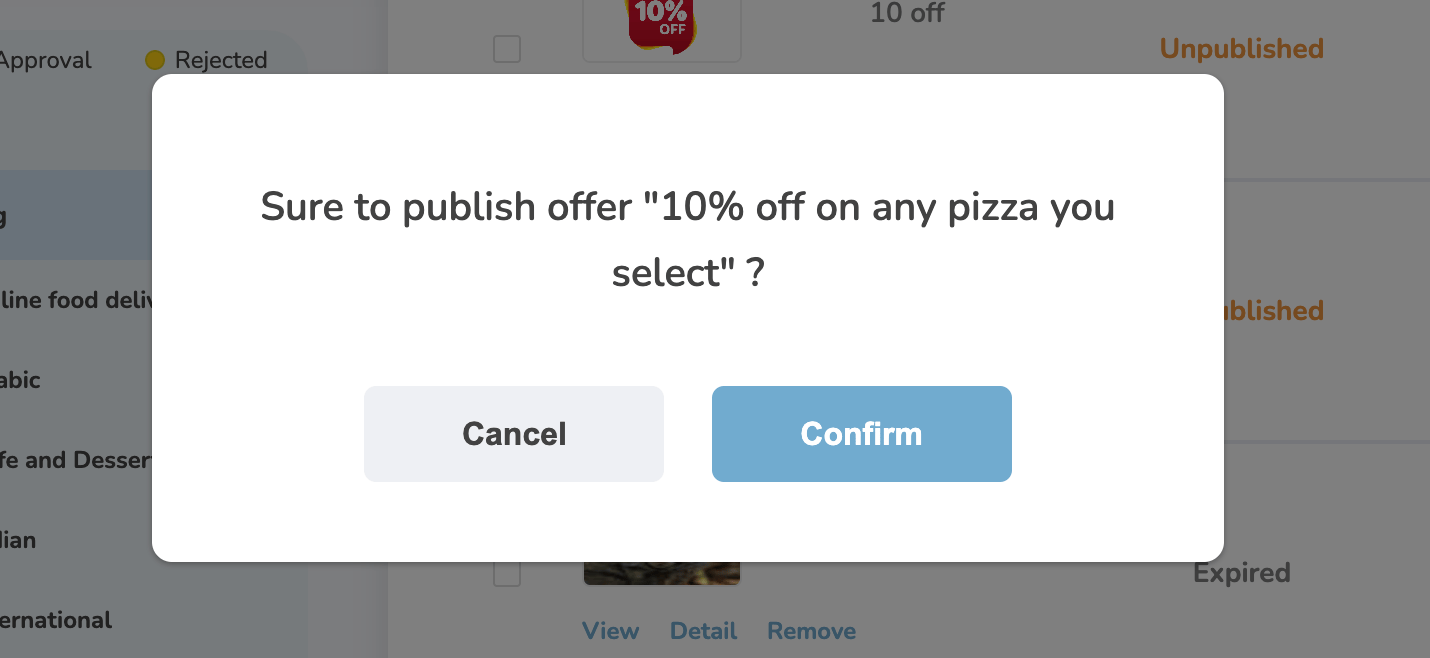
On the selected portal’s page, scroll down to the Offer Cards section. Click “Publish” on the offer you want to make live. It will ask you to “Confirm” your selection.
3
Offer published
Once you click Publish, the offer will be published to the selected web portal. The offer status will automatically update from “Unpublished” to “Published.”
Unpublishing Offers
1
Locate the published offer
In the Offer Cards section of the web portal, locate the published offer. Click “Unpublish” on the offer you want to remove.
2
Offer unpublished
After clicking Unpublish, the offer will be removed from the selected web portal. The status will change from “Published” to “Unpublished.”
Still need help? Raise a support ticket.