
1
Go to Web Portals and navigate to the sub-category
Go to Web Portals and select the desired portal. Navigate to the specific sub-category where the offer is listed.
2
Remove the offer
Locate the offer you want to remove and click “Remove” next to it.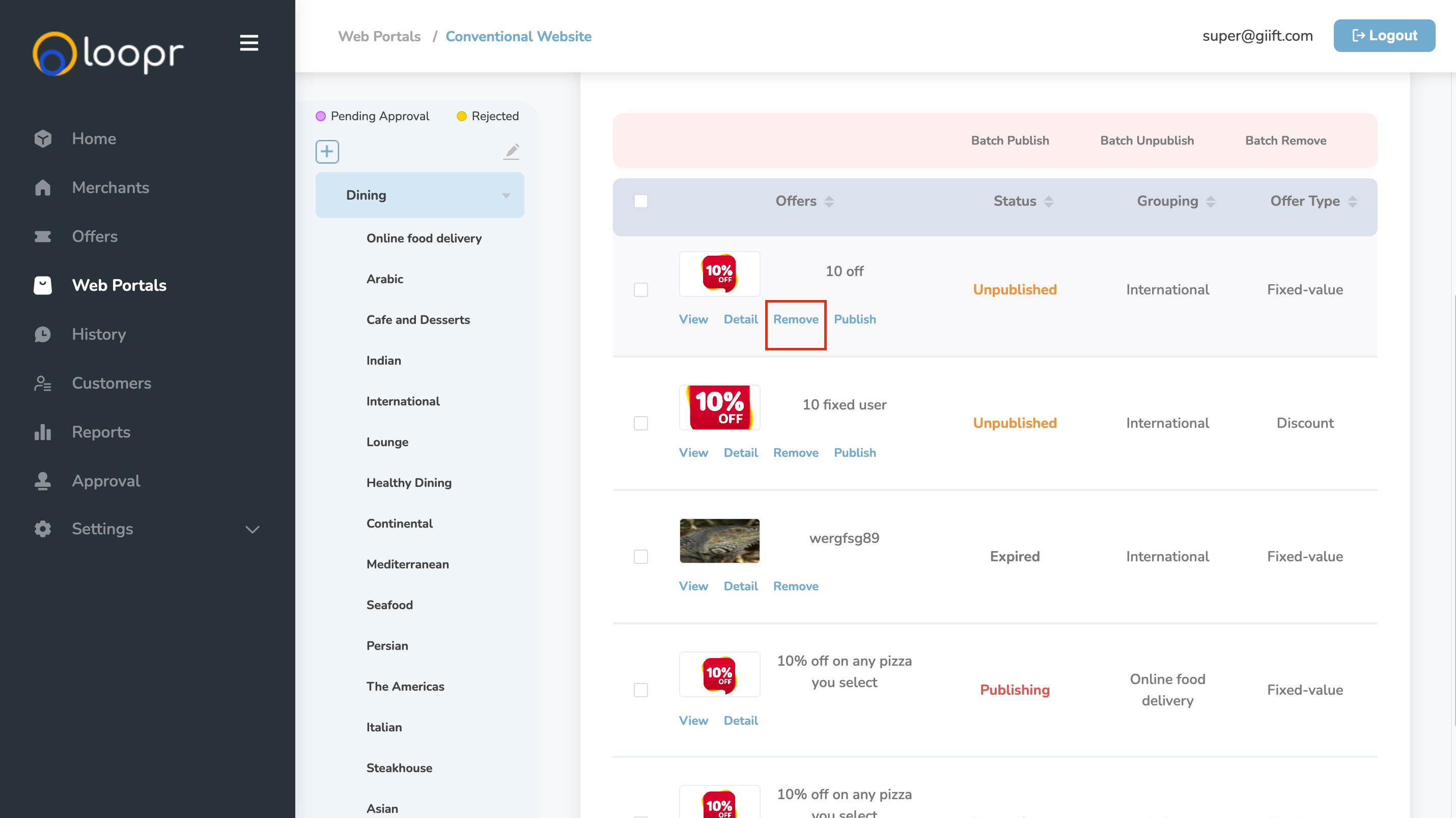
3
Confirm the removal
A confirmation prompt will appear asking: “Are you sure you to remove the offer?” Click “Confirm” to proceed.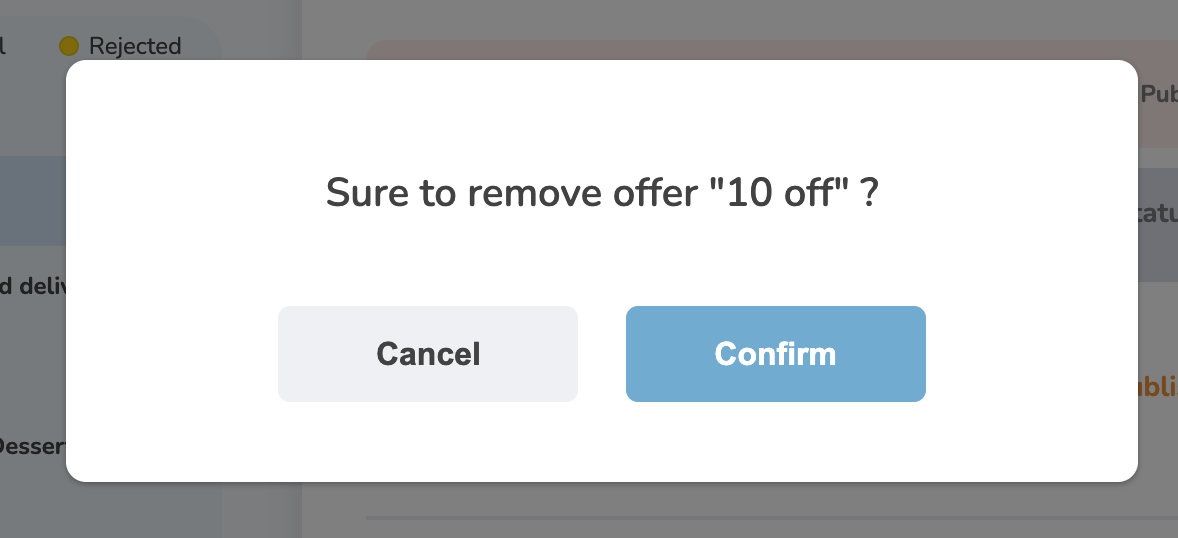
Note: Deleted offers cannot be recovered. Please double-check before confirming.
Still need help? Raise a support ticket.