1
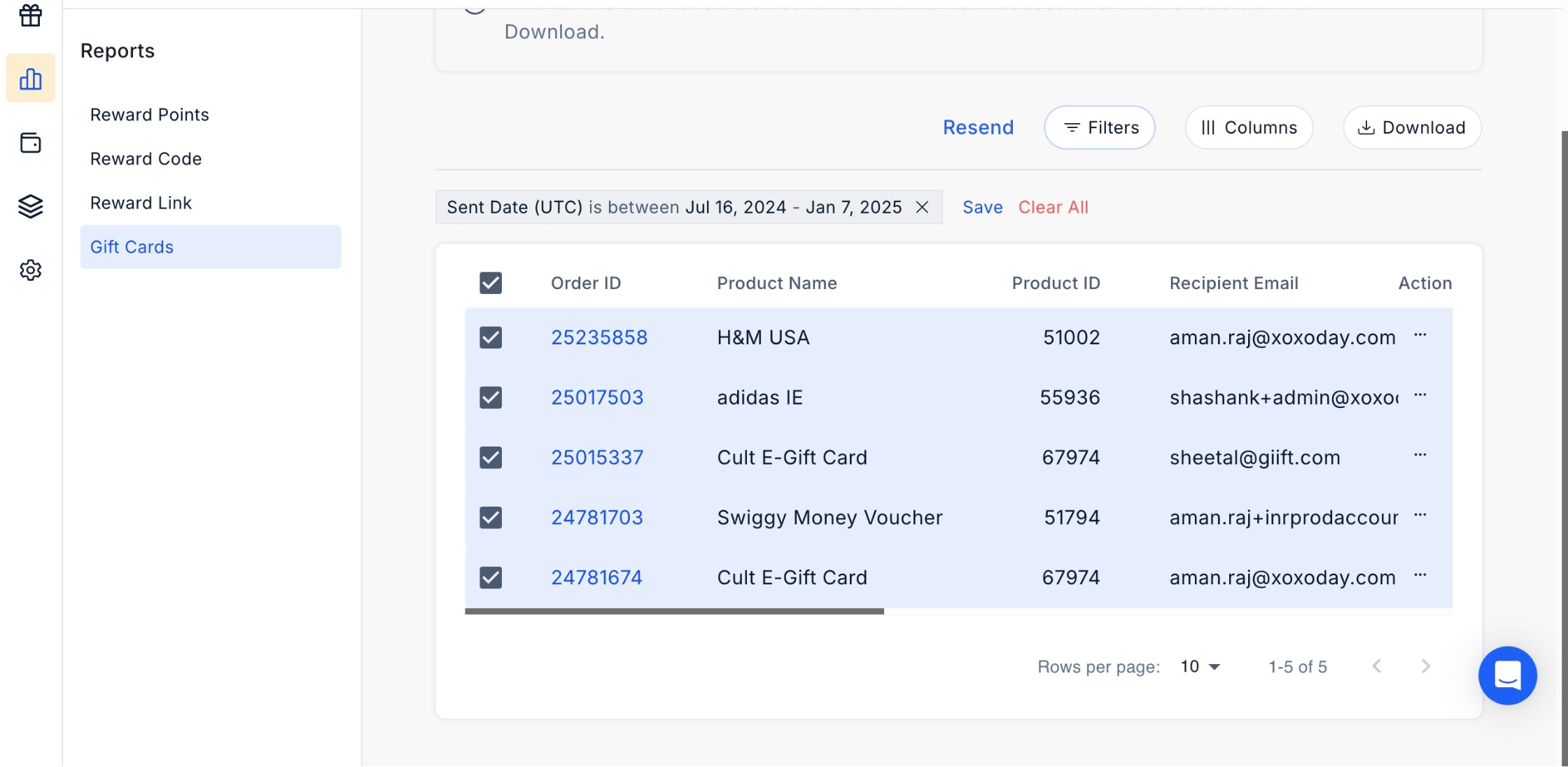
Navigate to Reports > Gift Cards.
2
Select contacts
- To resend to one contact, select that contact only.
- To resend in bulk, select multiple contacts.
3
Click Resend
Click the three dots next to the selected contacts, then click ‘Resend’.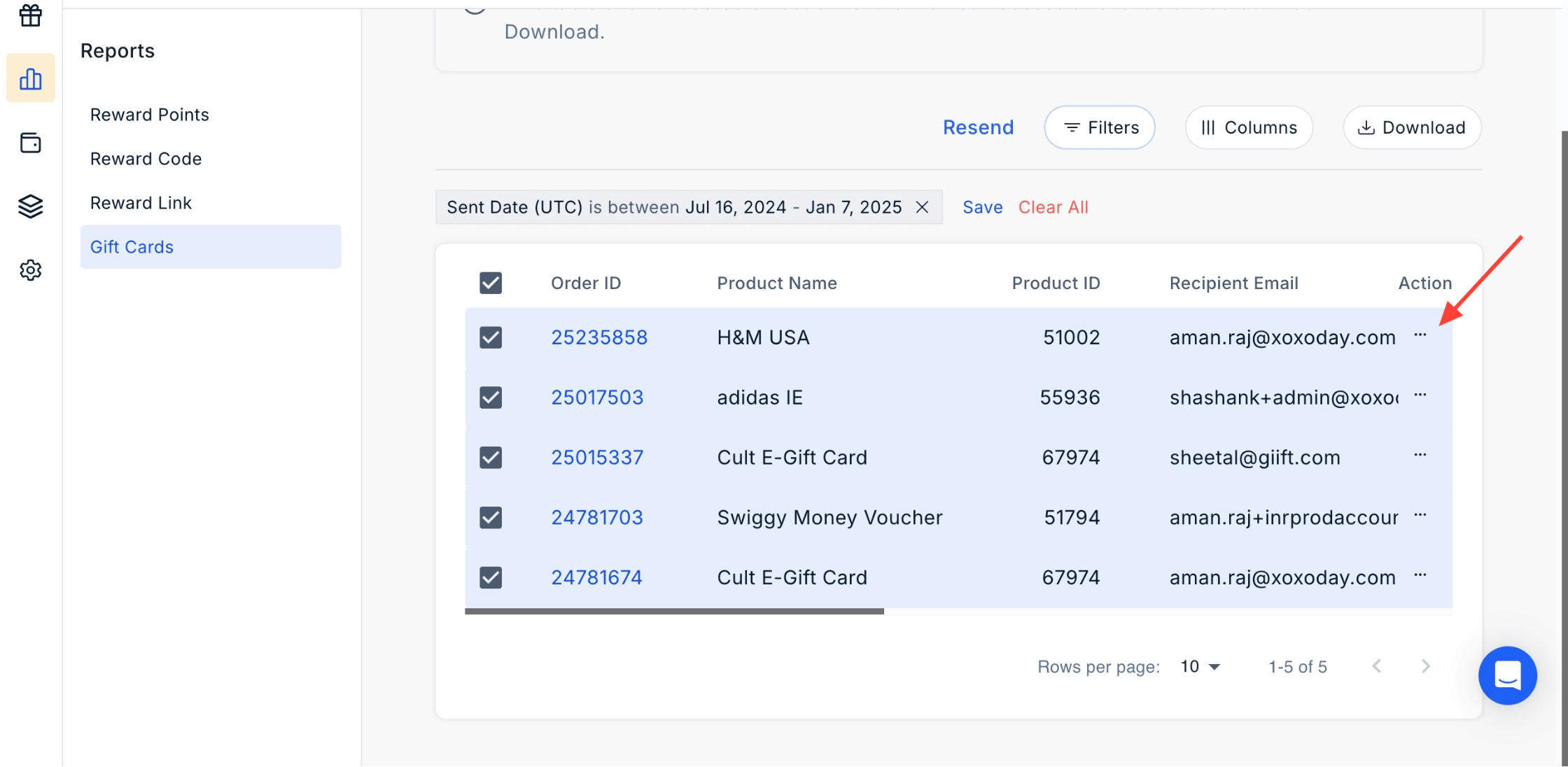
4
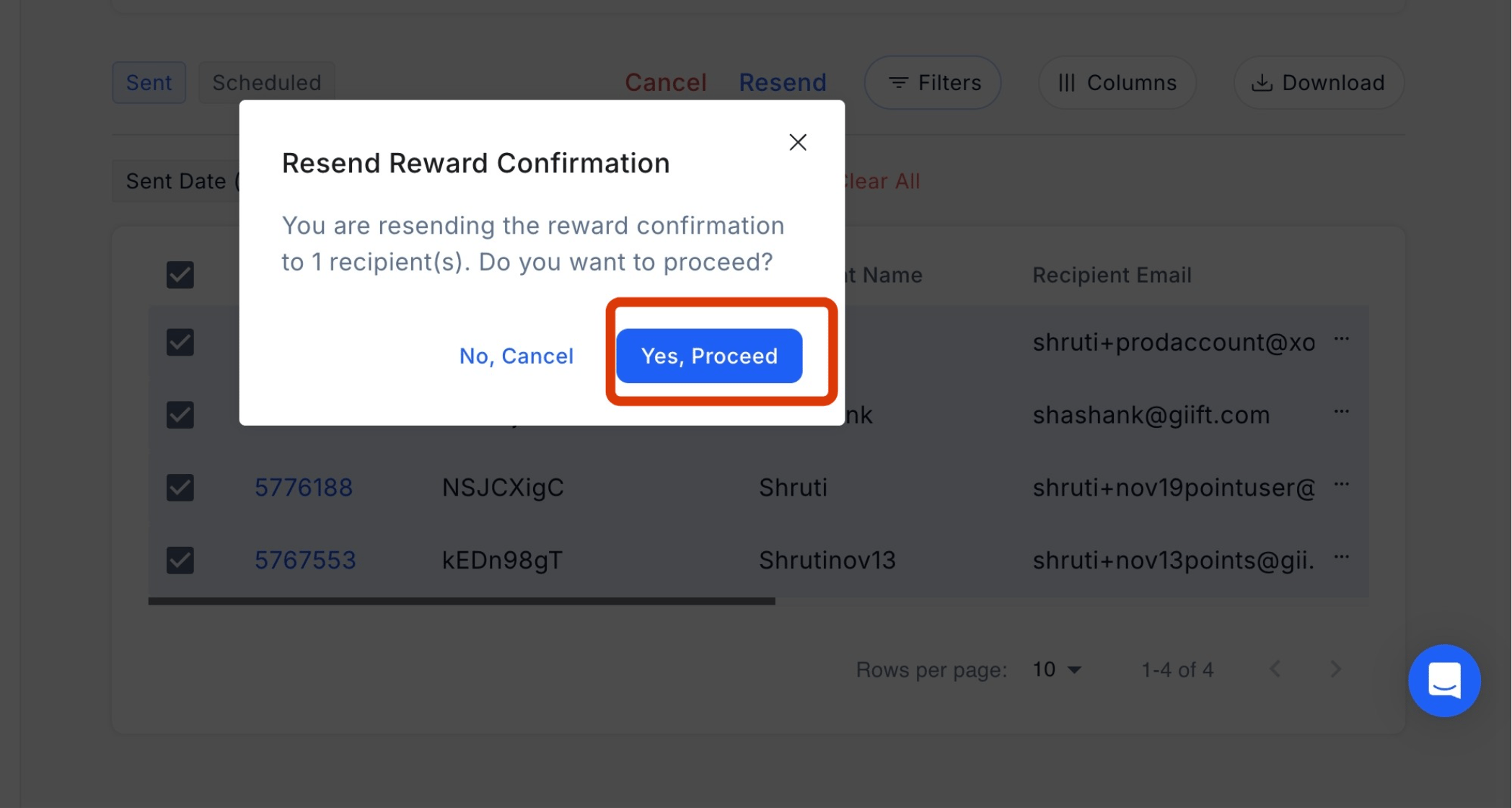
Confirm action
In the confirmation pop-up, click Yes, Proceed.