
Brand Gift Card (Brand Vouchers)
Instantly send brand gift cards to recipients’ inboxes. There are over 8,000 top global brands from Amazon to Walmart and everything in between!Best fit if you want to:
- Rapidly distribute gift cards within minutes
- Offer hassle-free redemption with specific brand gift cards, no login or registration required
- Generate a gift card for yourself, shareable via any channel
You can use your Xoxoday’s Rewards APIs to procure the voucher and front-end the communication yourself. Click here to learn more About Rewards API.
Step-by-step guide to sending brand vouchers: to a few
1
Click on the Gift Cards section
Click on the Gift Cards section under the Send Rewards section.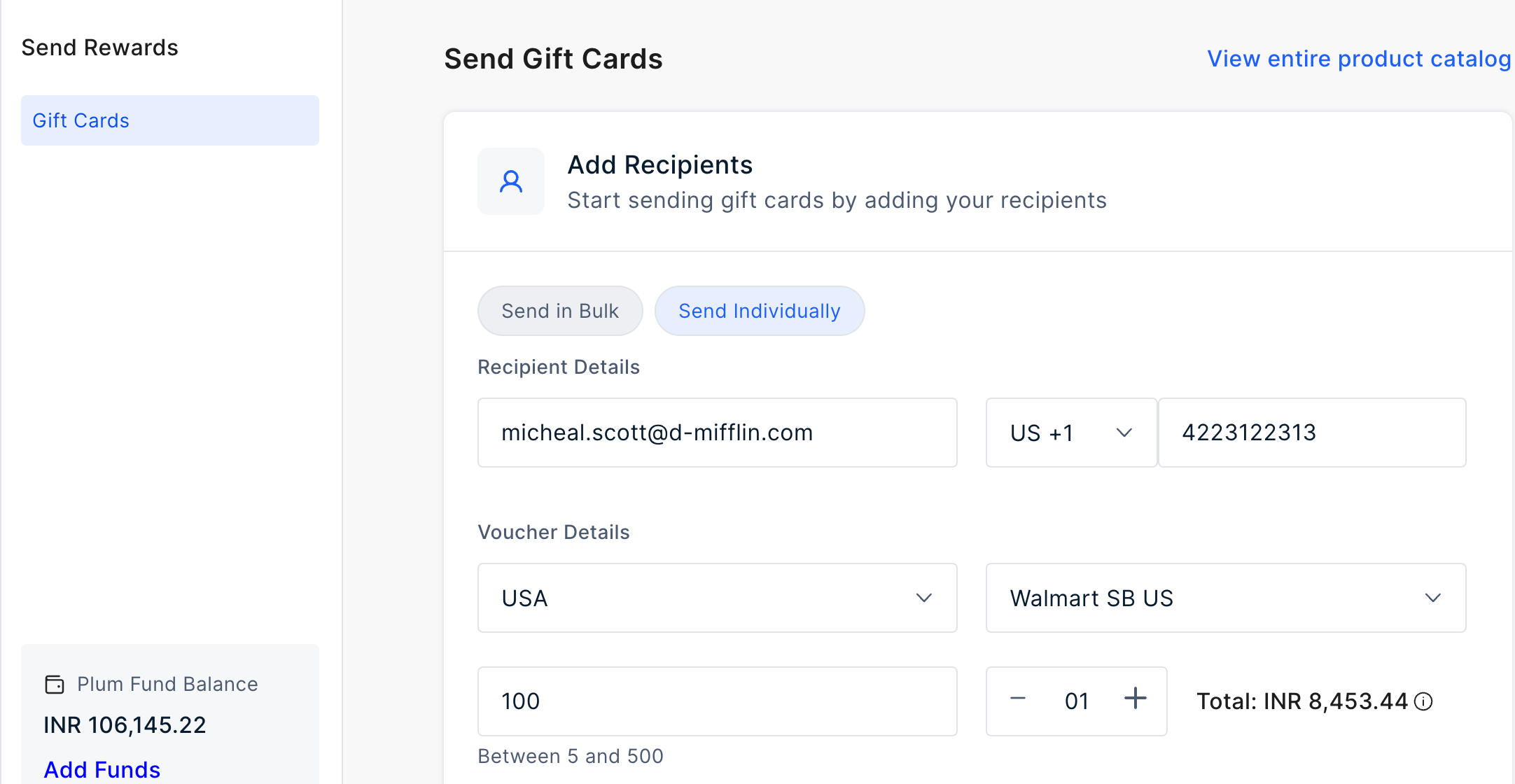
2
Enter recipient and voucher details
On this page, enter the following information to send a voucher:Recipient Details
- Email address
- Phone Number
- Select Voucher Country
- Select Voucher Brand
- Enter a value of the brand (Note: add a value within the indicated range. This indicated range represents the brands’ denomination available).
- Select the Quantity. You can add upto 999 gift cards in one go.
3
Advanced Settings (Optional)
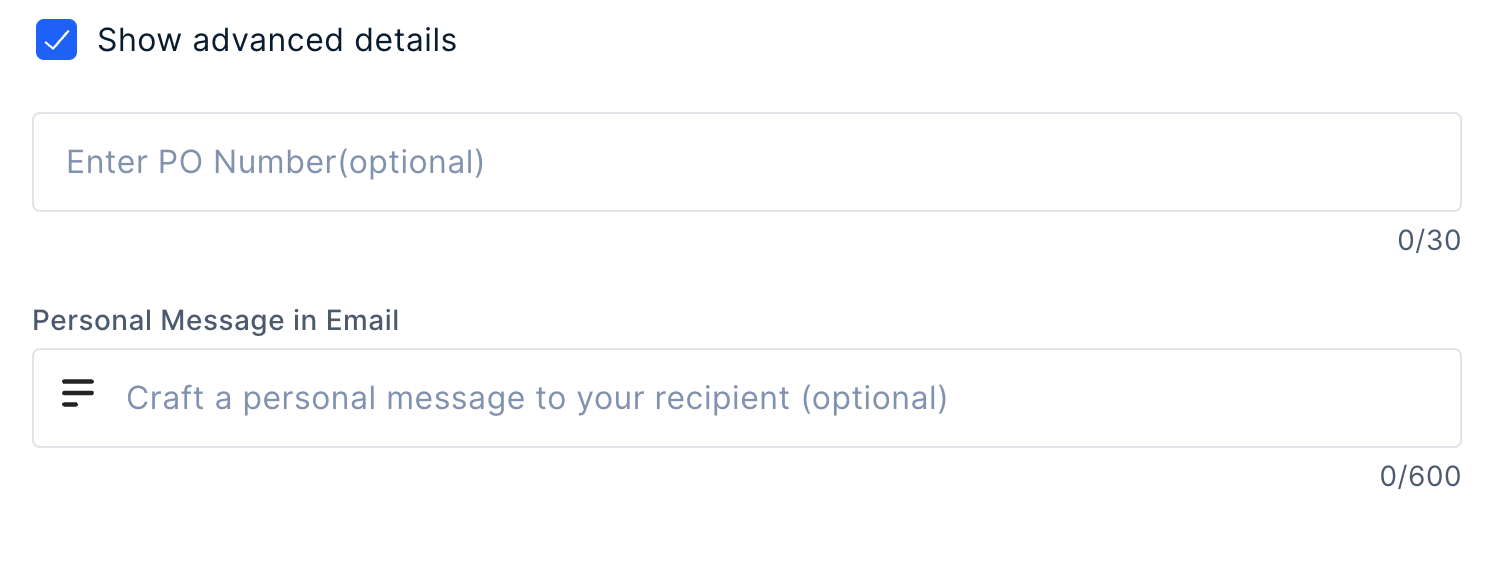
- Add a PO Number if you need
- Add a personal message in the email body for the recipient. The message that you enter here will be sent to all the recipients in the batch. Except otherwise as indicated in the .CSV file in case of bulk.
4
Customize Reward Email or Reward SMS
To customize SMS follow these steps: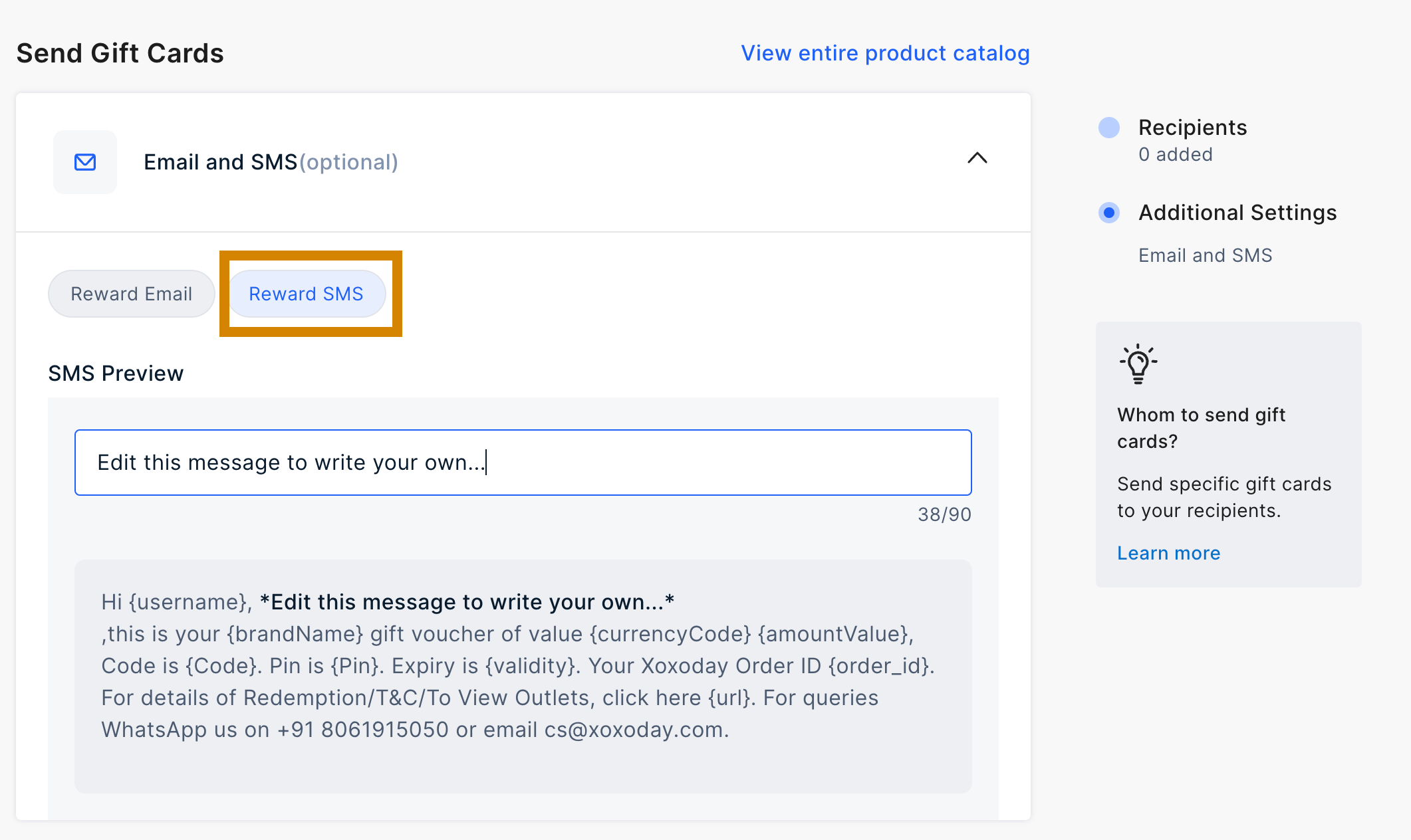
- Select ‘Reward SMS’ tab and add your desired message.
5
Preview the details and send the Gift Voucher
Preview the details and send the Gift Voucher.
Resend Gift Cards to a contact or in Bulk
1
Navigate to Reports > Gift Cards
Navigate to Reports > Gift Cards.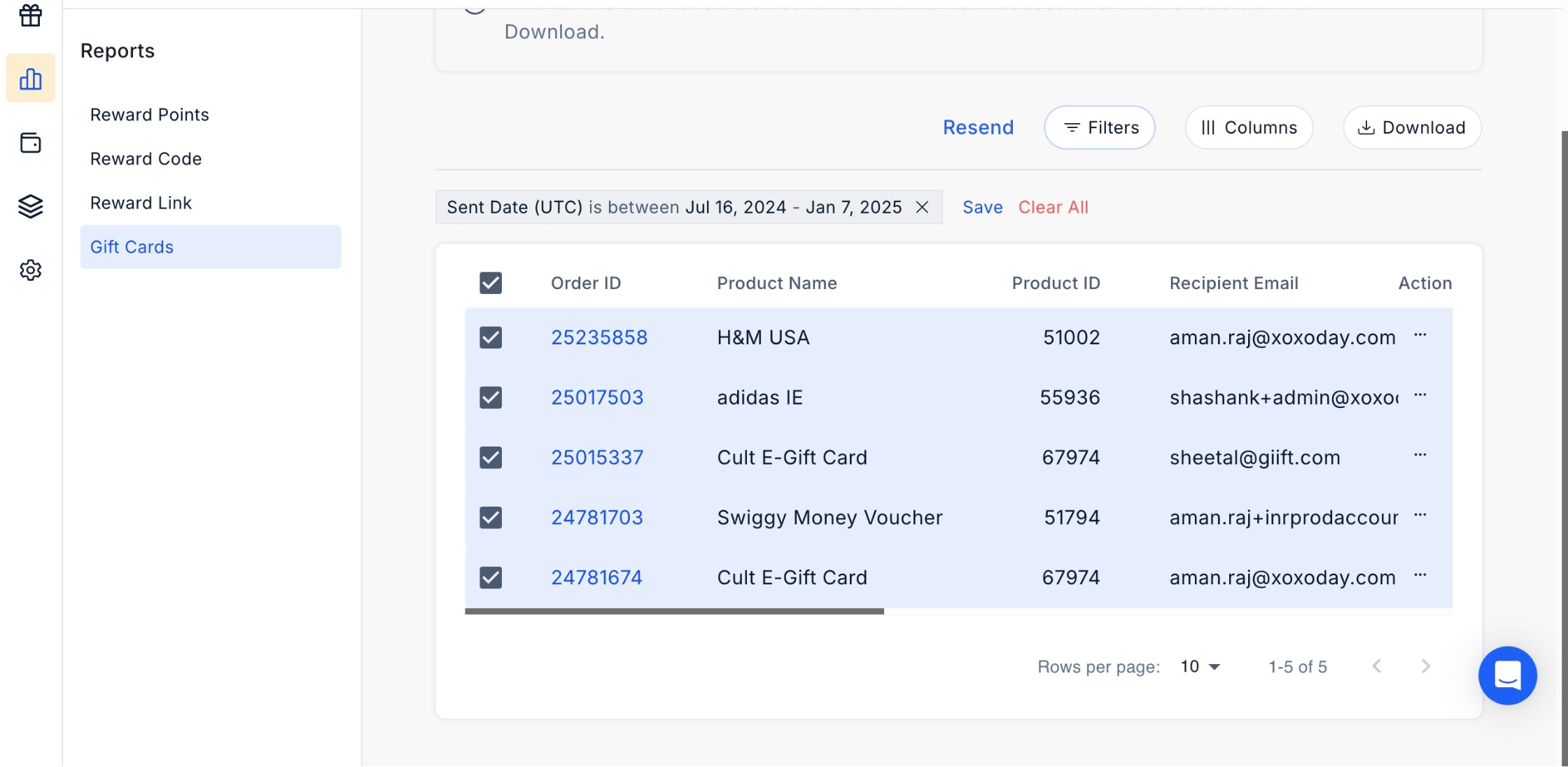
2
Select contacts
Select Contacts: Choose the contacts you want to resend the rewards.
3
Click Resend
Resend Option: Click the three dots next to the selected contacts, then click ‘Resend’.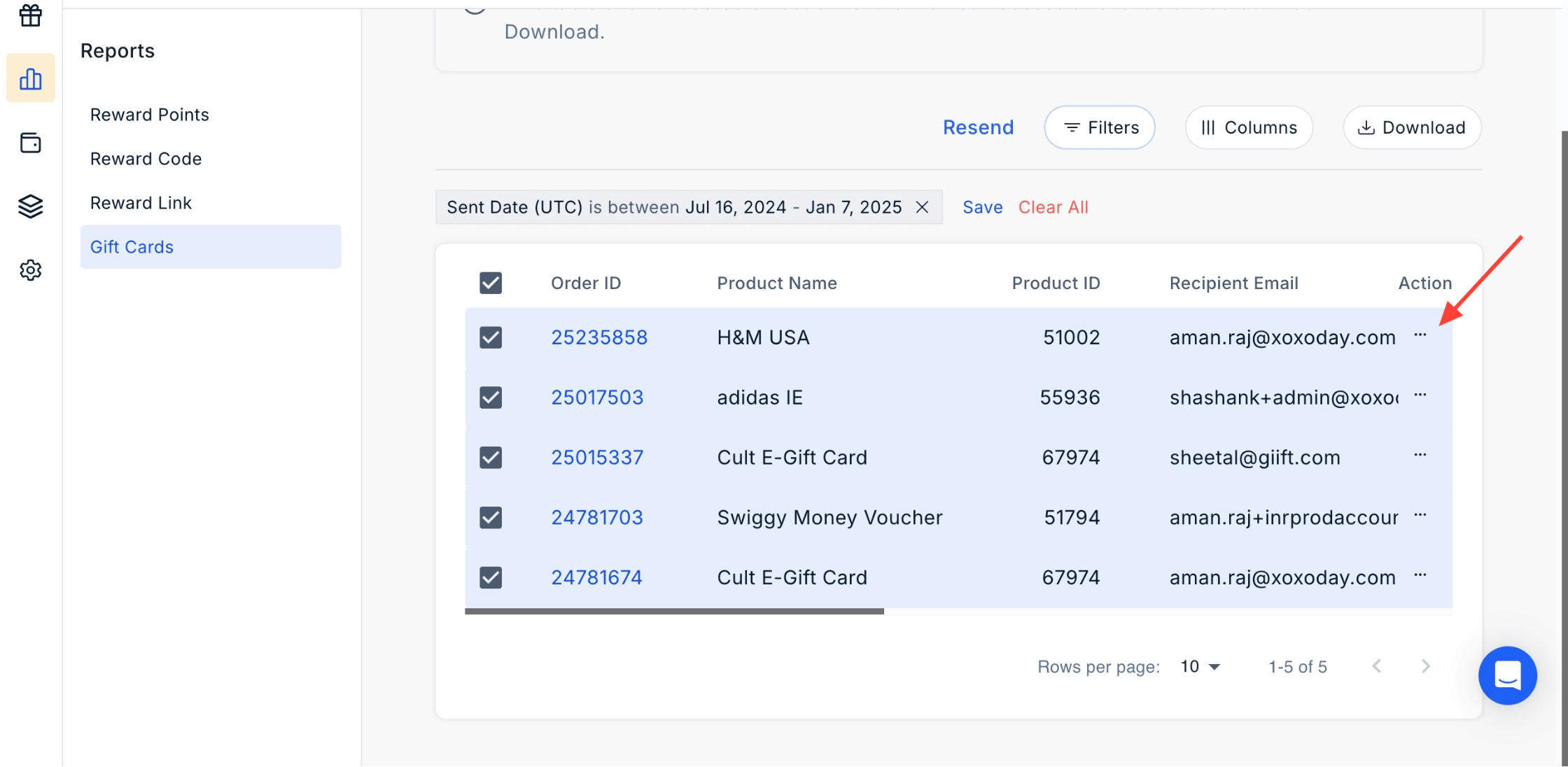
4
Confirm action
Confirm Action: A confirmation pop-up will appear. Click ‘Yes, Proceed’ to resend the rewards.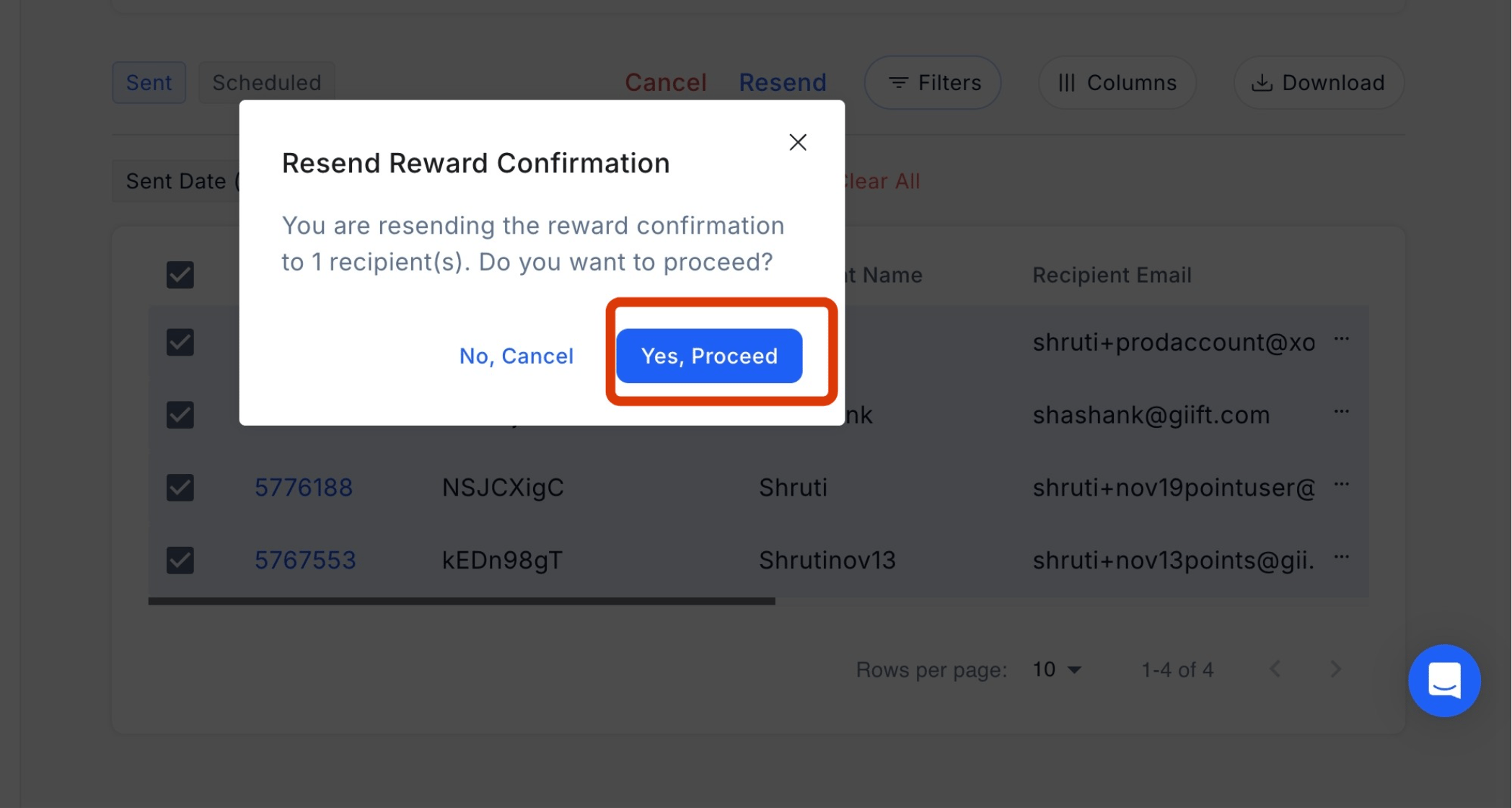
Still need help? Raise a support ticket.