
About Reward Link
Reward Link lets you create campaigns and deliver rewards through a single shareable link , via email, SMS, WhatsApp, or any channel you prefer. Recipients click the link and choose a gift card from a curated selection of leading global brands, with no account required. Reward Link works best when you want to:- Keep redemption simple — Recipients claim their reward instantly, without signing up.
- Create a branded experience — Build campaigns with a custom micro-landing page and hand-picked gift card options.
- Control the timeline — Set a custom expiry date to match your campaign window.
You’ll need to create a campaign to be able to send Reward Link rewards to recipients. Click here to learn how.
How to Send Reward Links in Bulk
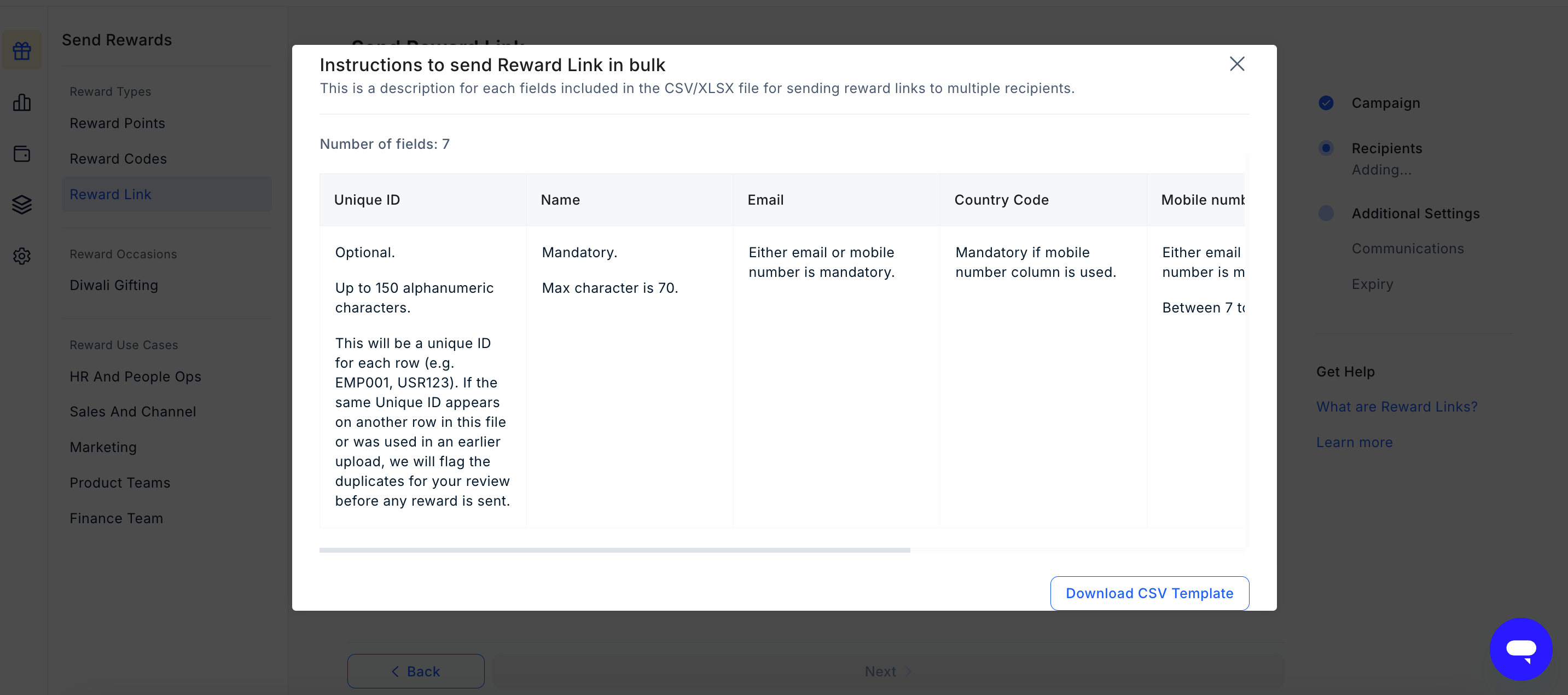
Pro tip: Download the available template directly from the dashboard for your convenience.
1
Select a campaign
Choose the campaign you want to use from the list of available campaigns.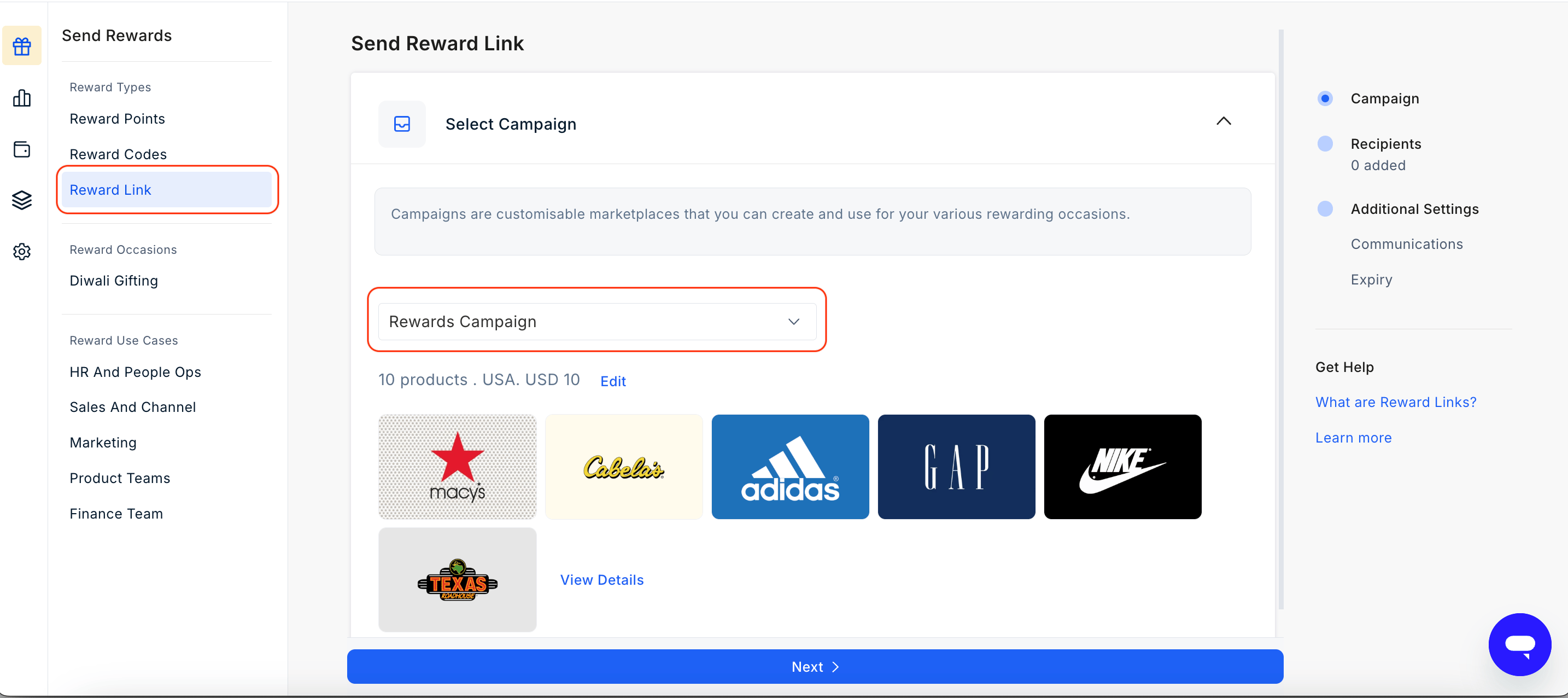
2
Upload your CSV file
Choose send in bulk delivery.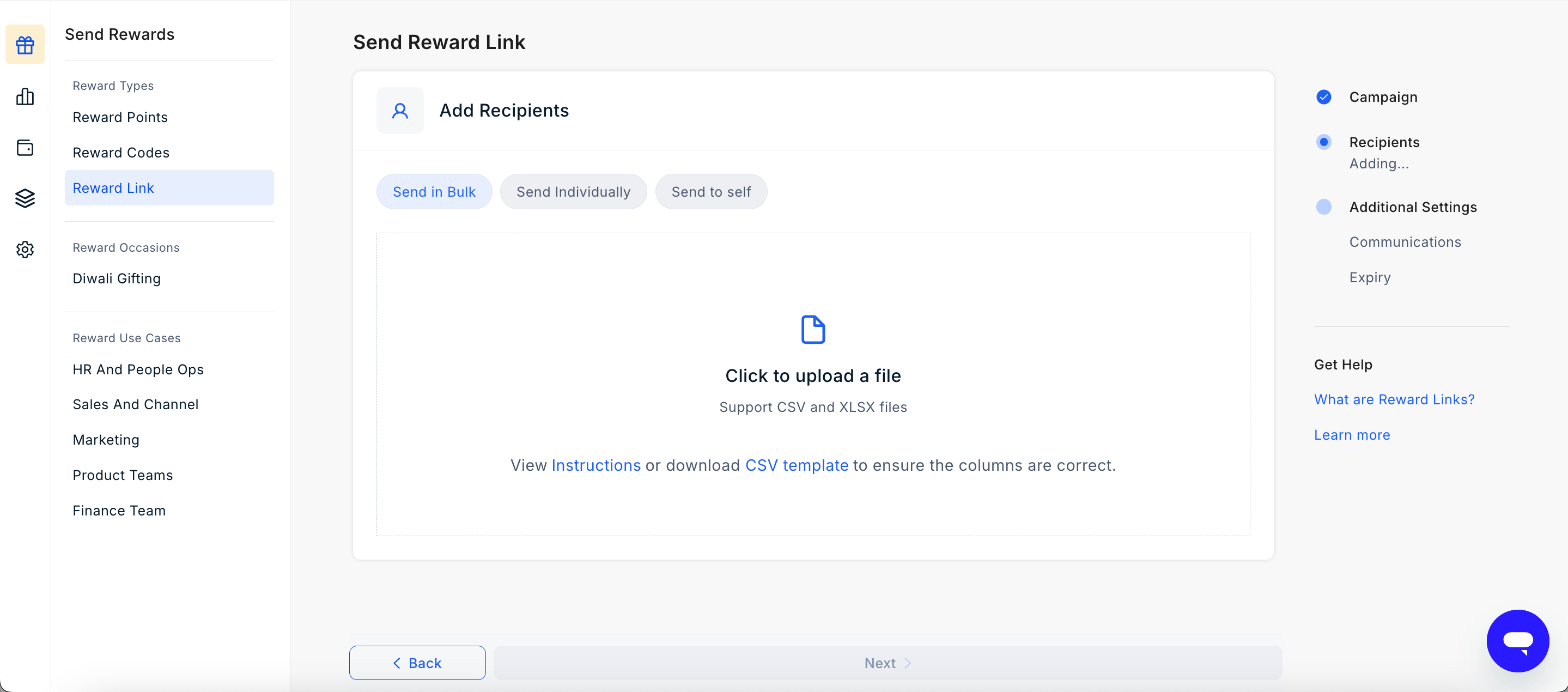
3
Set the expiry date and customize messaging
Set how long the Reward Link will remain active by choosing an expiry period (1, 2, 3, 6, 9, or 12 months ) or pick a Custom date to match your campaign timeline. The default is 12 months. 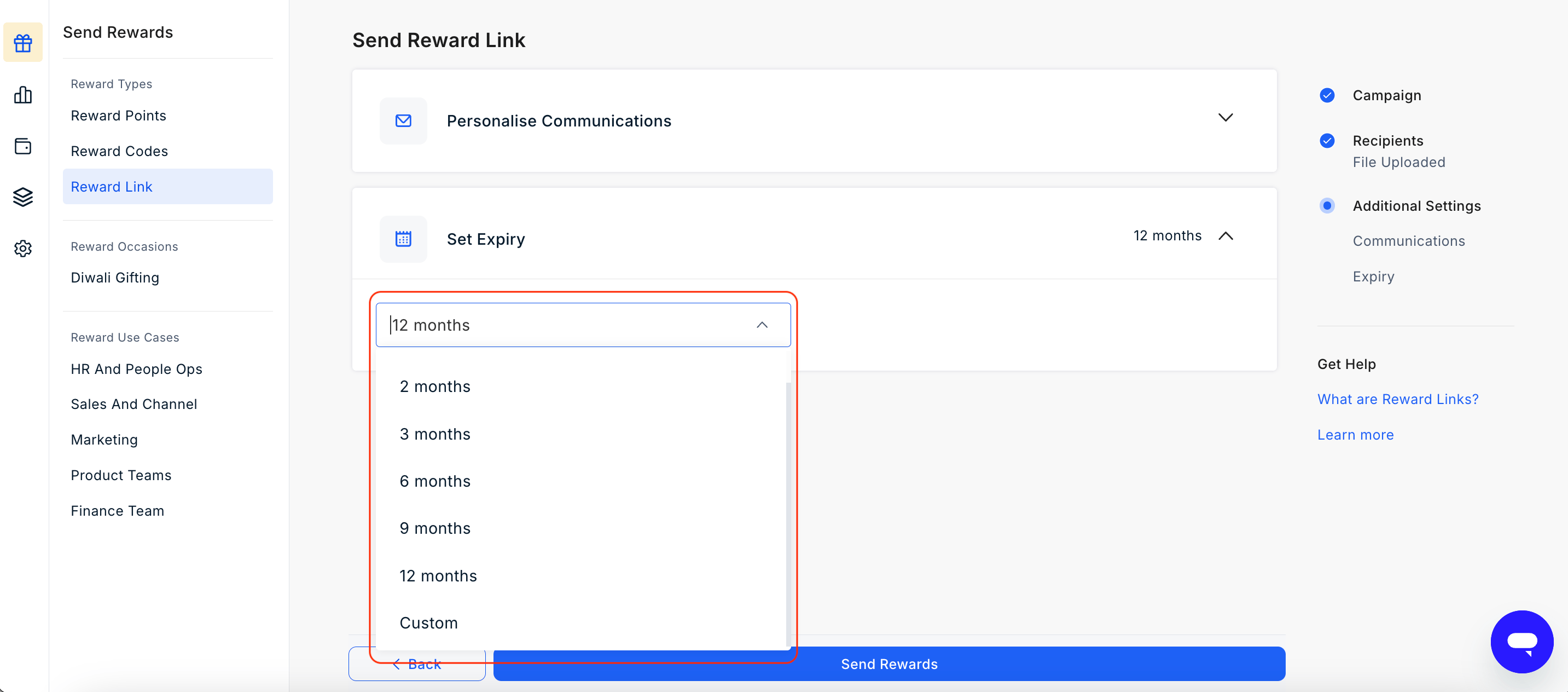
4
Send the reward
Review your upload and settings, then click Send Reward at the bottom of the page. Reward Links will be delivered to all recipients on your list.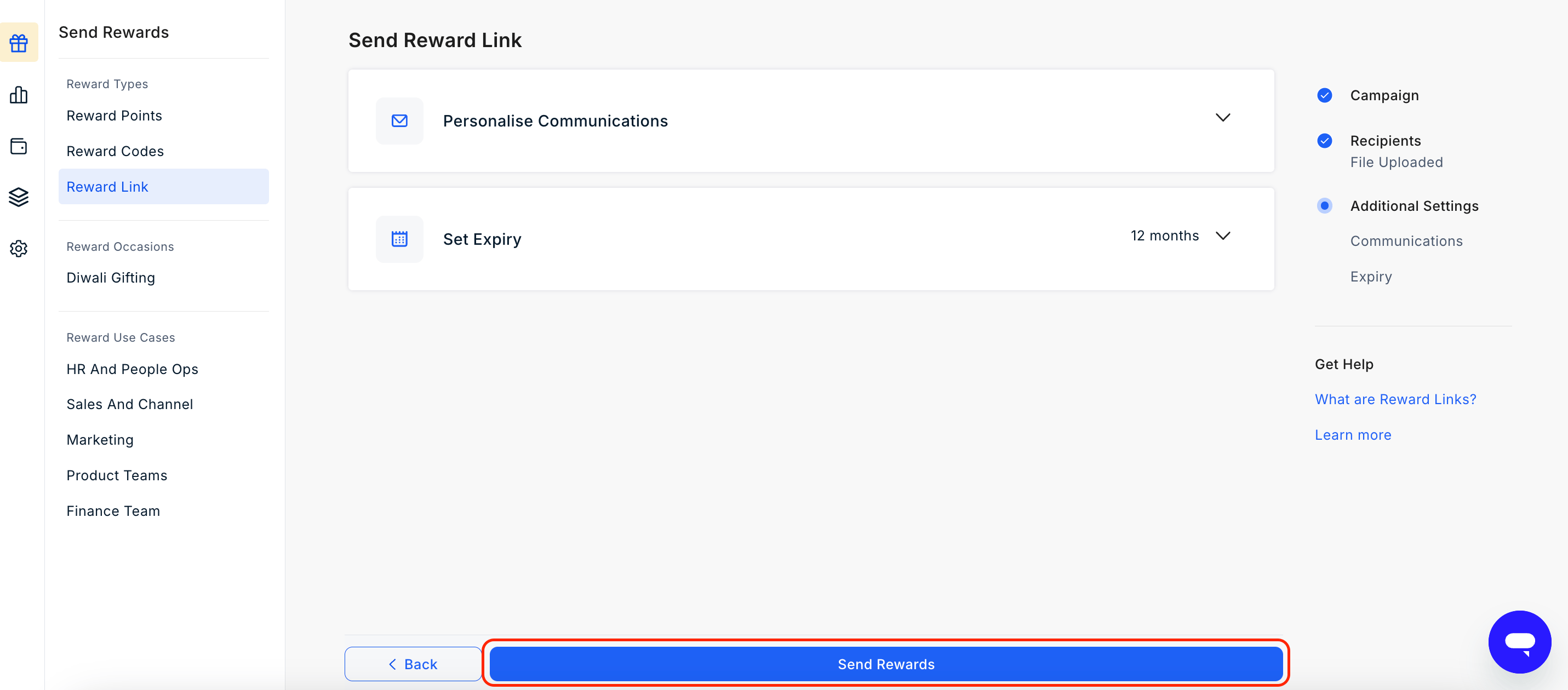
Need to send to a single recipient?
You can also send Reward Links one at a time using manual entry.Learn how to send a Reward Link to an individual recipient
Still need help? Raise a support ticket.