
What is Reward Link?
Reward Link lets you create campaigns and deliver rewards through a single shareable link — via email, SMS, WhatsApp, or any channel you prefer. Recipients click the link and choose a gift card from a curated selection of leading global brands, with no account required. Reward Link works best when you want to:- Keep redemption simple — Recipients claim their reward instantly, without signing up.
- Create a branded experience — Build campaigns with a custom micro-landing page and hand-picked gift card options.
- Control the timeline — Set a custom expiry date to match your campaign window.
You’ll need to create a campaign to be able to send rewards to recipients. Click here to learn how.
How to Send a Reward Link to an Individual
1
Select a campaign
Log in to the Plum Admin Portal. Navigate to Send Rewards > Reward Link. Click Campaigns and use the drop-down to choose the campaign you want to use.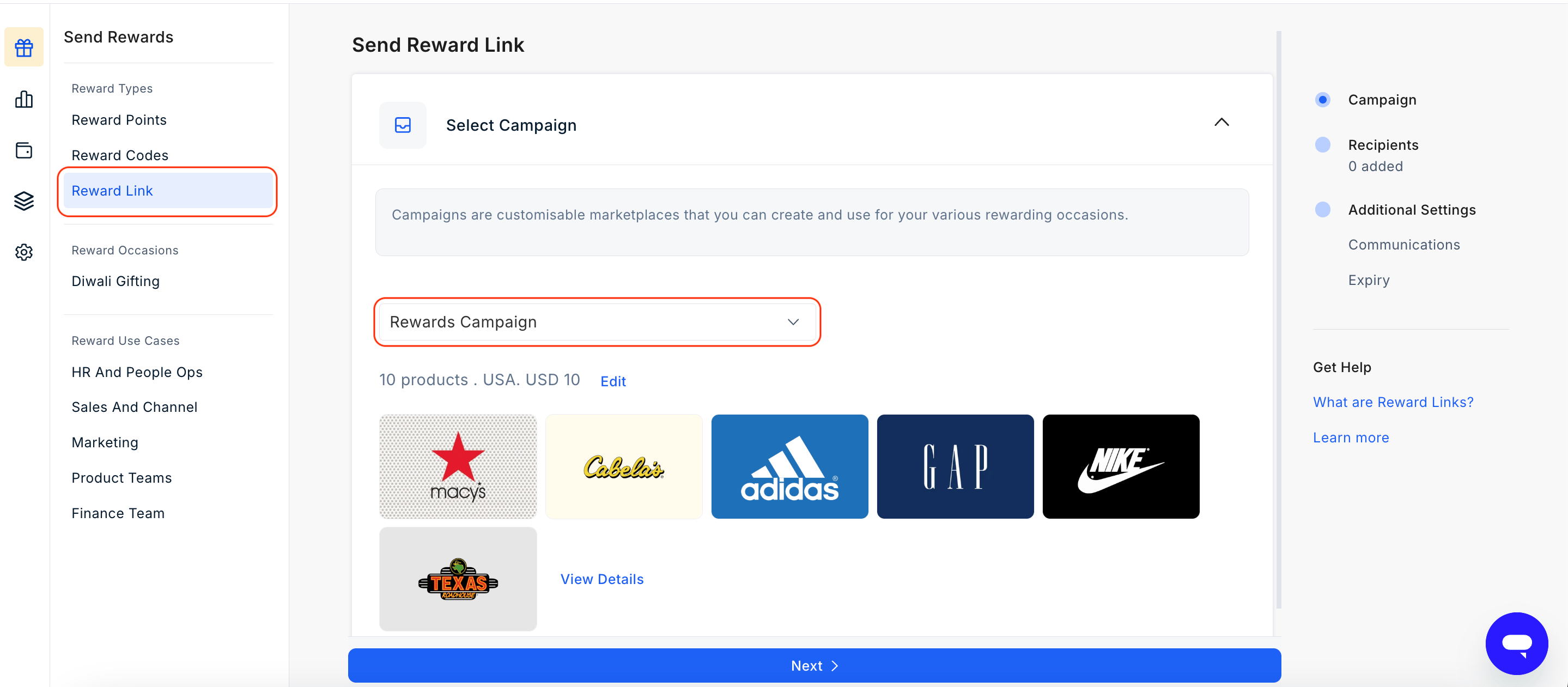
2
Choose individual delivery
On the Add Recipients page, select Select Individually.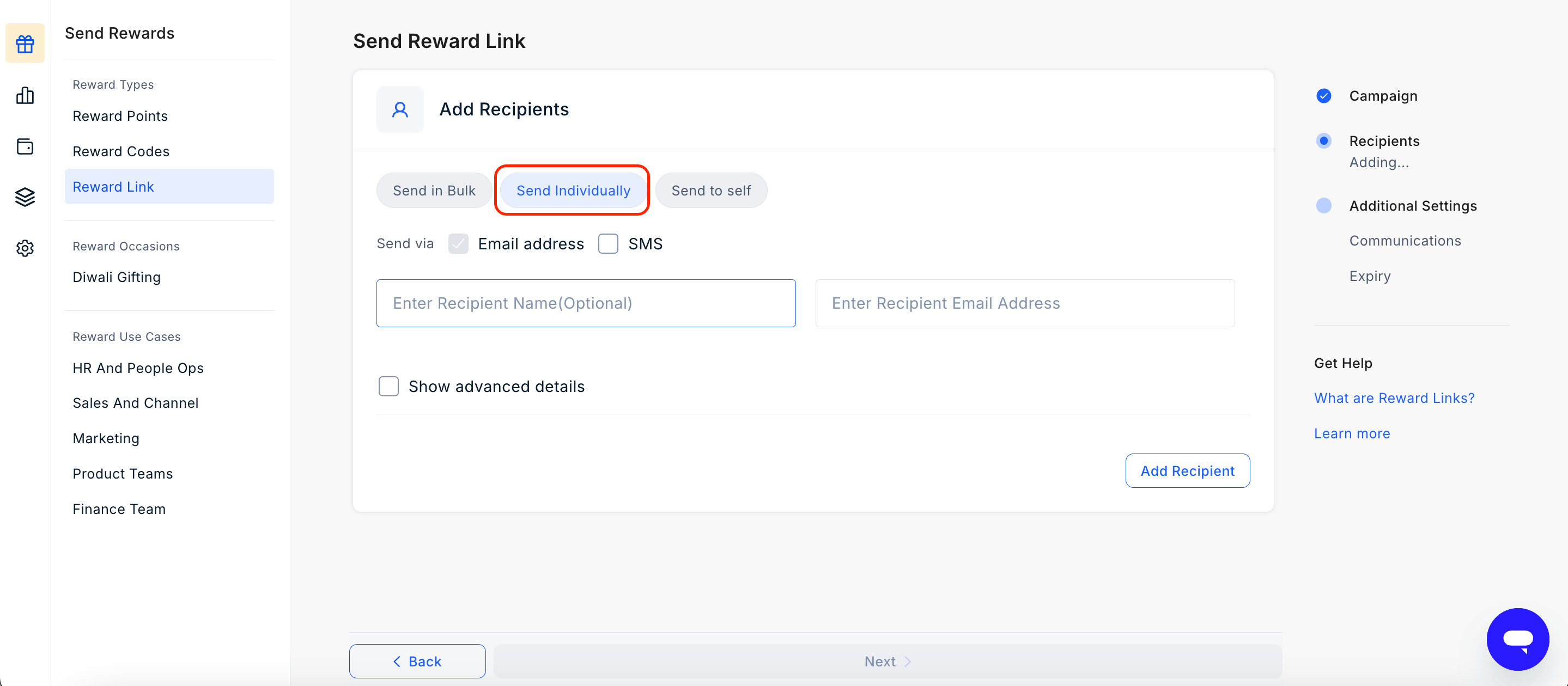
3
Enter recipient details
Provide the recipient’s name and email address.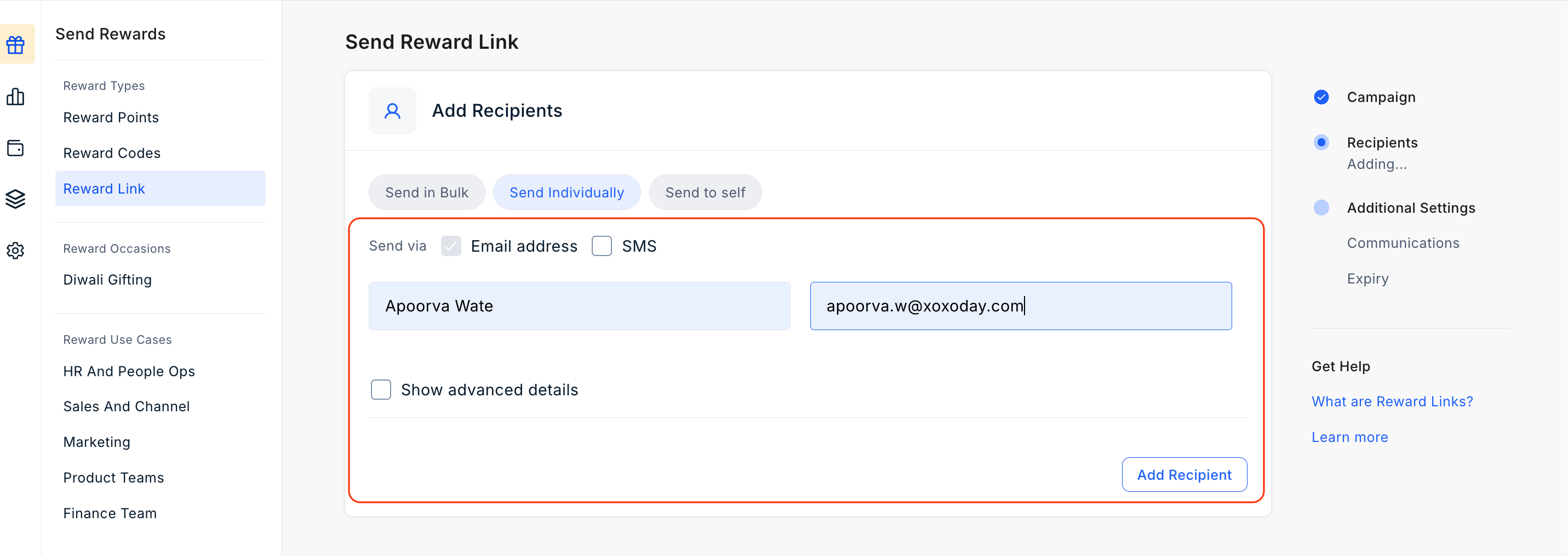
4
Use Advanced Settings if required:
Customize the reward communication for this recipient. Add internal notes for reference.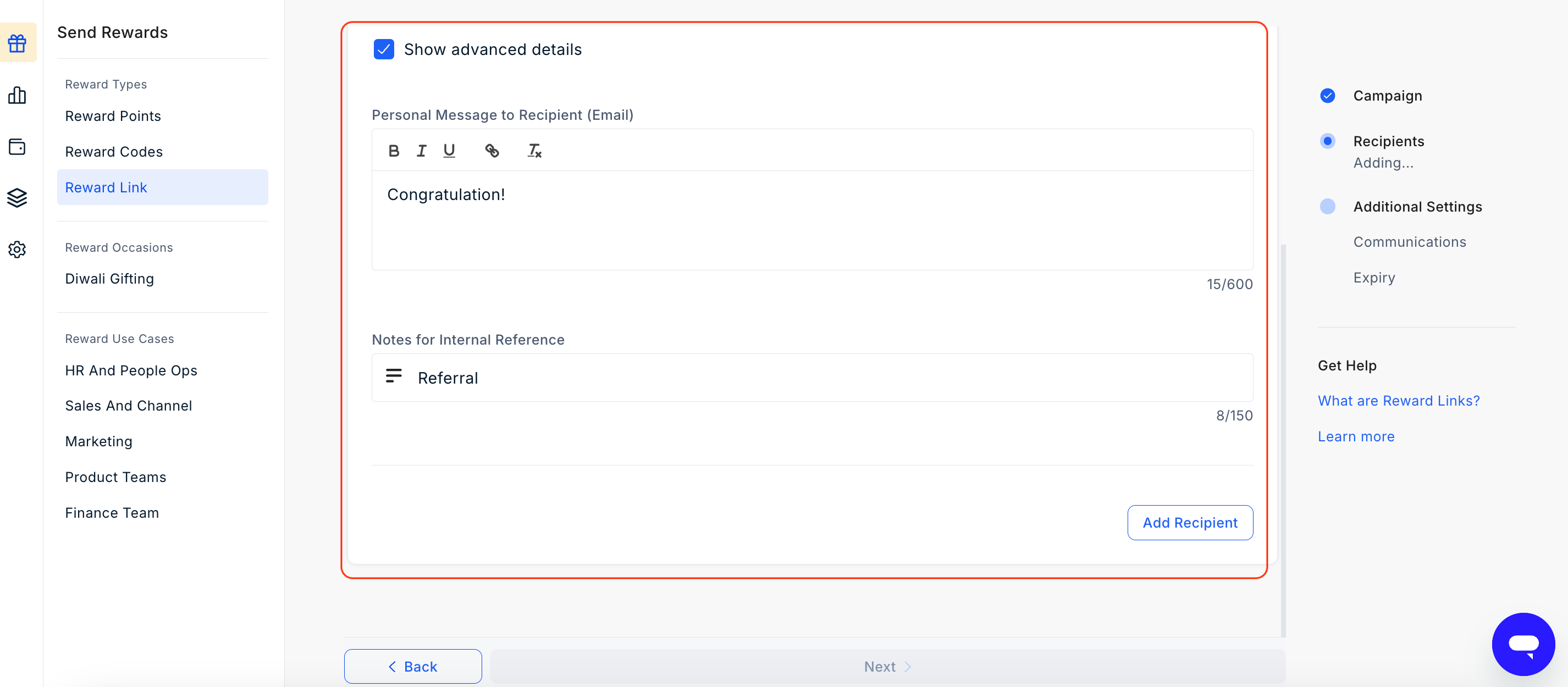
5
Add more recipients (optional)
To send the same Reward Link to additional people, select the option to add a recipient and enter their details. Repeat as needed.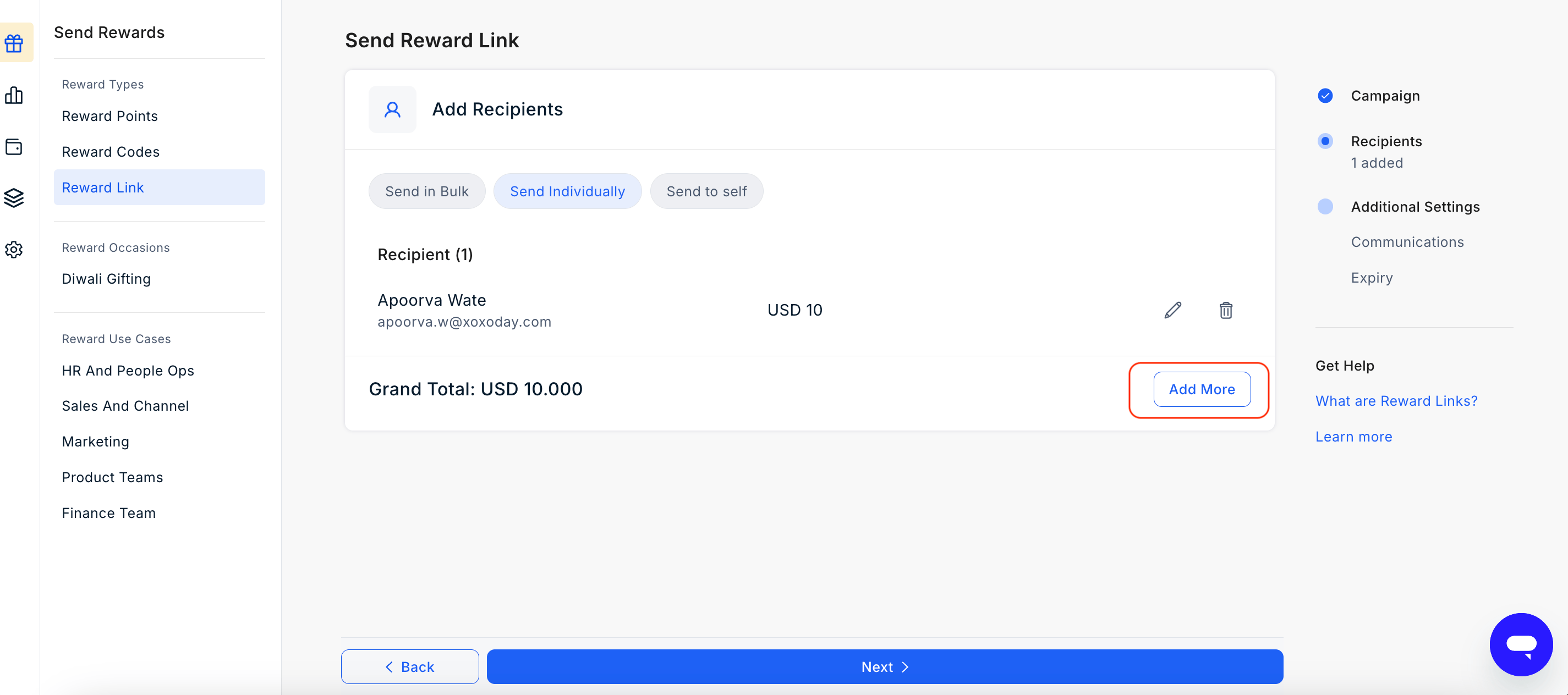
6
Set the expiry date and customize messaging
Set how long the Reward Link will remain active by choosing an expiry period (1, 2, 3, 6, 9, or 12 months) or pick a Custom date to match your campaign timeline. The default is 12 months.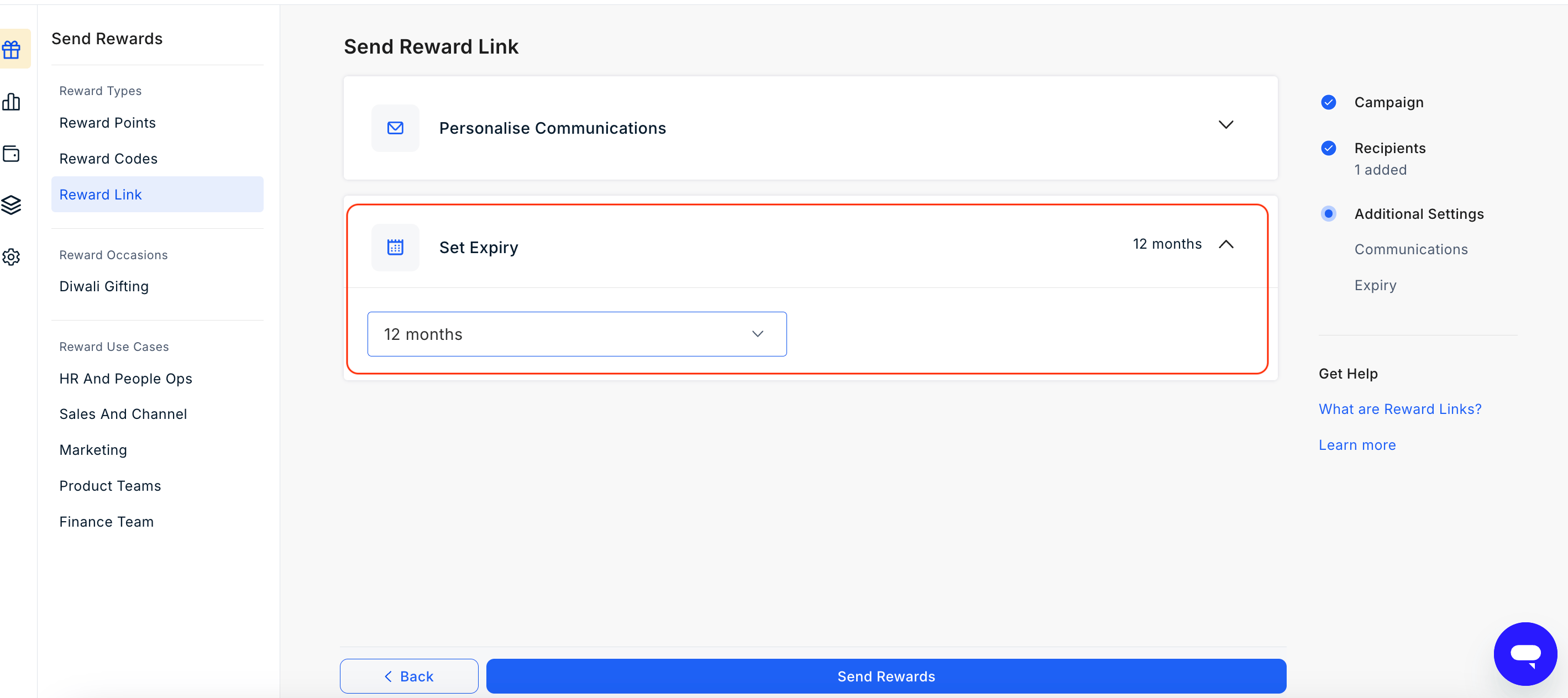
7
Send the reward
Review the recipient details and communication preview, then click Send Reward. The Reward Link will be delivered to each recipient immediately. 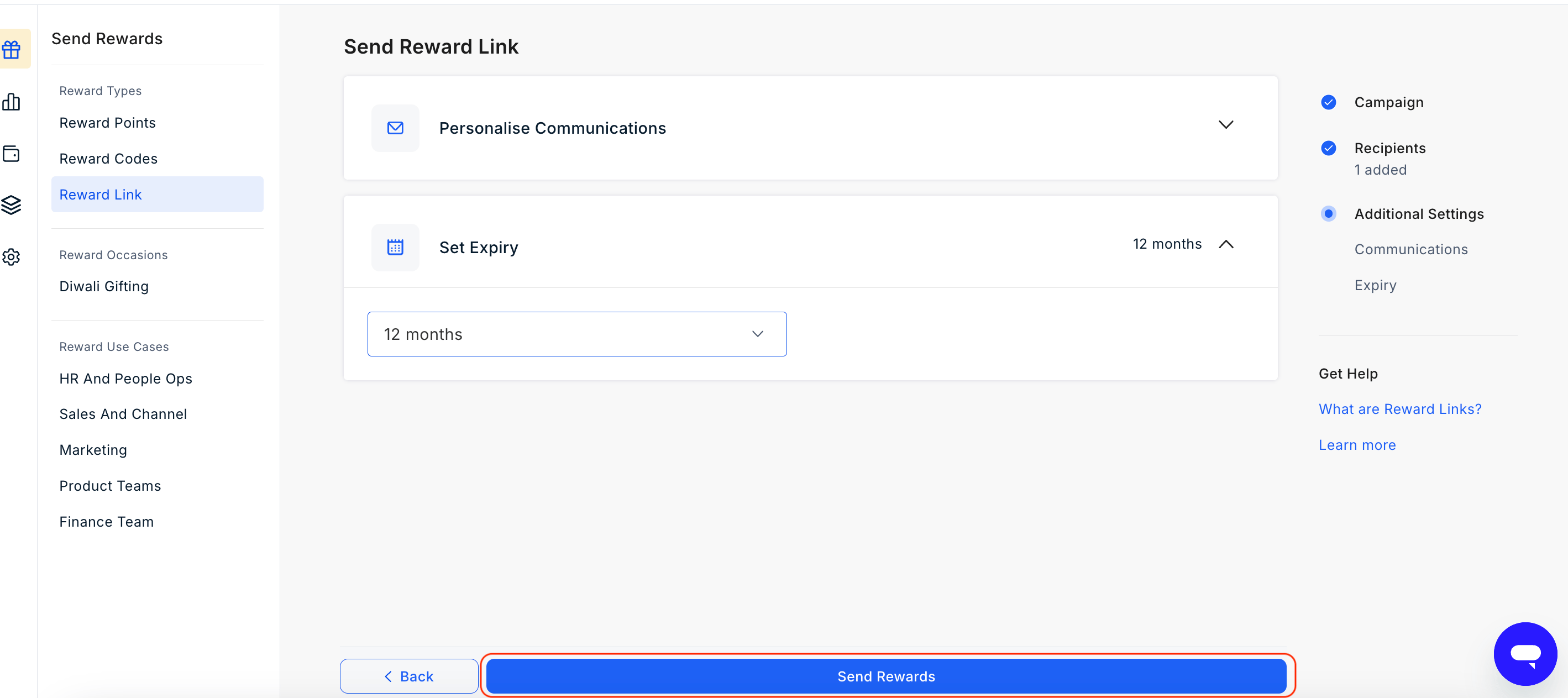
Need to send to multiple recipients?
Use the bulk upload option to send Reward Links to a large list at once.Learn how to send Reward Links in bulk
Still need help? Raise a support ticket.