
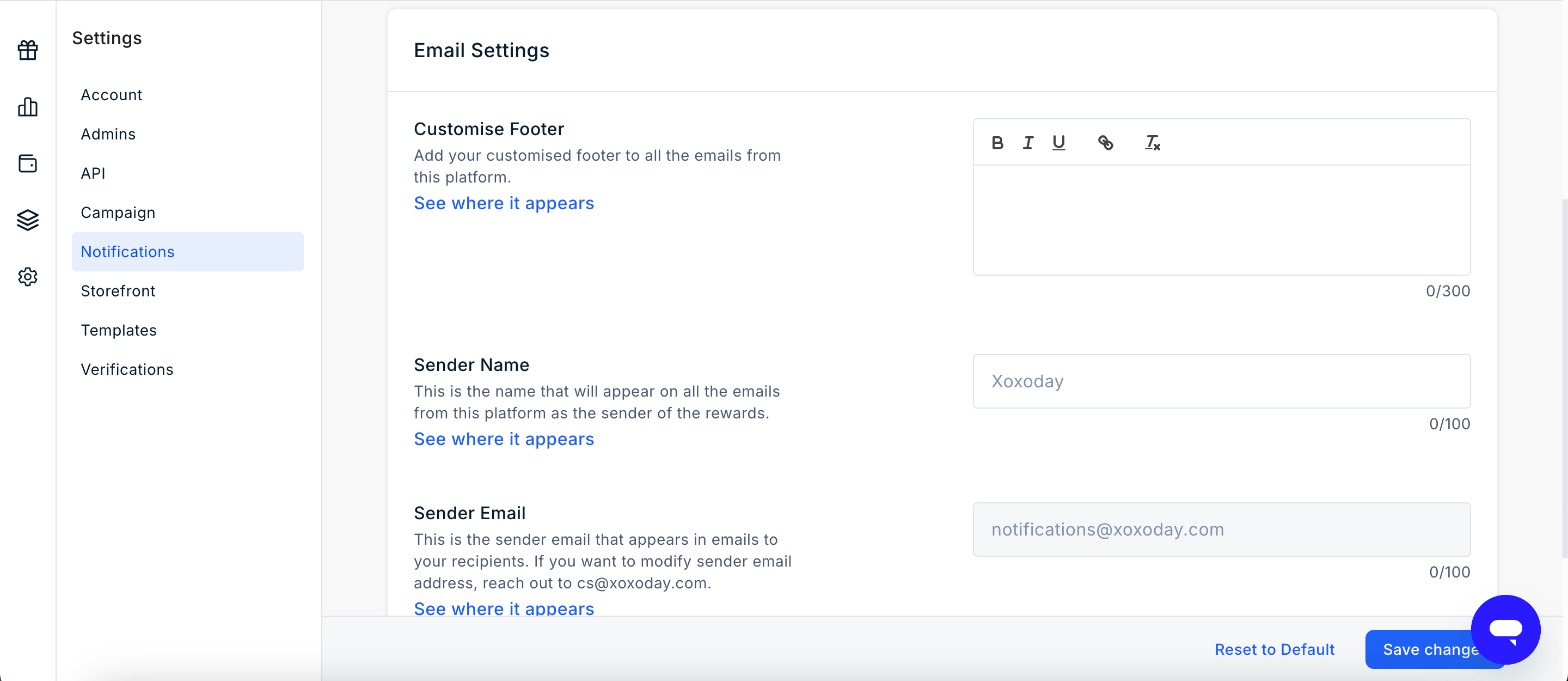
Customize the Email Footer
The Custom Footer setting allows Admins to add custom text to the footer of reward emails. You can use the footer to include:- Company contact information
- Support details
- Legal disclaimers
- Other relevant information that should appear in reward emails
Configure the Sender Name
The Sender Name determines the name displayed in the From field of reward emails. By default, Xoxoday is displayed as the sender. Admins can replace this with a custom sender name, such as Acme Rewards or HR Team, to provide a branded email experience.Configure the Sender Email Address
The Sender Email determines the email address displayed in the From field of reward emails. By default, reward emails are sent from notifications@xoxoday.com. Organiszations can configure a custom sender email address, such as rewards@company.com, to align reward communications with their corporate domain.A custom sender email address requires domain authentication using SPF, DKIM, and DMARC DNS records. Without domain authentication, emails may be delivered to spam folders or rejected by recipient mail servers.
Enable PDF Generation
The Enable PDF Generation setting allows reward emails to include a PDF gift certificate as an attachment. The PDF contains the relevant reward or gift card details and can be downloaded or printed by the recipient. This setting is available for:- Reward Codes (Xoxo Codes)
- Gift Cards (Plum Pro)