Low Balance Alert
The Low Balance Alert feature helps organizations monitor their Plum wallet balance and avoid interruptions to their reward programs. Super Admins can configure a minimum wallet balance and receive email notifications when the wallet balance falls below the specified threshold. These alerts allow administrators to add funds to the wallet in advance and help prevent failed rewards, bookings, or order cancellations due to insufficient balance.Set Up Low Balance Alerts
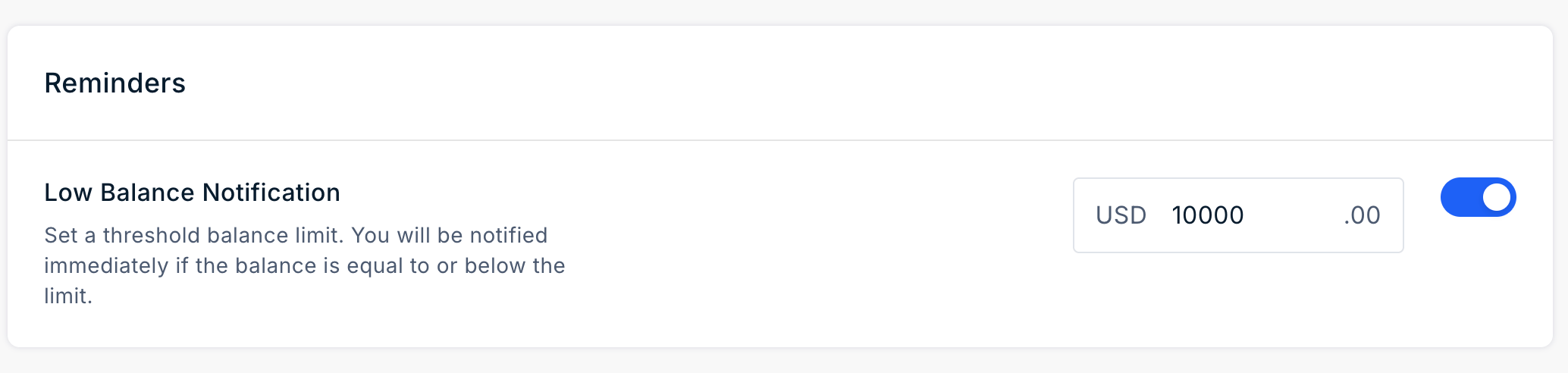
To enable Low Balance Alerts:- Navigate to Settings > Notifications.
- Locate the Low Balance Notification section.
- Turn on the notification toggle.
- Enter the wallet balance threshold at which the notification should be triggered.
- Click Save Changes.
How Low Balance Alerts Work
When the wallet balance falls below the configured threshold, Plum sends an email notification to the Super Admin. The notification includes:- The current wallet balance.
- An Add Funds to Wallet button that redirects to the wallet recharge page.
Emails for Redemption
The Reminder Emails for Redemption feature allows organizations to automatically notify recipients about rewards that have not yet been redeemed. These reminders help recipients redeem their rewards before they expire.Reminder Types
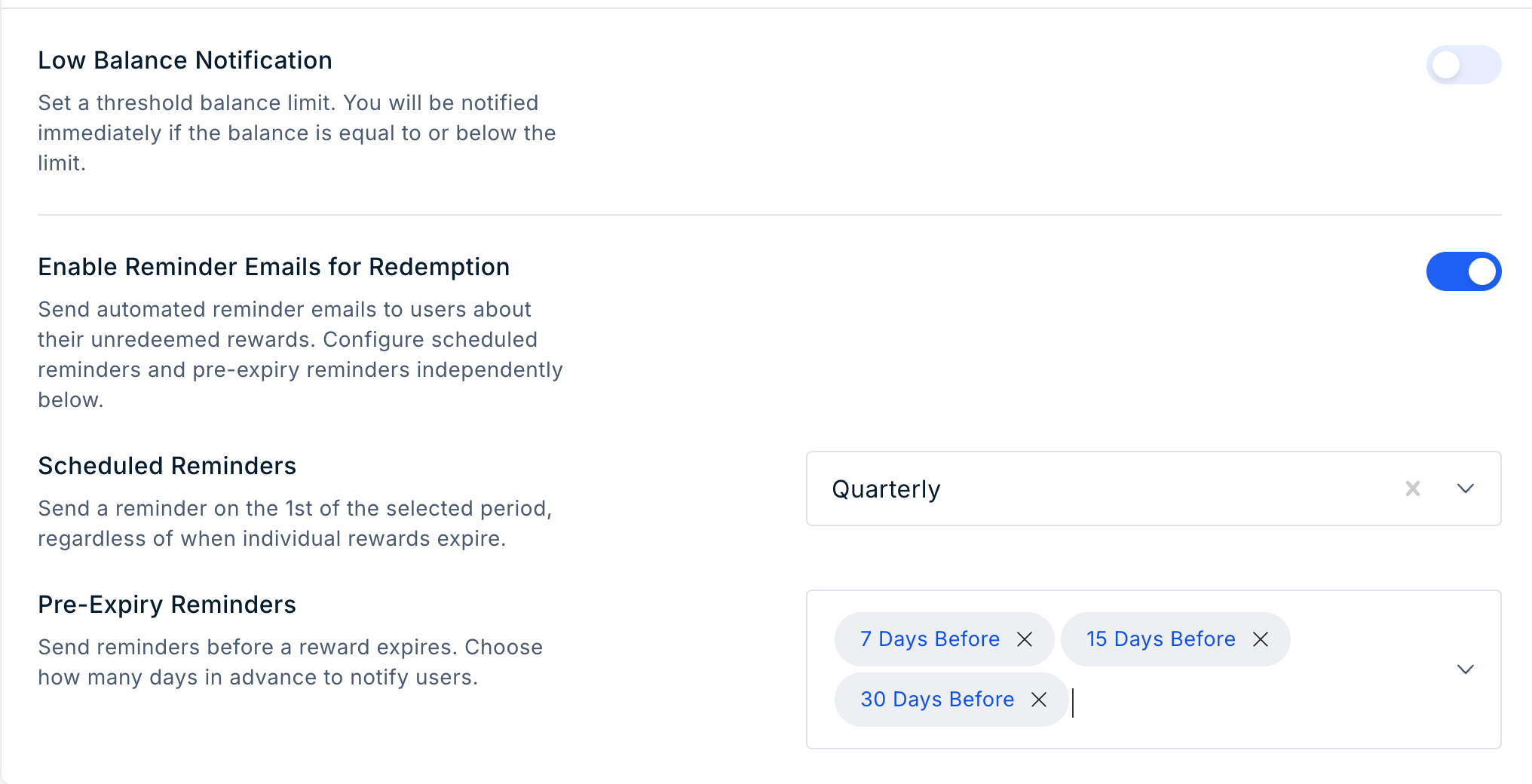
You can configure the following types of redemption reminders:Scheduled Reminders
Scheduled reminders are sent at regular intervals until the reward is redeemed or expires. This option is useful for rewards with longer validity periods. The available frequencies are:- Monthly
- Quaterly
Pre-Expiry Reminders
Pre-expiry reminders are sent once before the reward expires. These reminders encourage recipients to redeem their rewards before the expiry date. The available reminder intervals are:- 30 days before expiry
- 15 days before expiry
- 7 days before expiry
Configure Reminder Emails
To configure Reminder Emails for Redemption:- Navigate to Settings > Notifications.
- Locate the Reminder Emails section.
- Select the required reminder type and frequency.
- Click Save Changes.